

Finding the right platform for newsletters and blogging can feel overwhelming, especially when Substack’s limitations start to affect your workflow or growth.
I’ve seen creators struggle with high fees, limited customisation, and basic analytics, all while searching for better control and smarter automation. If you’re weighing options, you’re not alone—moving away from Substack often means balancing ease of use against advanced features and ownership.
In this post, I’ll break down ten top alternatives, covering everything from all-in-one creator platforms to self-hosted solutions and email-centric tools. You’ll get a clear look at costs, migration steps, automation features, and which platforms best fit your goals—whether that’s rapid audience growth, deep branding, or privacy-first publishing.
By the end, you’ll have a side-by-side comparison and actionable insights to help you choose the platform that matches your needs, budget, and ambitions.
What are Substack Alternatives?
What is Substack?
Substack is a digital platform for writers, journalists and publishers who want to share their work with readers directly. Its main draw is simplicity—the whole process is streamlined for creators.
The platform offers an integrated suite of tools for content creation, automated email delivery, subscriber management and payments for paid subscriptions.
Basic analytics give writers essential insights, allowing them to concentrate on writing rather than technical details.
By 2024, Substack had reached 4 million paid subscriptions, 50 million total subscriptions, and generated around $450 million annual writer revenue.

That’s no small feat—Substack has created an ecosystem all its own.
What is a Substack Alternative?
So, what makes a platform a Substack alternative? It must offer native email delivery, robust audience management and built-in monetisation tools focused on creators.
Instead of simply providing a blogging space, these platforms help users reach subscribers, accept payments and manage communities.
Some solutions put creative control first; others focus on marketing automation or segmentation.
With so many options, the landscape can feel overwhelming—but not every tool serves the same goals.
Often, moving away from Substack comes with trade-offs.
For example, certain platforms may provide additional features but require sacrificing ease of use.
Moving away from Substack can also mean considering trade-offs in workflow and control.
Limitations of Substack: Context for Alternatives
Why do writers sometimes look elsewhere? The 10% transaction fee on paid subscriptions is a significant reason.
Customisation limitations make branding and integrating with other channels tricky.
For those wanting deeper insights or organic discovery, Substack’s basic analytics and SEO may be too restrictive.
Another challenge comes with automation and integrations; the workflow is smooth, but lacks detailed audience segmentation or smart marketing features.
And let’s not forget platform lock-in—migrating your followers is complex, almost like booking a one-way ticket with uncertainty about your return.
As a result, creators often hunt for platforms with advanced analytics, full control over audience data, or stronger marketing capabilities.
Advanced analytics and optimization capabilities are crucial, as they empower creators to visualize insights and translate raw data into strategic decisions.
This search for new platforms leads into an exploration of available alternatives.
The Landscape of Alternatives: Platform Categories
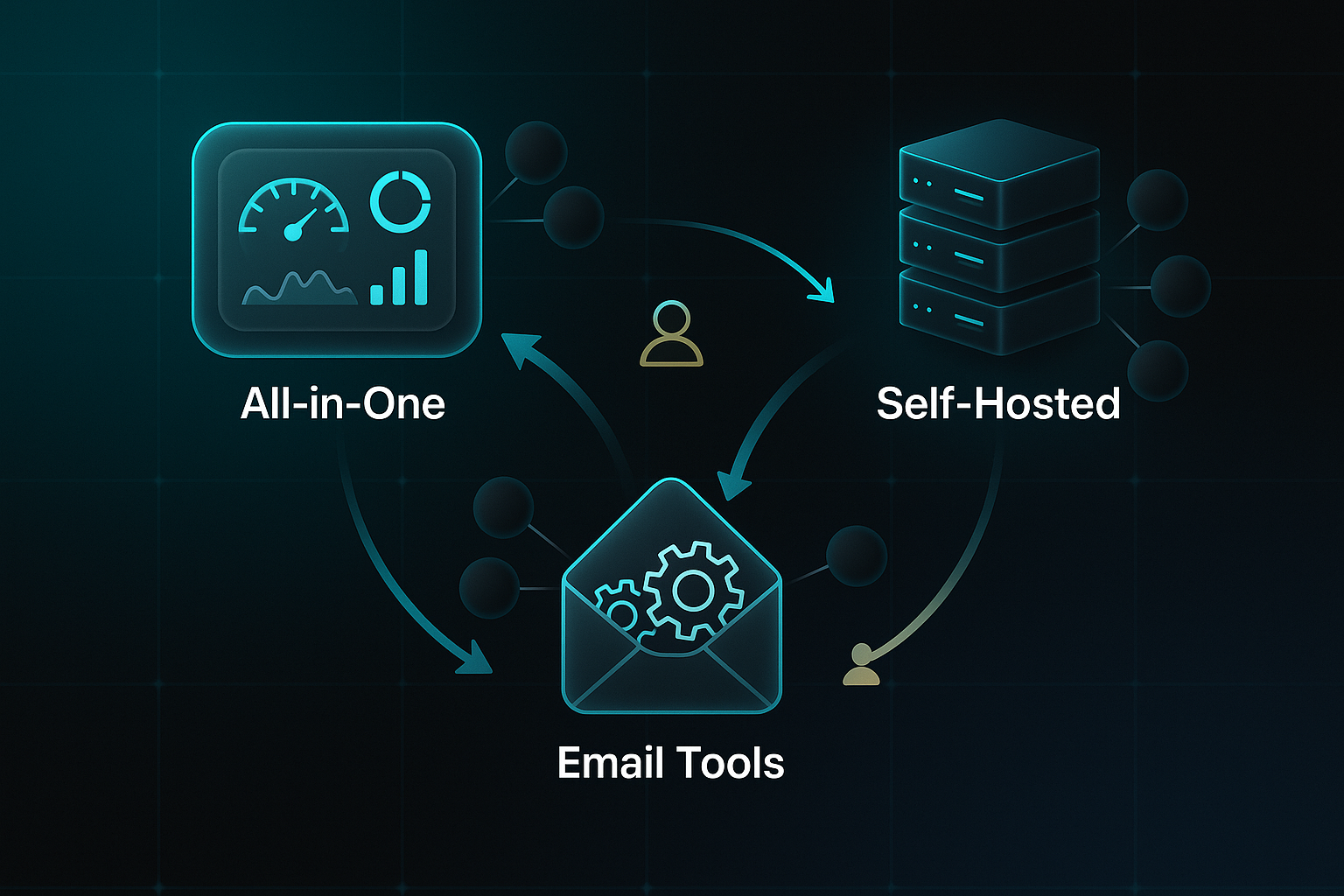
Alternatives come in a few distinct flavours:
- All-in-one creator platforms
Include publishing, payment, and analytics under one roof, simplifying every step. - Self-hosted solutions
Offer total ownership and deep customisation for creators who want to control their site's style and features. - Email-centric tools
Bring advanced marketing automation, segmentation and precise targeting into focus, perfect for tailored communications. - Collaborative/organisational solutions
Build in workflow management and group coordination, helping editorial teams collaborate effortlessly.
Recognising these categories helps clarify which platforms are genuine Substack alternatives—not just generic website builders.
With this, it becomes easier to identify true alternatives and move on to common misconceptions about Substack replacements.
Common Misconceptions About Substack Alternatives
There’s a misconception that any blogging or website tool can replace Substack.
To truly qualify, the platform needs integrated email delivery, subscriber management and monetisation features—just posting online isn’t enough.
Some alternatives pile on features, but that can mean extra complexity.
Others keep things streamlined, trading feature depth for ease.
Which approach works best? It really depends on your priorities.
Getting a handle on these differences gives you clarity.
It helps compare genuine alternatives and decide which match the criteria most important for your choice.
With this foundation in place, the Substack alternatives landscape feels much clearer—and next, it’s all about exploring the real decision factors that will guide your choice.
How to Evaluate Substack Alternatives: A Scenario-Focused Framework for 2025
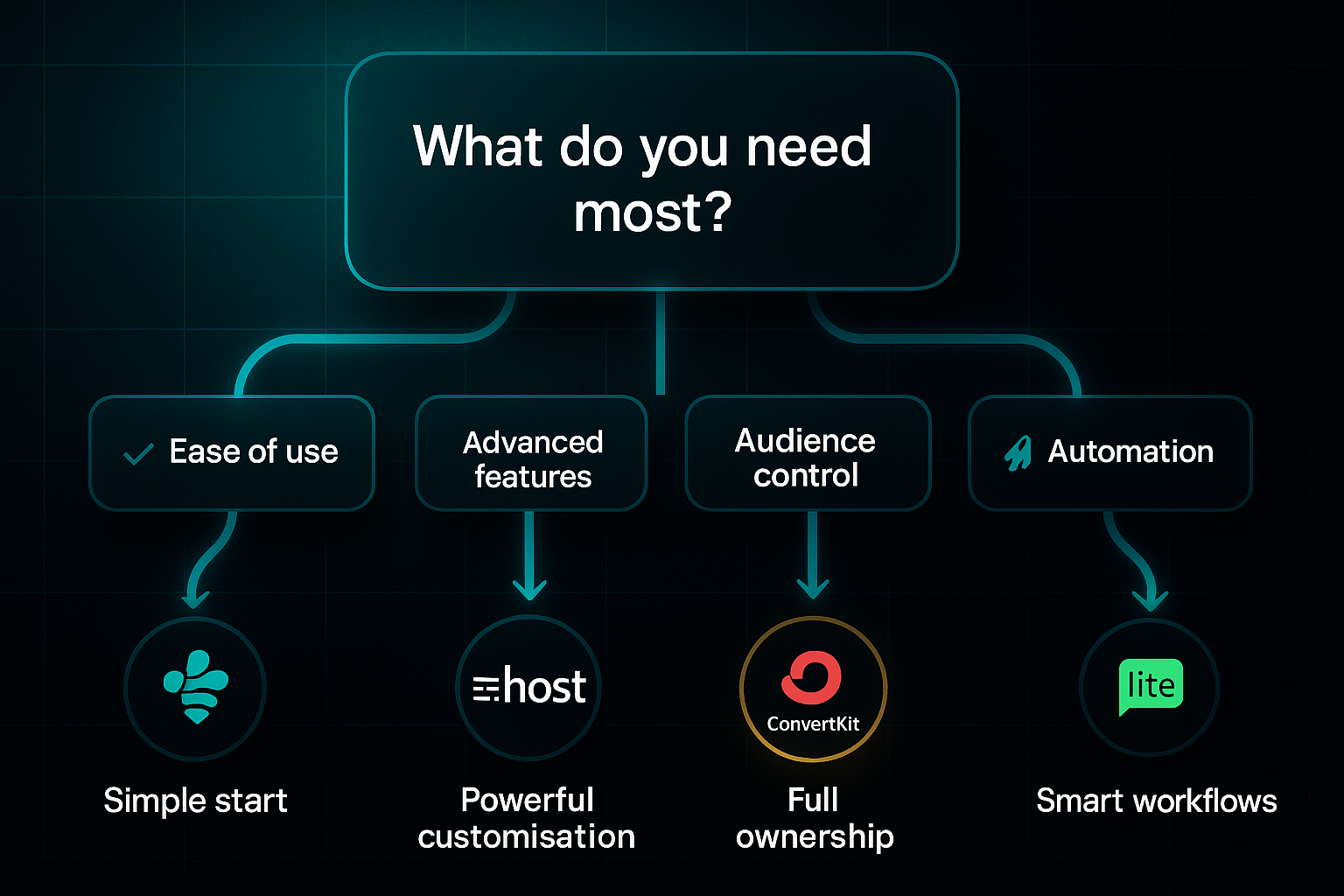
When it comes to picking a Substack alternative in 2025, it all boils down to your specific needs as a creator. Are you after slick branding, lower fees, seamless migration (meaning: how painlessly and quickly you can move your content and subscribers to a new platform), or perhaps advanced automation for your email marketing? Let’s break it down with a detailed, scenario-first comparison that shows what you’re really getting—and where you might feel the pinch.
Here’s a quick overview of how the top options stack up, so you can see at a glance which ones might be best for your priorities:
| Platform | Cost (2025) | Customisation/SEO | Migration (Time) | Automation Specs | URL |
|---|---|---|---|---|---|
| Ghost (ghost.org) | $9–$29/mo, 0% fee | Full HTML/CSS, JSON themes, SEO | 1–2 weeks | RSS automation, paid tiers | Ghost (ghost.org) |
| Beehiiv (beehiiv.com) | Free (2,500), $43+/mo | Basic layouts, custom domains | 2–5 days | Cohort reports, A/B, referrals | Beehiiv (beehiiv.com) |
| WordPress (wordpress.org) | $5–$30+/mo (hosting/plugins) | Unlimited with plugins, full SEO | 2–4 weeks | Plugin-based, variable | WordPress (wordpress.org) |
| MailerLite (mailerlite.com) | Free 1k, $10+/mo | Drag-and-drop, HTML, basic SEO | 1–2 weeks | Tags/triggers, 100k/mo | MailerLite (mailerlite.com) |
| Kit (convertkit.com) | Free (10k), $33+/mo | Templates, custom domain | 2–7 days | Sequences/tags, API | Kit (convertkit.com) |
| Flodesk (flodesk.com) | $38/mo, 0% fee | Templates, basic branding | 2–5 days | Automations, workflows | Flodesk (flodesk.com) |
Let’s pick apart some real-world scenarios. Say you’re a creator who wants total control over branding and SEO so your content ranks well and your site feels unique—Ghost is a top contender. You get complete HTML/CSS access and can use downloadable JSON themes for deep personalisation.
Automations? The RSS setup helps you deliver paid posts automatically. But, it’s not all instant: expect your migration and setup to take 1–2 weeks.
Now, if the idea of waiting weeks puts you off, Beehiiv is a standout for speed. You can launch in just a few days—plus, it’s got built-in monetisation, easy A/B testing for emails, and referral tools to help your audience grow.
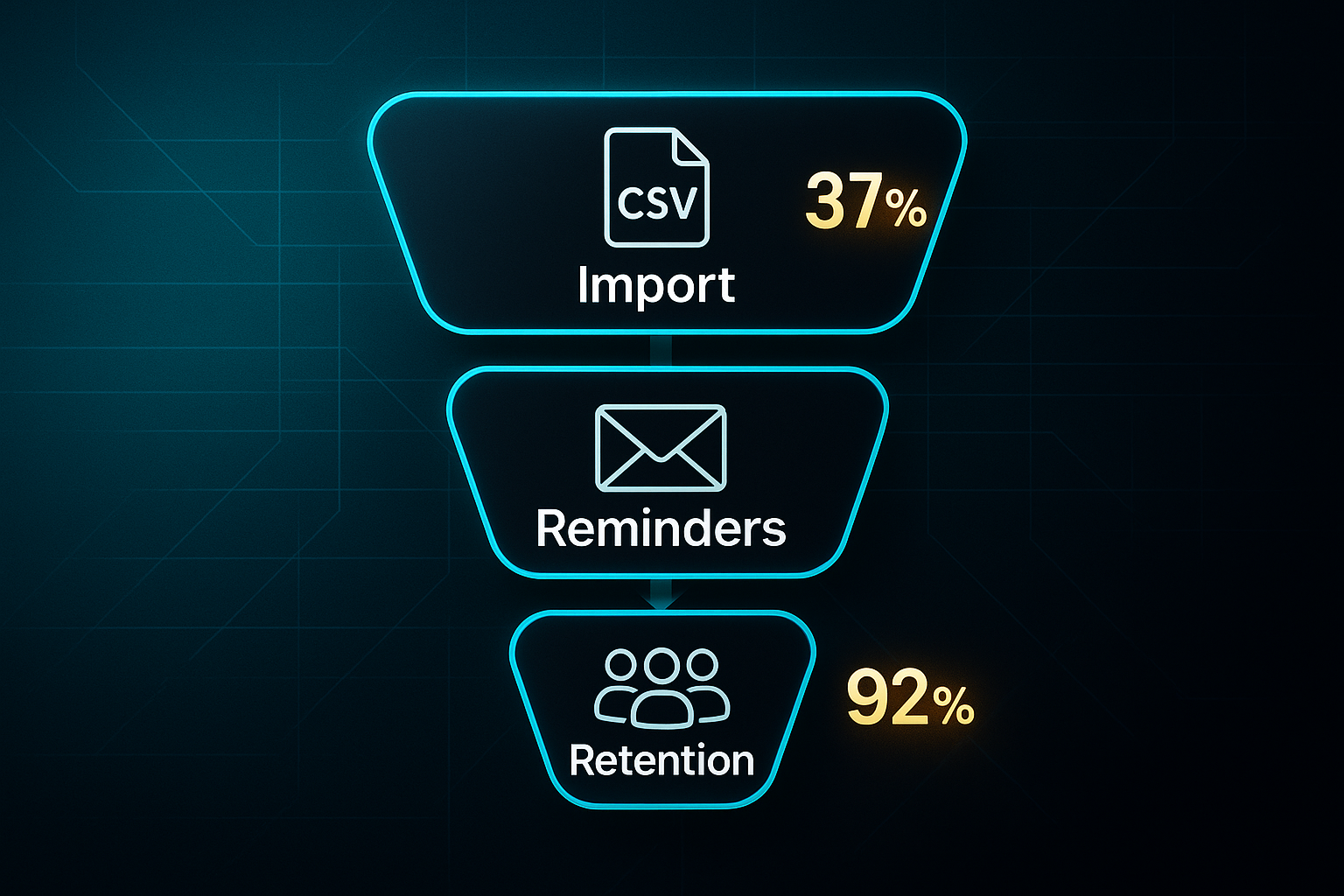
In 2025, creators moving to Beehiiv saw a 37% average subscriber list boost after migration, and 92% retained their paid audience by sending out three reminder emails. That’s the kind of result that gives you peace of mind.
After migrating over 2 million subscribers to beehiiv, TIME’s newsletters saw significant boosts in subscriber engagement, with open rates for some newsletters, like 'Inside Time,' increasing by 63.8%.
MailerLite and Kit deserve a mention too. If you want a simple interface with genuinely impressive automation—think automated series triggered by what your subscribers do—these two keep things clear, flexible, and friendly.
And if you’re hoping for fixed monthly costs without surprise fees, Flodesk lets you add unlimited contacts for $38 per month. For serious list-builders, that flat fee can be a real draw.
However, beyond platform-specific features, it's important to consider how setup and migration time weigh against long-term flexibility. Platforms like Ghost and WordPress offer serious power in customisation and SEO, but getting everything running takes longer.
If you’re in a hurry or want easy monetisation out of the box, Beehiiv or Flodesk might be the way to go—even if you trade away a bit of design or search reach.
So, which platform is right for you? It honestly comes down to what you value most—whether that’s control, maintaining your audience, maximising revenue potential, or just keeping your publishing workflow as fuss-free as possible.
Beehiiv
Platform Overview and Mission
Beehiiv is built by industry insiders for today’s creators, aiming to combine publishing, email, audience growth, analytics, and monetisation in one easy dashboard. Their whole philosophy is about breaking down technical barriers—making it possible to get live in under two hours rather than wrestling with multiple disconnected tools.
You don’t need to know code or mess with plug-ins. All major features are accessible from day one.
Features and Pricing
There are four pricing tiers, each tailored to different needs. Here’s a quick breakdown of each pricing level:
- Launch (Free)
Up to 2,500 subscribers, unlimited sends, custom website, basic analytics, AI design credits, campaign referral/ad revenue, API access (except Send API), and the recommendation network. - Scale ($43/month, annual)
All Launch features, plus ad/sponsorship access, 0% fee on paid subscriptions, automations, surveys, advanced analytics, webhooks, CSV exports, and three team seats. - Max ($96/month, annual)
Adds branding removal, sponsorship storefront, podcast/audio support, RSS campaigns, up to ten publications, unlimited seats, and priority support. - Enterprise (custom)
Tailored for over 100,000 subscribers, includes VIP onboarding, premium support, expanded API, and upcoming dynamic content features.
Under the bonnet, Beehiiv delivers an AI website builder (for custom branding and layouts), integrated SEO (auto sitemaps, schema), automation tools, cohort and segment reporting, and exportable analytics.
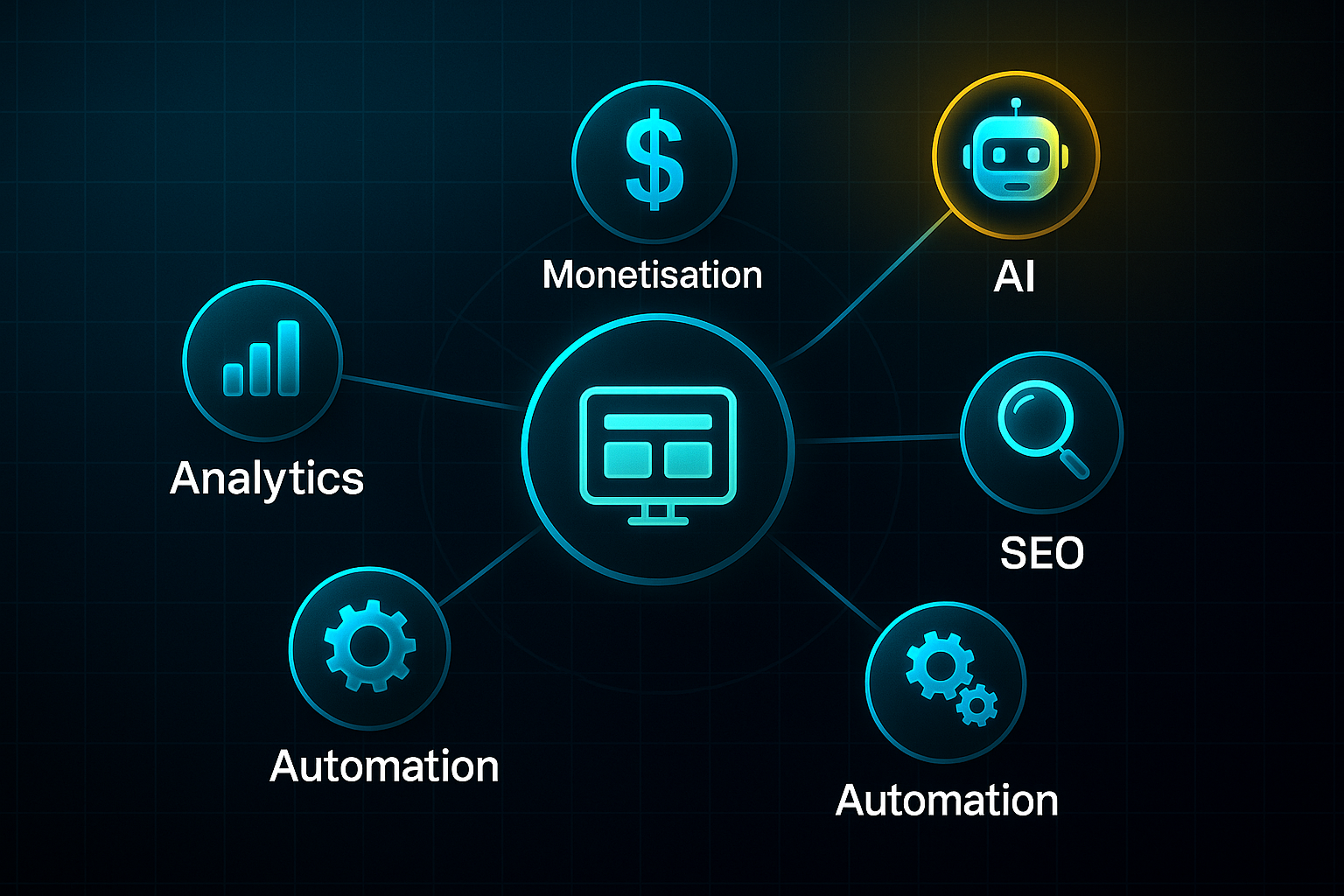
Monetisation routes include paid subscriptions, ad network payouts, referrals, and storefront sales—all with no platform fee.
Migration and Onboarding
Switching from Substack? Beehiiv’s migration tool moves subscriber lists and posts in 30–60 minutes (for under 5,000 contacts), typically with over 95% retention.
You’ll need Stripe for paid subscriptions, and their step-by-step process is essential here.
Basic posts and formatting transfer automatically. If you’ve used advanced embeds, manual tweaks are sometimes required.
Existing automations and analytics can’t transfer directly, but can be rebuilt natively in Beehiiv.
Ideal User Profiles & Use Cases
Beehiiv fits creators and organisations ready to scale up—those focusing on monetisation, rapid setup, robust analytics, and new revenue streams.
If you’re building a paid newsletter or want audience growth minus technical headaches, Beehiiv’s a compelling option.
Pros and Cons
Let’s quickly weigh up Beehiiv’s main strengths and challenges:
- 0% platform fees
Retain more income versus the 10% Substack cut. - Revenue streams
Multiple income options, including subscriptions, ads, referrals, storefronts. - Speedy onboarding
Most users are live within hours. - Advanced analytics
Strong data exports and automation options. - Paid features
Higher-level tools require upgrade. - Migration tidying
Some content may need manual fixes. - Ad payout delay
Networks pay monthly, not instantly. - Evolving deliverability
A few email features still under development.
Beehiiv’s focus on creator earnings and quick setup will appeal if you’re serious about audience growth.
Up next: Ghost’s flexible, open-source platform for those craving ultimate control.
Ghost
Platform Overview and Ownership
Ghost is an open-source publishing platform for creators who want full ownership—not just over their content, but their audience, branding, and site data too.
That’s the real difference compared to Substack. With Ghost, you run a full blog, integrate newsletters, and build paid memberships, all in one place. The architecture makes it possible to scale both your audience and revenue as you grow.
Pricing and Key Features
Ghost offers two main options: managed hosting (Ghost(Pro)) or self-hosting for those comfortable with the technical side. Here’s what you get with each paid plan:
Let's quickly lay out the key details.
- Starter
$15–18/month, up to 500 members, basic newsletter tools, no paid subscription tiers. - Publisher/Creator
$29/month, paid subscriptions enabled, supports up to 2,000 members. - Business
$199+/month, advanced support, 10,000+ members, custom integrations.
A core advantage of Ghost is 0% platform fees—Stripe’s standard processing (about 2.9% + $0.30 per transaction) is the only cut. With Substack taking a 10% platform fee, the difference in revenue share is significant.
Self-hosting is completely free except for actual infrastructure: a VPS ($6–12/month) and email delivery ($0–35/month). This option suits maximum flexibility seekers who are happy handling servers.
SEO, Customisation and Migration
Ghost delivers smart SEO features—metadata, canonical tags, structured data, responsive images—so your Google rankings get a boost over Substack’s basic approach. You control your look with advanced themes (HTML, Handlebars), open API access, and straightforward Markdown (a simplified formatting language).
If your main purpose is to publish articles that can drive organic traffic to your blog, then Ghost has a lot to offer without additional hours of plugin searching and admin panel optimization.
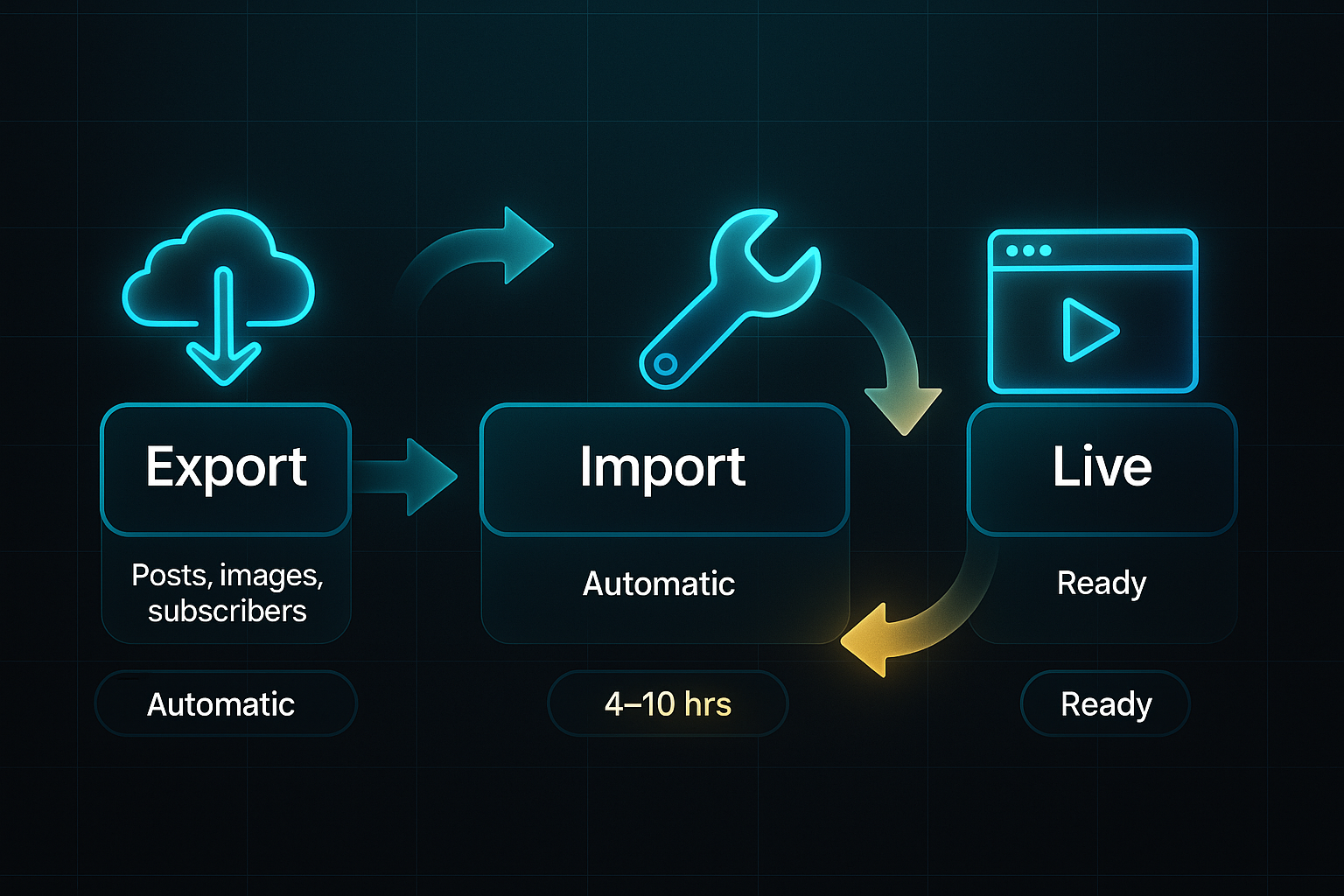
Migration is well-supported via official import tools. Your posts, images, and subscribers transfer directly, though large sites with complex automations or paywalls may need 4–10 hours for manual adjustments.
Pros, Cons and Ideal Users
Wondering if Ghost fits your workflow? Here are the main points to weigh:
- Pros
Full ownership and branding, 0% platform fees, excellent SEO and analytics, deep customisation. - Cons
Technical skills needed for self-hosting, starter plan limits monetisation, fewer built-in network/social tools.
Ghost’s sweet spot is independent writers, publishers, and brands seeking predictable costs and granular control. But, if you want quick setup and built-in network discovery, Beehiiv or Kit may suit you better.
Next up, we’ll explore Kit—where automation and segmentation take centre stage, while Ghost shines brightest for creators investing in lasting ownership and sustainable growth.
Kit (formerly ConvertKit): Advanced Automation and Monetisation for Email-Focused Creators
Workflow Automation and Segmentation
Kit, previously known as ConvertKit until its 2024 rebrand, stands out for letting creators build multi-step automated email campaigns—no coding needed.
The drag-and-drop builder is simple to use.
You can set up branching workflows that react to subscriber actions, like tagging VIPs, sending personalised offers, or targeting those who've stopped engaging.
For example, a product launch might include a welcome email, product teasers, testimonials, and incentive messages that change depending on what the reader does.
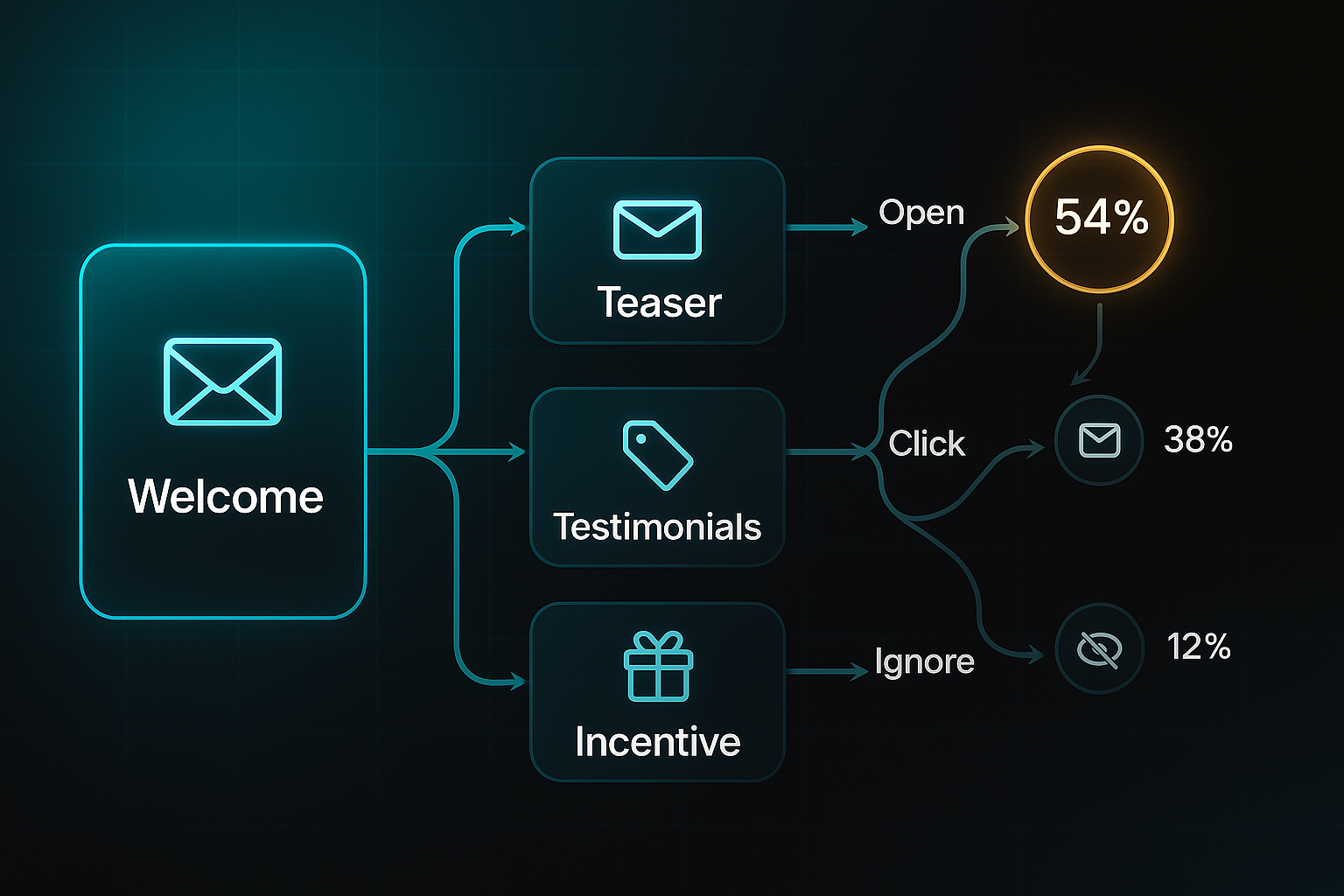
What’s interesting is the impact—creators using Kit's builder have reported up to 70% higher conversion rates compared to platforms with single list setups.
Pricing and Fees
If pricing is your focus, Kit’s plans offer clarity and flexibility.
Here’s how the tiers break down:
- Free Plan
Basic tools for up to 1,000 subscribers. - Creator
$39/month unlocks automation, tagging, integrations, and team seats. - Creator Pro
$79/month gives access to advanced analytics and referral systems.
No platform fees are taken—only Stripe’s standard 2.9% + $0.30 per transaction.
So, earning $1,000 in paid subscriptions means about $59 in fees, not Substack’s $159+.
Migration from Substack
Migrating from Substack is refreshingly simple.
You export your subscriber list and posts, and then import them into Kit.
Paid plans include help with mapping tags, setting up Stripe, and rebuilding automations.
Basic migrations finish in under three days; complex ones usually wrap up in 1–2 weeks.
Text, subscriber data, and simple HTML transfer easily, though richer media or intricate automations may take a manual touch.
Essential Integrations
Kit connects with some of the best tools for creators. Here are Kit’s key integrations:
- Shopify
Automate sales and product workflows. - WordPress
Migrate blog content and grow your reach. - Zapier
Customise automation beyond built-in options. - Google Analytics
Track and optimise campaign performance.
Shopify and Zapier are solid choices for sellers and power users needing smart segmentation.
WordPress and Analytics help educators and marketers improve engagement and growth.
Audience Fit and Platform Gaps
Kit works best for solo creators, educators, and brands focused on monetisation through email.
Its strengths are intuitive automation, efficient segmentation, and consistently low fees.
It doesn’t include native blogging or strong SEO controls; for that, tools like Ghost, WordPress, or MailerLite offer more.
The most advanced analytics and detailed content management are reserved for Pro plan users.
So, if automating your email strategy matters most—and you want a hands-off approach to fees—Kit is worth exploring.
Next up, we’ll see how MailerLite balances simplicity with smart automation for growing creators.
MailerLite: Rapid Newsletter and Blog Setup, Feature Progression, and Platform Boundaries
Rapid Onboarding: Free Tier Experience and Setup
MailerLite’s free tier makes it unusually quick for creators to get going. By 2025, most people will set up an account, pull in their contacts, and send out a first newsletter or blog post in under an hour.
You get up to 500 subscribers, 12,000 emails a month, a drag-and-drop builder, single-trigger automations, 10 landing pages, and a bit of A/B testing. For educators or anyone working to a tight budget, it’s an easy way to start with welcome or class newsletters.
There’s plenty of onboarding help, including quick start guides and live chat, which keeps things moving.
Automated approval for new accounts means there’s usually a 1–3 day wait before your first campaign can be sent.
Automation, Upgrades, and Use Case Triggers
MailerLite’s paid plans unlock more advanced features as you grow. Each step up brings something extra.
- Growing Business ($10/month)
Unlimited sends, three user seats, multi-step automation, RSS-to-email or blog, and ad-resend automation. - Advanced ($20/month)
Adds custom HTML/CSS, unlimited users, multi-trigger automations, advanced segmentation, API/webhooks, pop-ups, and Facebook sync. - Enterprise (custom, over 100,000 subscribers)
Expedited onboarding, compliance options, custom deliverability, SSO/SAML (Single Sign-On/Security Assertion Markup Language), and dedicated IP.
Most people upgrade when the subscriber limit or automation needs grow.
Branding control often becomes critical at higher subscriber numbers.
Migration: Steps and Barriers
Moving from Substack, Kit, or Flodesk? Subscribers and archive content export easily, using CSV or HTML formats.
MailerLite imports lists under 5,000 in minutes. However, old templates and automations must be rebuilt manually.
Most migrations finish in 1–2 working days. Custom HTML designs sometimes need tweaks after import.
Existing engagement stats don’t transfer.
Approval for campaign sending might cause a delay of up to three days.
While migration can be swift, it’s important to note key platform limitations.
Limitations: Hosted Platform Boundaries and Comparisons
MailerLite’s managed hosting means you don’t own your tech stack or servers.
You can’t control every aspect of SEO. Advanced options like custom schema or analytics dashboards aren’t included.
Features such as API access, deeper segmentation, and removing branded elements are limited to paid plans.
When full data ownership or maximum customisability matter, self-hosted tools like Ghost, WordPress, or our solution, SEOSwarm, provide more granular control.
Analytics, Automation Depth, and Switching Factors
MailerLite’s basic analytics cover opens, clicks, unsubscribes, and essential automation stats.
Branching automations, API/webhooks, and advanced analytics are gated to higher plans.
Competitors like Ghost, Beehiiv, and Kit offer more powerful segmentation and reporting for those wanting elaborate marketing funnels or predictive analytics.
It’s at this point, once you need more than basic automation or analytics, that many creators graduate from MailerLite to gain deeper features for growth.

AI-Powered
SEO Content Strategy
See the AI platform that's replacing entire content teams
(with better results).

Medium as a Substack Alternative: Platform Fit, Migration Tactics, and Real-World Value for Creators (2025 Edition)
Medium remains a favourite for creators chasing rapid audience growth in 2025. Editorial curation and smart recommendations help writers reach 1,000 readers up to 24% faster than on Substack. For writers focusing on essays or trending topics, this advantage is amplified. Submitting to major publications and using popular tags genuinely boosts visibility, and consistent posting—two or three times a week—is key. Recent algorithm upgrades favour diverse themes and stronger engagement signals, giving new voices more chances to stand out.
Monetisation Realities in 2025
Medium’s Partner Program pays according to engaged reading time and member interactions. Most new writers earn less than $200/month, while loyal creators average $1,000 to $3,000 each month, and top contributors can pass $5,000/month. In 2025, payout regions have been tweaked, and meta writing no longer qualifies for payouts, further shaping who sees the strongest earnings.
The catch, compared to Beehiiv or Ghost, is that Medium doesn’t allow direct subscriber payments—income is tied to algorithmic visibility rather than steady supporter revenue, which makes income swings more common.
Workflow, Analytics and Branding
Onboarding is quick: account setup, Partner Program opt-in, and your first post are typically done in minutes. Analytics show only story views and engagement ratios; advanced segmentation and funnel tracking are not included. Branding is minimal, limited to profile and post details, with no custom domain or design controls available. This means creators focused on audience control and custom branding will find Medium limiting after setup.
Migration, Export, and Lock-In
Official export options remain basic—posts can be downloaded as HTML or Markdown (a simplified formatting language), but only one at a time. Tools like "Medium to Markdown" automate this, though image and formatting transfers can be inconsistent. Audience emails and comments cannot be moved to other platforms, and overall, platform lock-in is a real concern. Those considering switching should regularly archive their work, as boundaries can be tough to navigate.
Fit, Hacks, and Who Should or Shouldn’t Choose Medium
Medium is ideal for writers, essayists, and thought leaders seeking instant reach with little technical hassle, but marketers or brands needing advanced analytics, subscriber control, or easy migration will likely find its limits restrictive. You can maximise impact by submitting to top publications and posting on trending themes.
Here’s a quick guide to where Medium fits:
| Goal/Priority | Medium Verdict |
|---|---|
| Rapid Launch & Exposure | Ideal |
| Stable Recurring Revenue | Not Ideal |
| Custom Branding/Ownership | Not Ideal |
| Migration Flexibility | Not Ideal |
Medium’s strengths and drawbacks can be summed up as follows:
- Audience Growth
Fast exposure, but portability is limited. - Monetisation
Pays for viral content, yet monthly income swings. - Customisation
Publishing is easy, branding remains basic. - Migration
Testing ideas is simple, but lock-in risk is real.
Medium offers clear value as a launchpad for new voices and fast reach. For lasting income, deep audience ownership, and robust customisation, alternatives with more control should be considered.
WordPress: Should You Go Self-Hosted or Managed in 2025? Unlocking Control, Avoiding Pitfalls—Plus SEOSwarm’s Turnkey Alternative
Self-Hosted vs Managed: Quick Comparison and Costs
If you’re weighing up WordPress in 2025, the biggest question is whether you want maximum control or a simple, no-fuss setup.
WordPress.org (self-hosted) lets you customise every detail and choose unlimited plugins and themes (add-ons for design and function). Just bear in mind the costs—hosting (£5–£25/month), domains (£10/year), and the odd plugin or theme (£200/year max).
You’ll also need to keep everything updated and secure yourself.
Or, if you’re after a speedier start, WordPress.com (managed) takes care of security and updates automatically.
Full plugin access only kicks in once you’re on the Business plan (£25/month+), as lower plans restrict what you can install.
Those comfortable with tech tend to prefer self-hosting for the ownership and flexibility.
Managed plans are ideal for beginners or folks who want to avoid admin headaches. So, it’s about priorities—customisation and scalability, or ease and speed.
To help spot the difference quickly:
| Platform | Plugin Access | Cost (2025) | Best For |
|---|---|---|---|
| WordPress.org | Unlimited | £5–£25/month + extras | Control, scalability |
| WordPress.com | Business only | £25–£45/month | Fast launch, simplicity |
Newsletter & SEO Plugins: Pricing and 2025 Features
Plugins are WordPress’s secret weapon for newsletters and SEO (Search Engine Optimisation).
Below are several top plugin options, each with its own strengths and quirks:
- MailPoet
Free/£10–£11/month. Great for WooCommerce (WordPress e-commerce), advanced segmentation included. - Newsletter
Free/£79/month. A favourite for small teams, with a refreshed editor. - FluentCRM
£129/year. Made for e-commerce and CRM (Customer Relationship Management), new analytics dashboard. - Rank Math
Free/£6.99/month. Trusted by agencies, pro schema (structured data for Google) features now require upgrade. - Yoast SEO
Free/£99/year. Beginner-friendly, but some features locked behind premium tiers. - SEOPress
Free/£49/year. Popular for speed, manual setup (hands-on configuration) needed.
Automations work well for simple tasks, but complex workflows (multi-step automated actions) still stumble occasionally.
Migrating from Substack to WordPress (2025)
Hoping to leave Substack? The steps are straightforward as long as you keep things organised. These are the basic migration steps most creators follow:
- Export posts and subscriber data from Substack.
- Set up your WordPress site and install plugins.
- Import your content, then tidy up formatting and images.
- Rebuild automations, tags (keywords for organisation), and mailing lists.
Moving smaller newsletters rarely takes more than two hours, though more intricate setups can slow things down.
Let’s wrap up with the main trade-offs:
- Full site ownership
Control over data, design, and growth. - Limitless features
Endless plugin potential. - Active community
Plenty of troubleshooting tips.
Just remember the challenges that come along with these advantages:
- Maintenance
Updates and security are your responsibility. - Plugin costs
Premium tools add up. - Upgrade conflicts
Sometimes, updates clash (bugs from mismatched plugins and WordPress).
SEOSwarm: The Agent-Led, Turnkey SEO Alternative
If plugin maintenance and site admin sound like a headache, SEOSwarm offers a Cloudflare-hosted, agent-managed blog—fully optimised with automated schema (structured data for Google) and analytics, all triggered by two lines of code.

Campaign packages (pre-built marketing bundles) mean expert management and zero plugin hassle.
Next up: Mailchimp’s automation and smart segmentation (targeted subscriber grouping) for creators focused on email.
Mailchimp: Marketing Automation Power for Newsletters in 2025
Platform Overview and Capabilities
Mailchimp in 2025 is a favourite for agencies, marketers, and e-commerce teams who need granular segmentation and want to manage large subscriber lists without breaking a sweat.
Everything—email campaigns, CRM (Customer Relationship Management), e-commerce tools, analytics, automation, and SMS/ad campaigns—is stitched together in one clean dashboard.
The dashboard brings together essential marketing tools and is popular among agencies for its ability to handle complex workflows.
Let’s look at the standout features that define Mailchimp’s dashboard and why agencies favour it:
- Unified dashboard
Control email, CRM, analytics, e-commerce, SMS, and ad campaigns from one place. - Visual workflow builder
Drag-and-drop, code-free automation design for even tricky campaigns. - Predictive segmentation
AI groups audiences to send truly tailored messages. - Best for large/complex lists
Built for brands and teams working with multiple audiences. - Overkill for simplicity
Solo creators may prefer less feature-heavy, lower-cost choices.
Features and Pricing
Deciding between Mailchimp’s plans? It helps to know what’s actually on the table as your list and automation needs grow.
Here’s how the pricing options break down for different list sizes and platform needs:
- Free
Works for up to 500 contacts, 1,000 sends monthly, basic analytics, plus Mailchimp branding. - Essentials
$13/month (500 contacts), $45/month (2,500), $75/month (5,000 contacts). - Standard
$20/month (500), $60/month (2,500), $100/month (5,000), $135/month (10,000 contacts). - Premium
$350/month (10,000 contacts and 150k sends), up to $815/month (50,000 contacts and 750k sends).
To put annual cost in perspective, here is a comparison of annual costs for Beehiiv, MailerLite, and Mailchimp based on typical contact numbers:
| Contacts | Beehiiv Annual | MailerLite Annual | Mailchimp Essentials | Mailchimp Standard |
|---|---|---|---|---|
| 5,000 | $576 | $228 | $900 | $1,200 |
| 10,000 | $684 | $408 | $1,320 | $1,620 |
| 25,000 | $1,524 | $1,428 | $1,908 | $3,720 |
A further point to consider is that the Essentials plan has a fixed send cap. That can slow growth.
If you need unlimited sends, A/B testing, and deeper automations, consider jumping up to Standard.
Migration/Onboarding and Ideal Users
The process of onboarding with Mailchimp follows a clear sequence so everything lands in the right place.
Here’s what the onboarding process typically involves:
- Account setup
Registration, compliance checks and adding user seats. - Contact import
Upload via CSV or integrate services like Shopify or Squarespace. Moving from Substack means manual export. - Workflow rebuild
You’ll configure automations and tags afresh and update templates for your brand’s look. - Support
If you’re on Essentials or above, 24/7 live chat is available; Premium brings priority onboarding.
After onboarding, some situations make Mailchimp the obvious pick, while others call for simpler tools.
Here is a comparison to guide you based on common use cases:
| Ideal For | Choose Mailchimp If... | Choose Beehiiv/MailerLite If... |
|---|---|---|
| Segmentation depth | Advanced automations matter | Basic automation is all you need |
| E-commerce hybrid | Shop and newsletter together | Focused purely on simple newsletters |
| Teams/Agencies | You need reporting and seats | Working solo or with a very small team |
Mailchimp delivers layered segmentation, reporting power, and marketing sophistication. Launching takes longer than on Beehiiv or MailerLite, and migrating automations or templates isn’t plug-and-play. The choice depends on your project’s size and complexity.
Pros and Cons
Before choosing, consider these advantages and drawbacks that come with Mailchimp in 2025:
Pros
Mailchimp’s strengths really shine for teams that want marketing muscle:
- Automation power
Visual flows, tailored triggers, predictive segmentation, and real-time analytics. - Integration breadth
Connects with 300+ services—e-commerce, workflows, social platforms. - Scalability
Handles big lists and runs multi-campaign projects easily.
Cons
There are a few downsides to balance things out:
- Pricing scales quickly
Costs jump substantially above 5,000 subscribers. - Send bottleneck
Essentials plan limits monthly email volume. - Learning curve
Multi-channel automation and campaign setup can be tricky. - Not ideal for simplicity
Casual or solo creators may find it more complex than they need.
Mailchimp brings serious power for ambitious marketers and brands.
Beehiiv and MailerLite remain easier routes for creators who value simplicity or fixed monthly costs.
If you’d rather work with minimalism and privacy, Buttondown’s unique approach is coming up next.
Buttondown: Minimalism, Privacy, and Control for Newsletter Creators
Platform Overview and Core Philosophy
Buttondown is made for independent creators and small businesses who care deeply about privacy and a minimalist approach.
You won’t find cluttered dashboards here—no pop-ups, ad panels, or bloat—just a streamlined space to write, send, and manage newsletters. Everything about Buttondown’s design keeps things quiet and focused, supporting writers who want to skip distractions.
Behind the scenes, Buttondown is GDPR-compliant (General Data Protection Regulation), never resells your user data, and ensures you always have export rights to your content and subscriber lists. Professional details aren’t forgotten, either—custom sending domains and branded archives help you strengthen your identity and achieve solid inbox deliverability.
Features and Pricing
Buttondown keeps its pricing refreshingly straightforward: just $9/month or $90/year, with a free tier if you’re starting small. That’s for unlimited email sends and every core feature unlocked right from the start.
There’s no platform cut at all—only Stripe’s usual payment processing fee if you run paid subscriptions. The feature set covers drag-and-drop automation for drip sequences and onboarding, analytics (opens, clicks, bounces), tags and segmentation, unlimited contributors per account, multi-newsletter management, support for attachments and file delivery, and developer-friendly integration via a robust API—with more than 45 external services supported.
Migration, Onboarding, and Ideal Users
Moving from platforms like Substack or Mailchimp? Buttondown’s support team manages free migration, usually completing the process in under one business day.
Subscriber lists, newsletter content, and basic metadata come across securely, and readers keep access with no re-confirmation needed. Buttondown’s sweet spot is solo writers, privacy-driven publishers, and micro-businesses craving a lean, distraction-free experience with reliable export options.
Pros and Cons
Let’s take a look at where Buttondown stands out, and where it leaves room for more:
- Flat-rate, zero-cut pricing
- Privacy-first design
- Minimalist experience
- Swift, free migration
- Responsive support
- Fewer visual customisation options
- Less advanced marketing automation than Beehiiv or MailerLite
- Slower archive transfer for large, media-rich newsletters
Buttondown’s real strength lies in its balance of privacy, control, and simplicity. It’s perfect for those who want a streamlined newsletter workflow without advanced marketing bells and whistles. If in-depth automation or full-stack branding matters to you, though, you might want to check out some wider-ranging alternatives next.
Patreon
Email, Content Support, and Monetisation in 2025
Patreon has built its reputation as a membership-first platform that enables creators to run everything from newsletters and blog posts to video, podcasts, art, and exclusive bonus content.
It’s flexible, giving you a hub for mixed-media projects and tight-knit communities in a way few rivals do.
In 2025, Patreon has improved its email workflow—now offering mobile-optimised notifications, auto-responders, and audience segmentation.
But here’s where things get tricky if email is your main game: you can send updates via email, but not the full content of longer newsletters with rich formatting.
For creators wanting polished, branded newsletters landing directly in inboxes, platforms like Substack, Beehiiv, or MailerLite remain more straightforward.
Many Patreon users, therefore, export their supporter list (with full permission) and use Mailchimp or MailerLite for those proper, custom-branded sends.
Migration from Substack or Beehiiv is not seamless—it’s a manual process rather than a push-button solution.
You’ll export your subscribers, invite them to join you on Patreon, and often rebuild things like membership tiers and automations one by one.
There’s no bulk import for email newsletters or payment info.
Podcast episodes move over more smoothly via RSS, but if you have a deep content archive or complex automations, expect additional setup.
Creators tend to lose about 15–30% of paid subscribers during migration, so retention strategies—like exclusive early bonuses, limited-time perks, or temporarily running both platforms—come in handy.
Patreon’s fees in 2025 are clear but relatively steep for those eyeing premium features.
The Lite plan charges 8% of your earnings; the Pro plan jumps to 12%, with both adding payment processing at roughly 2.9% + $0.30 per transaction.
By comparison, Ghost and Beehiiv charge 0% (leaving only Stripe’s cut), while Substack takes 10% plus Stripe.
What do you get for those fees? Patreon includes tiered memberships, group chat, direct messages, polls, and analytics—though a few stats, such as open rates, are less detailed than on dedicated newsletter tools.
If you’re trying to figure out whether Patreon will match your needs, consider these quick pros and cons:
Patreon fits well for certain types of creators, but also comes with trade-offs you should weigh up:
- Best for
Podcasters, artists, or video creators who put community, paid membership tiers, and multimedia content above streamlined newsletter automation. - Potential drawbacks
Migration is manual, accessing premium features boosts fees, and the email/branding experience is less tailored than with newsletter-led platforms.
In short, Patreon is a great fit if community engagement and diversified revenue are your top goals.
But if your workflow hinges on quick, automated, and beautifully delivered newsletters, it may feel limiting compared to the focused email publishing platforms explored earlier.
Gumroad
Sales-First Simplicity and Fee Reality in 2025
Gumroad is built for creators seeking straightforward digital sales with minimal admin. Whether you’re an artist, writer, or online educator, getting started is quick—just add your products and you’re live.
A big part of the appeal? No monthly fees. Gumroad charges 10% per direct sale (plus standard payment processing), or 30% if products are sold through Gumroad Discover. So, a $20 direct sale nets around $17.50 after all deductions. This “pay as you earn” approach suits those who want to avoid upfront costs.
Compared to Substack or Patreon, Gumroad focuses on selling content directly, not growing newsletters or communities. Its strengths and limitations are more obvious once you start looking at workflow details.
Onboarding, Taxes, and Migration Considerations
Setting up an account is fast. You can sell in USD, EUR, or GBP, and receive payouts weekly, which is often faster than monthly platforms.
Gumroad acts as Merchant of Record, automatically handling VAT/GST for all buyers. This means creators avoid dealing with international tax headaches—a huge relief for many.
However, migration from platforms like Substack or Patreon is manual. You can export subscriber lists, but you’ll need to rebuild memberships or email flows yourself. This process frequently results in a 20–40% subscriber loss unless you entice users with launch incentives or special offers.
Limitations and Best-Fit Scenarios
Email features remain basic—no automation, segmentation, or analytics. Gumroad makes sense for fast digital launches, but creators wanting recurring newsletters or community tools should look elsewhere, like Beehiiv or Ghost.
The following list distils Gumroad’s biggest strengths and downsides for creators:
- No monthly fees
Only pay a commission after a successful sale. - Automated global taxes
VAT and GST are managed for you automatically. - Rapid onboarding
Set up and launch products within minutes. - Weekly payouts
Receive earnings quickly in supported major currencies. - High transaction fees
10% for direct, 30% via Discover marketplace. - Manual migration
No automated audience imports or membership transfers. - Limited email features
No automation, segmentation, or in-depth analytics.
For creators who prioritise speed and simplicity, Gumroad delivers. If lasting engagement or advanced newsletter tools matter more, exploring other alternatives will serve you better.
Platform Comparison: Substack Alternatives for 2025
Choosing the ideal Substack alternative in 2025 is all about knowing what matters most to you—do you want maximum earnings, full control, reach, or just quick simplicity?
Before jumping in, focus on platform fees (how much you keep), monetisation routes, SEO/customisation (like themes or plugins), automation (set-and-forget workflows), and migration—that is, how easily you can bring your readers and content over with you. Every platform will use CSV files or APIs for migration, but some will keep more of your list than others.
To make a smart decision, you need a clear side-by-side comparison of what each platform actually offers and where the real limitations are. Use this table as your roadmap for how each platform stacks up on the critical details:
| Platform | Fees | Monetisation | SEO/Customisation | Migration/Retention | Best For |
|---|---|---|---|---|---|
| Beehiiv | 0% | Paid newsletters, ads, referrals | Basic templates, built-in SEO, automation | CSV/API: 85–90% retention | Quick growth, easy setup |
| Ghost | 0% | Paid memberships, subscription tiers | Full themes, plugins, open-source, strong SEO | CSV/tools: ~90% retention | Complete control, SEO focus |
| Kit (ConvertKit) | 0% | Paid newsletters, product sales | Basic templates, strong automation, moderate SEO | CSV import: 85–90% retention | Automated campaigns, launches |
| Medium | 0% | Tips, member revenue, exposure | Minimal design, built-in SEO | No migration: ~60% retention | Fast exposure, zero hassle |
Looking at the table, you’ll spot a key trend—all four platforms advertise 0% platform fees, but their approaches to control, customisation, and migration vary greatly. Beehiiv and Kit (ConvertKit) stand out for their user-friendly migration options, often preserving 85–90% of your subscribers and offering strong automation for self-running email campaigns.
Additionally, Ghost takes things further on customisation and SEO: its open-source flexibility and plugin support put you fully in charge, with about 90% retention for migrated lists. On the other hand, Medium wins if you want instant reach and don’t care about deep audience ownership, but the trade-off is a sharp drop in retention (around 60%) and no way to export your email list.
With these differences in mind, here's a concise breakdown showing which platform shines in each scenario:
- Fast Growth and High Retention
Beehiiv: Migration via CSV or API means 85–90% of your list comes with you. Built-in automation and 0% fees boost income. Customisation is basic, but it’s best for creators seeking quick growth with minimal friction. - Complete Control and SEO
Ghost: If you’re after open-source freedom and want to maximise SEO and design flexibility, Ghost delivers plugin support, custom themes, and about 90% retention with efficient migration tools. Best for tech-savvy users needing tight ownership. - Automation-Driven Campaigns
Kit (ConvertKit): For complex, hands-off automation, Kit’s campaign builder and integration tools stand out. Migration keeps 85–90% of your audience; monetise with paid newsletters or linked product sales. Good for those focused on email-driven launches. - Instant Exposure, Minimal Setup
Medium: If all you want is a fast start and broad reach, Medium gets you in front of readers quickly but with big trade-offs. Migration isn’t possible and only about 60% of your readers stick if you leave. Little control, but effortless wide visibility.
If you favour an SEO-optimised, fully customisable blog without administrative hassle, SEOSwarm is a plug-and-play option for technical confidence and scaling.
No matter your choice, prepare your migration in advance, communicate changes with your audience, test your exports and imports, and focus on platforms that best match your growth and workflow needs. That’s how you keep control—and most of your readers—no matter where you move next.
Blog-in-one-minute
Add a fully SEO-optimised blog to your website with just 2 lines of code.
Learn more
Migration: How to Leave Substack for a New Platform
Key Migration Steps, Retention Data, and Pitfalls (2025)
Leaving Substack might sound like a hassle, but it’s actually quite manageable—as long as you’ve got a plan and keep your subscribers in the loop.
Here’s how migration usually works for the main alternatives, what kind of retention rates you can expect, and where users tend to slip up.
To help you scan quickly, here’s a breakdown of the practical details for each platform:
| Platform | Migration Method/Tools | Retention | Top Pitfall |
|---|---|---|---|
| Beehiiv | Import posts/CSV in dashboard; map paid tiers via Stripe. | 90–95% | Comments/engagement not transferred. |
| Ghost | Admin > Labs > Import Content, upload CSV, reconnect Stripe. | 85–95% | Manual fixes for images/embeds; Stripe remapping. |
| Kit (ConvertKit) | CSV import in Subscribers, rebuild automations/posts. | 80–90% | No automated post import; manual payment re-invite. |
| MailerLite | CSV import; posts manually or RSS; rebuild segments. | 85–90% | Tags/automation must be recreated. |
| Buttondown | Upload CSV/ZIP or use concierge; Stripe supported. | 90–100% | Large files may need support. |
| WordPress | Plugins: Substack to WordPress, MailPoet (mailpoet.com). | 85–90% | Categories/media need mapping; plugin learning curve. |
| Medium | Manual copy of posts, no sub import. | 55–65% | No bulk migration or paid newsletter tools. |
Essential Retention & Troubleshooting Checklist
For a smooth switch, you’ll want to tackle the following points head-on:
- Clean lists & test-import first
Removes errors, speeds troubleshooting. - Three-stage audience comms
Pre-move, go-live, and post-check emails maximise retention. - Prompt paid subscribers to reconnect payments
Stripe/users nearly always must re-authenticate. - Check automations and post-import stats
Validate migration success, resolve mapping issues quickly.
Apply these strategies and you'll get this right—clean data, plenty of reminders, and a step-by-step approach mean you’ll see 85–95% retention with the top platforms. Most problems crop up when payment resets get skipped, subscriber lists aren’t tidy, or you forget to notify your audience consistently. So, a little extra preparation pays off in the long run.
Choosing Your Newsletter or Blog Platform: Scenario Match and Decision Framework (2025)
Finding the right newsletter or blog platform in 2025 is a bit like picking out a new toolkit—it all comes down to your goals, technical confidence, and how you want to grow over time.
Platform-Scenario Fit Matrix
Let’s scan through typical creator scenarios and the platforms that suit them best.
- If speed is everything and you want fuss-free upkeep with under 10,000 subscribers
Platforms like Beehiiv, MailerLite, Flodesk, and Kit shine. You’ll be able to launch in less than 30 minutes, keep maintenance under an hour a month, and never need to touch a line of code. For those growing fast, Flodesk’s $38 monthly flat-rate is especially appealing. - Are you after full control, advanced SEO options, and rich customisation?
In that case, go for WordPress (self-hosted), Ghost, or our own SEOSwarm solution. You’ll get deep customisation, granular SEO, schema management, and plugin support. SEOSwarm’s instant, Cloudflare-hosted setup means analytics and automated schema without any plugin headaches—just two lines of code and you’re done. - Prefer minimalism and privacy?
Buttondown keeps everything as simple as possible. There’s GDPR compliance, straightforward workflows, and an always-available export for true ownership—a favourite for solo writers who want everything quiet and under control. - Leaning toward product sales and digital commerce?
Gumroad eliminates monthly fees, charging only 10% per sale. If you want higher revenue potential mixed with advanced features, WordPress plus e-commerce plugins can deliver, though you’ll need to plan for extra ongoing support.
Just note: technical setup can take anywhere from two to six hours, and you may need ongoing IT or agency help as you scale.
Key Maintenance and Migration Pitfalls
Whatever platform you choose, it’s wise to account for regular upkeep and migration snags.
Going self-hosted with WordPress or Ghost? If you add more than 10 plugins, expect to spend at least two hours a month keeping everything updated and secure.
Watch out for platform lock-in with Substack and Medium; moving your audience can mean losing 35–50% of your subscribers. Be sure to clean your lists, communicate clearly, and prep paid subscribers for Stripe payment resets.
A major challenge in migrating platforms is customer resistance. Customers can be hesitant to change, especially if they’re accustomed to a particular platform, with resistance often stemming from concerns over privacy, data security, or simply the discomfort of learning a new system.
And don’t forget to budget for tier jumps—platforms such as Beehiiv, Mailchimp, and Kit can get pricey as your subscriber count passes key thresholds.
Quick Recommendations
If you want a beginner-friendly newsletter and minimal tech involvement, stick to Beehiiv, MailerLite, Flodesk, or Buttondown.
For those craving deep SEO and blogging versatility, check out Ghost, WordPress, or SEOSwarm.
Finally, if digital sales and hands-off setup are your focus, Gumroad’s simplicity will work well—while WordPress with WooCommerce opens doors for bigger, more complex storefronts.
In summary, the trick is to line up setup speed, future scalability, and retention with your ambitions. Always test migrations and keep an eye on platform changes—it's the best way to stay ahead.
Choosing the Right Substack Alternatives for You
Most creators don’t leave Substack because it’s broken—they leave because their needs outgrow its boundaries. The real challenge isn’t finding a replacement, but choosing a platform that matches your ambitions, workflow, and appetite for control.
I recommend you start by ranking your top priorities: Is it ownership, automation, branding, or just a fast, frictionless launch? Use that list to narrow your options, then test migration tools and communicate early with your audience to keep retention high. Here’s my advice:
- For quick growth and easy setup, Beehiiv or MailerLite are hard to beat. - If you want deep customisation and SEO, Ghost or WordPress deliver real ownership. - Prefer minimalism and privacy? Buttondown keeps things simple and secure.
No platform is perfect, but the right match will evolve with you. The best creators don’t just pick a tool—they pick a foundation for their next stage. Your platform should work as hard as you do.
- Wil