
Tracking your website’s search rankings can feel overwhelming, especially with search engines constantly rolling out new features and updates.
I’ve seen how manual tracking quickly becomes a headache—missed changes, messy spreadsheets, and endless hours lost. Automated rank tracking software solves these problems by delivering reliable, up-to-date insights and freeing up your time for strategy.
In this article, I’ll compare the top 15 SEO rank tracking tools, breaking down pricing, features, onboarding, and validation steps for each. You’ll get practical advice on choosing the right platform for your needs, whether you’re a freelancer, agency, or enterprise team.
Expect clear benchmarks, troubleshooting tips, and real-world outcomes so you can confidently pick a tool that fits your workflow and budget.
Understanding Best SEO Rank Tracking Software
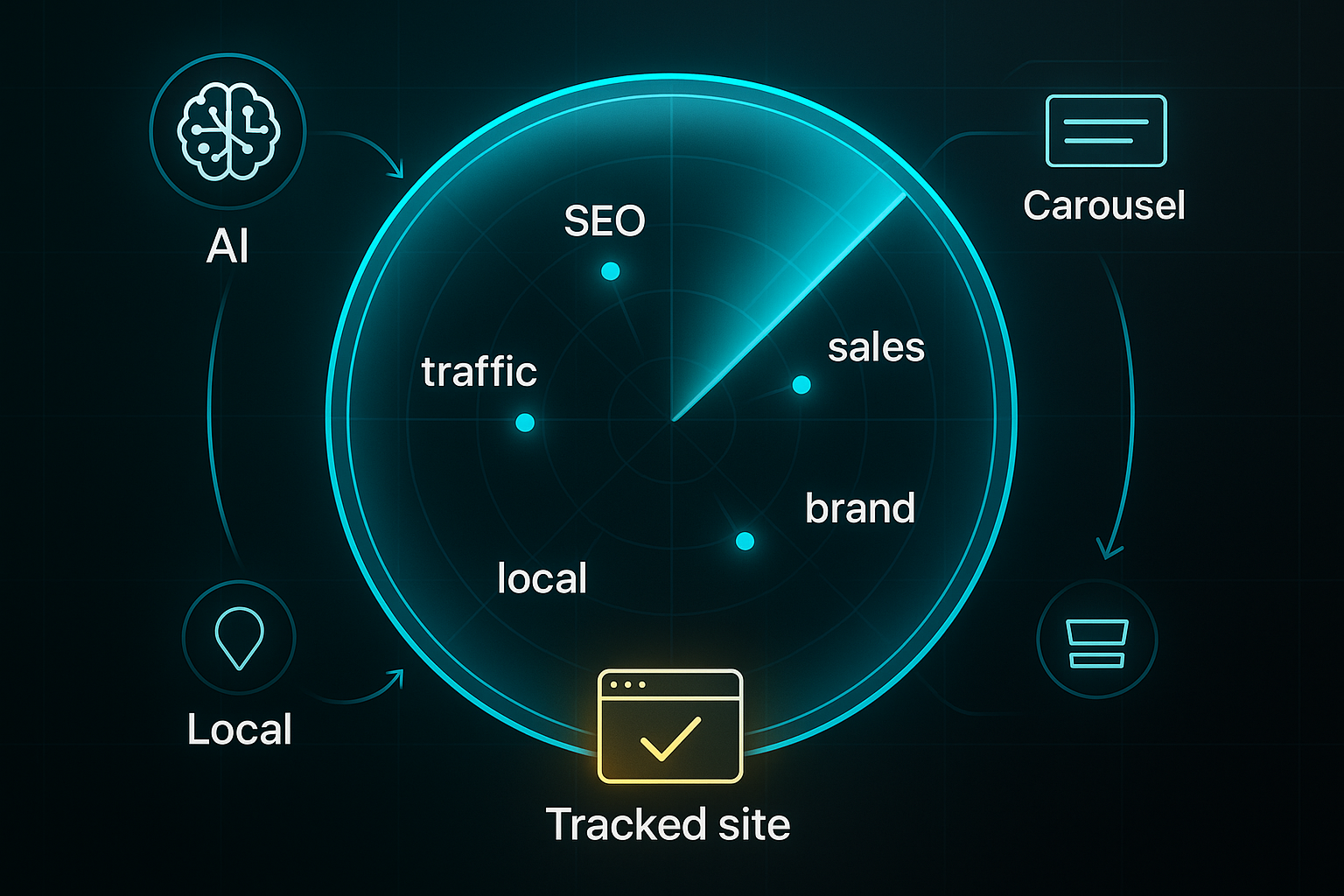
SEO rank tracking software is your go-to system for finding out how your website appears in the search engine results pages—the famous SERP. Picture it as a personal radar, continually scanning for your chosen keywords and telling you exactly where your site pops up.
But it doesn’t just check once; it runs automatically, day in and day out. The real power lies in providing reliable, up-to-date insights—helping you spot which marketing moves push your pages higher, catch any unexpected ranking drops, and compare your standing to others in your field.
And with search engines throwing new features in the mix—such as AI summaries, interactive carousels, and detailed local packs—this software is no longer a luxury, but a foundational tool in the SEO game.
Key Rank Tracking Concepts
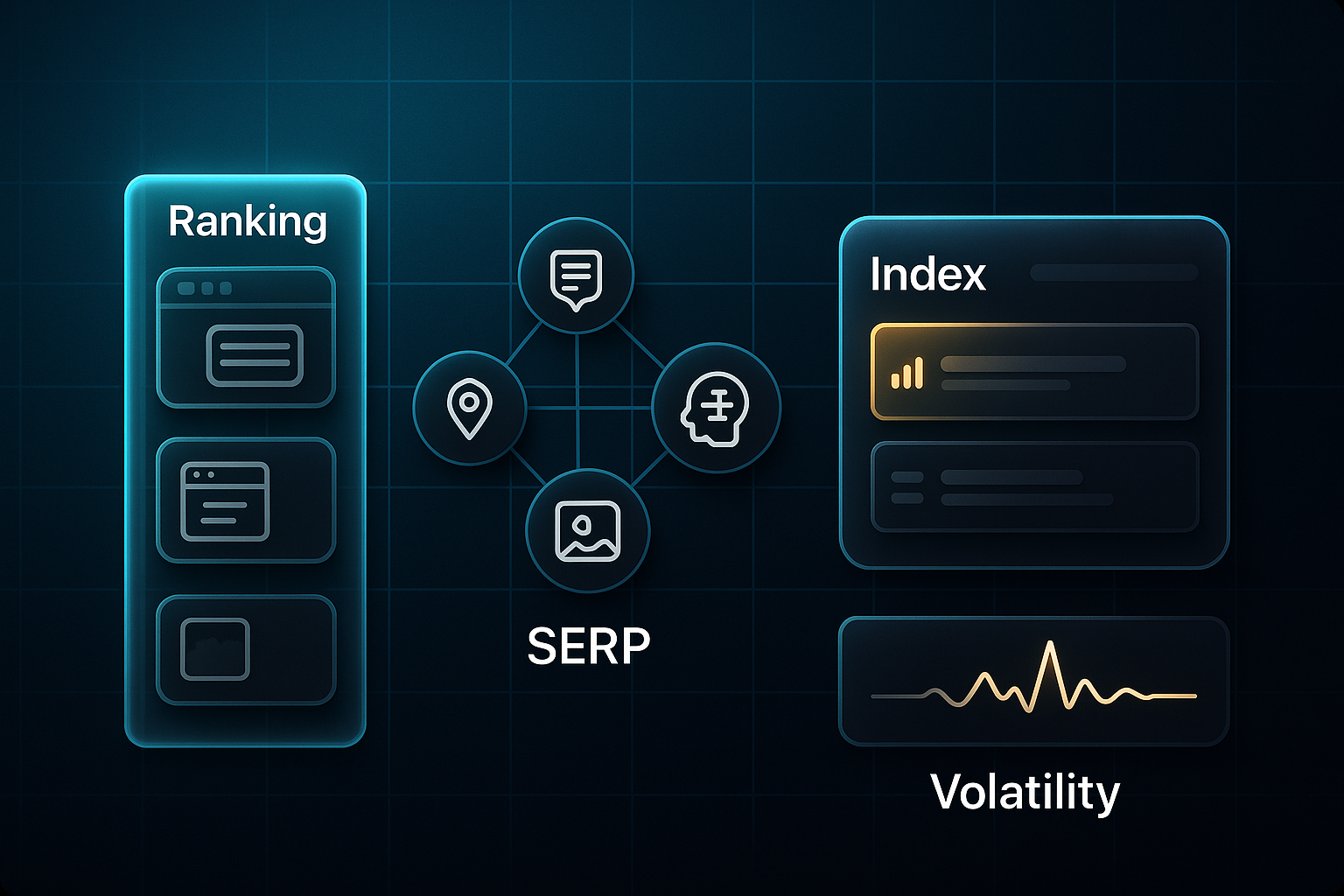
First, let’s get comfortable with a few essential terms. Keyword ranking is simply where your page lands for a given search term—the higher, the better.
SERP features, meanwhile, are all those extras crowding the results these days: featured snippets that take centre stage, local packs displaying nearby businesses, carousels for images and stories, plus AI-driven answers that sometimes push sites further down.
Have you ever seen a performance index in your reporting? It’s basically a scoreboard for your site’s presence, giving you a bird’s-eye view across lots of keywords.
Then there’s volatility, which measures how much and how fast rankings change—often after a major update or when rivals switch up their tactics.
How Rank Tracking Has Evolved
Here's the thing: years ago, people would type keywords into Google, write results in spreadsheets, and call it tracking. But that method feels like counting grains of sand in a windstorm now.
Search engines keep reinventing themselves—especially in 2024 and 2025: Google rolled out over 4,000 algorithm changes in 2023.
Mobile, local, and even voice searches now generate all sorts of result types.
And get this—more than half of all searches end in zero clicks because the answer pops up in the result itself.
Doing all this by hand isn’t just time-consuming; it’s a recipe for missed updates, messy reporting, and frustration over privacy tweaks or changing API access.
Imagine trying to track hundreds—or even thousands—of terms for multiple markets; even the most diligent marketer wouldn't stand a chance!
Why Automation Matters
When your organisation grows, expands into new regions, or is dealing with multiple brands, an automated and scalable solution becomes vital.
Small businesses might monitor a few hundred keywords, but agencies and enterprise teams are often responsible for thousands of keywords across different devices and geographies (adjusted for factual accuracy).
Manual tracking quickly hits a wall.
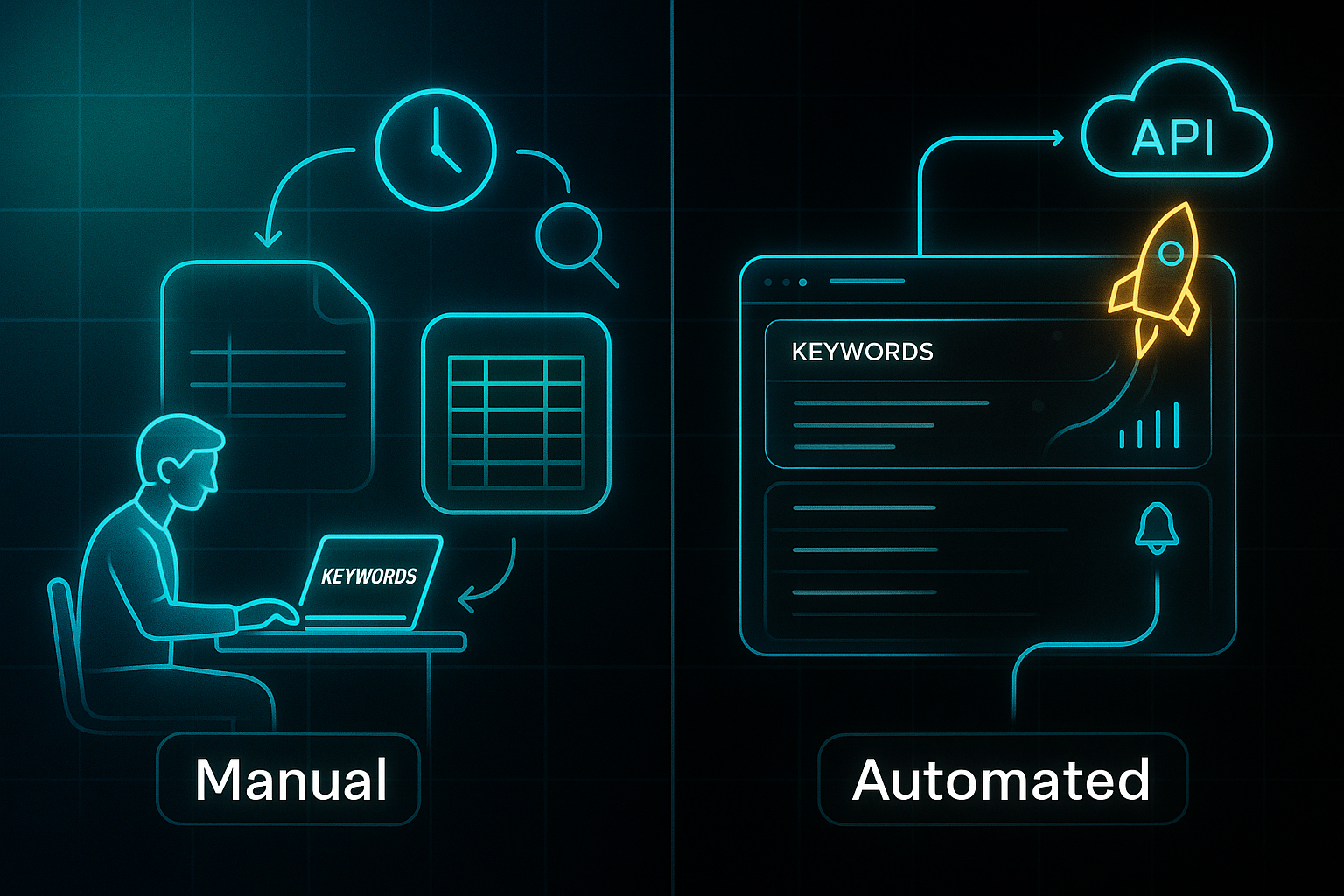
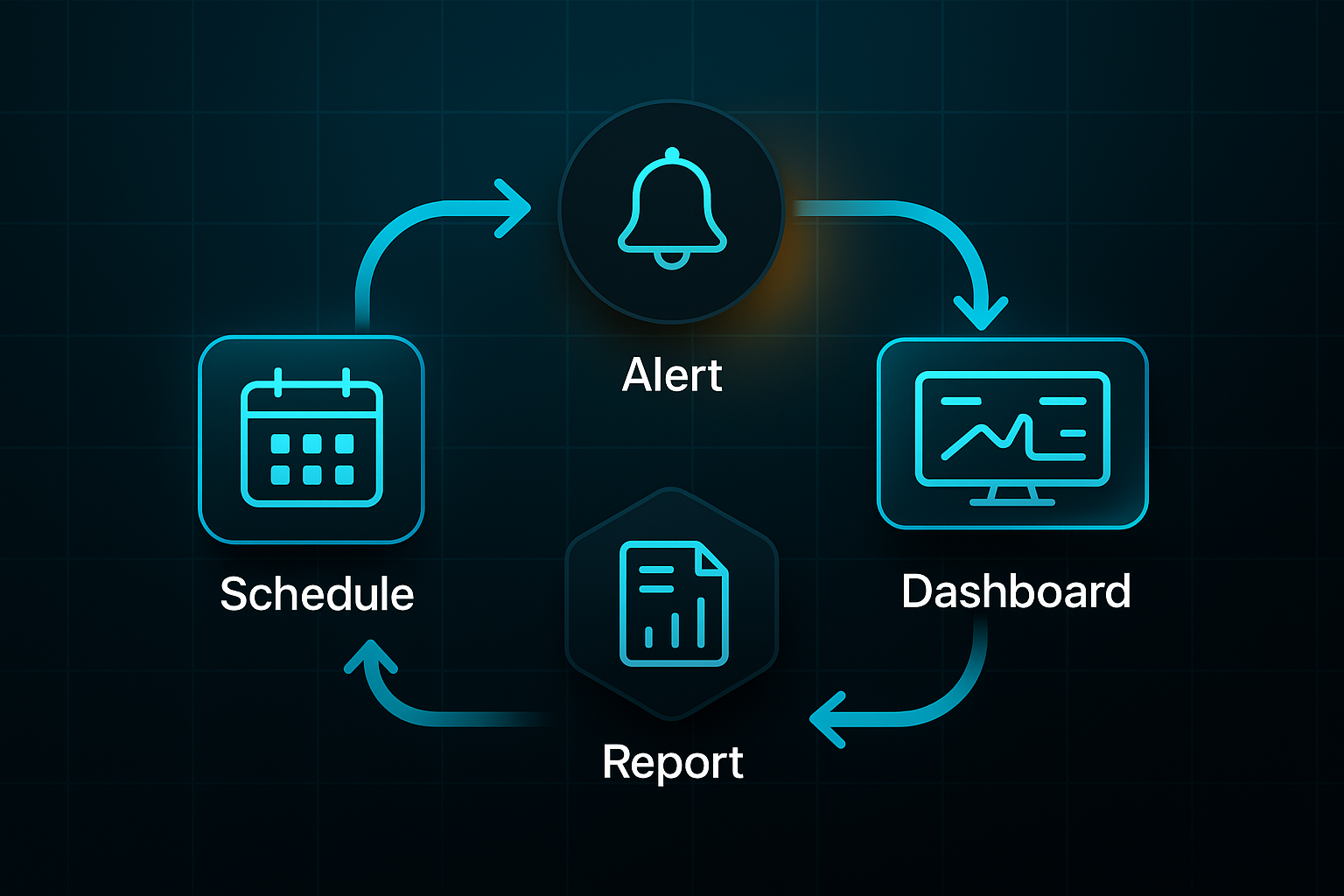
Automated tools deliver more than convenience: they offer fresh, accurate data, scheduled updates, real-time alerts, and visual dashboards.
Automated reporting tools pull data directly from the source, which eliminates the risk of human error and ensures data accuracy. Manual reporting, by contrast, is prone to simple mistakes that can lead to inaccurate data and flawed SEO strategies.
This lets teams respond to changes, spot opportunities, and provide crystal-clear reports to stakeholders with confidence.
The Strategic Importance
So, why does this matter? Rank tracking sits right at the heart of understanding your SEO success.
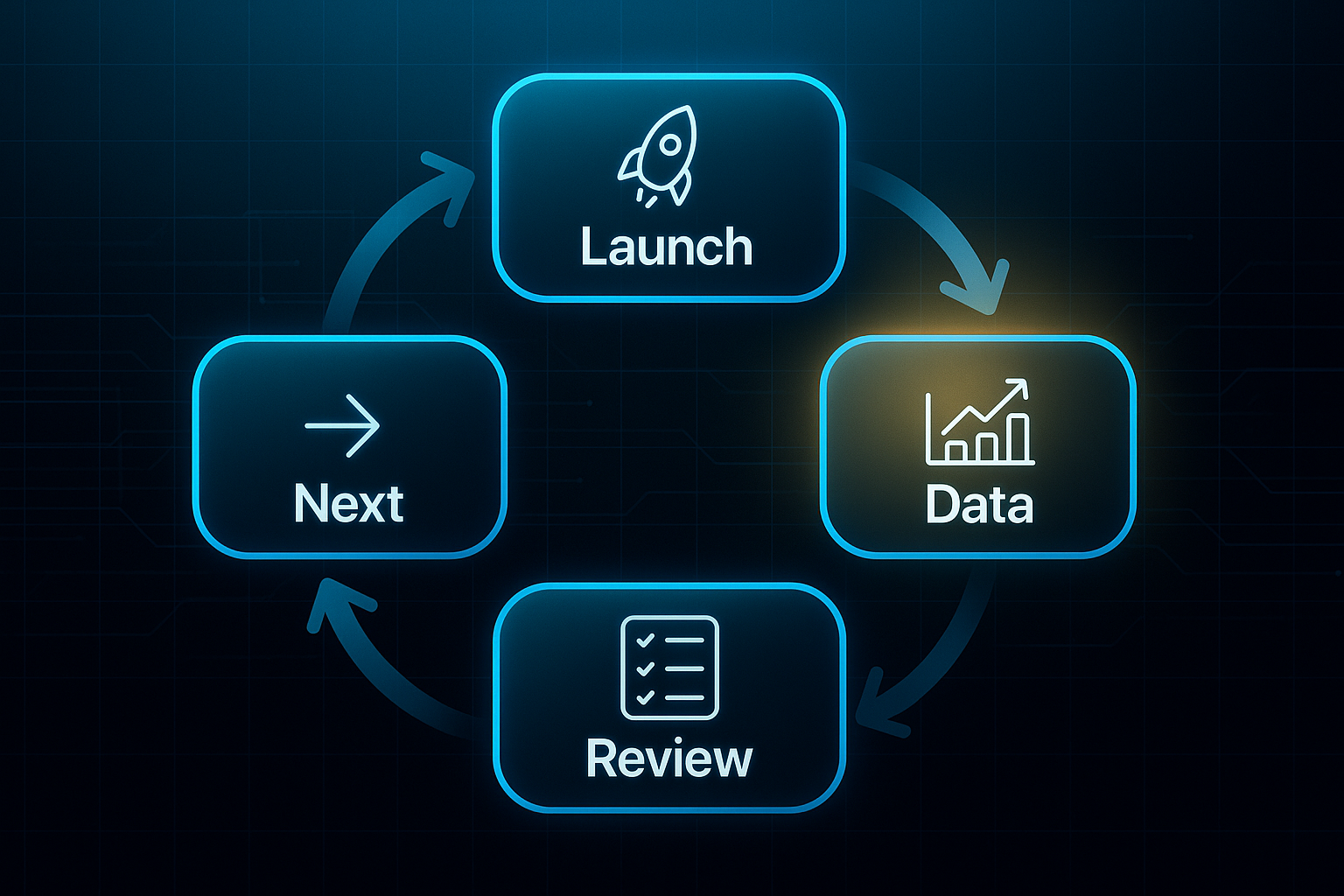
Once a strategy is rolled out, continuous rank data becomes the guidepost for campaign reviews and next moves.
Of course, picking the right software is another story—so next up, we’ll look at how you match your needs to features that keep up with a changing search world.
How to Choose the Best SEO Rank Tracking Software for Your Needs
So you're searching for SEO rank tracking software—how do you pick the one that genuinely fits? In 2025, it’s all about balancing functionality and budget rather than simply choosing whatever’s packed with features.
The main things to keep front of mind: how many keywords you want to monitor, the frequency of updates, the features you genuinely need, plus your spending limits.
Pricing options today look much more flexible than even a couple of years ago. Small teams can choose a free plan or go for something in the £25–£65 per month range for a few hundred keywords.
Agencies usually need plans between £100–£250 per month that cover thousands of keywords. Enterprise platforms, loaded with custom integrations and support, sit above £300–£600 per month.
And don’t forget—API access and advanced automation typically unlock at those higher levels.
Key Decision Steps
Making the right selection underpins everything you’ll do in SEO reporting and strategy. Most teams trip up either by missing hidden costs or overlooking feature gaps that only show up after launch.
The solution? Map out your requirements before exploring demos.
Take it step by step—not just mentally, but jot these details down where your team can see them. Extra seats, API fees, and data caps add up faster than most new users expect.
Let’s break this down into key steps you can follow:
- Define Your Keyword Volume
Plan for monthly keyword tracking—small business: under 500, agency: 2,000–20,000, enterprise: 20,000+. Costs often spike after basic plans. - Identify Must-Have Features
Focus on local/device splits, multi-client dashboards, export options, and integrations like Google Analytics, Search Console, or Data Studio. Prioritise what’s critical over “extras.” - Set Your Budget Range
Know your tiers—starter (£25–£65/month), agency (£100–£250/month), enterprise (£300–£600+/month). Budget for growth and unplanned add-ons. - Check Integration and API Requirements
If you need custom dashboards or automation, verify API options up front—some providers only offer them at premium levels or for an extra charge. - Test Update Frequency and Automation
Want instant, daily, or weekly updates? Premium tools like AccuRanker offer on-demand tracking for a fee. Look for built-in automation—alerts, scheduled reports. - Validate With Free Trials/Demos
Ever wondered if your “perfect” platform will actually gel with your workflow? Try available free plans or trials—see how SERPWatcher, Rank Tracker, and AccuRanker’s 14-day trial stack up in usability, data freshness, and support quality.
Pain Points & Workarounds
But even the most carefully chosen platform isn’t perfect.
Even with the “right” system in place, common challenges crop up in almost every team—especially as platforms evolve and add pricing wrinkles.
In 2025, teams regularly face disruptions when usage suddenly grows, integration fails, or reporting limits bite.
In early 2025, Google's removal of the ability to show 100 results per page has caused a major disruption, leaving many rank tracking tools broken and unable to capture large datasets as they have for years.
Anyone who’s managed rank tracking has dealt with at least one of these headaches. So, why not sidestep trouble with a few straightforward fixes?
- Sudden keyword/seat price escalation
Track usage and renegotiate pricing or split accounts before costs explode. - Integration hurdles
Temporary CSV exports keep you moving if APIs block analytics connections. - Export/reporting limits
Segment projects by client or campaign—or upgrade if more data is essential. - Learning curve
Fast onboarding relies on vendor tutorials and active forums—don’t struggle alone.
Practical Validation Steps
Running a real-world test drive can separate promising tools from future frustrations.
Take a platform through your reporting workflow—setting up in 30 minutes or less per site is a good benchmark.
Export a test report, and judge whether the data offers solid depth and accuracy.
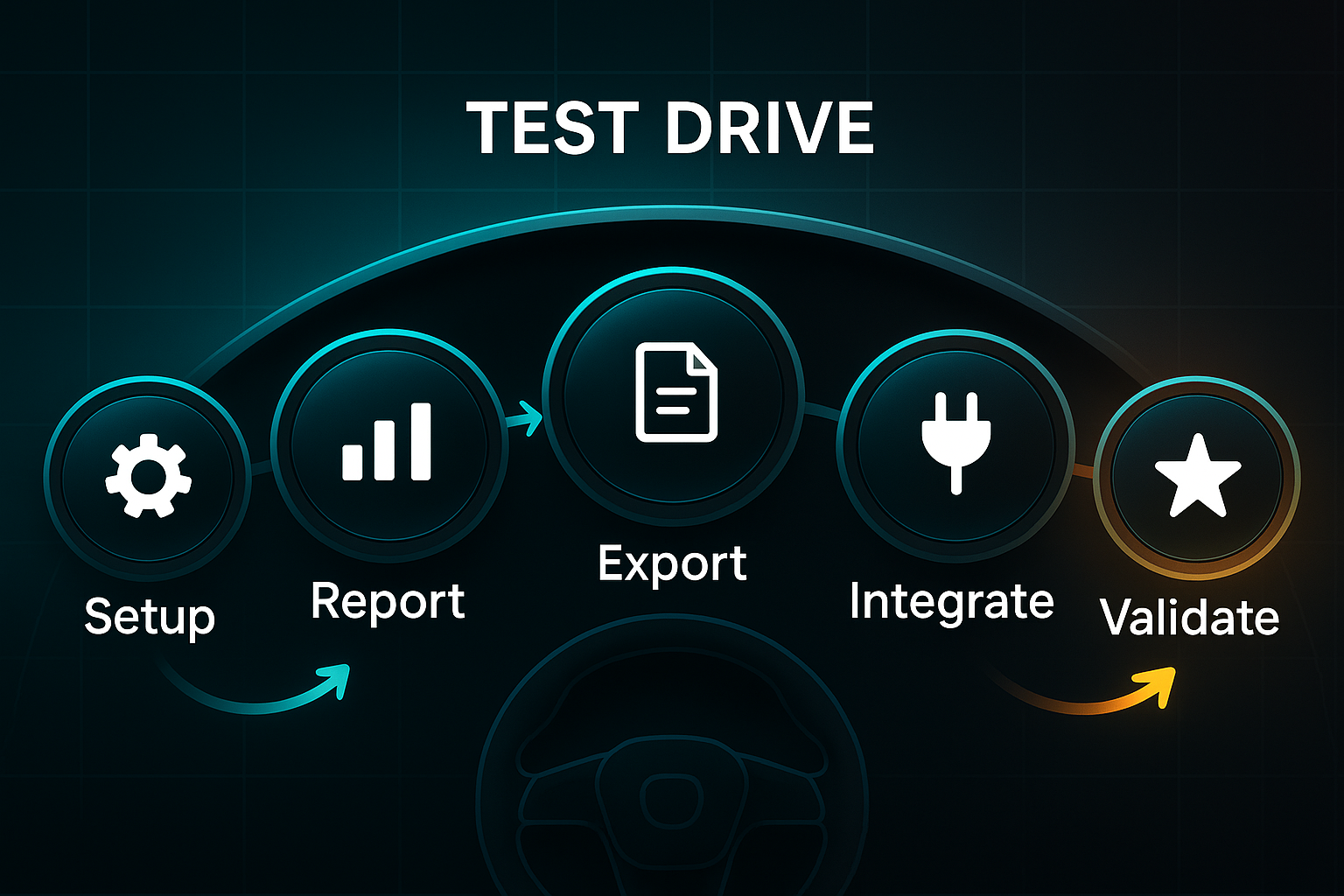
Does integration with your analytics stack click into place, or require clunky workarounds?
Don’t forget those external indicators—look for platforms rated 4.5/5+, responsive support lines, and busy user communities.
And, if you find yourself genuinely excited by how seamless things feel during the trial, you’re likely on the right path.
If these checks go well, you’re solving the rank tracking puzzle with confidence. So—what stands out among the top 15 platforms this year? Which could stake a place at the heart of your SEO team?
SEMrush: Plans, Features, and Setup Overview
SEMrush stands out as a core rank tracking tool, with plan options that work for everyone from solo freelancers to busy enterprise agencies. Your best-fit plan depends on keyword numbers, automation needs, and how deeply you’ll integrate with other tools. As you move up the plan ladder, you unlock new limits, features, and reporting options—so it pays to choose carefully based on your business size and workflow.
Let’s break down what each SEMrush tier offers:
- Pro
$117.33/month (annual). 500 keywords, daily refresh. Fits freelancers and small businesses—no API access. - Guru
$208.33/month (annual). 1,500 keywords, multi-location/device splits, daily updates. For small teams—no API or hourly export. - Business
$416.66/month (annual). 5,000 keywords, hourly refresh, API access. Suits agencies needing automation. - Enterprise
Custom pricing. 20,000+ keywords, expanded API credits, negotiable user/project limits.
Lower plans restrict API access, keyword limits, and white-label reporting. For advanced automation or integration, start at Business.
To set up SEMrush, create a Position Tracking project, import keywords by CSV (watch the plan caps), then configure locations and devices. Pro and Guru update dashboards in 30–60 minutes; with Business or Enterprise, you’ll see data in as little as 10–30 minutes with hourly tracking. PDF or email reports are scheduled for all users, but API workflow automation is exclusive to the top two tiers.
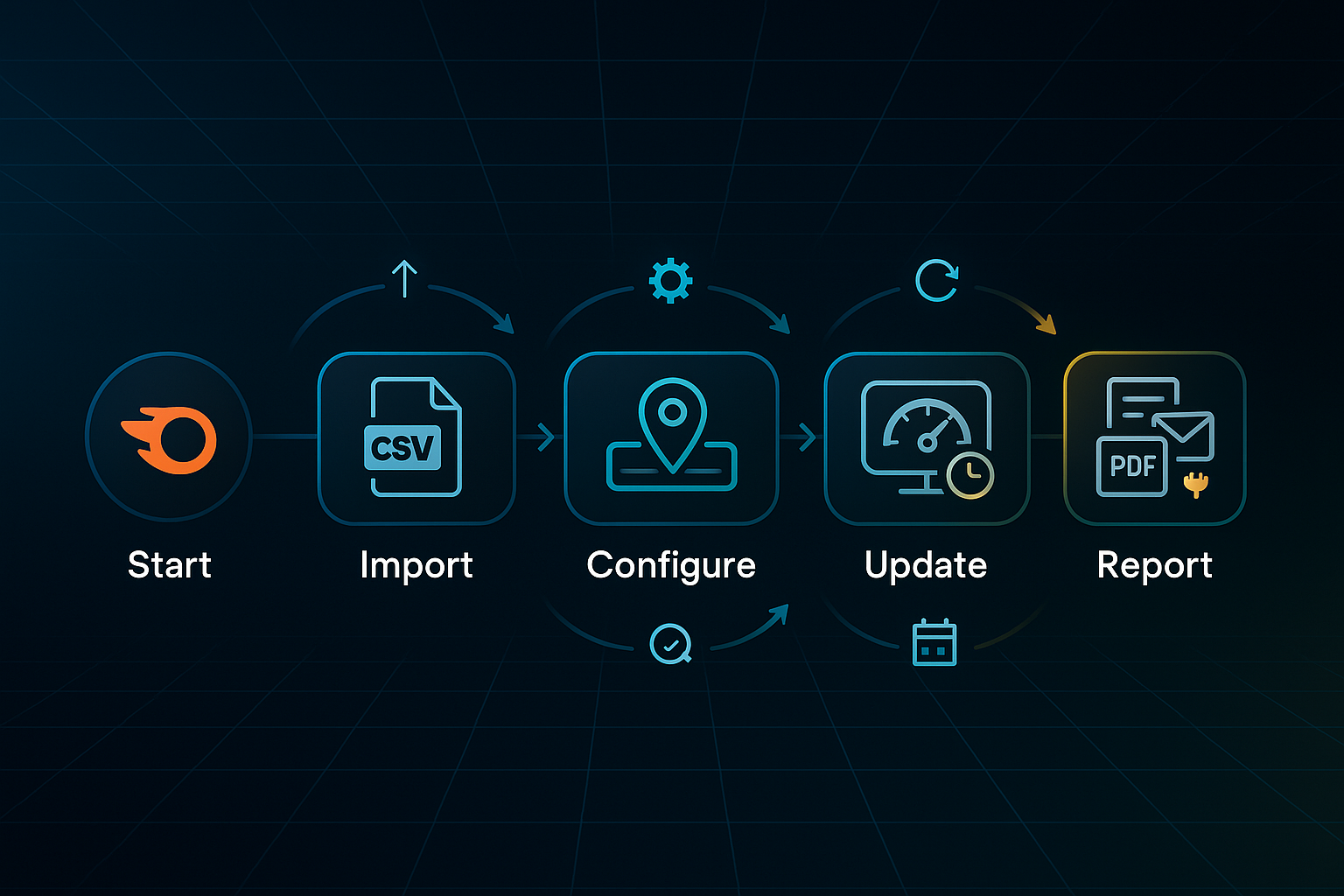
During setup, if you hit snags such as an import failure, using SEMrush’s template or double-checking CSV formatting usually solves things quickly.
So, which plan is for you? Pro covers up to 500 keywords, Guru adds locations and cannibalisation analytics, Business goes bigger with automation, and Enterprise expands for large teams or advanced reporting.
Here’s where it gets tricky: data refresh delays, import issues, and add-on costs like exceeded API credits can catch you out unless you plan ahead. If you need seamless hourly tracking or bulk workflow automation, upgrading pays off from the start.
In the following section, we’ll see how Ahrefs stacks up for data freshness, split tracking, and onboarding for new users.
Ahrefs: Fast Set-up, Pricing, and Validation Essentials
Ahrefs Rank Tracker brings agencies, SaaS teams, and SMBs an organised way to automate daily Google keyword tracking across all locations and devices.
Plans scale neatly: Lite ($129/month, 750 keywords), Standard ($249/month, 2,000), Advanced ($449/month, 5,000), or Enterprise ($1,499/month, 10,000+). If your organisation grows, add users for $40–$80/month. Every plan includes bulk CSV import (Excel, Google Sheets, or Search Console). API/export access, extended rank history, and Content Kit ($99/month) unlock at Standard or above.
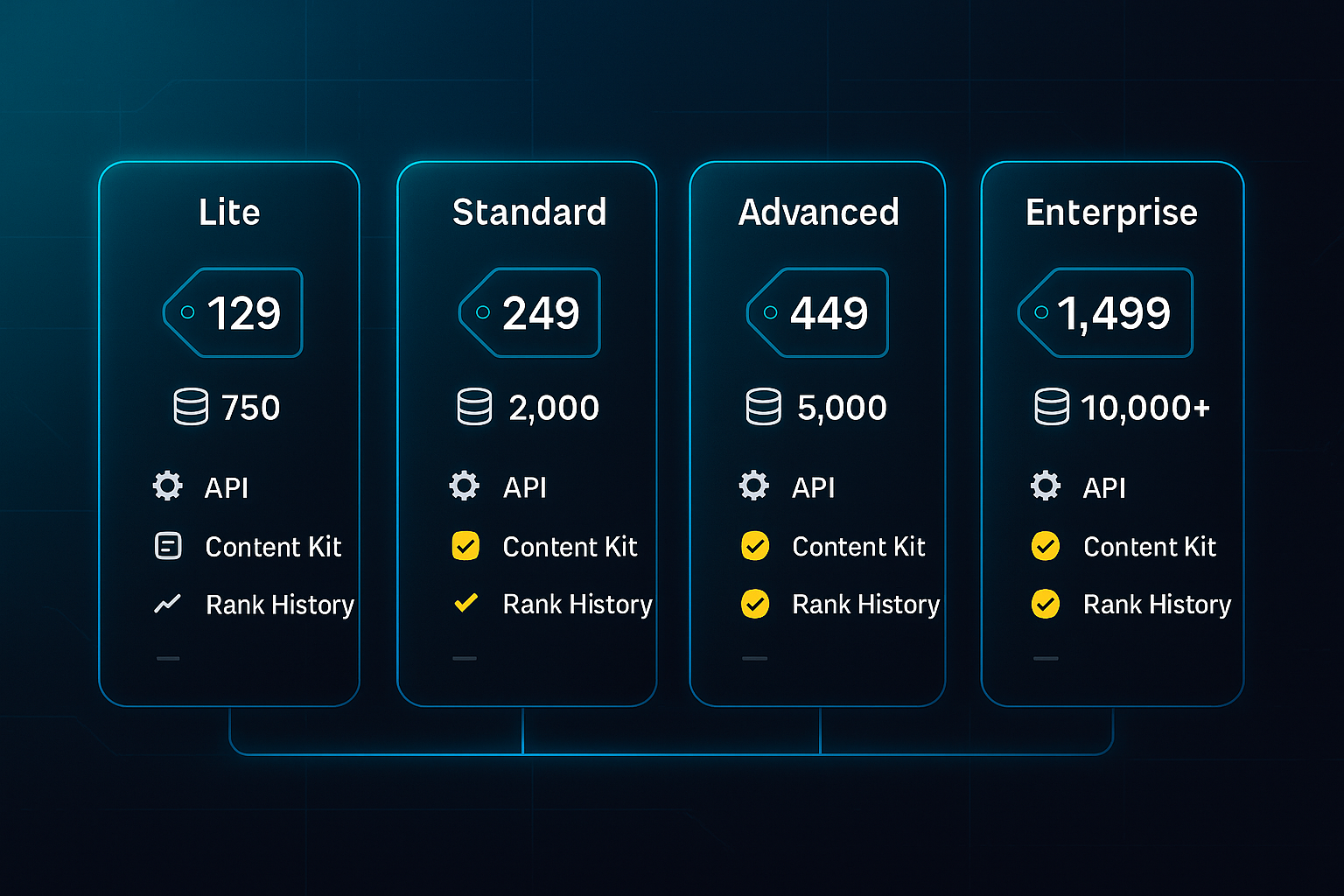
To guarantee a smooth start, assemble an active Ahrefs account, verify your website, prepare a CSV of keywords, and list a few competitor domains for benchmarking. Gathering these early means set-up takes minutes instead of hours—and helps you avoid access bottlenecks the day you launch.
Set-up itself is straightforward, keeping your team on track without fuss:
- Register and Verify Site (5 min)
Connect in Search Console and make sure crawling is working. - Import Keywords (10 min)
Add keywords up to your plan’s cap, then check all are imported cleanly. - Add Competitors (2 min)
Enter up to five domains for competitive insights right in your dashboard. - Configure Alerts and Reports (8 min)
Activate daily updates and send yourself a test notification.
Troubleshooting is a routine part of onboarding—spotting and fixing these issues early protects your reporting from disruption or data loss. Many teams trip up at the same places, so here’s what to check:
- Keyword Import Problems
Faulty CSV formatting or too many columns block uploads—review these first if things fail. - Alerts Not Received
Incorrect email or notification preferences will interrupt updates, so always confirm both settings. - API/Export Restrictions
These are only enabled from Standard plans upwards—upgrade if you need more advanced imports and reports. - Too Many Keywords
If you hit your plan’s limit, either upgrade or split your keywords across projects.
Before relying on Ahrefs reporting fully, it’s vital to note key limitations that can undermine your automation or historical record if ignored.
Paying close attention here safeguards your rankings and ensures nothing slips through the cracks:
- Google-Only Data
Lost Search Console access means ranking updates end immediately. - Backups Are Critical
Schedule regular exports—depending on live data alone risks losing valuable progress. - Alert Reliability
Manually confirm all report deliveries for at least seven days before trusting automated alerts.
Despite these challenges, Ahrefs users report solid results.
With just 20–30 minutes per site (and weekly checks of around 45 minutes), even basic spreadsheet skills are enough to manage ongoing tracking.
Results like 22% more top-10s and 31% greater traffic in four months prove why many stick with Ahrefs.
Curious how it stacks up against other platforms? That’s up next.
SE Ranking: Agency Bulk Tracking & Reporting—Benchmarks, Specs, and Workflow Safeguards
Ever felt your agency’s drowning in manual keyword uploads, or wondering why client portals seem to take forever? That’s where SE Ranking steps in. Its bulk keyword management seriously cuts manual work, and white-label reporting delivers branded portals to your clients in under 72 hours.
You’ll need some essentials lined up: the agency plan, formatted CSV keyword lists, an admin account, Google Search Console access, and a backup protocol before bulk imports.
During onboarding, agencies rely on a few consistent checks to keep the workflow running smoothly.
Here are the core actions worth remembering:
- Bulk Import Validation
Verify zero import errors; all keywords mapped; daily update completes within 24 hours. - API/Export Specs
Set weekly alerts; data API max 10 requests/sec; project API max 5 requests/sec. - Troubleshooting
If you hit a 'Too Many Requests' (429 error), slow batch frequency, wait ten minutes, or reformat file and retry. - Safeguards
Always back up your dashboard; run sample imports; review anomaly logs daily.
Expect about 1–2 hours per client for initial setup, and 1–3 hours/month/client for maintaining accounts. Basic analytics skills are enough; advanced reporting helps with custom KPIs.
Agencies achieve 96%+ error-free onboarding, with 95% client logins during week one. Many report saving 10+ hours per client/month compared to manual tracking, plus reliable report delivery and improved satisfaction rates. Just be aware: export and API caps remain, so pace requests or upgrade if scaling up.
By automating their client updates with the Report Builder, one agency saves around 20 hours a month on reporting.
When the API goes offline for more than two hours, switch to manual imports, and let clients know about adjusted timelines.
Efficient and reliable, SE Ranking gives you branded portals and error-free exports in days.
Want options tailored for small teams or solo operators? Up next, we’ll look at how SERPWatcher streamlines onboarding and offers performance-focused metrics.
SERPWatcher (Mangools): SMB/Freelancer Setup, Tracking, and Validation
Rapid Onboarding & Setup
Getting started with SERPWatcher is usually fast and painless.
Once you’ve signed up for a Mangools account, pick your ideal plan—Basic (100 keywords, £29.90/month), Premium (500, £49.90), or Agency (1,200, £99.90).
From here, campaign setup just follows a handful of targeted steps:
Follow these steps for a smooth setup:
- Create your account and select your plan.
- Add website details.
- Prepare your keyword list as a CSV file.
- Choose your region and device type.
- Wait for 5–10 minutes—you’ll see rankings appear fast, all keyword data within 1–2 hours.
Once you’ve completed setup, you might occasionally encounter minor issues. Troubleshooting is simple:
Occasionally, an initial import or large batch of keywords causes errors or incomplete uploads. If your import doesn’t work, don’t panic.
Just try a smaller batch or double-check your CSV formatting. And honestly, everyone runs into the odd setup wobble—it’s nothing to stress about.
Device/Region Tracking & Performance Index
SERPWatcher makes monitoring progress across countries or device types incredibly clear, letting you toggle results for every keyword.
Thanks to daily ranking updates, you won’t miss important shifts.
The big simplifier is the Performance Index, which sums up overall keyword visibility into a single metric.
Curious when you’ll see results? Many SMBs hit a 12–20% boost in the Performance Index or top-10 share within two months if optimisation stays consistent.
Reporting, Troubleshooting, and Benchmarks
Generating a PDF or CSV report—or sharing a dashboard link—takes just a few moments.
If you reach a keyword cap, just split the project or upgrade.
Mangools support is known for prompt help—having real people answer when something’s off makes a real difference.
Just to show what’s possible: in 2025, one restaurant saw a 41% Performance Index boost and a 23% jump in bookings across 150 keywords in only eight weeks.
If your requirements outgrow SERPWatcher, stepping up a plan or upgrading to a platform with deeper integration keeps your momentum strong.
AccuRanker: Advanced Onboarding, Pricing, and Validation
Who Should Use AccuRanker (Agency Context & Pain Points)
Agencies chasing thousands of keywords or facing manual reporting bottlenecks often lean on AccuRanker for its scalable automation and trusted integrations.
Normally, one or two SEO/IT admins set up the platform, with maintenance averaging one hour per week per client.
Pricing, Feature Limits & Integrations
Plans are clearly defined and each delivers specific capabilities:
- Professional
$129/month, 1,000 keywords, daily updates, plus GA4 and Google Search Console connections. - Expert
$849/month, 10,000 keywords, dynamic tagging, unlimited read API, and Looker Studio integration. - Enterprise
$2,409/month, 40,000 keywords, unlimited users, unlimited write API, and BigQuery support.
Refreshes are daily across tiers, but always check caps before scaling.
Step-by-Step Onboarding & Validation
A smooth agency setup flows through these steps:
- Import Keywords & Domains
Upload CSV/XLS files. Dashboard should validate—display all keywords and domains within 30 minutes. - Connect Analytics & APIs
Set up GA4, GSC, Swydo. Metrics must appear; test API jobs should respond in under 2 seconds. - Schedule Dashboards & Reports
Automate PDF/Excel reports and confirm recipients get test deliveries matching expected results.
Agency Benchmarks & Attribution
Following successful onboarding and validation, agencies tracking large numbers of keywords often report a 6% jump in share of voice, a 27% boost in CTR, and a reduction in admin time by 25% within three months.
Most agencies see 15–20% time saved in month one, with further improvements possible over time.
Troubleshooting & Mistake Prevention
If issues pop up, these fixes keep things on track:
- 429 Too Many Requests Error
Throttle exports, pause, or upgrade if it persists. - Authentication failures
Regenerate keys or reauthorise, and check platform permissions. - Exceeding keyword/domain caps
Review plan limits and split projects as needed. - Report delivery unchecked
Send test reports—always confirm receipt before clients access.
With these fixes in place, you're ready to leave manual fixes behind. Next up, we’ll explore platforms that let agencies scale with ease.
Rank Ranger: API Automation, Integrations, and Agency Benchmarks
Rank Ranger is designed for teams that want API-driven rank tracking—especially agencies juggling lots of keywords and needing flexible integrations.
What makes it stand out? You can hook up Google Data Studio (that’s the custom reporting tool) or Excel, making automated dashboard reports and bulk data analysis much easier.
Setting up Rank Ranger isn’t as daunting as you might think, but it can take anywhere from 2–6 hours depending on how many campaigns you’ve got.
Onboarding is fairly structured: everything from registering and creating campaigns to managing bulk keyword uploads.
Agencies find tracking at scale straightforward when they follow this well-tested process:
- Onboard and Set Up
Register, verify, add domains and keywords, organise client campaigns, and get your reporting preferences sorted from the start. - Automate Rank Updates
Schedule daily updates and use REST API endpoints for bulk keyword import/export and pulling down rank data. - Integrate and Customise Reporting
Connect with Google Data Studio or pull rank data into Excel for client reports—there’s the option to automate white-label exports, too. - Troubleshoot & Validate
Watch for API errors or rate limits, preview white-label PDFs, and double-check data delivery before sharing results.
After setup and validation, teams examine the plan that fits: plans for Rank Ranger start at $69/month and go all the way to $2,700/month for enterprise-grade features.
Initial setup takes most teams 2–6 admin hours, with monthly maintenance clocking in at 30–45 minutes.
Large agencies can see a 16%+ jump in page-one rankings and a 20–30% admin time reduction once things are up and running.
Still, the complexity and pricing may be more than small businesses need—so if your team’s tracking under 2,000 keywords, simpler options like SERPWatcher or AgencyAnalytics might make more sense.
With robust automation and deep integration, Rank Ranger easily handles big agency needs.
Next, let’s turn to ProRankTracker, which takes scalable keyword monitoring a step further.
ProRankTracker: Scalable Tracking, Features, and Agency Validation
Feature Highlights & Pricing
If your agency needs to track thousands—or even hundreds of thousands—of keywords, ProRankTracker could be your go-to toolkit.
Starting at $49/month, the Starter plan covers 500 keywords, but you can scale up through Pro and Agency tiers all the way past 100,000 tracked keywords if your needs grow.
As you move up the plans, expect multi-user dashboards, granular location and device breakdowns, plus multi-language tracking for global projects.
Daily or on-demand updates keep you in the loop.
More than 20 report formats (PDF, XLSX, CSV, even email) make client communications effortless.
Agencies can unlock API access, bulk import, and client-facing apps—all standard in the upper tiers.
For bigger teams, additional seats are available from $29–$99 each.
Not ready to commit? Free and trial tiers let you test up to 20–100 keywords before deciding.
Accuracy and QA Practices
Accuracy is where ProRankTracker really stands tall.
Agencies see 99%+ match rates with live SERP results—well above the 95–97% average on other platforms.
Its cloud-based automation brings daily tracking and instant alerts as part of the package.
Onboarding is smooth: bulk import validation, dashboard spot-checks, and video tutorials help your team get up and running fast.
Should anything trip you up, live chat and clear documentation are always on hand.
Outcomes for Agencies
The results? Most agencies cut their monthly admin time by 40% per client.
Client satisfaction jumps from 4.0 to 4.7 out of 5 within just three to six months.
For teams tracking more than 3,000 keywords or needing multi-user access, API, and branded reporting, ProRankTracker hits the mark.
But for smaller sites and hands-on DIY users, simpler solutions like Mangools SERPWatcher might make more sense.
To close the circle, remember that pairing rank tracking with an audit or content platform—like our own SEOSwarm—is the best route to a full SEO strategy.

AI-Powered
SEO Content Strategy
See the AI platform that's replacing entire content teams
(with better results).

Advanced Web Ranking: Rapid Onboarding, Troubleshooting, and Agency Benchmarks
Agencies managing 10,000+ keywords and seeking actionable business intelligence consistently turn to Advanced Web Ranking (AWR). The Agency tier covers 14,500 keywords for $199/month, whilst Enterprise handles 35,500 keywords at $499/month. A free trial makes it easy to check features upfront.
Proper preparation streamlines onboarding and migration. If you lay out the essentials, your setup will progress without nasty surprises. The following checklist covers everything you need:
- Immediate Onboarding Requirements
Collect admin login details, clean CSV keyword lists, archived ranking reports, API credentials, and recruit an SEO manager plus technical analyst. Block out 2–4 hours for sandbox import and validation.
A successful sandbox import means all keywords load error-free within one hour. Typical migrations wrap in 2–6 hours, with dashboard and API validation possibly stretching to two days. For accuracy, monitor daily for two weeks before switching to weekly reviews.
Of course, troubleshooting is inevitable. The actions below help agencies resolve common issues and keep migrations on track:
- Troubleshooting Steps
Always confirm domain settings if host mapping fails. Recheck API keys and quotas when syncing hits a snag, then retry. If quota limits stop uploads, reduce batch size or upgrade your plan.
You’ll want reliable support during rollout and ongoing operations. The following resource setup keeps everything running smoothly:
- Resource Breakdown
Assign an SEO manager and analyst for regular monitoring (2–4 hours/month), ensure technical help for dashboard/API fixes, and check the budget covers your chosen plan.
Dodging avoidable mistakes is easier than it sounds; these tips help you stay safe:
- Common Mistakes & Prevention
❌ Always audit old rankings before migrating. ❌ Never skip sandbox validation. ❌ Track quota usage monthly.
Most agencies tracking 16,000 keywords cut manual reporting by 19%, capture 13% more featured snippets, and automate dashboards within two weeks. If your needs are simpler, SERPWatcher is worth a look. Next up: AgencyAnalytics, ideal for client dashboards and white-label reporting.
AgencyAnalytics: Visual Reporting & Automated Rank Tracking for Agencies
Core Setup and Integrations
Setting up AgencyAnalytics is quick for agencies juggling multiple accounts. Want custom dashboards? Build them with drag-and-drop widgets and link in API, OAuth integrations, plus sources like Google Analytics, Google Search Console (search performance tool), Google Business Profile, and Data Studio. Typically, you’ll plug in four or more data streams per client, importing 5,000 keywords in under 20 minutes.
Thanks to 80+ integrations, your SEO (Search Engine Optimisation), PPC (Pay-Per-Click advertising), social, and eCommerce data are all in one place. Visual structure ensures reporting is clear for every client.
White-Label Portals & Automated Reporting
Need reports branded your way and delivered automatically? Assign 1–2 admins to onboard 5–10 clients in parallel over 1–3 days. Once dashboards are set, add custom branding and schedule PDF/PPT reports for 10–100+ contacts, with automatic delivery daily, weekly, or monthly. Most admins need just 30–60 minutes per client per month.
Those reports feature your logo and design, keeping your agency at the forefront each time.
Plan Selection and Upgrade Triggers
Not sure which plan will scale with your agency? Freelancer (£79/month, 1,000 keywords/5 clients, branding/API limitations) covers basics. Move up to Agency (£239/month, 2,500 keywords/10 clients) for flexibility, or Agency Pro (£479/month, 5,000–10,000 keywords/15+ clients) for big projects. Add slots (£12–24/client, £50/500 keywords) when needed.
Benchmarks and Troubleshooting
Agencies save 2–4 hours per week for every 10 clients, with satisfaction scores rising from 4.2 to 4.7/5 after automating reporting. Wonder if reliability matches the promise? Weekly checks for usage caps, integration health, and admin oversight keep delivery success above 98%—a solid mark heading into 2025.
Nozzle: Bulk Rank Tracking Automation for Technical Teams
Is Nozzle the Right Fit?
Nozzle is built with technical teams in mind—think organisations tracking 10,000–100,000+ keywords who need robust automation and smooth API (Application Programming Interface) integration.
If your team wants to schedule exports directly to Data Studio, Power BI, or Zapier, Nozzle fits the bill—so long as you’ve got a technical admin to oversee things.
Plans begin at $49/month.
For straightforward workflows, SERPWatcher or AgencyAnalytics are often all you need.
How to Set Up Nozzle and Validate Your Batch Imports
Getting started means importing 5,000–10,000 keywords per batch via CSV or API—divide them by client or by device for clarity.
The Nozzle dashboard acts as your main command centre, where every batch should display an error rate at or below 1%. Look for a 'batch complete' status and updated keywords to confirm that all’s well.
If you spot issues such as 401 errors (authentication), 429 errors (rate limit), or endpoint URL (API address) hiccups, retry or break batches down further to resolve them.
Scheduling Automated Reports and Key Metrics to Track
Once automations are ready, schedule report exports.
Validation is simple: if you see an 'export successful' status and fresh data in your dashboard within ten minutes, you’re on track.
Keep an eye on import/export error rates and reporting uptime (above 99.9%).
Measure how much manual SEO admin time drops—aim for at least 40% less after automation.
Tracking client retention in your CRM (Customer Relationship Management) will show if operational efficiency helps you keep accounts steady or even growing.
Daily Monitoring and Scaling Up
To maintain reliability, admins should check dashboard logs daily to uphold your SLA (Service Level Agreement).
If errors persist, uptime drops below 99%, or you’re bumping up against plan quotas, escalate with support or look at upgrading.
For bigger rollouts, test Nozzle in a pilot phase before deploying across your entire organisation.
Next, we’ll shift gears to Local Viking—diving into Google Maps/local tracking, GMB (Google My Business) API sync, and location validation.
Local Viking: Local Pack Rank Tracking with GeoGrid
Ever wondered if your rankings shift on one side of town compared to another—or on mobile versus desktop? That's where Local Viking makes things crystal clear for agencies, franchises, and SMBs chasing precise local SEO results.
The GeoGrid Scan module lets you track keyword ranks across a grid—anywhere from 3x3 to 13x13—adaptable for every location and device. Fast bulk onboarding starts with the Bulk Onboarding Wizard, which uses mass CSV import and runs setup in 10–20 minutes per site (or just a couple of hours for 100+ listings).
Connecting API and Google Places keys happens in the GMB Sync tab. Each scan is done in about five minutes, and you can schedule checks from bi-daily to monthly. Pricing is transparent: $39/month covers 1 site, $99/month for 40, $149/month for 70, while custom plans tackle anything beyond that. All tiers allow unlimited GeoGrid scans; features like API access, exports, and white-label portals appear in Pro/Agency plans.
For validation, look for “Success” in Scan Logs—then spot-check a keyword in incognito Google Maps and log any rank shifts. That method brings confidence, especially as most users find a 12–25% spike in top-3 map pack coverage after 4–6 weeks; one franchise even saw 28% more calls with frequent 7x7 scans.
And if something goes wonky, fixing it is simple:
- Troubleshooting
API issue? Refresh in GMB Sync. CSV error? Resubmit in Bulk Onboarding. Grid mismatch? Adjust coordinates in GeoGrid Scan.
With these remedies in hand, you can confidently maintain local rankings. Honestly, Local Viking’s focus on grid-accurate GBP ranking gives you the sharpest local view and actionable data—making chaos suddenly feel manageable.
SEO PowerSuite Rank Tracker: Desktop Setup, KPI Validation, and Metrics Mapping
Ever wondered how to keep your SEO reporting private and fully under your control? SEO PowerSuite Rank Tracker runs on Windows or Mac, enabling agencies, finance, and government teams to organise data securely for compliance.
Set-up is quick: install the programme, create your first project, enter your domain, import up to 50 keywords, choose search engines, and set location splits.
After your first rank check, a green status icon means all is well. Spot errors or red flags? Simply hover for explanations and aim for an onboarding error rate under 3%.
Automation couldn’t be simpler. Use Scheduler and Alerts to arrange daily or weekly ranking checks and exports—the Scheduler Log reveals a green tick when everything completes.
Hit a snag? Restart the programme, clear the cache, or try a different export format.
For accuracy, right-click a keyword and open its ranking in your web browser—aim for a 95% match with live search results.
Let’s look at where to find the key metrics—so you’ll always know exactly where to click in PowerSuite:
- Rank Tracking
Top-10 share, keyword trends, ranking changes. - Reports
Export history, successes, any failed files. - Scheduler and Alerts
Automated task logs and errors. - Project Back-up
Secures compliance archiving and audit records.
Organise regular back-ups before major changes, so nothing is lost.
If KPIs fall or feedback dips, those built-in logs show you exactly what needs fixing. For teams needing more scale or real-time dashboards, upgrading or switching to SaaS solutions like AccuRanker or SE Ranking is worth a look—just check your migration keeps data aligned.
Ubersuggest: Onboarding, Usage Caps, Troubleshooting, and Upgrade Guidance
If you run a small business, a blog, or a local site tracking under 700 keywords, Ubersuggest might feel just right. Getting started is fast—just register, verify your account, and add your website in less than three minutes. Remember, domain verification unlocks everything; skip that step, and you’ll find exports restricted.
Adding keywords is simple: use either CSV (comma-separated values data file) or manual entry. On free plans, you’re capped at 25 keywords; with paid tiers, you scale up to 150–1,500.
The moment your keywords import correctly, ranking positions show up within one to two minutes, so you’ll know it’s working. If something goes wrong, most upload hiccups are just a CSV formatting issue, easily sorted in five minutes.
Validation’s easy too—just export rankings via CSV or PDF, which processes in fifteen seconds to five minutes, depending on project size. The dashboard keeps you informed about usage limits: free plans give you one project, paid levels go up to 1,500 keywords and 900 daily reports across several projects.
Now, here’s a snag: Ubersuggest only updates rankings weekly. That means fast-moving SERPs can catch you off guard, especially in competitive sectors. If you’re up against export caps or lockouts, try waiting for the 24-hour reset, removing old keywords, or splitting exports into smaller batches.
Research shows that users dealing with 600+ keywords usually upgrade by month eight, as usage caps pinch. Anyone needing daily updates, bulk tracking, white-label reports, or API access often finds it easier to archive data and migrate to platforms like SE Ranking or SERPWatcher—but always start the switch with a small test batch to avoid surprises.
How to Use Google Search Console for Rank Tracking—and When to Upgrade
Step 1: Set Up Google Search Console (GSC)
If you want a free dashboard for tracking keyword rankings and site visibility on Google, Google Search Console (GSC) handles up to 200 keywords.
- Create or log in to your GSC account.
Start by making a Google Search Console account or logging into your existing one. - Add your site as a property and verify ownership—choose DNS, HTML, or Google Analytics.
Verify your website using DNS, uploading an HTML file, or linking your Google Analytics account; this step confirms you control the property. - In 24–48 hours, your dashboard will display rankings and performance metrics.
Wait for Google to process verification; within one to two days, the dashboard will begin displaying keyword rankings, impressions, and other site visibility metrics.
Once your initial setup is complete, take the next step to validate and evaluate your rankings.
Step 2: Export and Evaluate Keyword Data
Export keywords using the Performance report. CSV or Google Sheets exports max out at 1,000–5,000 rows per site.
For accuracy, follow these checks:
- Filter by device, date, or country.
Adjust the performance report views to show keyword rankings for specific devices, custom timeframes, or country/region splits. - Spot-check 10% of queries using a paid tracker.
Compare the results for these queries with rankings from a reputable paid tool to ensure consistency and precise validation. - Flag any keyword differing by more than two positions.
Note any keywords where position differences of more than two are observed, as these are important signals for deeper investigation or reporting accuracy.
Smooth transitions between free and paid tools depend on knowing when your existing process isn’t enough.
Step 3: Know When to Upgrade
GSC is perfect for starting out, but you’ll eventually outgrow free solutions. If you’re running into limits or seeking advanced reporting features, review this checklist—if any points apply, upgrading is the smart move:
- Daily or real-time updates
GSC provides keyword ranking data with a 1–3 day delay, while paid tools offer same-day or live tracking. - Tracking more than 200 keywords or hitting export caps
Paid platforms support much higher keyword limits and eliminate export restrictions for larger sites. - Wanting competitor analysis, automated reporting, or deeper advanced analytics
Unlock features such as competitor keyword rank tracking, automated custom reports, and advanced trend analytics only available with premium rank tracking solutions.
Paid platforms (typically $29–$99/month for 500–2,000 keywords) unlock real-time tracking and richer advanced reporting.
After considering these upgrade factors, here’s why GSC remains valuable even as you scale: GSC always remains your ground truth—ideal for auditing paid results and unearthing new keyword ideas as you move forward.
SERPstat: Rank Tracking, Setup, and Workflow Troubleshooting
SERPstat packs a punch as an all-in-one SEO platform, but its keyword rank tracking and bulk reporting tools really shine for small agencies and growth-stage businesses.
If you're onboarding a new account, plan to set aside about 90 minutes—with basic spreadsheet skills, you won’t need technical staff unless you’re diving deep into API (Application Programming Interface) integrations.
Let’s talk setup. After you’ve picked the right plan—Lite ($69/month, 500 keywords), Standard ($149/month, 2,000), or Advanced ($299/month, 5,000)—create your project, select regional and device splits, and upload your keywords (CSV import is simplest).
Expect the dashboard to fill out within 10–30 minutes.
Daily tracking is available right out of the gate.
To validate, check the Import Log for any errors (common with formatting or duplicate keywords) and confirm rankings appear for all terms.
If you spot API limits or slow updates, upgrade plans or stagger imports—especially when scaling up multiple client accounts.
Top pain points? API rate caps, errors in bulk imports, or competitor module misconfiguration.
The fixes are straightforward: slow API requests, correct CSV format, and double-check competitor URLs.
For extra safety, schedule automatic exports, keep monthly backups, and review rankings once a month to monitor performance trends.
Addressing these routine challenges means most teams can rely on steady performance—unless analytics needs grow beyond mid-scale requirements.
SERPstat works best for teams needing flexible, mid-scale tracking—yet if you manage enterprise-level reporting or require deep BI (Business Intelligence) tool integrations, platforms like Advanced Web Ranking or AccuRanker will be a better match.
Ready to pit all 15 platforms side by side? Next, we’ll size up key features and results so you can pick the perfect fit for your SEO workflow.
SEO Rank Tracking Software Comparison Table: Pricing, Validation & Real-World Benchmarks
Choosing an SEO rank tracker can feel overwhelming at first glance.
To cut through the noise, compare the essentials: actual prices, onboarding times, validation, and real outcomes—all side-by-side in the table below.
This clarity helps you pick the perfect fit for your team’s skills, budget, and workflow.
Here’s how the top five platforms stack up:
| Tool | Price & Billing | Cap/Frequency | Validation / Troubleshooting (≤25w) | Setup/Admin (≤25w) | Key Outcome (≤25w) |
|---|---|---|---|---|---|
| SEMrush | Pro: £95/mo annual, Guru: £156; Biz: £310; add user £45; API at Business+ | 500–20k+ daily/hr | Import all keywords, confirm in dashboard, fix with log and reupload | 30min setup, 10min per month, basic CSV skills | +19% report speed in 3 months |
| Ahrefs | Lite: £79/mo annual, Standard: £156; Advanced: £289; seat £40/mo | 750–10k+ daily | Bulk import, confirm in Positions; fix: cache, API, or CSV check | 20min setup, 10min per month, CSV and UI basics | +22% top-10s, +31% traffic |
| SE Ranking | Opt: £39/mo annual, Pro: £75; user £9/mo | 500–20k daily | Import log zero errors, daily dashboard, retry or move keyword | 20min setup, 10min per month, spreadsheet skills | +34% page-one (12 weeks) |
| SERPWatcher | Basic: £23/mo annual, Premium: £39; Agency: £79 | 100–1.2k daily | Import Complete, export, fix: retry, reduce batch, or CSV | 10min setup, 5min per month, minimal skill | +41% index, +23% bookings |
| AccuRanker | £105/mo/1k annual, discounts for scale | 1k–40k+ hourly/daily | Bulk import, dashboard status green, split batch or upgrade | 20min setup, 15min per month, API familiarity | +27% CTR, –25% admin (3 months) |
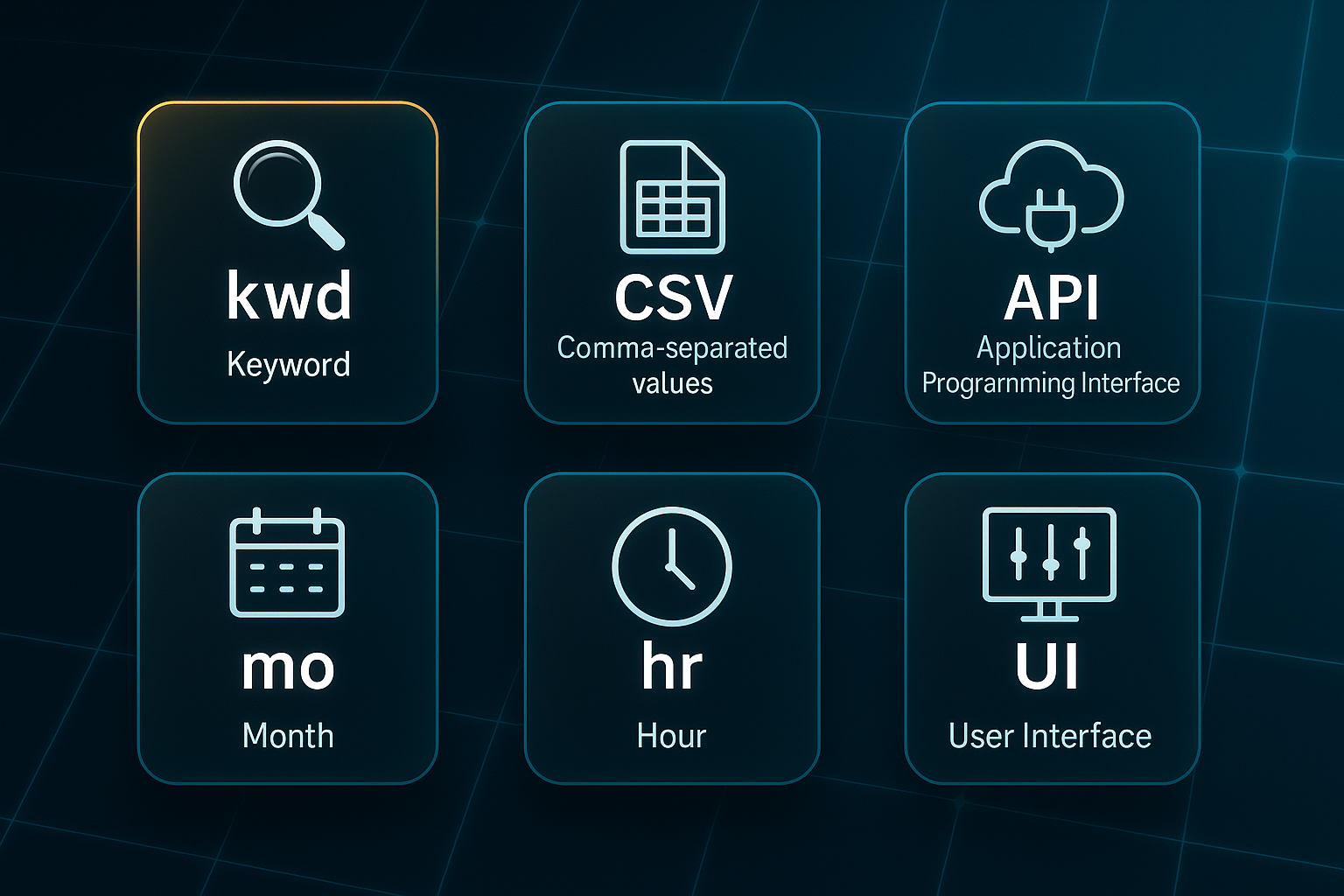
You’ll spot some common abbreviations in the table.
These crop up everywhere in rank tracking, so here’s a quick glossary for reference.
kwd: Keyword. CSV: Comma-separated values file. API: Application Programming Interface. mo: Month. hr: Hour. UI: User Interface. CTR: Click-through rate.
These metrics show how onboarding simplicity and advanced features vary based on your agency’s needs.
What the Table Reveals: Choosing Your Platform
Looking at these platforms side by side, setup and validation are fast—usually under thirty minutes.
That means, no matter your technical background, you can get started without a long learning curve.
SERPWatcher stands out for sheer speed, especially if you’re a freelancer or small business needing quick, low-hassle visibility boosts.
But what if you’re managing thousands of keywords or want automated reporting?
Then SEMrush, Ahrefs, and AccuRanker earn their price tag.
Their advanced controls, bulk automation, and robust validation help agencies and multi-site teams slash admin time by up to 25%, especially as the number of clients grows.
Automating your SEO workflow saves time, reduces errors, and improves efficiency.
For those unsure if they need bulk features yet but want flexibility, SE Ranking gives you more room to grow than entry-level tools, along with a sharp bump in top rankings within weeks.
Final Takeaways and Real-World Benchmarks
The gains from these platforms aren’t minor—expect to see reporting speed, site visibility, or even conversions climb in three to six months.
Choosing based on your team size, admin skills, and the right feature mix is more important than chasing every extra.
If you’re still on the fence, start with your current skill level and reporting needs.
Freelancers and SMBs do well with simplicity; larger, fast-scaling agencies need the automation and error correction found in higher tiers.
Get the validation steps right from day one, and you’ll be investing in not just a tool, but a workflow that delivers a real return.
Next up, let’s dive into advanced automation workflows to push those returns even higher.
Expert Tips for Getting the Most from Your SEO Rank Tracking Software
Automate Reports and Integrate Data
Let’s start with one of the biggest time-savers: automating those daily or weekly ranking reports. This keeps your data fresh and dramatically cuts manual effort.
Set your tool’s scheduled export features to run, and make sure you’ve enabled real-time alerts for any big keyword movements—it pays to be notified as soon as the search landscape shifts.
Once your reports and alerts are automated, you can enhance your results by linking your rank tracking tool with Google Analytics or your main BI dashboards.
Pulling ranking data straight into business results isn’t just convenient, it’s strategic. Tools like Semrush and Serpstat make this easy with their API connectors.
Quality Assurance and Cross-Validation
How do you know your data’s solid? Cross-check rankings between two different platforms, especially after the search algorithms change.
Every month or quarter, spot-check your core keywords, and flag anything that moves by more than two positions.
Top agencies keep a 98%+ match rate on validated reports by staying disciplined about these checks.
Once quality assurance is routine, scaling up becomes much easier to manage.
Scale and Segment Campaigns
Don’t let messy data complicate your reporting. Group your keywords by campaign, device, or region—using keyword clusters and project folders goes a long way towards error prevention.
If your tracking expands past 1,500 keywords or you move into new regions, split up your groups to keep everything clear and your costs sensible.
Segmentation helps pave the way for smooth troubleshooting and optimisation.
Troubleshoot and Optimise Workflows
- Set up alerts for ranking volatility and technical hiccups
Monitor your dashboard for sudden changes and issues. - Connect your rank tracker to a site audit tool if you see mysterious drops
Audit keyword declines to identify whether content or technical glitches are the cause. - Use automated troubleshooting and playbooks
Many agencies report a 20–30% drop in admin time after streamlining.
When workflows run smoothly, the next step is to measure your outcomes against industry benchmarks.
Outcome Benchmarks to Target
What results should you aim for? A streamlined setup automates onboarding for 1,000 keywords in under 45 minutes.
Once you’re rolling, weekly client reporting often drops below 20 minutes thanks to automation.
And when you truly nail integration, it’s not uncommon to see top-10 keyword growth rates of 12–20% every single quarter.
For those ready to take results even further, advanced automation workflows will maximise these benefits.
Common mistakes when choosing and using SEO rank tracking software (and how to avoid them)
Top Mistakes, Validation Signals, and Prevention
Teams often run into trouble with SEO rank tracking software by breezing past limits, skipping automation, or neglecting quality checkpoints. Knowing the fundamentals is key: API (application programming interface, for automation), GSC (Google Search Console), QA (quality assurance), admin time (administrator effort), and kwd (keyword tracked for ranking).
Before you dive in, recognise these trouble spots:
- Missed keyword/export caps
For example, SEMrush Pro only covers 500 kwd. You need every import to complete with zero dashboard errors or upgrade warnings. Blocked imports mean it’s time to fix your setup before reporting. - No automation/API running
Spending hours on manual reports? Your exports and data updates should run on autopilot—API jobs trigger updates every 10 minutes. If not, automation isn’t set up right. - Skipped QA/spot checks
Post-update accuracy matters. Sample 200 keywords against GSC—success is less than 2% error; anything more and you should pause reporting to find the cause. - Overbuy/underbuy plan tier
Regularly paying for unused features or getting capped out? Review plans quarterly, only pay for what you use.
Scenario Validations—Avoid Surprises
A couple of checks make all the difference:
- Onboarding batch check
Import and export 500 keywords; records should pass smoothly or you’ll need to troubleshoot. - Monthly/quarterly plan review
Stay under 90% of your keyword cap—hitting limits? Decide early if you’ll upgrade or downgrade.
Remediation and Accuracy Checklist
When workflows stall, these actions restore confidence:
- Automate and test API/exports
Data arrives without delay, errors, or missing info. If problems turn up, reset automation before next cycle. - QA all key reports after update
Keep errors below 2%; anything higher means you hold off reporting, fix, then resume.
Building in these checks prevents wasted spend and client mishaps. Once reporting is solid, pairing it with AI-powered audits drives sharper SEO gains.
Beyond Rank Tracking: Audit, Content, and AI-Powered Solutions for Maximum SEO Results
How to Build a Complete, Scalable SEO Workflow
Ever wondered how seasoned teams actually unite all their SEO tools into a seamless process? Trust me, rank tracking is just the start.
If you want real growth, you don’t just stack more software—you need the right four pillars to transform everything from messy spreadsheets to robust, automated workflows.
Let’s break down the essentials that turn scattered tools into a smooth, scalable system:
- Technical Audits
Screaming Frog (£149/year) or Sitebulb (£40/month) catch issues fast with monthly site crawls, so you fix errors and tidy up structure—expect 80–95% fewer technical problems. - Rank Tracking
SEMrush, AccuRanker, or Serpstat ($70–$850/month) automate reporting to hit +15% top-10 growth per quarter. - Content Automation
Our solution, SEOSwarm, handles AI-created content and recurring audits (£50–£150/article or £500–£2,500/month). 4–8 new blogs monthly can bring 8–16% traffic gains in six months. - Unified Dashboards
Google Data Studio (free) or Power BI (£10/user/month) centralise all your KPIs, typically saving 18–30% admin time and slashing error rates.
Once you’ve got these pillars in place, automation makes it all manageable. If you’re wrestling with 10+ brands, 10,000+ keywords, or admin time is over eight hours monthly, an integrated stack pays off fast.
With SEOSwarm threading these parts together, you reclaim 5+ hours and see search visibility soar—all on autopilot.
Blog-in-one-minute
Add a fully SEO-optimised blog to your website with just 2 lines of code.
Learn more
Making the Best SEO Rank Tracking Software Work
Most teams waste hours chasing rankings with outdated spreadsheets or tools that don’t scale. I’ve seen firsthand how the right rank tracking software turns chaos into clarity—automated updates, error-free reports, and real results in weeks, not months.
Here’s my advice: map your keyword volume, test free trials, and validate every platform against your actual workflow. Don’t just chase features—prioritise automation, integration, and support that matches your business size. If you’re hitting limits or spending too much time on manual fixes, it’s time to upgrade.
The best rank tracking tool isn’t the one with the most bells and whistles—it’s the one that fits your team, scales with your growth, and delivers insights you can act on. Choose wisely, automate relentlessly, and let your SEO reporting become the engine that drives your business forward.
- Wil