

SEO analysis is essential for growing a website, but premium tools like Ahrefs can be tough on a tight budget. Many solo creators, small businesses, and beginners feel stuck when core features are locked behind expensive subscriptions.
I've seen firsthand how frustrating it is to hit quotas or lose access to crucial data just when you need it most. That's why I've researched and tested a range of free tools that offer keyword research, backlink analysis, and site audits without hidden costs.
In this article, I'll break down what makes a true Ahrefs alternative and share a checklist for evaluating free SEO platforms. You'll get practical workflows, feature comparisons, and troubleshooting tips for each tool, so you can build a reliable SEO toolkit without overspending.
Whether you're managing one site or juggling multiple domains, you'll find actionable advice for choosing, setting up, and maximizing the best free options available. By the end, you'll know exactly which tools fit your needs and how to avoid common pitfalls.
What defines an Ahrefs free alternative?
Foundations: What is an Ahrefs Free Alternative?
So what exactly is an “Ahrefs free alternative”? In essence, it’s any SEO tool or platform that tries to deliver the core features of Ahrefs—like keyword research, backlink analysis, and site audits—at no cost.
Among SEO professionals, Ahrefs stands out as a comprehensive paid platform known for its data reliability and depth. But here’s the thing: at over $99 per month, it’s simply out of reach for many bloggers, small businesses, and beginners.
For small businesses, selecting an SEO tool requires balancing advanced features with budget realities, as even industry-leading platforms like Ahrefs and Semrush have pricing structures and limitations that can be prohibitive.
Ever found yourself staring at those subscription prices, thinking, “Who can afford that just to get started?” That’s why so many people seek out free alternatives—something that covers the essentials, even if there are a few restrictions.
Key SEO Analysis Concepts
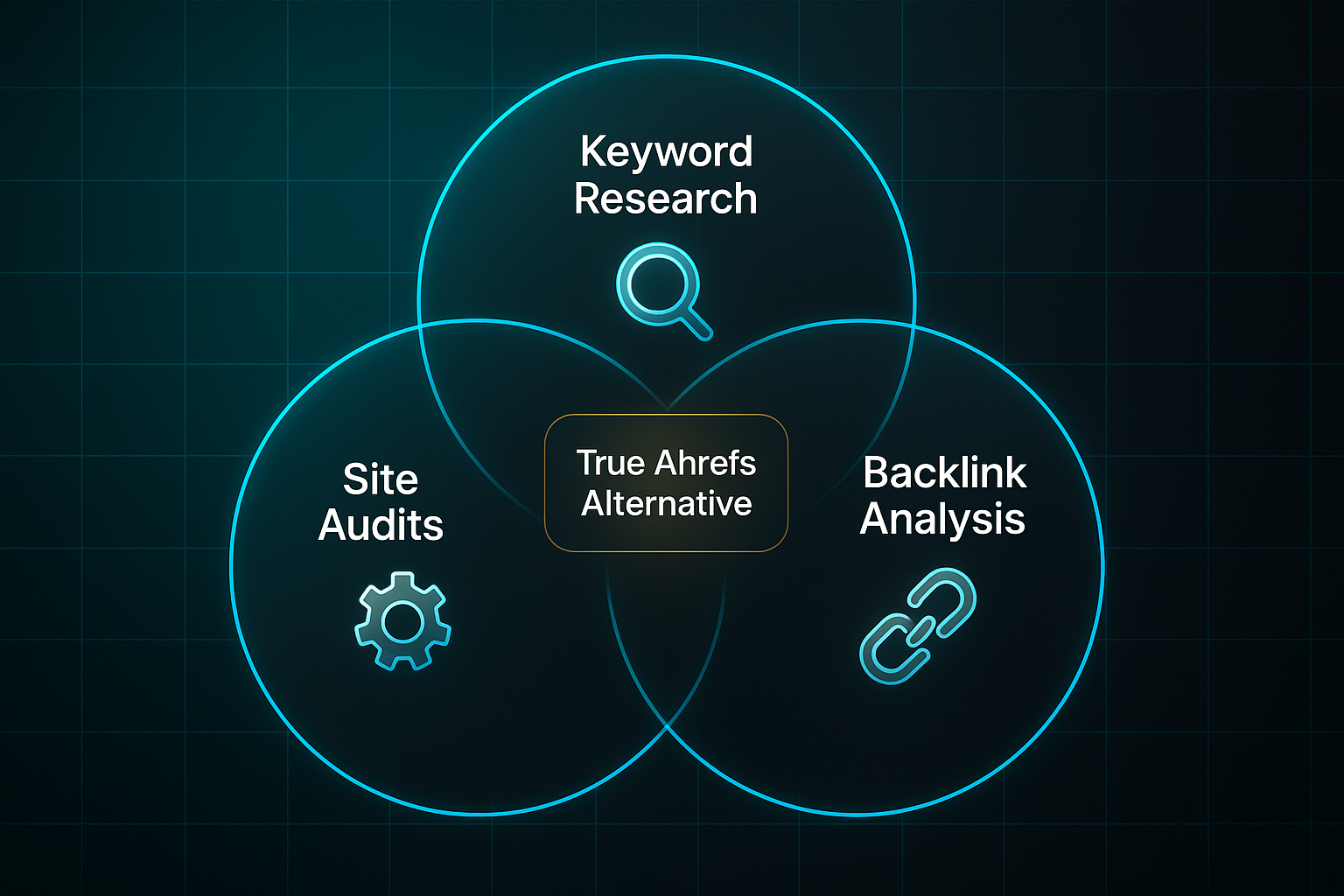
Now, what are those must-have capabilities? SEO analysis generally revolves around three building blocks:
- Keyword research
Uncovers terms that can guide your content and attract the right visitors. - Backlink analysis
Shows which external sites link to yours, boosting authority and search position. - Site audits
Identifies hidden technical or content issues that might be dragging your site down.
Without access to all three, most users feel a tool doesn’t offer a real substitute for what Ahrefs does.
Why Free Alternatives Matter: User Demand and Pain Points
Why does this even matter? Well, there’s a huge need among those who can’t—or simply won’t—pay for expensive SEO analysis.
Let’s look at the main groups:
- Solo creators and small businesses
Running on tight budgets. - Beginners
Looking for simple, accessible data—not overwhelmed by complex dashboards. - Agencies or professionals
Wanting a backup for quick checks or when exploring options.
These groups often encounter frustrations with free tools. Who doesn’t get frustrated when free tools hit you with quotas or suddenly block core features behind a paywall? The demand for genuine, no-surprise SEO insights is real.
A common sentiment from marketing managers is deep frustration with SEO, especially after spending a lot of money on multiple companies over several years and seeing no meaningful results.
Criteria: What Qualifies as a True Free Ahrefs Alternative?
To really count, a free Ahrefs alternative must provide at least basic keyword, backlink, and audit features—not just one or two of them.
If it’s just a traffic tracker or offers only automated marketing, it doesn’t fit the bill.
A proper alternative gives you DIY SEO insights without locking away essential tools behind paid upgrades.
Frameworks and Trade-offs
And here’s where it gets interesting—free doesn’t always mean comprehensive. Every tool comes with trade-offs:
- Feature coverage
Are all three main tasks available? - Data quality and update frequency
Is the info current and reliable? - Usability
Can even beginners figure it out quickly?
Expect daily limits, less-detailed data, or slower updates compared to something like Ahrefs.

But for many, that’s a fair trade for free, actionable SEO data.
Of course, there’s more to choosing the right fit—understanding these nuts and bolts is just the beginning.
How to evaluate free SEO analysis tools: Key criteria and expert checklist
Picking a free Ahrefs alternative can feel overwhelming unless you know what you’re looking for—and what you’re willing to compromise.
It's all about deciding which SEO tasks matter most to you and matching those to the right tool.
Clarify Objectives and Usage Needs
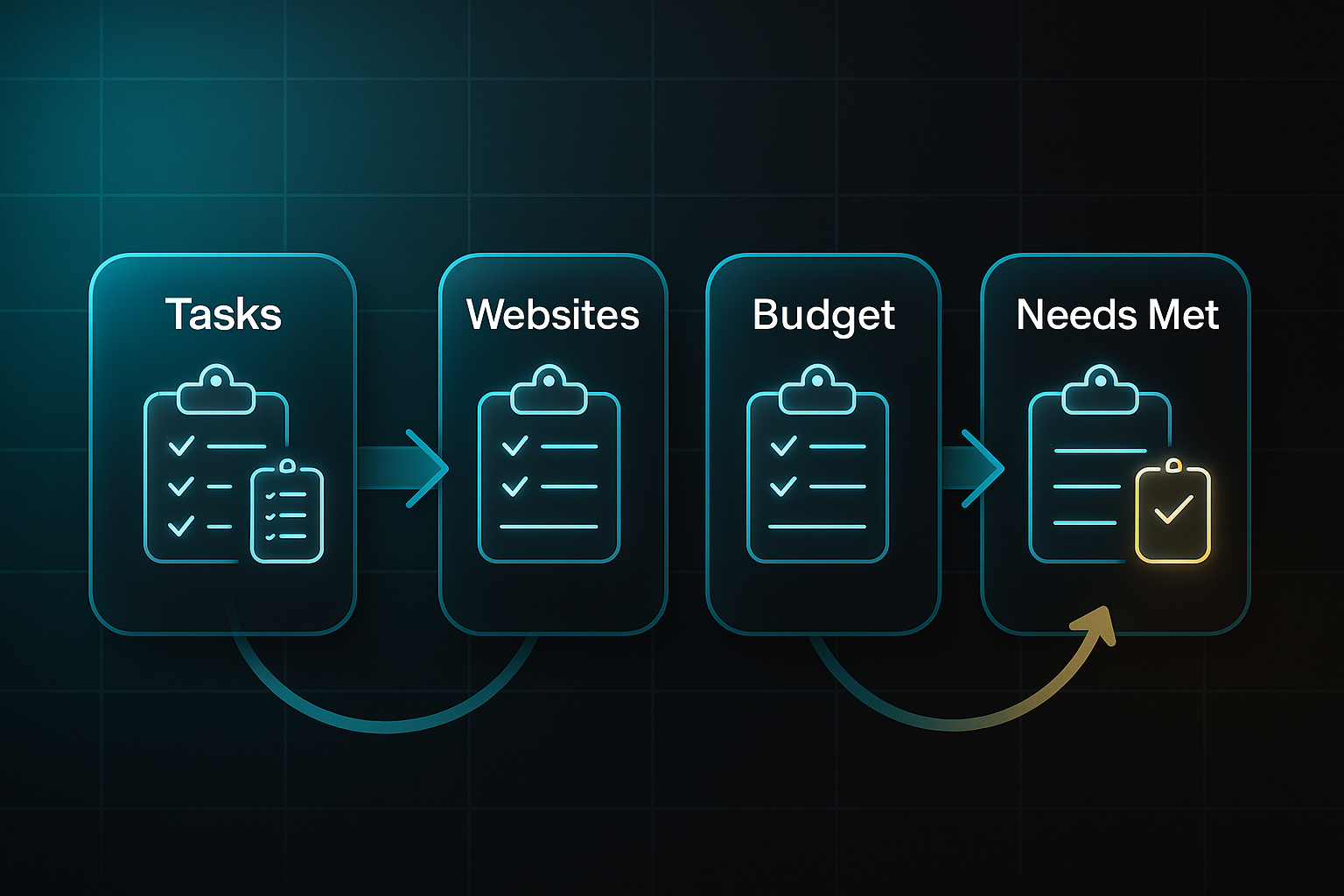
Start by pinpointing your core SEO activities—think keyword research, backlink analysis, and technical audits.
Write down exactly how many websites you'll need to analyse, plus the numbers you can't do without—for example, 25 keyword exports or 100 backlinks checked each month.
The next step? Figure out if your budget truly is £0 or if you’d stretch for a paid upgrade if you hit a wall.
Run a final check to make sure your list ticks off every task and quota, so you’re not caught short later.
Compare Tool Features and Quotas
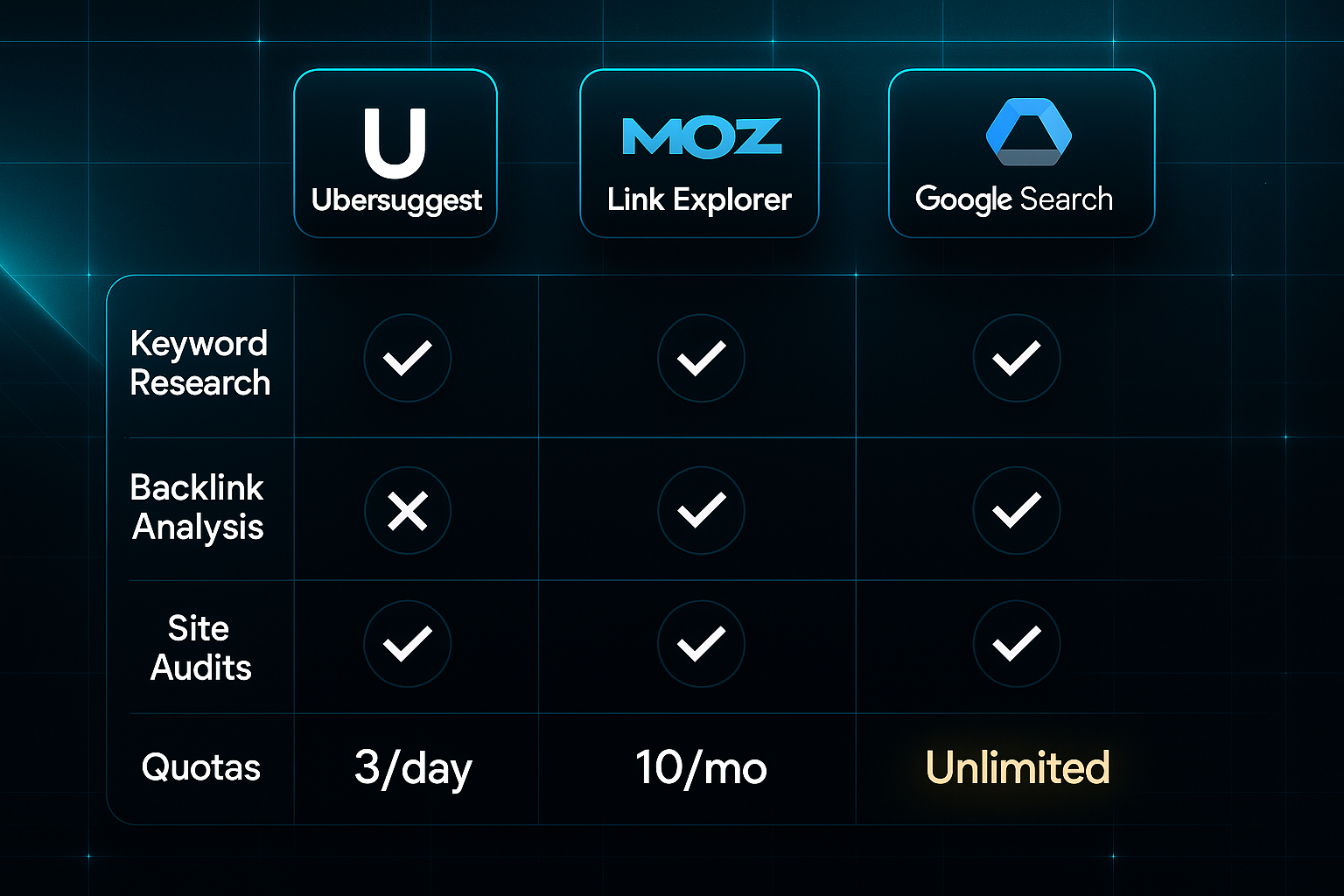
Now that you’ve clarified your needs, it’s time to review the features and limits of each tool.
Take Ubersuggest: you're looking at 3 keyword searches per day. Moz Link Explorer? Just 10 backlink queries each month.
Then there’s Google Search Console, serving up free, unlimited audits.
It’s smart to build a simple table marking out which tool covers what. Note when a paid upgrade might be triggered—like Ubersuggest at £29/month or Moz at £99/month.
If a platform has gaps, plan to mix-and-match or switch when limits hit.
Register, Verify, and Validate Platforms
Once you’ve pinpointed your tools, the next step is to register each platform and verify your sites.
That might mean DNS, HTML upload, or linking up with Google Analytics.
Watch for the “Verified” or “Active” mark on your dashboard—if it’s not there, try another method.
Still stuck after 48 hours? Jump to a different free platform so progress isn't stalled.
Export Reports and Benchmark
After verifying your platforms, it’s time to export your first batch of keyword, backlink, and audit data.
Double-check that these exports match your minimums before your next quota reset.
If results fall short, there's no harm in combining outputs from several tools or spacing your queries out.
Manage Quotas and Resolve Blocks
Stay on top of quotas, spacing out queries over days if needed.
If you regularly hit limits, consider extra free tools—only paying if you absolutely must.
Always stay within the tool's terms. Resist creating multiple accounts just to sidestep restrictions.
Review Privacy and Data Practices
Remember to review every tool’s privacy documentation before connecting your real site.
If you’re wary, test first on demo data or non-critical domains.
If any risk pops up, disconnect sensitive information straight away.
Stick to this checklist, and you’ll build a solid, free SEO toolkit—with clear upgrade paths and minimal disruption.
Ready to go further? Next, we’ll deep-dive into exactly how Google Search Console unlocks technical SEO for you.
Blog-in-one-minute
Add a fully SEO-optimised blog to your website with just 2 lines of code.
Learn more
Google Search Console: The Essential Free SEO Analysis Hub
Looking for a genuinely free way to monitor your site’s SEO? Google Search Console (GSC) is the go-to solution.
You get organic search insights, technical error tracking, and user experience diagnostics—absolutely free, for up to 1,000 managed sites.
For technical SEO, Google Search Console is indispensable. It provides crucial reports on indexing status, mobile usability, and Core Web Vitals, giving webmasters direct feedback from Google on the health of their site.
All it takes is a Google account and admin access to your site. Sure, you won’t see competitor data, but most people don’t need it to get results.
Setup: Prerequisites and Verification
Initial setup is pretty simple. Got more than one domain? DNS TXT makes life easier.
For single sites, a meta tag or HTML upload does the trick.
- Select property type
Choose Domain for broad coverage or URL-prefix for a specific section. - Apply verification
Use DNS record, meta tag, HTML upload, or Analytics link. - Confirm status
Check for the “Verification Complete” message. Your dashboard should fill with data within 24–72 hours.
If verification fails, try switching methods—most issues resolve quickly.
Feature Highlights and KPI Monitoring
Curious which metrics actually make a difference? Here’s what to track:
| Metric | Review Frequency | Target |
|---|---|---|
| Impressions | Monthly | +15% in 3 months |
| Clicks | Monthly | +15% in 3 months |
| CTR | Monthly | Improve baseline |
| Avg. Position | Monthly | Achieve rank 1 |
Let’s break it down.
For solo site owners, CTR and Average Position offer instant feedback—keep an eye on these to spot content wins.
For agencies, Impressions and Clicks monitor broader progress across multiple sites.
To boost CTR, try revising your page titles and meta descriptions; for impressions, expanding keyword research helps.
Review stats quarterly and adjust strategies when growth stalls.
GSC enables exports up to 1,000 rows, or 50,000 via API for larger portfolios.
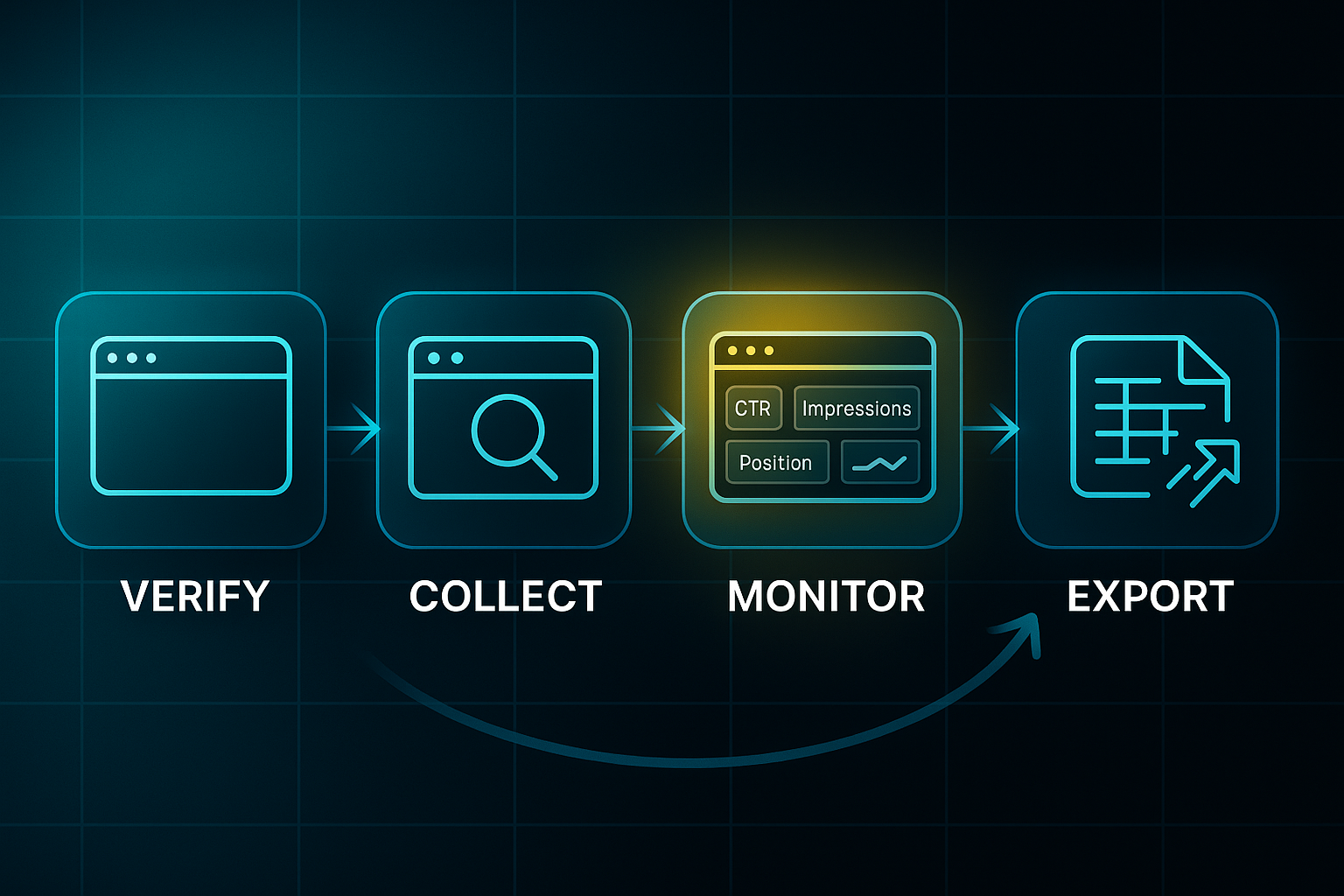
Monthly benchmarking keeps you proactive—if errors persist, focus on fixes from Coverage and Links reports.
Troubleshooting and Practical Advice
Hit an error or blank dashboard? It happens!
After resolving a dashboard issue, it's essential to keep monitoring for new errors. Regular checks ensure stable performance.
Here’s a cheatsheet for quick fixes:
| Issue | Diagnosis | Quick Fix | Timeline |
|---|---|---|---|
| No dashboard data | Wrong variant/sitemap | Reverify/submit sitemap | <72h |
| Coverage error | Blocked/duplicates | Update & re-index | <7 days |
| Web Vitals fail | Image/layout issues | Optimise and retest | <1 month |
“No dashboard data” often means a sitemap issue—just resubmit and check back in a few days.
Coverage errors? Update blocked or duplicate URLs, request a re-index, and monitor for a week.
Red Web Vitals? Compress images and tidy layouts; solo users should see improvement within a month, while agencies should batch fixes for efficiency.
Remember, hands-on regular reviews prevent bigger headaches later.
In short, GSC gives you quota-free reporting and clear, actionable SEO feedback that scales for any user.
Ready for deeper keyword analysis? Ubersuggest has you covered—with solid free features for your next step.
Ubersuggest: Quick-Start Workflow for Free SEO Analysis
If you’re working with a tight budget, Ubersuggest gives you essential SEO features—keyword research, backlink checks, and site audits—for free, with a few daily limits. That makes it a handy alternative to Ahrefs, especially for bloggers, startups, or small businesses that need practical answers but aren’t quite ready for premium plans.
Prerequisites and Resource Scope
Before diving in, you’ll need a current Chrome browser, stable internet at 10 Mbps or above, an email for signup, and basic spreadsheet skills. The setup is quick—expect around 10–15 minutes for the first install, then 15–45 minutes per session for your main research and audits.
Step-by-Step Ubersuggest Free Workflow
Here’s a simple sequence to follow in Ubersuggest:
- Sign Up & Setup
Register and install the Chrome extension; log in on both. Verify you see the dashboard, quota bar, and extension icon count. - Run Queries & Export
Research up to 30 keywords per list, audit 150 pages, and check backlinks. Export your data in CSV—review keyword volume, SEO difficulty, and site issues columns. - Quota Management & Troubleshooting
If blocked by quotas, switch platforms, wait for the midnight reset, clear cache, or use another browser. Retry blank exports or reach out to support. - Limitations & Safety Nets
Free version restricts you to 30 keywords and 150 pages per audit. Back up your CSVs and validate audit insights before action—data is less detailed vs. Ahrefs.
Ubersuggest’s free tier is great for managing a single site or light campaigns.
For a robust keyword research process without a budget, businesses can leverage a combination of free tools. Utilizing Google Keyword Planner for foundational data, Ubersuggest for its accessible features, and AnswerThePublic for query analysis provides a multi-faceted view of search trends.
For frequent quota hits, failed exports, or clear KPI gaps versus Ahrefs, bring in Google Search Console or Moz Link Explorer to fill those holes.
If your results diverge by more than 25% over two separate checks, open a support case or diversify with more free tools before considering a paid upgrade at £29+ per month.
By following this workflow, you get solid, actionable intel—no hidden costs, just easy SEO wins. And if you need deeper analysis? There’s always space to combine other free tools for a more well-rounded picture.

Moz Link Explorer: Free Backlink Analysis and Competitor Benchmarking
If you need a reliable way to check backlinks for free, Moz Link Explorer (MLE) should be on your radar.
Each month you get 10 free queries, giving you access to top-50 links, Domain Authority (DA), Page Authority (PA), Spam Score, anchor text breakdowns, and domain counts—all without reaching for a credit card.
Most audits take around 10–30 minutes per site.
And while you can’t always download a CSV, it’s perfectly normal to copy tables straight into a spreadsheet when you need detailed tracking.
Actionable Workflow: Maximising Free Quota
To get the most out of the quota, here’s a routine that delivers meaningful SEO feedback:
- Prioritise Monthly Queries
Use your 10 queries wisely—focus on your own site and competitors with similar DA. That way, every check gives useful benchmarks. - Anchor Text Review
Check the branded to partial-match anchor ratio. More than 50% branded is ideal; less than 30% signals increased spam risk. - DA/PA and Link Health Tracking
Monitor DA/PA scores and lost/new links monthly. Flag DA drops of 5+ points or lost links over 20%, and watch for spam scores above 5%. - Competitor Benchmarking
Track competitor DA and anchor metrics quarterly. If your score lags by over 15%, refocus efforts on building strong new backlinks.
With these steps complete, MLE supports solo creators and small businesses needing lightweight, repeating checks.
It’s best used alongside Ubersuggest or Google Search Console for full coverage when campaign demands grow.
Just keep in mind, DA and PA are Moz’s own metrics, not direct Google ranking signals.
The spam score is most valuable as a warning flag, not a guarantee of penalty.
Smart quota use and anchor analysis will help you squeeze all the value from MLE’s free tier—just plan your checks as quotas reset each month.
And just as your backlink strategy improves, next we'll jump into Google Keyword Planner for budget-friendly ways to build robust keyword lists.
Google Keyword Planner: Essential Protocol for Free Keyword Research
If you’re looking to build out solid SEO keyword lists without opening your wallet, Google Keyword Planner (GKP) is a smart pick—even though it’s part of Google Ads, you don’t need to run paid campaigns to use it for research.
- Register for Google Ads
Sign up using any valid Google account. Billing info is required for setup, but you won't be charged as long as no ads go live. - Access Keyword Planner
Inside your dashboard, look for Keyword Planner under “Tools & Settings.” If you see “Planning” in the menu, you’re ready to proceed. - Research and Export Keywords
Enter seed phrases or URLs. Set filters to only include ideas with at least 100 average monthly searches. Export up to 1,000 keywords per batch in CSV or Google Sheets. - Maintain Account Activity
Perform a search or export at least once a month to prevent your account from freezing or data hiding. - Assign Keywords to Pages
Update your titles, meta descriptions, headers, and body content with targeted keywords. Sort keywords by search intent, such as informational or commercial. - Track Rankings in Google Search Console
Connect Google Search Console to monitor your ranking progress. A good batch should earn three or more new top-20 keywords and at least 100 impressions monthly in 2–4 months. - Troubleshooting
If exports disappear or you’re locked out, log back in and run another search. For keyword difficulty, use Moz Link Explorer or Ubersuggest—GKP’s 'Competition' metric is ad-focused and may not reflect actual organic difficulty.
GKP remains free if you steer clear of launching ads, but remember to brush up those spreadsheet skills and stay active.
This workflow helps grow visibility and SERP performance, all without premium costs.
Now, ready to cast your net wider? Bing Webmaster Tools is up next, giving you even greater reach and technical insights.
Bing Webmaster Tools: Free, Scalable Technical SEO for Agencies and Multi-Site Owners
Who Benefits and When to Use
Bing Webmaster Tools (BWT) is completely free in 2025 and stands out for agencies and multi-site owners juggling up to 1,000 domains under one account.
If you’re managing lots of client websites, need regular audits, or want automated verification, this tool really scales.
And for anyone aiming to reach Bing’s audience—which now accounts for over 5% of search share—it unlocks data that other platforms just don’t cover.
Key Free Features and Quotas
What makes BWT even more appealing? You get unlimited SEO analysis with zero upsells—no hidden paid upgrades lurking.
You can monitor CTR, impressions, and average position, all over a generous 16-month window.
There’s bulk auditing, comprehensive site health reporting, and support for sitemaps up to 50,000 URLs each.
A major strength is instant indexing via IndexNow—you can send batches of URLs and Bing crawls them within hours instead of waiting around.
Multi-Site Workflow Essentials
Getting all your sites loaded in takes about 15–30 minutes per domain.
You’ll use DNS, meta tags, or even a Google Search Console import that handles up to 100 sites at once.
For smoother exports, keep audit data batches below 5,000 rows—browsers will thank you.
With permission management, it’s easy for agencies or teams to give the right access to staff or clients.
You also get Clarity session replay and heatmaps included for free.
Troubleshooting & Common Decisions
If you run into verification hiccups or export failures, you can switch the verification method or try a smaller export batch—these problems usually clear up fast.
The URL Inspection and Site Explorer tools quickly uncover crawl or index issues, which are commonly fixed in under 24 hours.
Weekly audits are best if Bing’s traffic makes up more than 30% of your total; otherwise, monthly works fine.
Expected SEO Outcomes
With BWT, agencies typically see a real jump in Bing rankings and more pages getting indexed.
Try to hit 80% error reduction and net 2–3 new top-50 pages on Bing within just two audit cycles.
For total coverage, it pairs perfectly with Google Search Console for a balanced multi-engine SEO game plan.
Answer the Public: Targeted Query Ideation as a Free Ahrefs Alternative
When you’re brainstorming new content or need authentic search intent quickly, Answer the Public (ATP) provides a free, focused workflow—no credit card in sight.
Each day, you get three searches, with 30–50 keyword ideas per query, many shaped as questions or prepositions.
Here’s how to squeeze the most from your quota. It all starts by targeting niche topics instead of generic terms—this is what separates actionable keyword lists from those bloated with fluff.
Treat each search as a mini idea generator for blogs, FAQs, and user-centred posts.
Want the process to run smoothly? Stick to these four essential tactics for reliable results:
- Strategic queries only
Target high-value, niche topics for every daily search. - Export after each session
Download CSVs straight away since history isn’t stored for free accounts. - Filter for intent
Pick 10–20 strong questions; ditch vague, broad suggestions. - Combine with other tools
Cross-check ATP ideas with Keyword Planner or Moz for real search volume.
After following these tactics, you'll have a solid keyword pool ready for content planning and review. Here's a practical workflow to keep you on track:
- Run and export queries
Grab up to 150 keywords daily for your editorial calendar. - Screen and select
Cluster top ideas by theme in spreadsheets—makes content gaps easy to spot. - Check for duplication
Review for overlaps against existing or upcoming articles. - Track KPIs in GSC
Use Google Search Console to measure CTR and SERP rank for new posts.
Just look at this: using “SEO audit questions” bumped a post’s CTR from 4.1% to 11.6% in thirty days, and “how to get keyword ideas” jumped six places in SERP. That’s a strong signal your chosen ATP keywords are working. When you see CTR growth of 10% or more and improvement in rankings, keep going! If performance is flat, revisit those questions—focus harder on real user intent.
For those needing more than 150 new keywords a day or concrete search volumes, blend ATP with Google Keyword Planner.
Used efficiently, ATP can deliver 20–30 fresh topic ideas monthly and, for targeted content, a 10–20% uplift in CTR and top-three ranking in just a few weeks. All free, all actionable—the right approach can absolutely rival premium SEO platforms.
Screaming Frog SEO Spider: Free Crawls for Small Site Audits
Setup, Free Limitations, and Resource Planning
Getting started with Screaming Frog SEO Spider is straightforward—most users are up and running within ten minutes.
The free licence allows up to 500 URLs per scan, so count your site pages beforehand.
Sites with more than 500 URLs require a bit of strategy. Simply split the audit into sections—homepage, blog, product—and run each crawl separately.
For every batch, allocate 8GB RAM at minimum. If you're tackling larger jobs or running consecutive batches, 16GB RAM will ensure you avoid stalls.
Crawling, Export, and Backup Essentials
Begin each session by entering your starting URL and letting Screaming Frog operate.
500 URLs usually takes 20–30 minutes to process.
After a crawl, export errors, duplicates, and broken link reports as CSV or Excel files.
Always add section and date tags to filenames—such as “blog_20250501.csv”—to keep everything organised.
Save your exports immediately on cloud or external storage, so precious data isn’t lost.
Three check-in points are crucial: the initial scan, after fixes, and then your quarterly audit.
Maintaining backup copies helps keep your audit history intact.
Remediation and Success Indicators
Examine each export for broken links, duplicate meta tags, and crawl errors.
Prioritise fixes using your CMS or manual code edits.
Most moderate batches are fixed in 1–3 days, while major sites may need up to a week.
A repeat scan within seven days confirms progress.
Targets? Reduce errors by 85%, leave less than 5% unresolved, and boost your Screaming Frog site health score by 15 points or more.
Always document your changes and save session exports for reference.
Once your initial fixes are complete, you may encounter common challenges during or after additional crawls. Here’s how to tackle them:
Frequent Troubleshooting and Quick Fixes
- Crawl stalls/crashes
Lower batch size, close unused apps, and double-check available RAM before restarting. - Exports/session files lost
Export and back up at once; rerun if necessary. - Partial site crawled
Segment the audit further and label batches clearly before trying again.
Well-managed batching and immediate exports make your audits repeatable and resource-friendly.
Screaming Frog’s free edition is ideal for technical SEO on small or segmented sites, offering a workflow free of quotas.
Next up, Serpstat—for larger campaigns and advanced KPI monitoring.
Serpstat: Action-Driven Protocol for Free Visibility Tracking, Audit, and Benchmarked SEO Validation
Step-by-Step Serpstat Free Workflow: Registration, Audit, KPI Export, Benchmarking, and Upgrade Decision
To kick off with Serpstat, simply register for a free account—but keep in mind, you’re limited to one domain or project. After adding your domain and setting your target region, you’ll see the dashboard confirm your free tier and readiness for the first crawl.
Expect caps of 10–20 keyword searches and 1–3 site audits per week. If you try to push those limits, you’ll see upgrade prompts starting at $129/month—so restraint is key here.
Here’s a straightforward, step-by-step workflow for getting the most out of your free Serpstat week:
- Weekly Audits and Visibility Tracking
Run site audits on priority URLs each Monday, then export your visibility score (aim for over 70/100) along with site errors. Only three weekly audits—refreshes take up to three days. - Export and Archive KPI Reports
Save up to 100 rows per report for keywords, backlinks, and errors. Use date and project labels to keep your records neat and avoid quota blocks. - Benchmark With Google and Bing
Each month, compare Serpstat’s visibility and ranking stats to Google Analytics, Search Console, and Bing Webmaster Tools. Stick to a less than 25% KPI gap; if discrepancies stick, refocus on the benchmarking platforms. - Troubleshooting and Paywall Triggers
Hit a quota wall? Shrink your batch size or change audit days. Data refreshes might take up to 72 hours, and ongoing trouble calls for splitting work across alternative free platforms. - Monthly Review and Optimisation
Gather your reports and chase 10–30% visibility improvement, 15%+ longer sessions, and less than 5% unresolved errors. Document your process so you’re ready for the next round.
For those running lightweight campaigns, Serpstat’s free plan handles single-site benchmarking nicely—provided you manage quotas carefully. And if you’re scaling up, pair it with Search Console or Bing Webmaster Tools to keep costs at zero and coverage full.
Once Serpstat has covered your in-site metrics, it’s time to consider offsite benchmarks. Next up: Majestic’s domain verification and trust flow metrics for a fresh look at competitor analysis.
Majestic: Free Workflow for Authority and Backlink Checks
Setup and Verification
Majestic’s free account is perfect for site owners looking to analyse their own domain’s backlinks and authority on a budget.
It’s a real win for small businesses and beginner SEOs who want regular—if quota-limited—insights. Sign up is easy: just register with your email and verify the site using DNS TXT, HTML upload, or meta tag options.
A green “Verified” badge means you’re good to go. If it's missing, swap verification methods or simply wait for DNS propagation—it sometimes takes a night.
Running Free Backlink Reports
Once verified, jump into Site Explorer and scan the “Fresh Index”. You’ll be able to check Trust Flow (TF), Citation Flow (CF), and your top referring domains.
Free accounts come with daily search limits, resetting at midnight UTC. Locked out? Wait for reset or try logging out and back in to refresh things.
Exporting and Tracking KPIs
After viewing your scores, monthly exports are your ticket to long-term insight. Always save top referring domains as CSV, with columns for domain name, link count, TF/CF, and export date. This makes tracking trends much simpler.
If an export flops or turns up blank, just retry or reach out to support.
Monthly KPI Review and Troubleshooting
Every month, record your TF/CF scores, new and lost referring domains, and total backlinks. Ideal benchmarks: TF/CF at least 20, five new domains, and less than 5% link loss.
Noticed big drops? Cross-check with Moz Link Explorer or Ubersuggest—sometimes, the issue's technical or down to a Google update.
Decision Points and Cross-Validation
If TF/CF stay below 20 or domain loss is higher than 10% for three months, ramp up link-building or run spam checks. If multiple tools show falling authority or health, it’s probably time for a technical audit or expert input. Regular quota blocks might push you to switch to monthly reviews or weigh up going paid.
Used efficiently, Majestic’s free tier gives you reliable backlink snapshots and authority metrics. Once you’ve covered offsite benchmarks, next up is activating SEOquake for easy on-page and SERP audits.
SEOquake Browser Extension: Efficient Free On-Page and SERP Auditing
Why SEOquake Works as an Ahrefs Free Alternative
If you want SEO insights quickly—without shelling out for premium tools—SEOquake is a clever choice.
This free extension for Chrome and Firefox gives you on-page SEO audits and SERP (Search Engine Results Page) checks right in your browser.
It scans meta and header tags, analyses keyword density, and shows a snapshot of your link profile for any page you visit.
The SERP overlay makes live competitor comparisons easy, and CSV exports let you review results or share reports in seconds.
For solo site owners or agencies, this means practical insights—with no cost or steep learning curve.
Ever worried what’s really moving your rankings? SEOquake lets you spot those changes before they become big problems.
Quick Setup and Actionable Audit Workflow
You’ll get started in just minutes.
Here’s how to put SEOquake to work:
- Install and Activate
Add it from your browser store, turn on the toolbar, and choose the data that matters to you. - Audit Pages and SERPs
Scan any page for SEO basics—headers, links, and keyword density. Flip on the SERP overlay for live competitor benchmarks. - Export and Validate
Download your audit or SERP data as CSV. For batches over 100 URLs, split your exports for accuracy and reliability.
Maintaining a simple log of export times and audit settings helps troubleshoot recurring issues and makes recurring checks a breeze.
Have you ever wondered why some exports seem off? It’s usually down to toggled metrics or oversized batches.
Crucial KPIs and Practical Troubleshooting
Why bother tracking KPIs? They turn raw data into progress—and reveal if your tweaks are working or simply wasting effort.
Skipping them means missing out on pattern-spotting and fast wins.
Here’s what every user should prioritise after each audit:
- Error reduction
Target a 10% drop in on-page issues per cycle by comparing each CSV export to your previous one. If you’re not seeing a reduction, focus next fixes on the recurring errors. - Backlink tracking
Log at least five new backlinks per page each month, measured in your export history. Falling short? Pivot to link-building outreach until you hit that mark. - SERP position
Check that each key page keeps or improves its primary keyword rank, and re-audit any drops. If a ranking falls, inspect for technical or content issues straight away.
Missing data is a common troubleshooting scenario.
Double-check metric toggles, shift batch size, refresh the extension, or try a new browser—it’s easier than it looks!
Limitations of SEOquake’s Free Tier
SEOquake shines for page-level stats and SERP competitor overlays.
Need deep backlink analysis or historical crawl data? You’ll want something like Ahrefs or Screaming Frog too.
Used together, though, you get actionable audits for free—no hidden strings.
Bonus: Step-by-Step Protocol for Moving from Free SEO Tools to Managed/Agency SEO (SEOSwarm Example)
Ever found yourself wondering if your DIY SEO toolkit is holding you back?
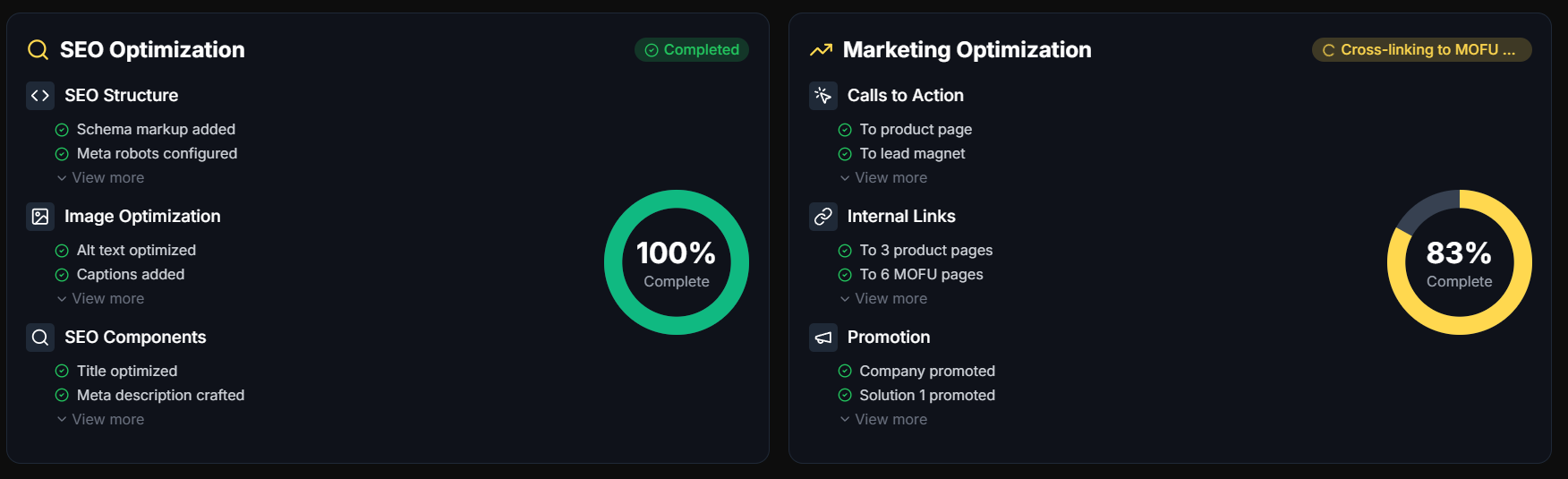
That’s when it helps to focus on a few critical decision triggers—clear clues it’s time to think about a managed solution like SEOSwarm.
Critical Decision Triggers
Here are the signs it might be time to move up:
- Frequent quota exhaustion
You hit over 50% of your quota every month. - Persistent technical SEO gaps
Your site health stays under 70 for two straight months. - Resource cost or time burden
DIY SEO starts costing $1,000+ monthly or chewing up more than 2 hours per week per site. - Growth stalls
Rankings and organic traffic aren’t improving month-over-month.
If two or more of these ring true, shifting to a managed solution is smart.
If you decide to move up, here’s how to onboard efficiently with SEOSwarm.
Condensed SEOSwarm Onboarding & Benchmarks
- Simple Installation
Drop the two-line SEOSwarm code into your CMS; dashboard appears in a minute. - Comprehensive Audit
Run the 150+ check audit—site health should jump above 80 after fixes. - Content & Indexing
Publish and ensure your test blog is indexed within 6–12 hours. - Export and Validate
Export CSV/XLS reports; spot-check for accuracy, and solve issues by shrinking batches or contacting support. - Track Engagement Uplift
Look for 25% engagement gains and at least a 12% boost in conversions during the first month.
Pause onboarding if platform blocks occur or monthly spend is under $500.
For micro sites and personal blogs, free workflows often remain best.

AI-Powered
SEO Content Strategy
See the AI platform that's replacing entire content teams
(with better results).

This protocol gives you benchmarks and a clear path—helping you decide confidently when to level up, or stick with free tools if you’re not quite ready.
Making the Most of an Ahrefs Free Alternative
Most people overestimate what paid SEO tools can do—and underestimate how much you can achieve for free. I’ve seen small businesses and solo creators build real search visibility using nothing but the right mix of free Ahrefs alternatives.
Here’s my advice: Start by mapping your core SEO needs—keyword research, backlink analysis, and site audits. Use the workflows above to combine tools like Google Search Console, Ubersuggest, and Moz Link Explorer. Track quotas, export data, and benchmark results monthly. If you hit frequent limits or see stalled growth, consider layering in additional free platforms before jumping to paid plans.
The smartest SEO strategy isn’t about chasing every feature—it’s about building a toolkit that fits your goals and budget. Free tools, used well, can deliver actionable insights and steady progress. Consistency beats cost every time.
- Wil