

Getting your images to appear in Google Images isn’t just about uploading files and hoping for the best. I’ve seen many site owners overlook the technical side, only to wonder why their visuals never show up in search results.
In this article, I’ll break down exactly how Googlebot-Image works, what makes it different from the standard Googlebot, and why that matters for your site’s visibility. You’ll learn which image formats are supported, how to spot Googlebot-Image in your server logs, and the technical rules that determine whether your images get indexed or ignored.
I’ll also walk you through best practices for image SEO in 2025, including robots.txt setup, alt text, schema markup, and troubleshooting common indexing issues. By the end, you’ll have a clear, actionable checklist to help your images get discovered and ranked in Google Images—no guesswork required.
If you’ve struggled with image indexing or want to make sure your visuals reach their full audience, you’re in the right place. Let’s get started.
What defines Googlebot-Image?
Understanding Googlebot-Image
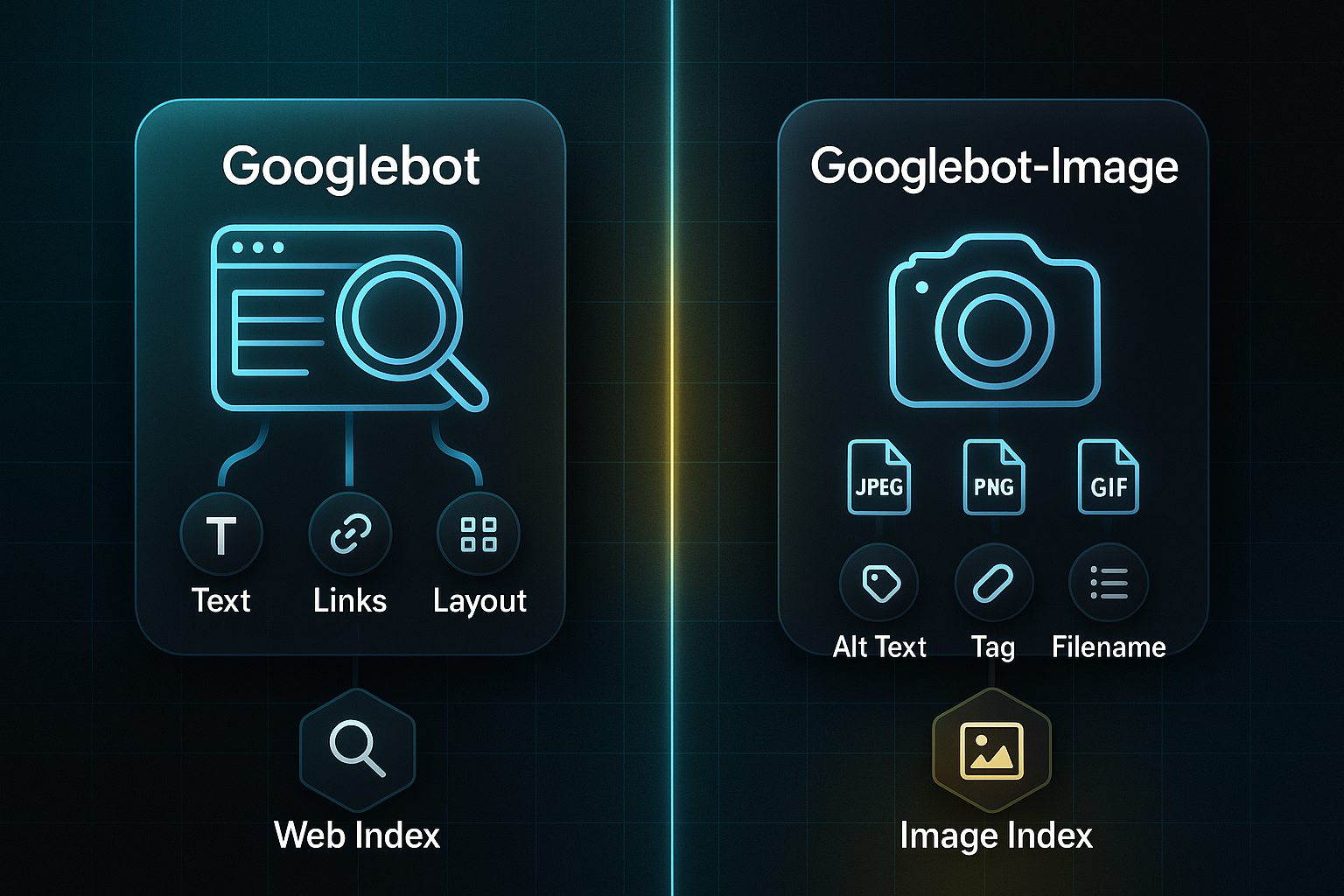
Imagine Googlebot-Image as Google’s resident visual expert. Its focus isn’t on text or page layout; it’s all about pictures.
While the standard Googlebot explores everything on a page, Googlebot-Image is interested in specific types of visual files.
- JPEGs
- PNGs
- GIFs
- SVGs
- Similar files
These are the primary formats Googlebot-Image seeks out during its crawl. It pays close attention to details like alt text and descriptive filenames, which help it interpret and index the images accurately.
Visual search is exploding in popularity, which is why Google has a specialised crawler for images.
Every day, users make over a billion image queries with Google Images. By 2024, the Googlebot family is responsible for nearly 29% of all global bot crawl activity—an enormous slice of digital discovery.
The global Visual Search market size is anticipated to be valued at USD 26.92 Billion in 2024, with a projected growth to USD 53.64 Billion by 2033 at a CAGR of 9%.
Just uploading an image doesn’t ensure it lands in Google Images. Googlebot-Image does this detective work specifically for visual content—not the general crawler. This distinction is crucial for site owners and SEOs.
Why Googlebot-Image Exists and Its Role
Why does visual search demand its own crawler? Sometimes words just aren’t enough.
Often, a user searches for a product or idea without the right phrase, but can recognise it instantly in a picture. Googlebot-Image fills that gap by focusing on images rather than text.
Instead of basic scanning, Googlebot-Image uses AI-driven analysis to interpret images, connect them to nearby content, and judge what’s truly relevant. This ability to accurately match images to queries is increasingly important as the online world becomes more visual. Moving from text-only crawling to image-focused crawling creates new opportunities for precise discovery.
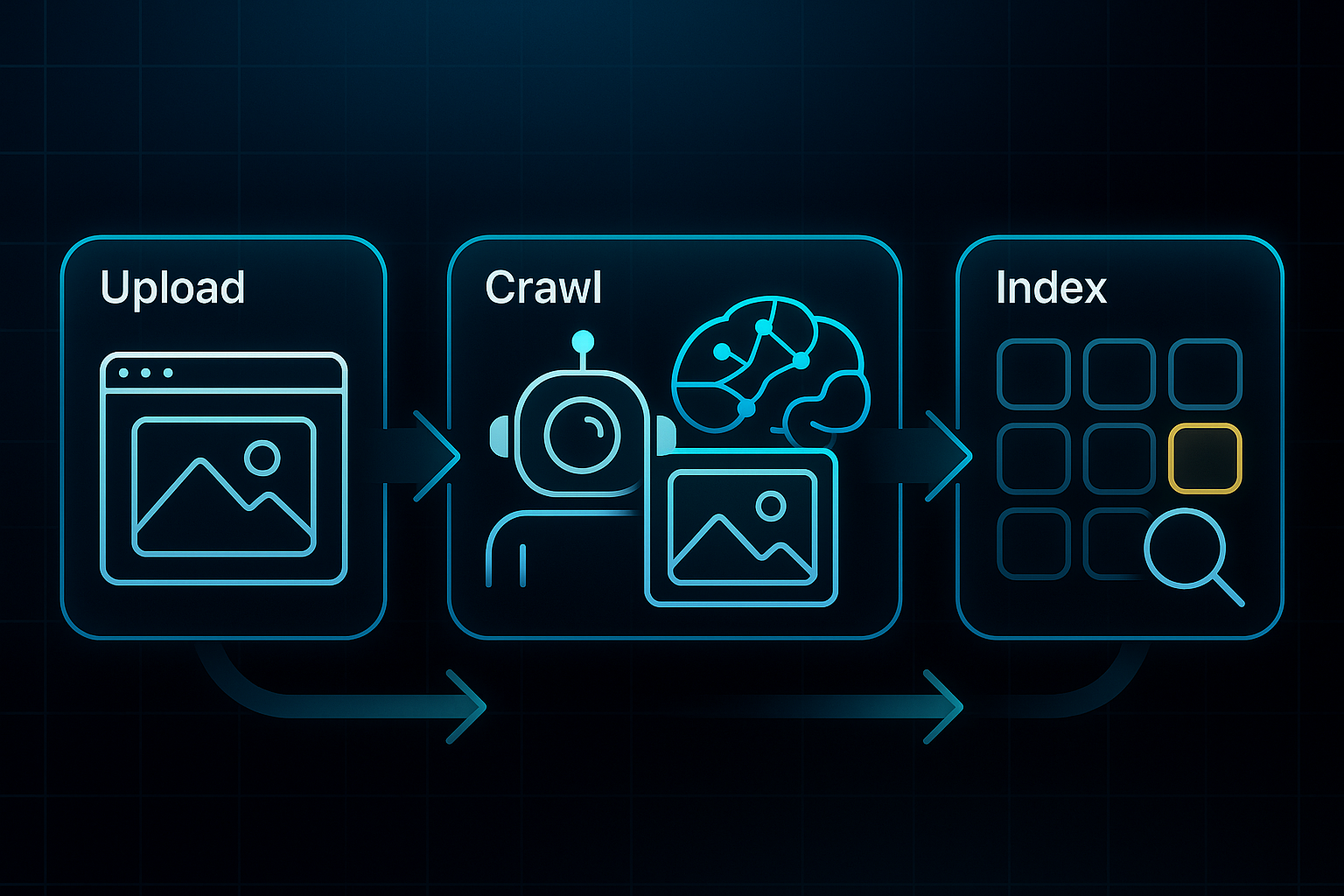
How Googlebot-Image Differs Conceptually from Other Crawlers
Googlebot-Image is completely separate from the standard Googlebot. It shows up as its own user-agent—"Googlebot-Image/1.0"—and doesn’t bother with normal page text unless it’s tied directly to an image. The results from Googlebot-Image are sent exclusively to the image search index.
This separation explains why images might appear in Google Images even when the page itself isn’t highly ranked in standard web search. The way Googlebot-Image works accounts for the split in visibility.
Googlebot alone cannot get your images into Google Images. Googlebot-Image needs access to both the image file and its nearest contextual information for proper indexing. As a result, ensuring both elements are present is critical for proper listing in image search results.
Why This Division Matters for SEO and Site Visibility
Understanding these technical distinctions is vital for site owners and SEOs, because it shapes how images and website content should be optimised.
- Descriptive names
Googlebot-Image prefers images with clear, descriptive file names. - Alt text
Accurate alt text helps Googlebot-Image understand what each image is showing. - Structured metadata
Structured metadata adds additional information that helps determine relevance.
Because Googlebot-Image evaluates these elements, optimising only for the regular crawler isn’t enough for image search.
As visual discovery becomes central to web traffic, this difference helps explain why images can take their own unique path into Google’s visual search results. Appreciating the journey of Googlebot-Image is foundational for understanding how modern search engines interpret and rank images.
Googlebot-Image: User-Agent, Crawl Rules, and Technical Traits
Identifying Googlebot-Image in Server Logs
Let’s talk about how you actually spot Googlebot-Image in action. When this image crawler visits your site, it introduces itself with the user-agent string "Googlebot-Image/1.0" (that’s the bit sent by bots so you know who’s who).
So, when you’re digging through your server logs (which, by the way, are just records of every request to your site), you want to keep an eye out for this exact string to find image-specific crawl activity.
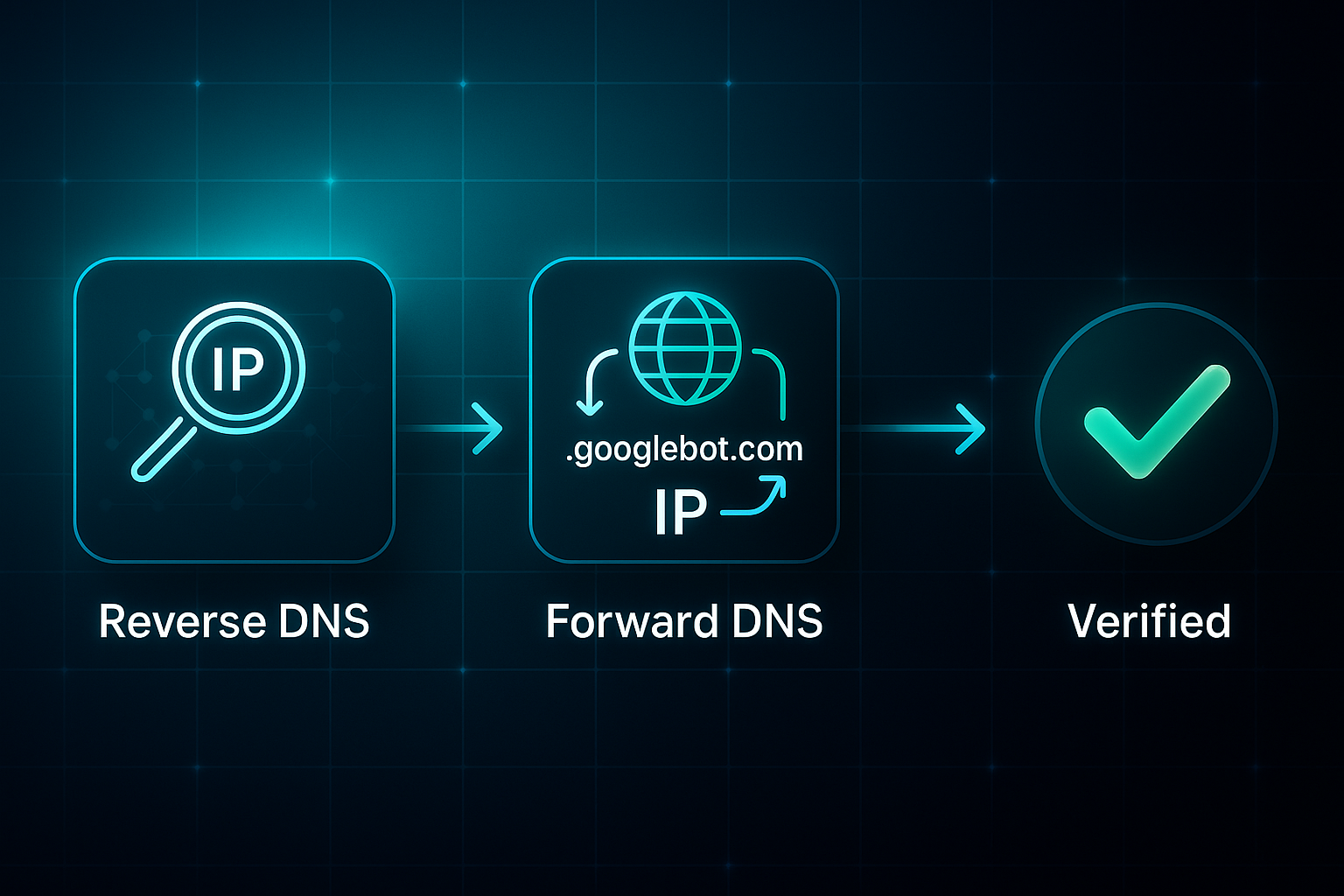
But how do you know it’s really Google and not some bot pretending? Here’s where a DNS (Domain Name System) lookup comes in handy. You do a reverse DNS search on the visitor’s IP address. If the resulting domain name ends with ".googlebot.com" and a forward DNS resolves this back to the same IP, you’ve got the real deal.
Supported and Unsupported Image File Types (2025)
Now on to something you’ll want to get right—image formats. As of 2025, Googlebot-Image is happy with all the usual suspects:
- JPEG
- PNG
- GIF
- WebP
- SVG
- BMP
- AVIF
(added in 2024)
If you’re thinking about uploading HEIC (the iPhone standard), TIFF, EPS, PSD, or AI files, forget it—those won’t be indexed.
For best results, stick to supported types.
Images need to be under 20 MB to be crawled, but for real performance, aim for under 3 MB.

Keep your images at least 300 pixels wide.
For those key visuals, 1200 pixels or more is your friend.
Controlling Crawl Access with Robots.txt
Want to tell Googlebot-Image where it can and can’t go? That’s the job of your robots.txt file—a simple text file living at your website’s root. It gives crawl instructions to bots.
For example, say you want to block Googlebot-Image from your images folder.
Use the following directive:
User-agent: Googlebot-Image
Disallow: /images/
There’s no special image-only directive—you use the standard path rules, just like you do for other bots.
It’s worth noting that Google will read the first 500 KiB of your robots.txt, so make sure the important stuff comes first.
Preventing Image Indexing: X-Robots-Tag
Not every image should show up in Google Images, right? That’s what the X-Robots-Tag HTTP header is for.
Use the following command:
X-Robots-Tag: noimageindex
You can block single files or entire folders, or set this header server-wide if needed.
One important point: if you block image URLs in robots.txt, Googlebot-Image won’t see these headers—so use one method at a time, depending on your goals.
Googlebot-Image Crawl Frequency Benchmarks (2025)
Curious how often your site’s images get crawled? Here’s what to expect:
- High-traffic or news sites
daily or even more. - Medium-traffic sites
a few times a week. - Low-traffic sites
sometimes just once a week, if that.
These days, Google Search Console is a lifesaver—it offers image indexing reports, covers new AVIF support, flags blocked or unsupported images, plus gives you detailed crawl and filter diagnostics.
Leveraging the insights from Google Search Console is a key strategy for boosting overall SEO performance, allowing you to spot trends and uncover critical data faster.
By understanding user-agent identification, image format choices, crawl control, and diagnostics, you’re building the groundwork for getting your images seen on Google—right where you want them.
How Googlebot-Image Discovers and Indexes Images on Your Site
Image Discovery Mechanisms
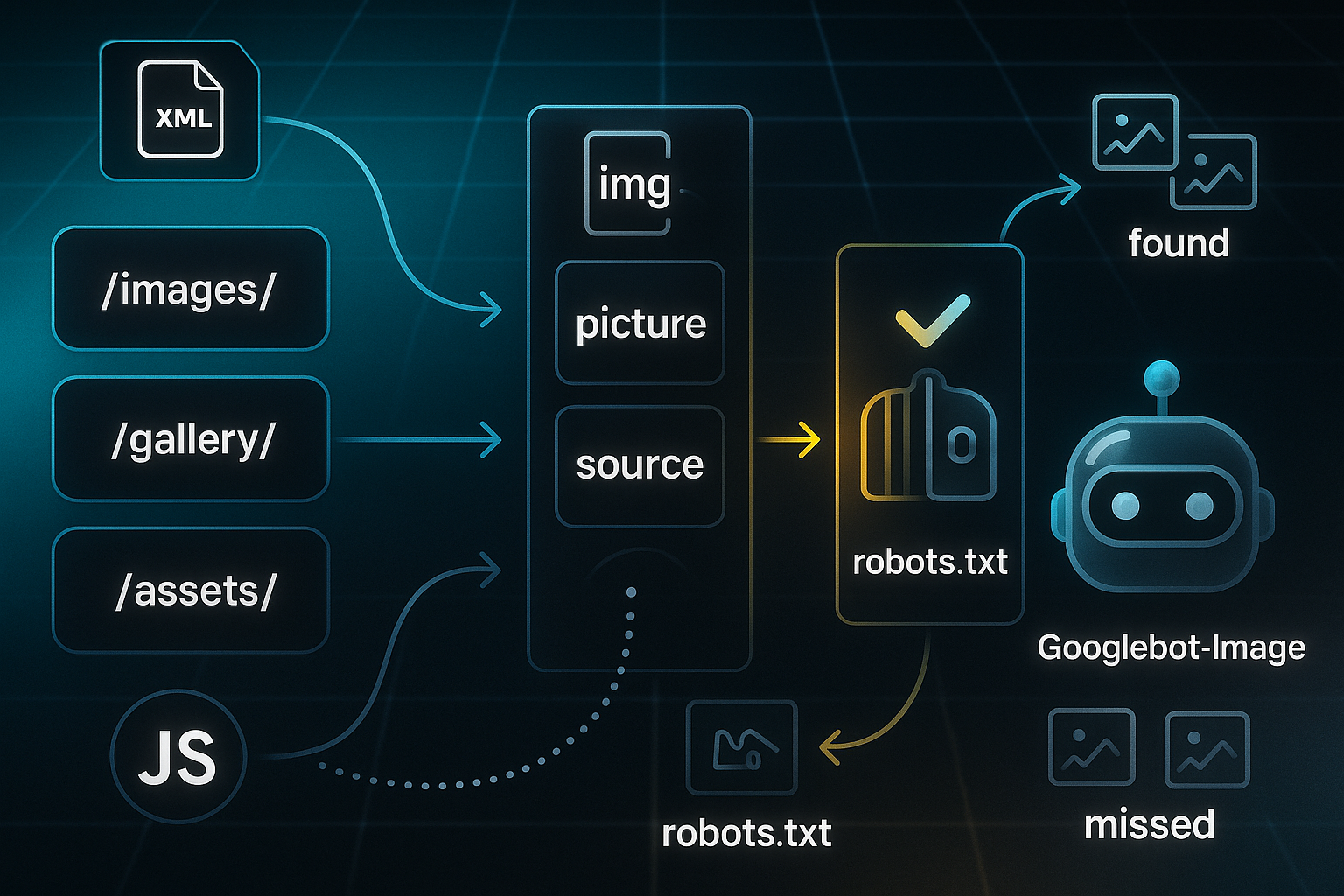
When Googlebot-Image goes hunting for visuals on your site, it starts by looking at classic HTML tags: img, picture, and source. These are the building blocks that actually embed images in your site’s code. For responsive sites, the srcset attribute lets you specify different image sizes for different devices. For example, you might use code like: img src="oak-chair-1200px.jpg" srcset="oak-chair-800.jpg 800w, oak-chair-1200.jpg 1200w" alt="Oak wooden office chair". This technique helps Googlebot-Image spot all the versions your visitors could see.
Not all images on a webpage are easy for Googlebot-Image to find. Those that only appear as CSS backgrounds or get injected by JavaScript aren’t guaranteed to be discovered—Googlebot-Image can pick them up only if the final rendered HTML includes the image references after scripts have finished. For sites with large image libraries, submitting an image sitemap—an XML file listing all your important URLs—makes a big difference. If you have more than 1,000 images, split your sitemaps and link them with a sitemap index for easier navigation. If you use a Content Delivery Network (CDN) to speed up global image delivery, remember to verify both your main site and CDN domains in Google Search Console so you can monitor search health and indexing.
Equally important for discoverability, make sure your robots.txt file allows Googlebot-Image to reach all image folders. Blocking access here is a common reason images disappear from search.
Context, Schema, and Feature Eligibility
Every image should have a clear, relevant alt text, sticking to under 125 characters. Keeping alt text concise makes interpretation easier for both Googlebot-Image and for people using screen readers. Placing images near descriptive headings and adding thoughtful captions can boost their clarity to the crawler. You can further help Googlebot-Image understand each image by adding structured data. Using schema.org/ImageObject in JSON-LD format, you include things like the image URL, name, description, width, height, and licensing info.
Combining rich context with schema increases eligibility for carousels—those horizontal arrays in search results—and licensing badges. Images using schema are 30% more likely to appear in these valuable spots.
Google's official documentation on search appearance explicitly lists structured data as a key component for eligibility in its 'Visual Elements gallery,' which includes rich results, carousels, and other enhanced search features.
Technical Indexing Rules and Ranking Factors
Googlebot-Image respects instructions set by both robots.txt and the X-Robots-Tag HTTP header, with robots.txt taking priority if there’s a conflict. Images should load with a 200 OK HTTP status and have no more than five redirects. If more than 10% of your image URLs return 404 (not found) or 500 (server issue) errors, Google may slow down or stop crawling images for reliability reasons.
To rank well in Google Images, aim for strong page authority with plenty of quality backlinks, smart placement of key visuals above the fold (within the first 400–600 pixels), fast load speeds, and robust technical quality signals such as Core Web Vitals and TTFB (Time to First Byte), ideally less than 200ms.
By following these foundational tips, you make it much easier for Googlebot-Image to discover, understand, and index your site images. Before you get started, refer to this handy cheatsheet for optimising image indexing:
- Filenames
Use descriptive, keyword-rich names with hyphens (oak-wooden-chair-1200px.jpg). - Alt Text
Keep it concise—under 125 characters and relevant to the image. - Sitemap Indexing
Split up big sitemaps and reference them in an index if there are more than 1,000 images. - Schema Markup
Add JSON-LD ImageObject schema with essential fields for feature eligibility. - Page Authority & Placement
Feature vital images high on authoritative, well-linked pages.
Applying all these strategies in 2025 lets Googlebot-Image reliably discover, understand, and index your images—setting your visuals up for maximum impact in Google Images search.
How to Identify Googlebot-Image Activity on Your Website
For anyone running a website or managing SEO, spotting when Googlebot-Image—Google’s specialised image crawler—pays a visit is a must if you want proper image indexing. Let’s walk through exactly how you can confirm its activity, step by step, using the best practice techniques available in 2025.
Don’t worry, all the technical phrases will be explained as we go.
Check Server Logs for Googlebot-Image Requests
The first place to look is your server logs. These are basically a diary your site keeps, recording every single request—search engines included. What you want to do is search these logs for the exact user-agent string: "Googlebot-Image/1.0". That’s the signature Google’s image bot leaves behind.
Here’s what a typical entry would look like: 66.249.66.1 - - [01/May/2025:09:15:22 +0000] "GET /img/chair.webp HTTP/1.1" 200 15878 "-" "Googlebot-Image/1.0"
Verify Requests Using DNS Lookups
But just seeing that user-agent isn’t enough, because let’s be honest—anyone could spoof it. This is where a little detective work comes in, using DNS lookups. Start with a reverse DNS lookup: plug the IP address you find in your logs into a lookup tool. The domain that comes up should end with googlebot.com, google.com, or googleusercontent.com.
Then, to be certain, do a forward DNS lookup—this checks that the hostname really points back to the same IP. Only trust it as genuine Google if those match.
Monitor Crawling with Google Search Console (GSC)
For ongoing oversight, Google Search Console (GSC) is your friend. Add and verify your domain in GSC using the recommended DNS TXT method. With that set up, you can use GSC’s Coverage and Performance reports to see exactly when Googlebot-Image has crawled your images and pages.
Essential Checklist
It helps to keep a quick reference list for staying on top of things:
- Log reviews
Check for the "Googlebot-Image" user-agent in your logs every month. - DNS verification
Run both reverse and forward DNS checks to confirm Google’s IPs. - GSC monitoring
Regularly access Coverage and Performance in GSC for status updates. - Spot anomalies
Be alert for unknown IPs or failed DNS matches in your records.
By following this process, you can reliably tell the difference between real Googlebot-Image visits and impostors, keep tabs on crawl frequency, and spot issues before they turn into bigger problems. Accurate detection is the bedrock of technical image SEO, so don’t skip this step if you want your images to shine in Google search.
Googlebot-Image Crawl Frequency: Patterns and Benchmarks
How often does Googlebot-Image visit your site? The answer depends on a mixture of factors: the type of site you run and how frequently it changes. If your technical foundations are solid, you are more likely to see regular crawl activity.
Understanding these patterns will help set your expectations for image SEO in 2025.
Crawl Frequency Benchmarks by Website Type (2025)
The table below summarises the typical crawl frequency for common site types in 2025:
| Website Type | Typical Crawl Frequency (2025) | Activity Triggers |
|---|---|---|
| News/Event Sites | 4–12 crawls daily | Rapid updates, breaking news; spikes during major events |
| E-commerce Sites | 1–3 crawls daily | Product image changes, promotions, catalogue refreshes |
| Static Sites | Every 3–6 weeks | Sitemap updates or homepage changes required for recrawl |
Take e-commerce as an example. When a product gallery was updated in March 2025, one mid-sized store saw Googlebot-Image log activity double—from 40 to 80 hits—within two days of submitting a new XML sitemap.
You might find log entries like this appearing as Googlebot-Image drops by:
66.249.66.1 - - [14/Mar/2025:16:18:01 +0000] "GET /images/gallery-update.jpg HTTP/1.1" 200 12345 "-" "Googlebot-Image/1.0"
What Drives Crawl Spikes and Crawl Depth
It’s not random—some clear factors shape how often and how deeply Googlebot-Image crawls your images.
Here are the big players to watch:
- Submitting/updating image sitemaps
Can trigger 2–3x more crawl events within hours. - Major news or gallery launches
News or trending events push crawls to 20+ per day. - High domain authority & tech health
Sites with top-tier authority and speedy loading regularly get deeper, longer crawl sessions (LCP <2.5s, TTFB <200ms).
So, what does this look like in practice? A news site packed with backlinks and daily content might pull in around 8 crawls per week, while a neglected, static site could wait 5–6 weeks for any attention. Regularly updating sitemaps and keeping your site fast and well-linked really does increase the speed, depth, and completeness of image crawling.
This is why dynamic websites with great technical health and frequent updates see 4–12+ Googlebot-Image crawls a day. If your site’s error-prone or seldom changed, you may only see a visit every few weeks. It’s that simple.
Best Practices for Googlebot-Image Crawling and Image Indexability
Making sure your images are found and indexed by Googlebot-Image in 2025 is about more than just uploading pretty pictures. It takes a blend of technical accuracy and well-crafted content to stand out.
Here’s your hands-on guide—packed with tools, time-saving strategies, and the small details that can make or break your image visibility.
Core Configuration: Technical Rules and Validation
Getting the behind-the-scenes setup right is non-negotiable in 2025. Let’s look at the must-do actions for technical configuration and validation:
- Robots.txt control
Make sure your robots.txt has 'User-agent: Googlebot-Image' (case-sensitive!). Google only checks the first 500 KiB. Place your 'Sitemap:' lines near the top — doing this can double your crawl rates for new launches. Only disallow specific folders like '/private-images/', so you don’t accidentally block your whole site’s artwork. - Image size and format
Keep images under 20 MB—a quick rule, but for speed, stick to under 3 MB and make each at least 300 pixels wide. Supported formats in 2025: JPEG, PNG, GIF, WebP, SVG, BMP, and AVIF (added in 2024). Skip HEIC, TIFF, PSD, and AI files; they won’t make the cut. - Sitemap requirements
Split big image sitemaps at every 50,000 URLs or 50 MB mark. Fill in the essentials:
Schema and Alt Text: Content for Indexing and Features
All that technical muscle needs to be matched by good image content. Every image deserves concise, human-friendly alt text (stick to under 125 characters) and make sure it actually describes the function or what’s in the picture—think “Oak wooden office chair, ergonomic design,” not a jumble of keywords.
Leave alt="" only for decorative elements.
Schema matters just as much. Use JSON-LD ImageObject markup and always include url, name, description, license, width, and height.
Here’s how each required field appears in your JSON-LD ImageObject schema:
| Field | Value |
|---|---|
| @context | https://schema.org |
| @type | ImageObject |
| url | https://domain.com/img/oak-chair-1200.jpg |
| name | Oak Wooden Office Chair |
| description | Ergonomic office chair in natural oak, 1200px wide, suitable for workspace. |
| license | https://creativecommons.org/licenses/by/4.0/ |
| width | 1200 |
| height | 900 |
Watch for mismatches—if your schema and its licensing or CDN hosting details don’t line up, Googlebot-Image will skip those images for carousels, even if the picture is perfect.
Testing and Troubleshooting: Workflow and Timeframes
Routine checks and fixes save headaches down the road. Follow this process:
- Use Google Search Console’s robots.txt Tester and URL Inspection
Spot crawl problems, ‘Blocked by robots.txt’, ‘Discovered – not indexed’, or ‘Soft 404’ issues and fix them within 24–48 hours of changes. - Chrome DevTools for JS/lazy-load validation
Use the Network tab to check that every image loads with a 200 OK http response and shows in the DOM. Dodge scroll-triggered lazy-loads—use 'loading="lazy"' or Intersection Observer instead. - Weekly audits and after site changes
Hunt down broken image paths, schema hitches, or missing alt text. Log what you find and fix quickly.
Tools for Image Indexing Success
You don’t have to do all this manually. There are some strong tools to help you along the way:
- Screaming Frog SEO Spider
Crawls your site to catch image SEO gaps and technical slipups. - XML-Sitemaps.com
Builds compliance-friendly sitemaps, a lifesaver for busy or giant sites.
Real-World Metrics and Automation
In March 2025, a single robots.txt misstep—blocking ‘/images/’—cost one e-commerce brand 80% of its Google Images traffic overnight.
Using GSC, they caught it and after a fix, boosted their index coverage from 12% up to 78% in just two weeks.
Another site rewrote all 2,300 alt tags after getting ‘Discovered – not indexed’ warnings.
The result? Triple the image impressions in two months.
Weekly check-ins and reacting quickly turns weeks of indexing lag into just days.
SEOSwarm Automation: Pricing and Platform Advantages
If you want all these practices rolled into an automated workflow, SEOSwarm manages the lot. There’s flexible, per-article pricing, special packages for high-intent SERPs, and a custom option built for your specific results.
SEOSwarm covers schema, alt, sitemaps, robots.txt checks, instant GSC requests, and provides analytics and predictive advice—so both advanced teams and beginners can get indexed fast, without the grunt work.

AI-Powered
SEO Content Strategy
See the AI platform that's replacing entire content teams
(with better results).

By combining the right technical backbone, sharp content, scheduled checks, and reliable automation, you set your images up for maximum visibility and ranking in Google Images by 2025.
Next, we’ll move from best practices to a hands-on troubleshooting process—so you know exactly what to do when images won’t index.
Troubleshooting Image Indexing for Googlebot-Image: Step-by-Step Solutions
Quick Checks to Verify Image Indexing
Let’s start with the basics. Before you jump into technical troubleshooting, verify whether your images are actually appearing in Google Images—otherwise, you could end up chasing issues that aren’t there.
Head to Google Images and use site:yourdomain.com, then search for key visuals by filename or descriptive alt text. If these don’t appear, or you get a “No results found,” that’s a sign your images aren’t indexed.
For a more detailed view, use Google Search Console’s (GSC) URL Inspection tool. Seeing “URL is on Google” means indexing is fine, but messages like “Discovered, currently not indexed,” “Blocked by robots.txt,” or a crawl date older than 14 days signal crawl or indexation problems.
Pinpointing Technical Blocks and Crawl Errors
Check for technical blocks, as these are often the root cause. The most common culprit is robots.txt. Open GSC’s robots.txt Tester to confirm your image folders aren’t misconfigured (look for accidental global “Disallow: /” or case errors).
Also, scan for meta robots or X-Robots-Tag headers set to “noindex” or “noimageindex.” Tools like SEOInfo highlight these issues with easy-to-spot alerts.
A less obvious barrier is image hosting: CDN rules, login prompts, or security firewalls. If your server logs show 403 Forbidden, 401 Unauthorized, or 503 Service Unavailable, Googlebot-Image is likely being blocked. Make sure images are publicly accessible and that CDN settings permit Googlebot-Image.
Sitemap and Content Quality Troubleshooting
Don’t forget to review your image sitemaps and the quality of your image content. If GSC’s Sitemaps section says “URLs submitted but not indexed,” common issues include broken links (404 errors), outdated paths, or oversized sitemaps (split files over 50,000 entries).
When it comes to content, alt text matters more than ever. Using an auditing tool like WAVE makes it easier to check your images for missing, duplicate, or blank alt attributes. Limit alt text to under 125 characters and keep it descriptive, using blank alt text only for decorative images.
Efficient Fixes and Re-index Requests
Once you have fixed blocks or other issues, don’t just wait. Return to GSC’s URL Inspection tool and use “Request Indexing” on the updated images or pages. Typically, small changes show up in 1–7 days; larger batches may take up to two weeks.
Still not indexed after a week for smaller batches? Try sending another indexing request or ask for extra help via GSC Support. Sometimes persistence is just what’s needed.
How SEOSwarm Streamlines Image Troubleshooting
For those wanting to simplify image troubleshooting, SEOSwarm provides instant status on blocked images, schema gaps, alt text errors, or server issues with real-time dashboards and guidance—no more bouncing between multiple tools. It also tracks coverage and re-indexing progress for every campaign, making ongoing troubleshooting much faster.
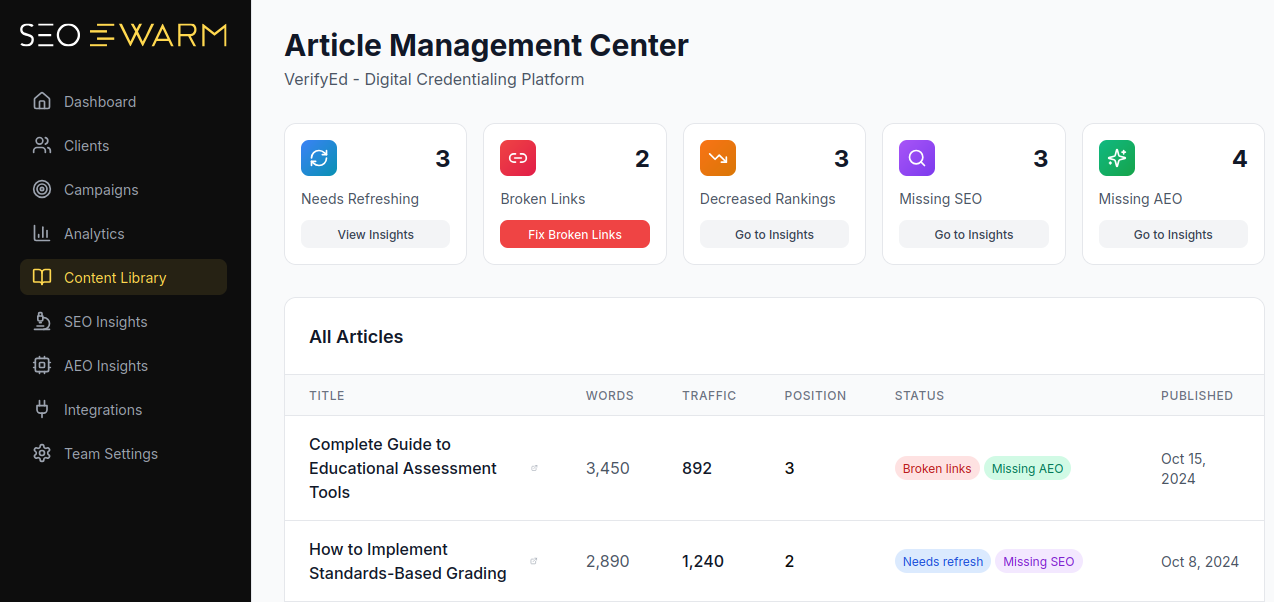
When you combine hands-on checks with smart alerts and automated workflows, you quickly solve nearly all common reasons for image invisibility—keeping your visuals front and centre on Google Images in 2025. Next, we’ll discuss advanced strategies to gain an edge in image SEO.
Essential Templates: Googlebot-Image Artifacts for 2025
Let's face it—when you're setting up Googlebot-Image in 2025, having the right templates makes everything much easier. Real-world code snippets and configuration examples take the guesswork out, especially if you're tackling this for the first time.
Every example here comes with a quick intro, and technical phrases are spelled out the very first time so nobody gets left behind.
robots.txt Sample for Image Crawling
Every site needs a robots.txt file at its root. This plain text file tells bots what to crawl. To let Googlebot-Image see all your visuals, use this format:
Here's what that looks like:
User-agent: Googlebot-Image Allow: /
XML Image Sitemap Example
Image sitemaps are like roadmaps for Googlebot-Image—they list important image URLs so nothing is missed. Here’s a typical example:
An example entry:
Basic Schema.org ImageObject Markup
To get your images indexed for rich results, you’ll want structured data. Add ImageObject schema using JSON-LD (a standard format for search engines):
Here’s what to include:
{ "@context": "https://schema.org", "@type": "ImageObject", "contentUrl": "https://example.com/images/desk.jpg" }
Server Log Entry Example
Finally, you can double-check Googlebot-Image access by looking in your server logs. If you spot this user-agent, you know the bot visited:
66.249.66.1 - - [20/Nov/2025:12:00] "GET /images/desk.jpg HTTP/1.1" 200 12345 "-" "Googlebot-Image/1.0"
Keeping these artifacts handy makes your images far more accessible, indexable, and trackable in Google Images for 2025.
Essential Action Steps for Googlebot-Image Success
Googlebot-Image Crawl and Index Checklist
Keeping your images visible in Google Images through 2025 means sticking to some regular, focused technical steps. Each term is defined the first time, so everyone can follow along. Here’s a practical checklist to keep your images indexed and discoverable:
- robots.txt access check
After site updates, use Google Search Console’s robots.txt Tester to ensure Googlebot-Image is not blocked. - Schema and alt text audit
With every new batch of content, confirm schema (structured data for images) and descriptive alt text are present; try automated tools like SEOSwarm. - Image sitemap submission
Every time you upload major new images, submit updated image sitemaps (XML lists) via GSC, then check crawl stats within 72 hours. - Random spot-checks via URL Inspection
Weekly, use GSC’s URL Inspection tool on several images to ensure they’re indexed, not blocked by robots.txt. - Post-fix verification in crawl logs
When fixes are made, re-request indexing in GSC and confirm new Googlebot-Image visits in your server crawl logs.
Running these steps monthly—and after major changes—gives your images the best shot at staying easy to find, reliably indexed, and front-and-centre on Google Images.
Blog-in-one-minute
Add a fully SEO-optimised blog to your website with just 2 lines of code.
Learn more
My Final Thoughts on Googlebot Image Issues
Most image SEO problems start with a simple oversight—one missed robots.txt rule, a forgotten alt tag, or an unsupported file type. I’ve seen even seasoned site owners lose nearly all their Google Images traffic overnight from a single misstep. The good news? Every technical fix and content tweak you make is a direct investment in your site’s visibility.
Here’s my advice: treat Googlebot-Image as a demanding but fair critic. Regularly audit your robots.txt, alt text, schema, and sitemaps. Use Google Search Console and server logs to spot issues before they cost you traffic. If you want to move faster, automate these checks with a tool like SEOSwarm.
Image indexing isn’t a one-time task—it’s a habit. The sites that win in Google Images are the ones that keep their technical house in order and never stop refining. In image SEO, consistency beats perfection every time.
- Wil