If you’ve ever felt boxed in by cloud-based SEO tools—limited keywords, rising costs, and strict data caps—you’re not alone. I’ve seen agencies and freelancers struggle to scale campaigns without blowing up their budgets or sacrificing privacy.
That’s where a desktop SEO suite with unlimited data and flat-rate pricing can make a real difference. In this article, I’ll break down the core features, strengths, and drawbacks of one of the most popular options on the market.
You’ll get a clear look at how each tool in the suite works, what sets the desktop approach apart, and where it might fall short for team collaboration. I’ll also compare pricing tiers, highlight what’s free, and share real-world scenarios so you know exactly what to expect.
By the end, you’ll have the facts to decide if this toolkit fits your workflow—or if another platform makes more sense for your needs.
What is SEO PowerSuite?
Background and History of SEO PowerSuite
SEO PowerSuite is a desktop SEO toolkit developed by Link-Assistant.com, a team founded in Belarus in 2004. It started out as four separate tools—Rank Tracker, WebSite Auditor, SEO SpyGlass, and LinkAssistant—each handling a different SEO task. In 2008, these tools merged into one platform, simplifying workflows for professionals.
Over the years, SEO PowerSuite has kept improving: enhanced reporting, domain metrics, and Google Search Console integration have all joined the mix. Today, it’s trusted by more than two million users worldwide. What sets it apart is its affordable pricing and unlimited data handling capabilities. There’s a learning curve, though, and some users would prefer built-in online collaboration.
Core Concept and Unique Desktop-Based Approach
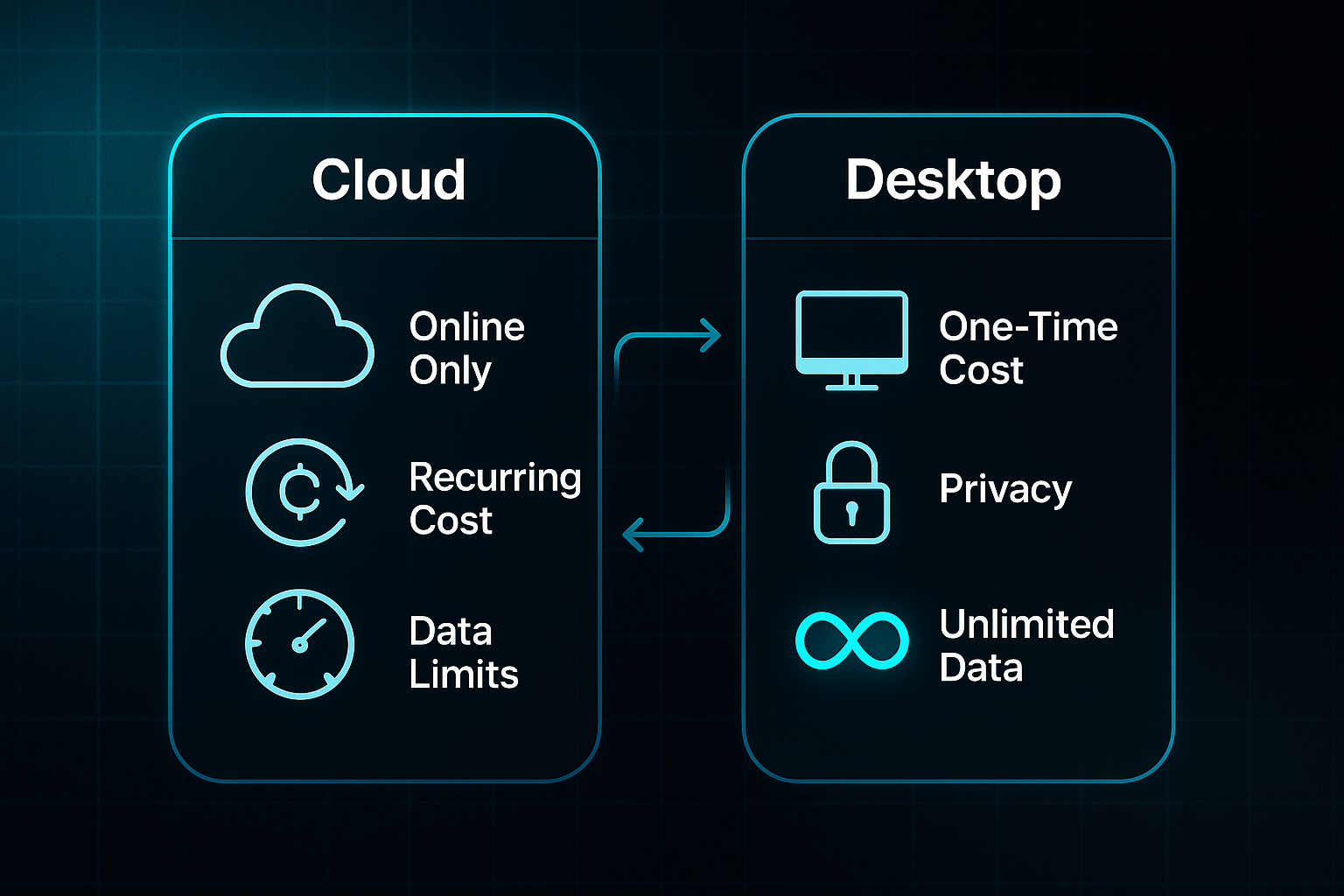
Rather than being cloud-based, SEO PowerSuite runs on your desktop, keeping all project data local. This suits those wanting strict privacy, full control, and to avoid monthly SaaS charges. Both annual and perpetual licences are available, each with unlimited keyword tracking, site audits, and backlink checks. If you want to back up or share reports remotely, there are hybrid cloud options.
This desktop approach is ideal for agencies with privacy needs, consultants in areas with poor internet, and users who like managing their own data. However, teams needing instant browser access or real-time collaboration might find the model limiting.
What Problems Does SEO PowerSuite Solve?
SEO PowerSuite tackles common frustrations: rising subscription costs, strict data quotas, and minimal control in cloud solutions. You get unlimited audits and tracking—perfect for handling multiple websites and dealing with sensitive information.
Offline capability means your workflow won’t grind to a halt during connectivity issues. Boutique agencies, and consultants dealing with confidential or large campaigns, are prime beneficiaries. If you need seamless cloud collaboration, it’s worth weighing up. For others, SEO PowerSuite is a powerful and budget-friendly SEO solution built for scale.
How does SEO PowerSuite work?
The Four-Tool Bundle Structure
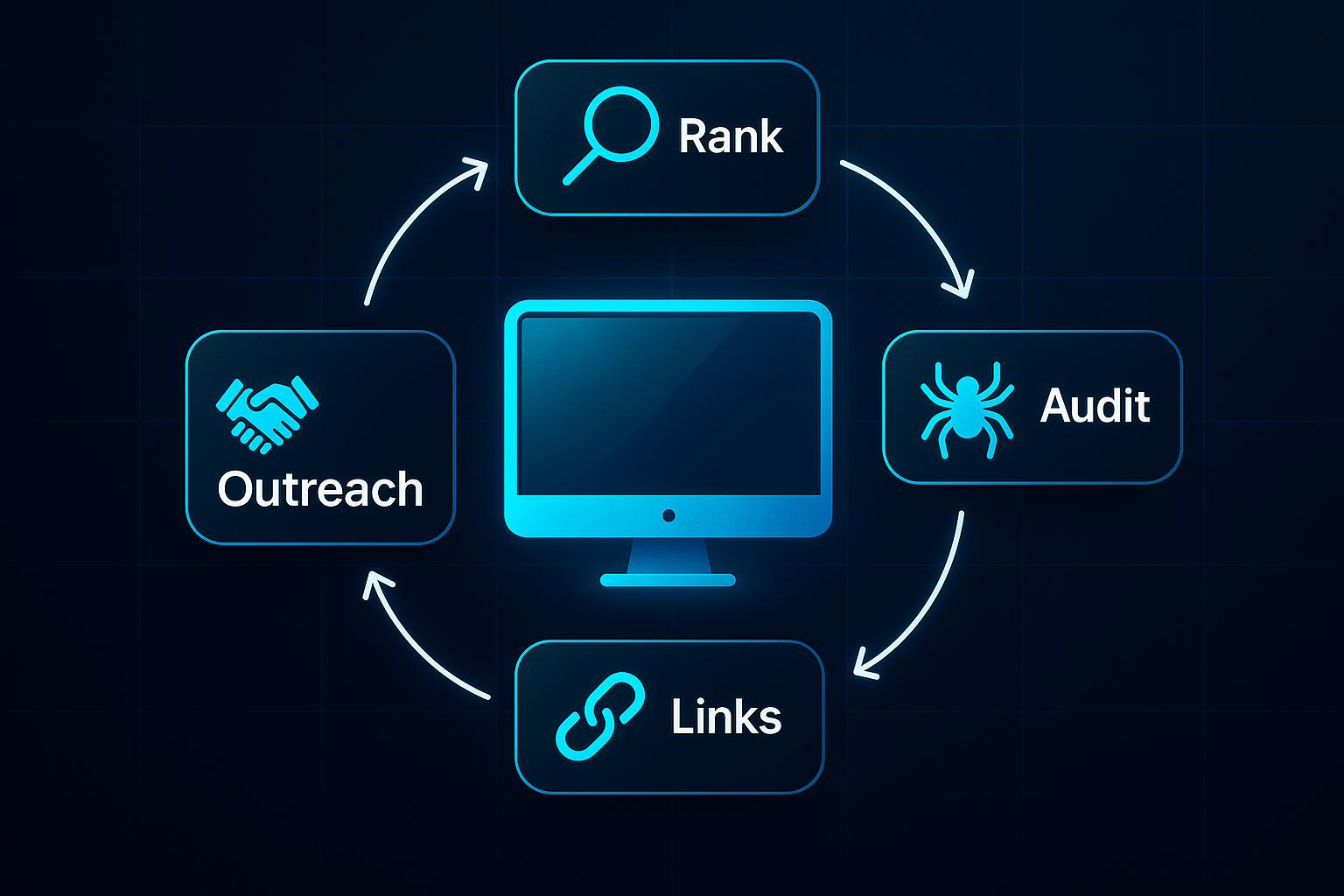
Here’s the lowdown on how SEO PowerSuite operates. At its heart, you get four desktop applications—each mastering a different SEO job, but all designed to work together smoothly.
- Rank Tracker
Covers keyword research, rank monitoring, and SERP analysis. You can track unlimited keywords, and sync data from Google Search Console and Analytics for a deeper dive and more reliable results. - WebSite Auditor
Crawls your site—no page limits at all. It spots technical SEO issues, content gaps, and helps you clean things up fast so your website performs at its very best. - SEO SpyGlass
Takes you deep into backlink territory, using proprietary link metrics, detailed audits, and side-by-side competitor comparisons to sharpen your edge. - LinkAssistant
Manages your link-building, from outreach emails to structured directories, powered by those easy, ready-made templates.
Each tool works on its own, but a familiar interface means switching between them feels natural. All project data stays safely on your machine unless you export or back it up—so there’s no automatic cloud syncing, just complete control in your hands.
Exploring the four main tools of SEO PowerSuite
Rank Tracker: Keyword Monitoring and Research
Let’s start with Rank Tracker, which really sits at the heart of SEO PowerSuite. This tool isn’t just for dabbling in keywords—it’s built for comprehensive management and analysis of your search performance.
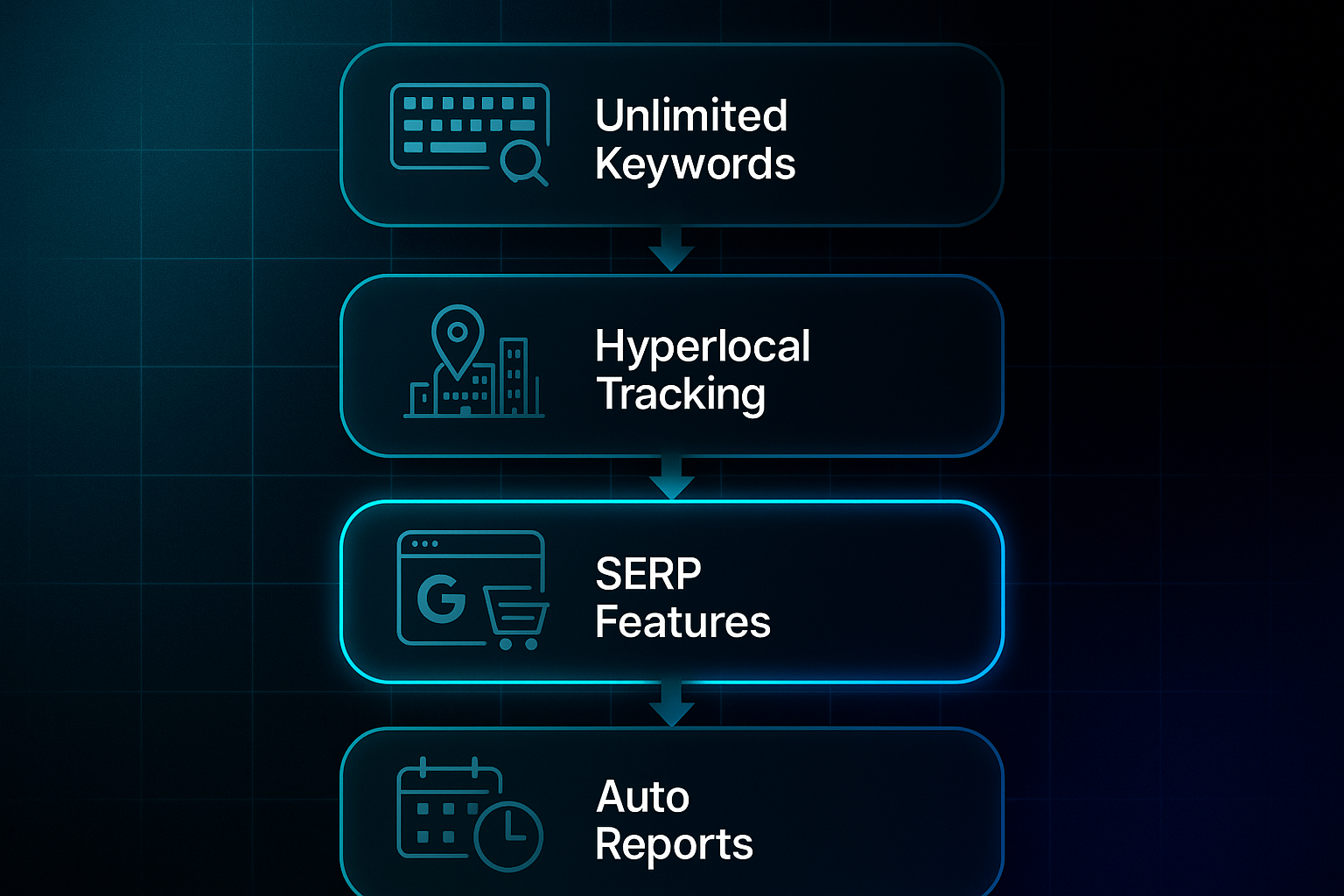
There are absolutely no limits on the number of keywords or projects you can track here. That’s a massive contrast to cloud rivals like Ahrefs or Semrush, where caps—maybe 500 to 3,000 keywords per plan—can mean extra charges and tighter scalability for agencies or users managing lots of sites.
Where Rank Tracker really shines is in hyperlocal rank tracking. Ever wanted to see how you rank for a specific postcode or even a single shop? Now you can. For example, a dental chain in Germany tracked rankings for individual clinics across cities, achieving a 22% jump in new patient bookings during Q2 2025.
There’s some clever stuff packed in, too. SERP feature identification lets you see instantly if you’re hitting featured snippets, local packs, or other rich results—right there, offline, with no cloud export delays.
A Chicago e-commerce retailer actually used these SERP insights and doubled their Google Shopping snippet appearances within three months.
So, what about reporting? You can schedule rank checks and automate custom-branded reports for clients, skipping those frustrating export limits you find in cloud tools. A Toronto consultancy rolled out automated reports for over 60 clients—cutting reporting time by 80% compared to their old platform.
Privacy-first data analysis, unlimited tracking, and offline access really matter if you work with large portfolios or need control over sensitive data. The flip side? Manual setup for integrations is necessary, and the system is most suited to single users working locally rather than teams needing real-time browser collaboration.
Imagine tracking a regional firm’s keywords across every branch, producing stunning, tailored reports, and finding SERP feature wins—without getting hampered by annoying data limits or quotas. That’s Rank Tracker’s edge.
Key features and benefits of SEO PowerSuite
Unlimited Data/Projects and Cost Control
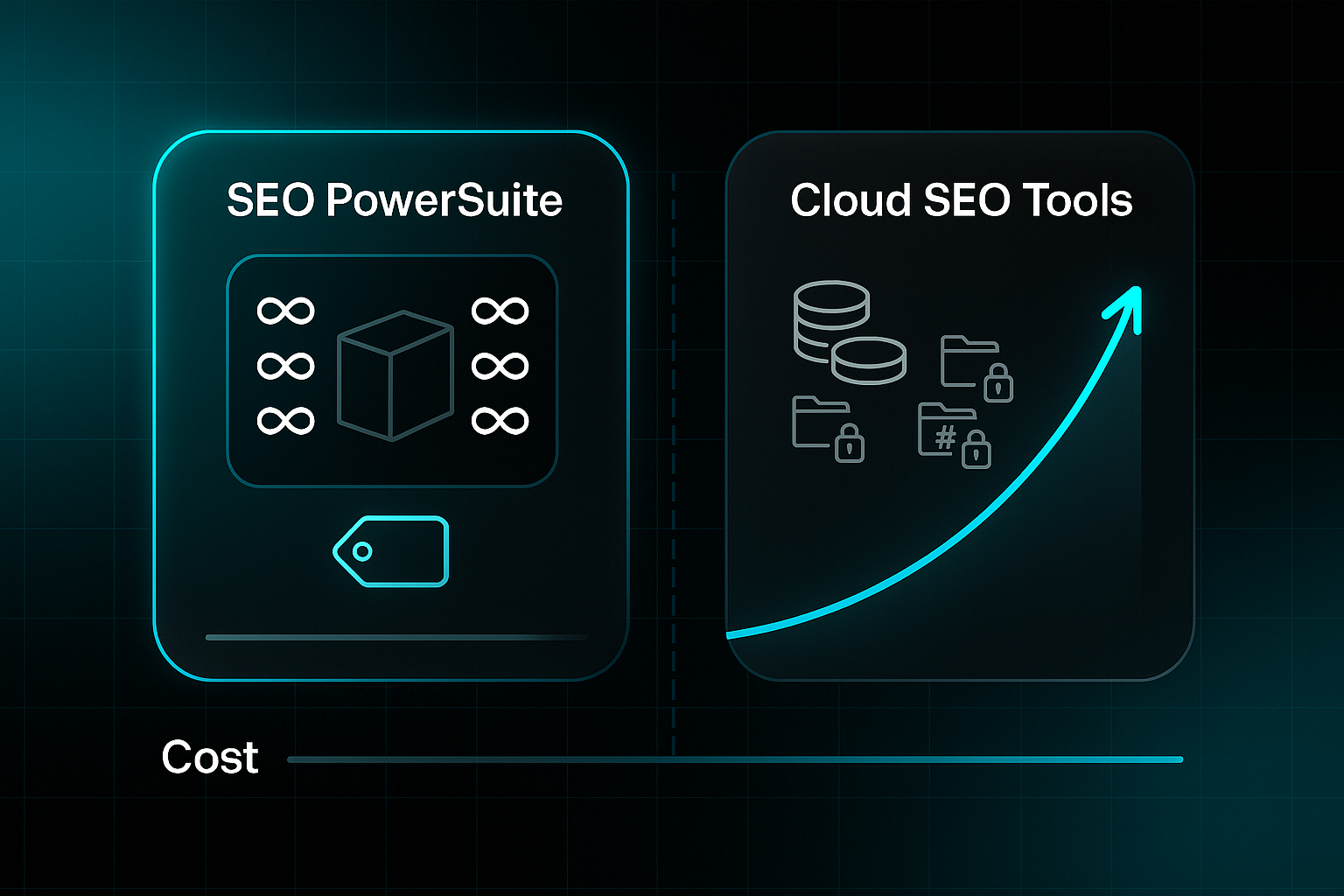
Here’s where SEO PowerSuite really sets itself apart—the sheer scale of what you can manage is, quite frankly, unlimited. Most top cloud-based SEO tools lock you into strict caps. For example, Semrush’s Guru plan only lets you track up to 1,500 keywords and 15 projects before you start feeling the squeeze.
With SEO PowerSuite, there are no artificial ceilings on projects, websites, or keywords. Picture an agency juggling hundreds of client sites and tens of thousands of tracked keywords—there’s still no forced upgrade or surprise charge. One digital marketing agency in East London put this to the test: when they doubled their tracked sites to cover 85 concurrent projects, they recorded a tidy £4,250 saving in just three months—all thanks to avoiding punishing SaaS overages.
So, what does this look like for budgets? Both Professional and Enterprise licences operate on a flat-rate model, available as annual or perpetual (one-off) payments. That means if your consultancy scales up—say, from a dozen to over a hundred clients—your software bill stays the same. In Germany, one SEO consultancy grew 800% in 14 months with zero rise in software costs. That’s basically unheard of with pay-per-use cloud rivals.
Flat-rate SEO delivers a comprehensive, clearly defined set of activities for a consistent monthly fee. No more surprise invoices or scope creep, just predictable investment for predictable growth.
Agencies, white-label services, and freelancers handling wild seasonal spikes or fast growth stand to benefit most. Competitors charge for every extra seat or tracked keyword, but SEO PowerSuite’s predictable pricing makes it easy to invest in campaign work instead—without worrying about hidden surcharges or restrictive limits.
SEO PowerSuite’s desktop approach: Pros and cons
Strengths of Desktop SEO Software
Here’s where things get interesting. SEO PowerSuite keeps all your project data tucked away on your own computer—making it a strong choice for agencies working with sensitive client portfolios or anything regulated. You don’t have to worry about third-party breaches as much, plus meeting GDPR or HIPAA rules is more straightforward. One German financial firm even switched to this model in early 2024 for exactly these reasons.
Cost is another bright spot. You pay a fixed £419 (or €419, about $474) per year for an Enterprise licence, and it doesn’t matter how many clients or keywords you manage. For agencies tracking 50+ clients and 10,000+ keywords, this is a big win over unpredictable SaaS costs.
And you know what else? Offline access is a lifesaver. Consultants can keep running audits or producing reports even with spotty internet—or none at all.
Limitations and Common Workflow Challenges
But it’s not all smooth sailing. There’s no real-time collaboration or automatic cloud syncing, so each person needs their own licence. Sharing work between team members relies on manual file transfers—no magic concurrent editing here.
Performance also hinges on your machine. If you try to run huge audits on an older device, you’ll feel those delays. Updates and backups? You’re in charge, so skipping backup routines can put your project data at risk. And if you want to switch devices, it’s a matter of disciplined version saving and making sure files are synced correctly—otherwise, workflows might grind to a halt.

AI-Powered
SEO Content Strategy
See the AI platform that's replacing entire content teams
(with better results).

SEO PowerSuite pricing and free tool availability
Pricing Tiers: Free Forever, Professional, Enterprise, and Max+
Let’s break down the options. SEO PowerSuite offers four tiers: Free Forever (for exploring), Professional (£299/year), Enterprise (£419/year), and Max+ (£1,450 for three years). Free Forever is a hands-on demo—play with all the tools, but saving, exporting, and automation stay off-limits.
Professional is built for freelancers or small teams, bringing unlimited keyword tracking, project saving, CSV export, and up to 20 cloud projects. There’s no white-label reporting or PDF export at this level, which agencies may notice.
Enterprise is the agency workhorse—offering unlimited projects, 400 cloud saves, scheduled automation, branded PDF exports, and every export format you’ll need. Max+ suits oversized teams who want maximum cloud sync and dedicated support. Annual billing is standard; multi-year deals get discounts, but monthly payments are rare.
Feature Restrictions in Free vs Paid Versions
Free Forever disables saving and clean exports, plus adds watermarks. Competitor and backlink analysis is capped—at 500 URLs and 1,100 backlinks. Automation and scheduled reports are off the table.
Professional unlocks project saving and CSV export, but limits tracked competitors to five and cloud syncs to 20. To remove all caps, Enterprise opens the door to unlimited competitors, full automation, white-labelling, and broad export options.
Value for Money and Cost Scenarios
A flat price means costs don’t balloon as you scale. Unlimited data and zero overages let agencies save thousands compared to SaaS tools with strict limits. Freelancers often find Professional covers their needs, while heavy users enjoy huge efficiencies. SaaS flexibility may still suit low-volume projects.
A perpetual license is treated as an investment, not as an expense.
SEO PowerSuite pros and cons at a glance
Advantages of SEO PowerSuite
- Predictable, Flat-Rate Pricing
Annual fees cover unlimited keywords and sites—agencies avoid surprise charges you see with SEMrush or Ahrefs. - Unlimited Data Use
No project or audit limits, making scaling up hassle-free and free from extra fees. - Local Privacy and Compliance
Projects stay with you, so handling GDPR or sector regulations is much easier. - Offline Working
Run audits and check rankings without internet—ideal for travel and working remotely. - Integrated Core Features
Get keyword tracking, audits, backlink analysis, and outreach all in one suite—no more switching tools.
Downsides and Notable Trade-Offs
- Limited Team Collaboration
No real-time teamwork—manual file sharing slows things down compared to cloud platforms. - Manual Updates/Backups
Maintaining updates and backups is on you; cloud alternatives automate this. - Steep Learning Curve
With four linked apps, beginners will need a bit of patience to get comfortable.
Database Scope and Depth
SEO PowerSuite’s backlink and crawl databases are smaller and updated less frequently than those in Semrush, Ahrefs, or Moz—so competitor analysis can be less thorough.
Typical workflows and use scenarios with SEO PowerSuite
Getting Started: Project Setup and Audits
The real journey with SEO PowerSuite starts when you open a module and add your website’s details. If you’re solo or a small business, you’ll probably begin by plugging in your site URL and researching or importing keywords into Rank Tracker. The magic here? You get over 20 keyword suggestion sources and the KEI score to spot quick-win opportunities.
Agencies often set up separate project files for each client, keeping keyword and competitor tracking nicely organised. The first step is usually running audits in all four main modules. Rank Tracker finds your search baselines, WebSite Auditor checks technical health, SEO SpyGlass digs into backlinks—just remember that 1,100-link cap on the free version—and LinkAssistant lines up your outreach. Every project is stored locally; for sharing, cloud folders work, but there’s no real-time teamwork.
End-to-End Campaigns: From Research to Reporting
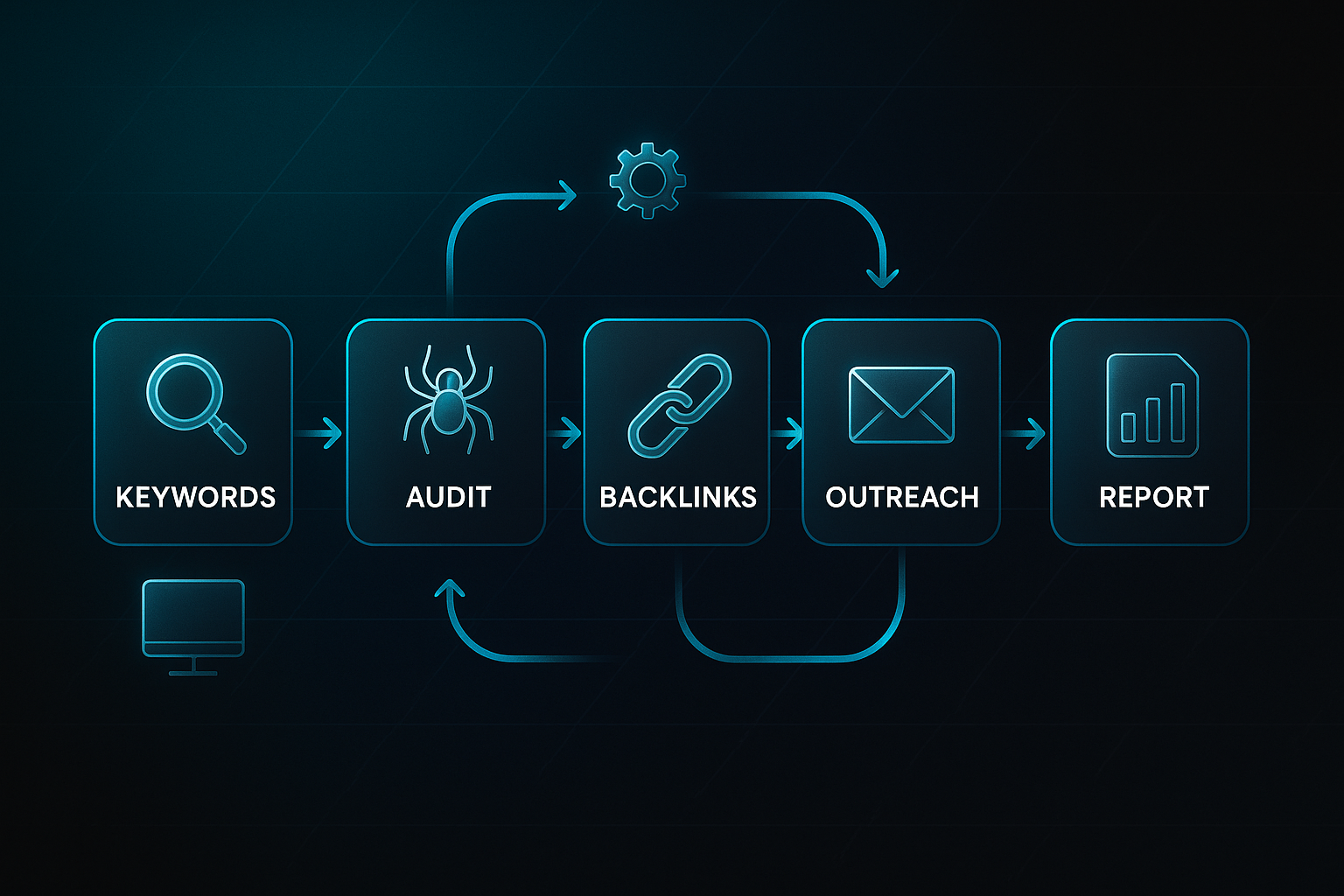
Workflow typically moves step-by-step: find keywords, audit your site, analyse backlinks, then launch outreach. Agencies love automating with desktop schedulers for rank checks and export reports, but it all runs on your own machine. Solo users often skip automation and branding, but the overall flow is similar.
Common Challenges in Real-World Use
What issues crop up? Free users quickly face project and data caps, and large sites might slow down older computers. Teams adapt by having a single "editor" for each project, sharing via cloud folders or exports. Newcomers usually find the built-in tutorials and checklists help flatten that initial learning curve.
Updates, security, and support in SEO PowerSuite
How Updates Are Managed and Delivered
Here’s how SEO PowerSuite keeps itself up-to-date. The main software offers manual updates—you get in-app prompts and need to install them yourself.
Since May 2024, Google Search Console data can refresh automatically within WebSite Auditor and Rank Tracker, so core site insights never go stale.
But if you skip software updates for too long, you’ll likely miss new features and could face technical hitches. Only the current, licensed version gets customer support, so staying up-to-date isn’t optional if you want smooth help.
Data Security Pros, Cons, and Best Practices
All your project data is saved locally—there’s no cloud backup or built-in disaster recovery. That gives you full control and privacy, but you need manual backups and should rely on strong device security, like encryption and user account control.
Overlook those backups or skip security updates, and your risk of data loss or corruption increases sharply.
Customer Support and Resource Access
Help is on hand via email and live chat—no phone line, but expect a reply in under 24 hours for paid users. Full tutorials and documentation are included.
Just remember: updating the software is crucial for ongoing support and access to every feature.
How does SEO PowerSuite compare to other SEO platforms?
SEO PowerSuite vs. SEMrush, Ahrefs, and Moz
How does SEO PowerSuite hold up against SEMrush, Ahrefs, and Moz? The standout feature is unlimited keyword and site tracking on every paid plan for just £419/year (Enterprise). Whether you manage 8 or 80+ sites, your fee stays flat. Compare that to SEMrush Guru at $249.95/month, Ahrefs Standard for $199/month, and Moz’s $99/month starting point—all with strict caps.
SEO PowerSuite’s Enterprise tier also includes unlimited PDF, CSV, and HTML exports, a major advantage for agencies needing lots of client reports. With cloud alternatives, these export options usually require expensive upgrades. Agencies often save thousands yearly on software costs. Still, cloud tools really shine if your team needs real-time collaboration and automatic browser syncing.
So, what’s the real trade-off? SEO PowerSuite delivers local privacy and unbounded data control, while cloud SaaS platforms are all about teamwork and browser convenience.
When to Choose Desktop vs. Cloud vs. Managed Service
Desktop is ideal for those needing privacy, unlimited scale, or GDPR compliance. Cloud suits teams keen on workflow automation and easy collaboration. Managed services work for anyone preferring experts to handle SEO hands-off.
SEOSwarm: AI-powered, Agency-Led Alternative

SEOSwarm provides managed content strategy, mixing AI and agency expertise. Add the 'blog-in-one-minute' option to launch your hosted blog instantly.
Blog-in-one-minute
Add a fully SEO-optimised blog to your website with just 2 lines of code.
Learn more
My Final Thoughts on SEO PowerSuite
Unlimited data isn’t just a feature—it’s a strategic advantage for agencies and consultants who want control without surprise costs. SEO PowerSuite’s desktop model puts privacy and scalability in your hands, but you’ll need to manage updates, backups, and collaboration yourself. That trade-off is real, but for many, the benefits far outweigh the friction.
If you’re ready to move beyond cloud quotas and want predictable pricing, I recommend starting with the Free Forever tier. Test your workflow, then upgrade only if you need automation, white-label reports, or unlimited exports. For teams, set clear routines for backups and file sharing to avoid workflow bottlenecks.
I’ll leave you with this: The right SEO toolkit isn’t about having every feature—it’s about choosing the one that fits your workflow, budget, and growth plans. Your software should work as hard as you do.
- Wil