
If you’re searching for an SEO platform that actually fits your workflow, you’re not alone. Many marketers, agencies, and business owners struggle to find a tool that balances robust features with usability and cost.
I’ve spent time testing SE Ranking’s all-in-one suite, digging into its rank tracking, site audits, AI-powered content tools, and reporting. In this review, I’ll break down what works, where it falls short, and how real users rate their experience—so you can decide if it’s the right fit for your needs.
You’ll get a clear look at SE Ranking’s core features, pricing, onboarding, and support, plus honest pros and cons for different user types. I’ll also compare it to big names like Ahrefs and SEMrush, and highlight recent updates that could impact your decision.
If you’ve ever felt overwhelmed by fragmented SEO tools or hidden costs, this guide will help you weigh SE Ranking’s strengths and limitations—so you can make a confident, informed choice.
What is SE Ranking Review?
Platform Overview and History
SE Ranking is a cloud-based, all-in-one SEO software suite that brings all your key SEO actions—ranking checks, site audits, competitor research, backlink tracking, on-page content optimisation, and reporting—together in one unified dashboard. The spotlight here is on the SE Ranking software itself, focusing squarely on the features users actually interact with. No unrelated SEO theory, platforms, or managed agency offerings like SEOSwarm in sight.
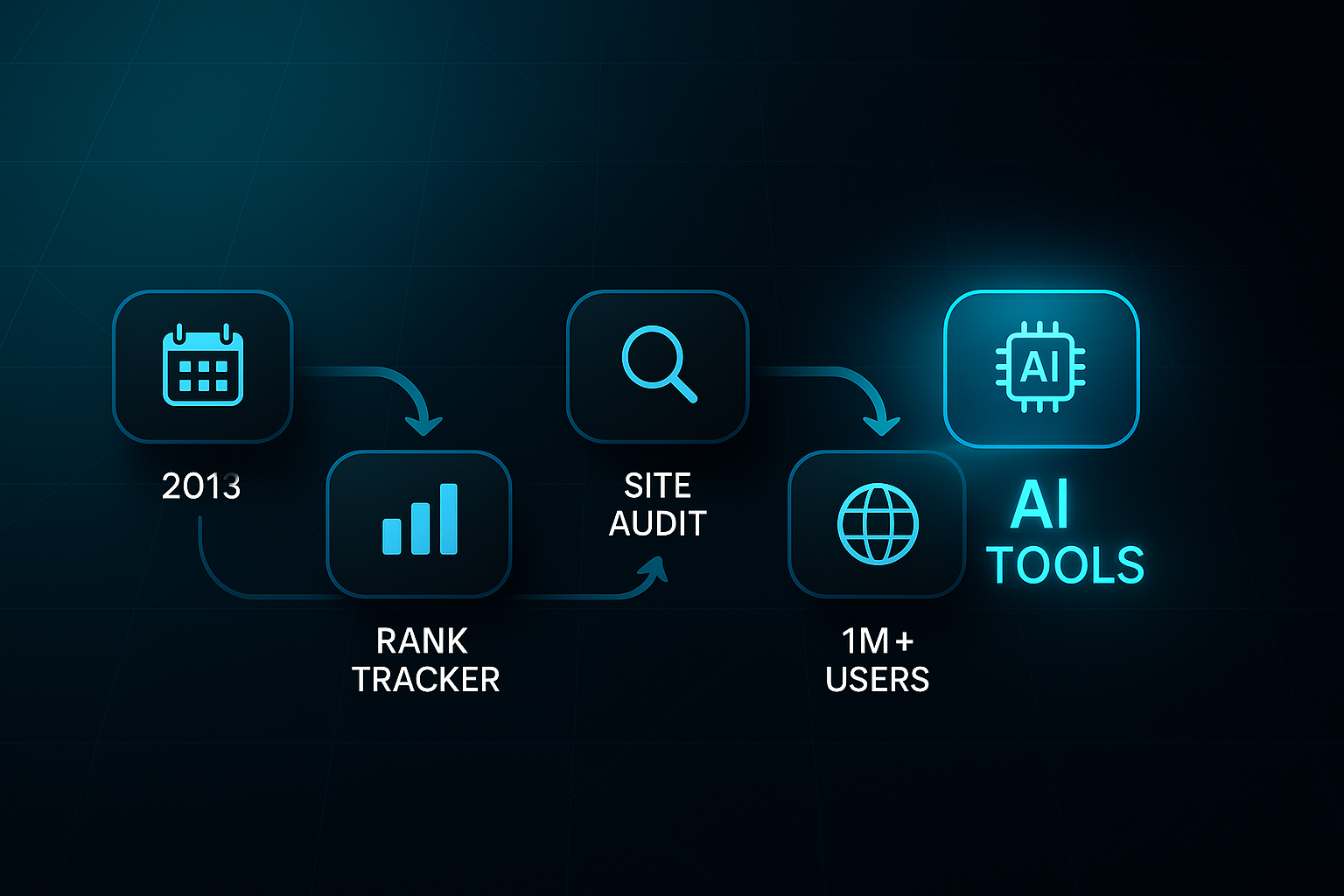
So, how did SE Ranking start out? It launched in 2013, making its name as a rank tracker that delivered accurate, localised data when most competitors struggled outside major markets. Their reliable keyword tracking quickly became a selling point. Fast forward to 2015—features like keyword suggestions, backlink monitoring, built-in reporting, and even a Social Media module were rolled in. This meant users could drop their clunky mix of third-party plugins and do more, faster.
A turning point arrived in 2016 with the addition of a Website Audit tool. Suddenly, time-consuming manual technical SEO audits could be replaced with automation. Since then, SE Ranking has grown into a cohesive platform, aiming to unify the core tools every SEO pro relies on—no more jumping between fragmented software.
Now, here’s what’s new. From 2023 onward, SE Ranking introduced AI-powered modules for content creation, plagiarism checks, and advanced keyword analysis. The platform also rolled out Local Marketing, Search Intent segmentation, and Toxic Backlink Detection, supercharging local SEO and campaign targeting—and helping with reputation management. Today, SE Ranking is trusted by over 1 million professionals in 190+ countries, valued for powerful integration and scaling across different needs.
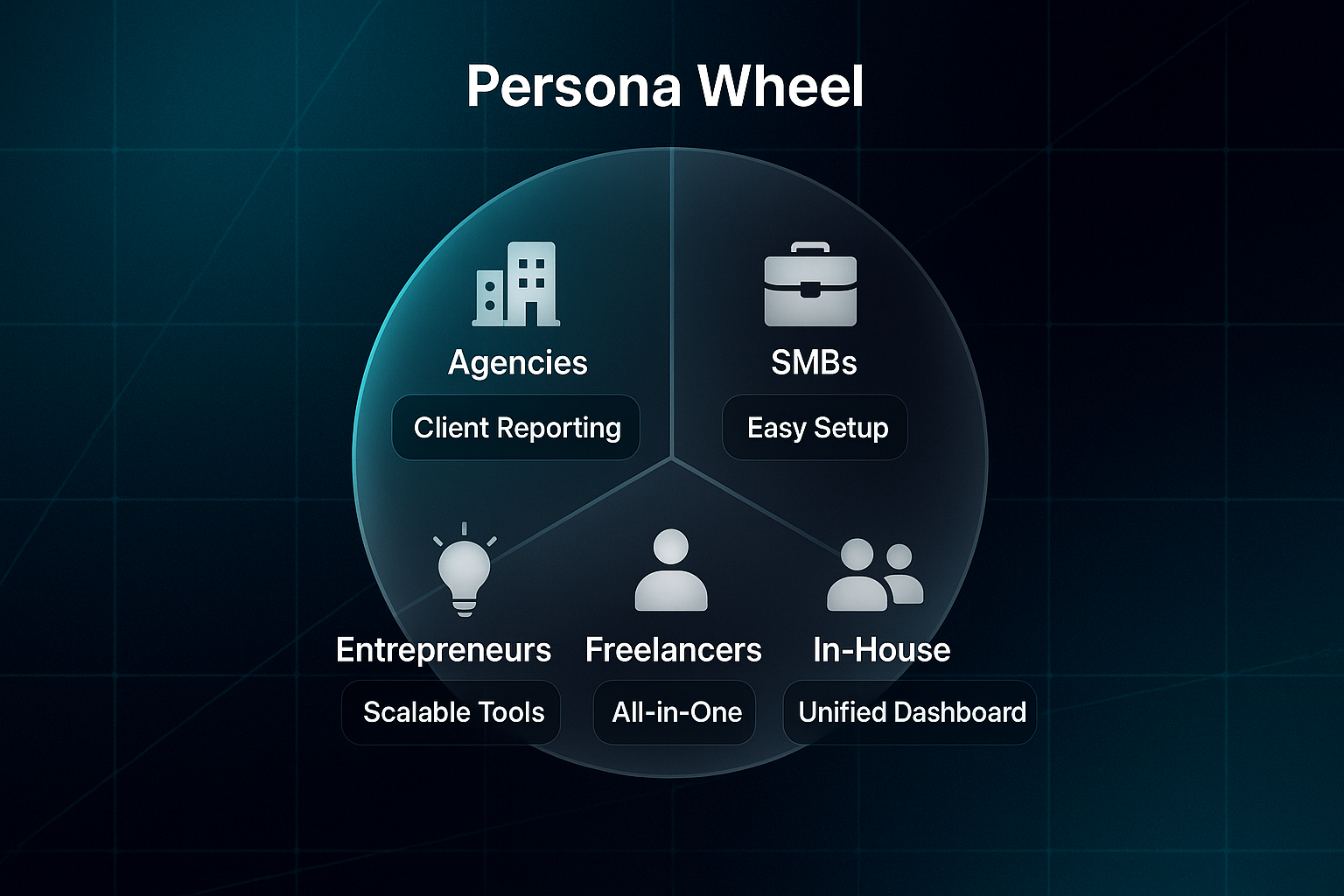
Target User Groups
Agencies
White-label reporting, lead generation, and workflow automation streamline client management for digital agencies.
Small and Medium-Sized Businesses (SMBs)
Flexible pricing and approachable setup offer strong SEO capabilities, without technical headaches or steep costs.
In-House Marketing Teams
Unified dashboards encourage efficient coordination and easy campaign tracking in larger organisations.
Solo Marketers and Freelancers
A single toolkit removes workflow friction, eliminating the hassle of multiple subscriptions.
Entrepreneurs and Startups
Modular design and gentle learning curve grow with your digital marketing needs.
One last thing: SE Ranking is a self-service SaaS tool—not a managed, hands-off solution like SEOSwarm. So, we’re focusing on what you can achieve first-hand. Next, let’s explore SE Ranking’s core features.
SE Ranking features and tools: What you need to know
Keyword Rank Tracking
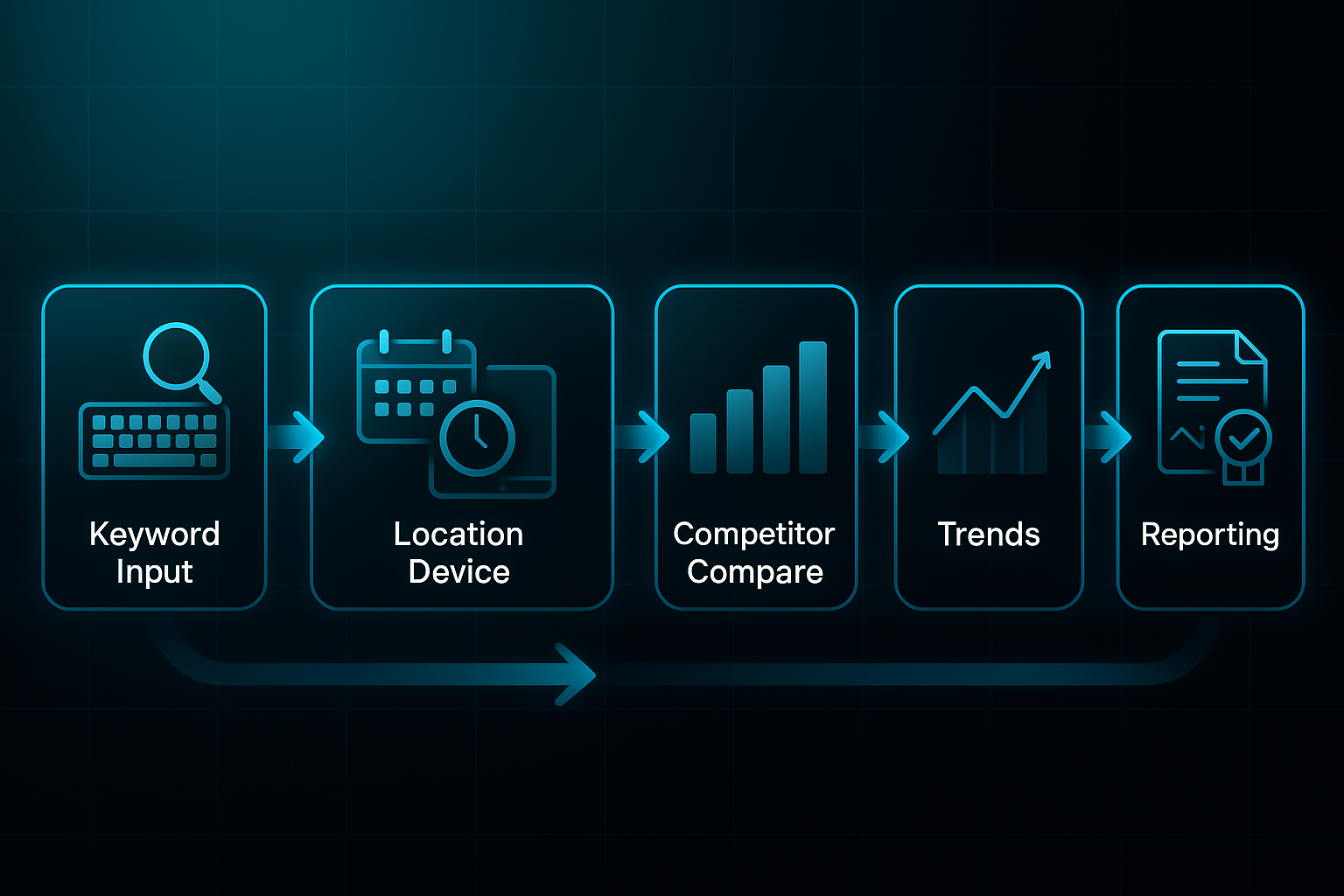
Let’s cut to the chase: keyword rank tracking is the star act in SE Ranking’s line-up. Whether you’re an agency or a freelancer, the need to monitor where you appear—on Google, Bing, Yahoo!, or YouTube—is universal.
SE Ranking steps up by offering daily tracking on desktop and mobile, with surprisingly precise location targeting. Want to see how your Birmingham page stacks up against competitors in Bristol? No problem. SE Ranking lets you zoom in right down to postcode level.
The plan you choose shapes your capabilities. If you’re on the Essential plan, you’ll get up to 250 keywords per project. Bigger ambitions? Business plans let you track 20,000 or more. And here’s a clever bit: you can spread your tracking across different locations and search engines. For agencies or businesses juggling lots of clients or branches, pooling keyword checks this way makes life a lot simpler.
Competitor insights are baked right in. Track up to five rivals per project, lining up your results side by side for instant benchmarking. That snapshot clarity helps you see exactly where you’re gaining—or losing—ground.
What you really notice is the detail in the rank history. You can scroll back through daily, weekly, or monthly data and spot trends, blips, and those moments of digital triumph. Automated, white-label reports arrive on schedule, in your branding—absolutely vital for agencies handling client work.
Key User Workflows
Agencies
- Bulk management & alerts
Import/export keywords en masse, segment them into campaigns, and set up client-ready notifications. Map pack tracking and local SEO features help show off the wins.
SMBs
- Hyperlocal insights
Monitor the keywords that drive customers in your area, across both organic and map listings. See how tweaks or content shifts impact your visibility.
Freelancers
- Fast setup & reporting
Kick off new projects with minimal hassle, then prove your value to clients with punchy, easy-to-read progress updates.
Strengths
- Cost-effectiveness
SE Ranking is among the most affordable rank trackers—all without sacrificing essential features, which is a huge plus for agencies and SMBs. - Local/multi-location ease
Pooling keyword quotas across multiple sites means easier project scaling—no extra fees or convoluted add-ons. - Competitor tracking
No need for pricey third-party tools—competitor insights arrive right alongside your own data.
Notable Limitations
- Keyword caps
While generous for most, very large enterprises might outgrow SE Ranking’s plans; platforms like Ahrefs offer higher limits. - Automation depth
You get basic alerting, but advanced rule-based automation is best left to tools like SEMrush. - Market coverage
Updates are fast and on-demand, but pinpoint precision outside key English markets may need a backup check.
SE Ranking nails the fundamentals: reliable, granular rank tracking with built-in competitor comparisons. For most agencies, SMBs, and solo marketers, it strikes the right balance—scalable, cost-effective, and surprisingly accessible. Unless you’re running enterprise-scale operations needing huge volumes or the most intricate automations, SE Ranking feels like the right tool for the job.
Competitive benchmarking provides valuable insights into your market position and allows for strategic decision-making, helping to uncover areas where your company is excelling and areas that need improvement.
SE Ranking pricing and plans: Transparency and total costs
Plan Tiers and Inclusions
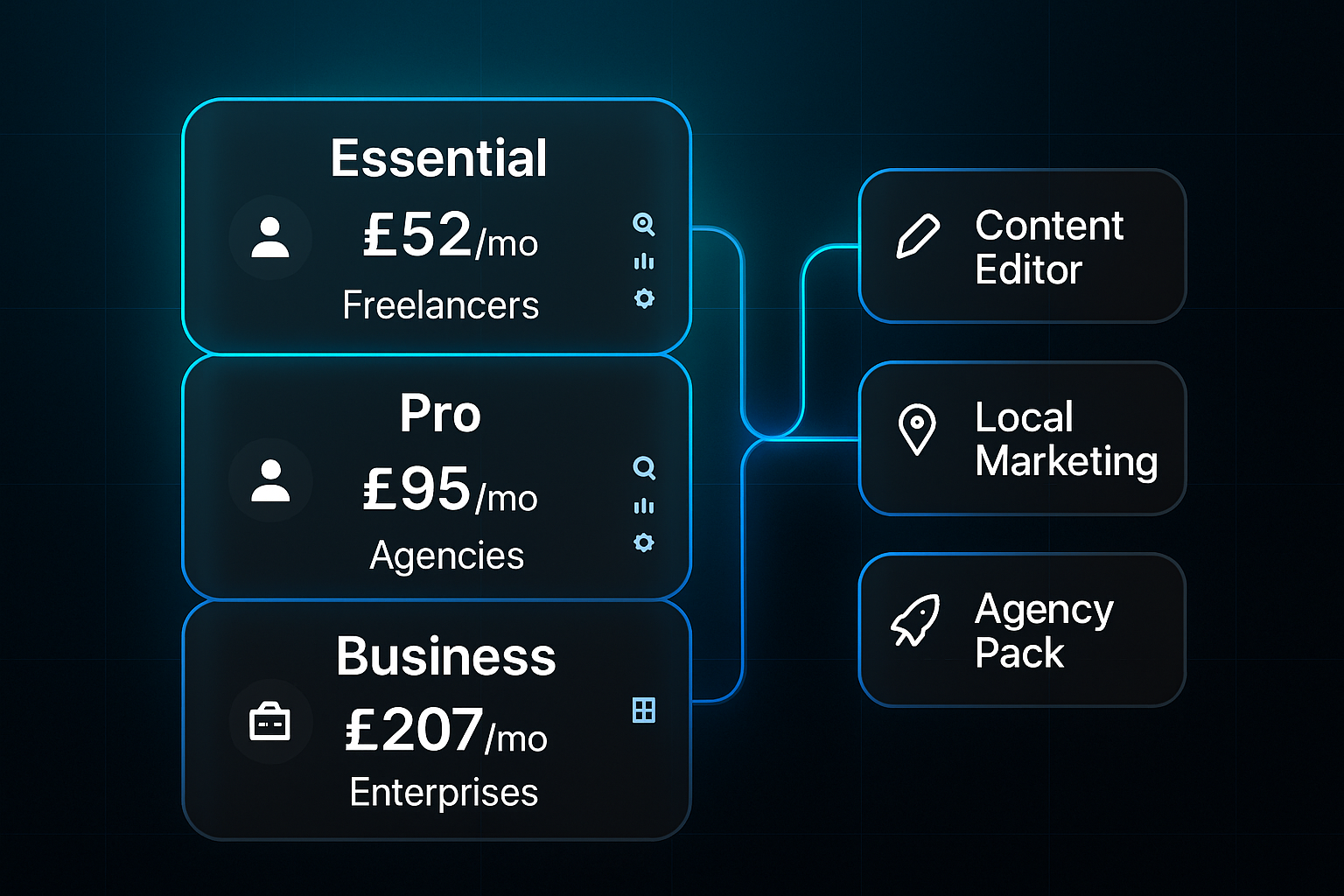
SE Ranking keeps it simple, offering three main subscriptions: Essential, Pro, and Business.
The Essential plan costs £52 per month annually or £65 monthly, tailor-made for freelancers and small businesses. You’ll manage up to 10 projects and 750 keywords, using all the core SEO tools—site audit, keyword tracking, unlimited reporting, and Google Analytics integration.
For agencies or larger teams eyeing more flexibility, the Pro plan (£95.20/month annual, £119 monthly) bumps you up to 30 projects, 2,000 tracked keywords, and three users. You also get extras like historical data, Looker Studio integration, and white-label reporting.
Scaling up? The Business plan, priced at £207.20 monthly (annual) or £259 monthly, supports 100 projects, five users, API access, and deeper reporting. If you want more tracking—like 10,000 keywords—the price rises to £328/month. As you move up, features expand for growing teams, from priority support to advanced management.
Major Add-Ons and Upgrade Costs
Rather than locking you into one formula, SE Ranking lets you choose add-ons to build the perfect setup.
A favourite is the Content Editor (AI writing and scoring), priced £16–£32 per seat each month. Need local insights? The Local Marketing Tool also runs £16–£32 per location—handy for multi-branch agencies. The Agency Pack gives extra lead gen, white-label options, and directory listings, for £40–£80 monthly.
Additional usage (extra keywords, projects, users) means higher costs, so it’s smart to add up your likely needs. For example, a mid-sized agency with Pro plus Content Editor, Local Marketing, and Agency Pack will typically spend £210–£250 monthly. The bill rises if you add more clients or expand projects, so keep an eye on what you really need.
Free Trial and Price Clarity
You can explore SE Ranking with a 14-day free trial—no card required and no automatic charge.
This lets you test core modules and some add-ons, but full features and bigger project limits unlock with paid plans. Watching your keyword, content and location needs during trial helps prevent billing surprises down the road.
Opting for annual billing saves you around 20%, and you might even get onboarding help. Always glance through the refund policy before subscribing. Scaling agencies should consider chatting directly to SE Ranking for a custom plan aligned to specific goals.
So, use the trial to map your team, client list and must-have add-ons. That way, when you upgrade, you’ll be sure your package matches ambition—without unexpected costs lurking.

AI-Powered
SEO Content Strategy
See the AI platform that's replacing entire content teams
(with better results).

User interface and onboarding experience: Is SE Ranking easy to use?
Dashboard and Module Navigation
SE Ranking’s dashboard greets you with an uncluttered vertical sidebar, making it a breeze to jump to Keyword Tracking, Site Audit, Backlink Monitoring, and the other main modules. All your crucial project metrics and reminders sit up front—no hunting required.
Agencies can pin their high-priority clients, while SMBs and freelancers enjoy quick access to their KPIs and sites. Tools are logically grouped, and feedback highlights how this reduces tab-switching fatigue. Just a few clicks, and you’re seeing the insights you need.
The dashboard’s customisable widgets let you organise your workspace—agencies often sort by client, SMBs by keyword performance. Search and filter tools make navigation smooth even as projects multiply, working well up to about 50 concurrent projects. Some large agencies report filters slow slightly at bigger scales, but overall, SE Ranking stays tidier and less overwhelming than many rivals.
Onboarding Resources
Getting started is rarely a sticking point. SE Ranking offers a variety of onboarding options: the Academy (with certification), on-demand videos, live webinars, and a thorough Help Center.
Agencies often lean on the Academy, using it to train new hires or show off credentials to clients. The platform’s webinars and video walk-throughs help you quickly move from setup to real action.
Personalised screencasts from support receive praise from SMBs—they make those tricky setup questions less daunting. Agencies tackling complex deployments benefit from tailored video support too. Compared to competitors who rely heavily on text-heavy guides, SE Ranking’s direct, interactive support really stands out.
Learning Curve Across User Types
So, how long before you feel at home? Most freelancers and SMBs are up and running—generating reports, finding answers—within days. This is thanks to friendly walkthroughs and prompt support.
Agencies with bigger needs, like team permissions or automations, spend longer on onboarding, but get help from Customer Success specialists at each step. It smooths that advanced setup process considerably.
Beginners can feel a touch overwhelmed at first—there are lots of features. But targeted tutorials help you prioritise the essentials. Agencies wrestling with complex integrations get hands-on, one-to-one support.
The verdict? Whichever group you fall into, SE Ranking’s thoughtful mix of guidance resources, approachable navigation, and responsive onboarding makes starting out one of the platform’s main strengths.
User testimonials: What real users say about SE Ranking
Agency User Feedback
Agencies are all about streamlined workflows, automated reports, and easy client onboarding.
One agency director summed it up best: SE Ranking’s bulk keyword tracking and white-label reports “saved us eight hours per month per client.” That’s the sort of efficiency improvement that gets noticed. Looker Studio integration is especially popular, enabling teams to build custom dashboards and focus on strategy—instead of wrestling with raw data exports.
Quick project setup stands out, even for large client lists. One team “moved 20+ clients in under a week” thanks to SE Ranking’s import tools. But, as agency demands grow—think more keywords or more users—costs do climb. Some also wish for faster data refresh and richer granularity, especially on complex, multi-location projects.
For agencies managing 5–30 clients, the balance of value and workflow gains really shines. Here, time savings easily outweigh the limitations at scale.
SMB/Solo Marketer Experiences
Freelancers and small businesses highlight SE Ranking’s gentle onboarding curve and intuitive dashboard. With resources like the Academy, even non-technical users feel confident fast.
One shop owner saw their site audit score jump “from 68 to 91 in two weeks” using SE Ranking’s recommendations—so results arrive quickly for newcomers. Many who move from multiple SEO tools mention saving up to 50% on their software costs, thanks to everything being under one roof.
Replacing a fragmented SEO stack with a single all-in-one platform was the key to scaling our operations and achieving results more efficiently.
The AI-powered content optimisation gets praise for everyday tasks, though deeper analytics sometimes require other tools. As needs grow, higher keyword tracking costs and analytics customisation limits appear, but for most small teams, it’s not a deal-breaker.
Support and Training Testimonials
Support gets high marks across the board. SE Ranking’s webinars, Academy, and screensharing help users—regardless of their experience—create reports in days. Agencies particularly benefit from personalised onboarding for technical setups, while small businesses appreciate the fast, friendly support.
There’s occasional frustration when billing or technical issues hit the slow lane, but compared to rivals, onboarding and resource support are undoubtedly stronger. Billing clarity remains the main area to improve.
Experience Trends and Segment Insights
Recurring themes? Rapid onboarding, a simple interface, and instant reporting payoffs.
Most agencies and small businesses say they get value within days and see SE Ranking as a cost-effective SEO platform. Growth does bring higher costs and a few technical bumps, but overall, user experiences paint SE Ranking as a reliable, accessible tool for small and mid-sized agencies and businesses alike.
SE Ranking pros and cons: What stands out most?
Top Pros by User Type
Agencies
Agencies love SE Ranking’s time-saving features. White-label reporting and bulk keyword tools make client work smoother, and onboarding staff is quicker. Many notice their software expenses drop sharply after consolidating tools.
SMBs
For SMBs, affordability and simple workflows are the stars. Even those without much SEO experience can see progress clearly with intuitive dashboards. One small business saw their site audit jump from 68 to 91 after just weeks—proving approachability for non-specialists.
Freelancers
Freelancers thrive on the all-in-one toolkit. Fast project imports and automated reports mean you can pick up new client work the same day—saving time and avoiding surprise add-on costs.
Enterprise and Content Teams
Larger teams highlight multi-user access, robust API integration, and advanced reporting. Scalable reporting and tailor-made data exports are real advantages for growing businesses.
When juggling dozens of client accounts and marketing campaigns, the right marketing analytics tools are essential. You need tools that provide fast, accurate, and actionable insights. That means customizable dashboards, automated reporting, and integrations with the platforms you already use.
Key Cons and Limitations
Agencies
But it’s not perfect. Agencies often run into add-on fees for extra keywords, users, or locations. Hitting tracking limits sooner than expected can push costs higher.
SMBs
SMBs in less-served regions sometimes find local data less precise. They also experience confusion with renewals, especially if add-ons affect plan features or access.
Freelancers
Freelancers sometimes feel the content and AI modules aren’t as detailed as specialist rivals—for advanced content planning, it may be limiting. Automation is fairly basic, too.
Enterprise and Content Teams
Handling more than 30–50 projects? Filtering and reporting can slow down; missing a payment or add-on renewal may cut API or user access, disrupting automated work.
Renewal and Upgrade Confusions
- Add-ons don’t always auto-renew
Manual top-ups are often required - Lapsed payments can mean instant feature loss
- Billing and features get unclear if you change plans mid-cycle
A regular check on renewal dates and add-ons can help dodge nasty surprises.
Pros and Cons Grid by User Type
| User Type | Major Pros | Major Cons |
|---|---|---|
| Agencies | White-label, bulk management | Add-on costs, keyword caps |
| SMBs | Affordable, simple dashboard | Data gaps, renewal confusion |
| Freelancers | All-in-one, quick setup | Basic AI, limited automation |
| Enterprise/Content Teams | API, advanced reporting | Scale limits, billing/access risk |
SE Ranking vs. competitors: How does it compare to Ahrefs, SEMrush, Moz Pro, and managed solutions?
Core Feature Comparison
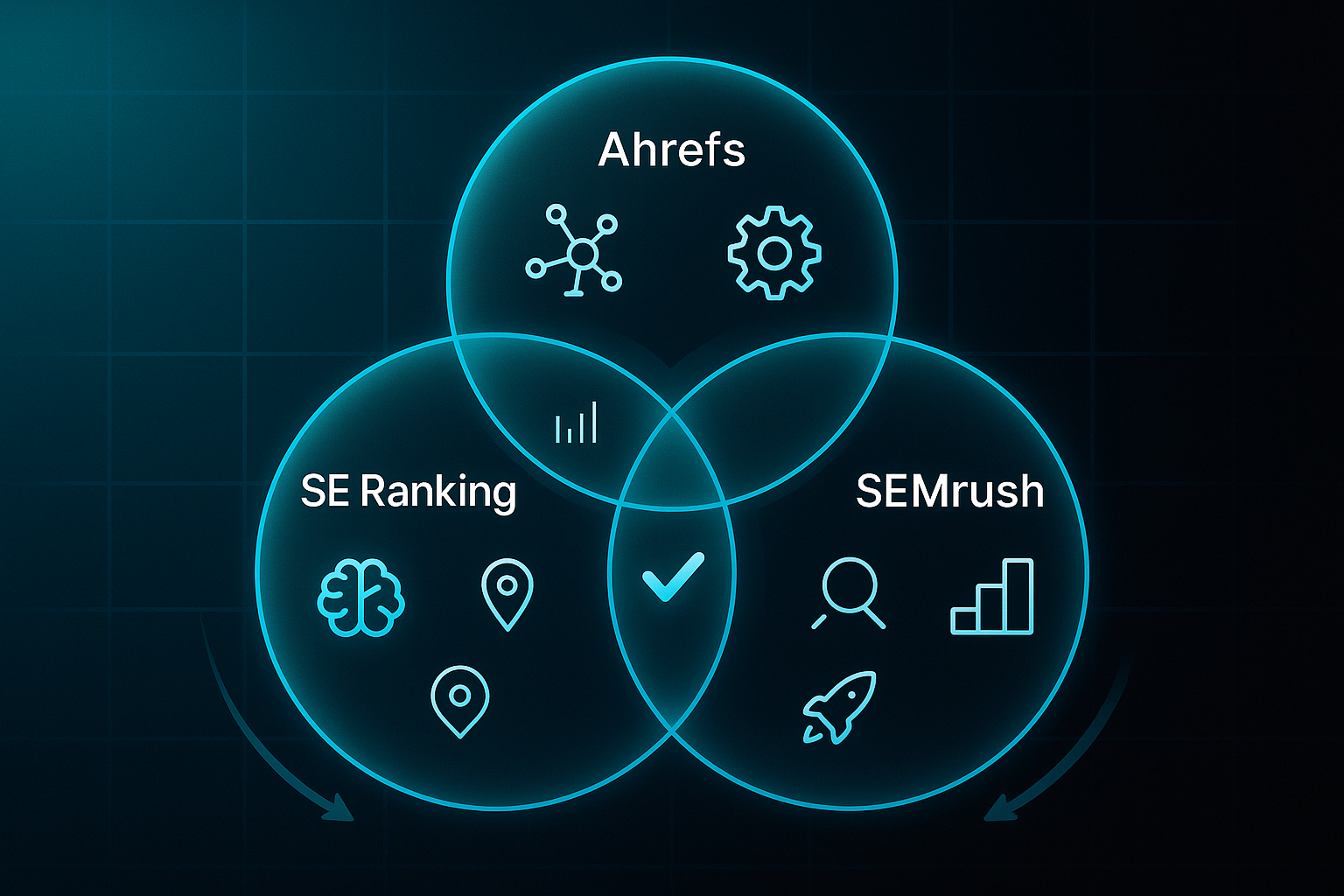
Trying to pick the best SEO platform? Here’s how SE Ranking stacks up next to Ahrefs, SEMrush, and Moz Pro—the biggest names in the space.
| Platform | Price/mo | Users/Projects/Keywords | Keyword Tracking | Audit & AI Modules | Reporting | Data Refresh | Integrations | Free Trial/Support |
|---|---|---|---|---|---|---|---|---|
| SE Ranking | £52 | 1/10/750 | Up to 20,000+ | AI content, instant audits, Core Web Vitals | White-label, dashboards | Daily/on-demand | GA, Search Console, CRM, Ads | 14 days, fast help |
| Ahrefs | $99 | 1/5/750-2,500 | Up to 10,000+ | Deep crawl, link analysis | Custom, API, no white-label | 6–12h (keywords) | GA, GSC, Data Studio | 7 days, email |
| SEMrush | $129.95 | 1-3+/5-40/500-5K+ | Up to 5,000+ | Full audit, on-page/AI templates | White-label (higher plans) | Daily/weekly | Ads, CRM, Data Studio | 7 days, onboarding demo |
| Moz Pro | $99 | 1/3/300-4,500 | Up to 4,500 | Basic crawl, lighter on AI/on-page | Branded templates | Weekly | GA, GSC, Data Studio basic | 30 days, chat/email |
So, what’s special about SE Ranking? You get built-in AI content and keyword scoring—no plugins or extra apps. Need deep local data? Its hyperlocal tracking zooms in to postcode or city level. You’ll also find automated keyword intent and instant audits for fast fixes. And if competitor intelligence is a priority, AI-driven research comes standard.
Practical User-Fit Scenarios
Where does SE Ranking really shine? If you’re an SMB, freelancer, or agency craving all-in-one SEO with AI content and reliable local rank checks, it’s a strong choice. Setup is quick, reporting is fast, and costs stay predictable.
If your team needs vast backlink analysis, global data, or you’re deep into competitor research, Ahrefs is probably your ally.
Larger agencies needing multi-channel marketing, advanced automation, or heavy analytics will feel at home with SEMrush.
For users preferring a super simple, beginner-friendly dashboard, Moz Pro is best for solo operators and newcomers.
That said, if your requirements balloon—say, thousands of users, projects or API calls, or you need daily enterprise-level automations—SE Ranking’s toolkit has its limits.
Agency-Managed Alternatives Context (including SEOSwarm)
Here’s what’s crucial: SE Ranking, Ahrefs, SEMrush, and Moz Pro are DIY self-service platforms. You handle research, content, and site action.
SEOSwarm flips this—their agency team does everything, from research to AI writing, uploads, audits, and ongoing management. You stay hands-off.
There’s zero crossover: dashboards, plans, and bundles are separate worlds. Even slick features like “Blog-in-one-minute” exist only inside SEOSwarm, not SE Ranking.
So choose based on how hands-on (or not) you want to be—each approach serves very different working styles and goals.
Support, documentation, and common onboarding tips
Support Channels & Help Quality
SE Ranking supports you with live chat and email support, usually resolving questions within 24 hours. Stuck on something? Their chat team jumps in fast, with clear guidance to keep you moving.
This helpful approach makes your first experiences feel effortless.
Documentation and Training Resources
If you prefer sorting things out yourself, the knowledge base is packed with updated, step-by-step guides. Onboarding checklists and video tutorials make it easy, whether you’d rather tick off tasks or watch expert walkthroughs.
Ready to dive deeper? The SE Ranking Academy offers in-depth modules to help you become a real platform pro.
User Pitfalls and Troubleshooting Tips
- Overwhelmed by Feature Set
Official guides and checklists will steer you confidently from the start. - White-Label and API Setup
Agencies can lean on documentation and support channels for complex configurations. - Add-on and Billing Clarity
Audit subscriptions regularly—reaching out to support helps prevent any billing surprises. - Technical Issues
Got a data issue or error? Submitting a ticket with screenshots to the help centre speeds up solutions.
For a smooth onboarding, start using these support tools straight away—so you’re empowered, not left second-guessing.
Recent updates, limitations, and ongoing pain points
Notable New Features & Improvements
- AI-Powered Content Tools
AI Writer, Plagiarism Checker, and AI Insights bring automation to content creation, originality checks, and keyword decisions—making daily workflows a lot faster. - Keyword Tracking & Project Expansion
SE Ranking now lets you track more keywords, projects, and audits. Multi-location tracking and extra SERP feature monitoring really help agencies and growing SMBs. - Enhanced Reporting & Collaboration
Custom Report Builder, improvements to team management, and Google Docs integration all streamline reporting and boost campaign collaboration.
Remaining Limitations or Criticisms
- Data Refresh Speed
Keyword and SERP data doesn’t always update instantly, which can hold back agencies that need same-day numbers. - Integration Depth & Automation
Advanced analytics and workflow automations still lag behind rivals like SEMrush or Ahrefs, limiting what complex projects can achieve. - Billing Complexity
Managing add-ons and upgrades—plus changing feature sets—makes it tricky for agencies and SMBs to plan long-term costs.
SE Ranking’s AI upgrades, increased project limits, and improved collaboration are all big steps forward. Yet real-time data refresh, automation depth, and clarity on billing still leave some users wanting more. So, are these updates enough to fix old frustrations, or do familiar pain points remain?
Is SE Ranking right for you? Key use cases and fit-guide
Who Benefits Most
Curious if SE Ranking works for your organisation? Agencies with up to 50 client sites, SMBs needing hands-on SEO management, or consultants handling multiple projects will find SE Ranking ideal. It’s perfect for those tracking up to 20,000 keywords and using simple dashboards, AI tools, and white-label reporting—getting results fast without technical headaches.
Who Should Explore Alternatives
But what if you’re managing 50,000+ keywords, require advanced APIs, or crave deep historical SERP data? Platforms like Ahrefs and SEMrush will feel more at home for large, complex projects. Alternatively, if you want a fully managed SEO solution, SEOSwarm takes on all tasks—from strategy to reporting—so you’re completely hands-off.
Workflow Fit Table
| Workflow Task | SE Ranking | Ahrefs/SEMrush | Managed (SEOSwarm) |
|---|---|---|---|
| Bulk Keyword Tracking | Up to 20k, multi-site | 50k+, global | Done by agency |
| Rank/Audit Reporting | White-label, fast | Custom/expert | Agency only |
| Backlink/Competitor Depth | Strong for agencies | Enterprise-grade | Outcome only |
| Automation & APIs | Basic API | Advanced automation | No setup needed |
| Content/Optimisation | AI tools, plagiarism | Deep analysis | Created by agency |
SE Ranking is brilliant for growing, hands-on teams, but for scale, heavy automation, or zero manual effort, enterprise or managed options are stronger.
Blog-in-one-minute
Add a fully SEO-optimised blog to your website with just 2 lines of code.
Learn more
My Final Thoughts on SE Ranking Review
Most SEO platforms promise the world, but SE Ranking stands out for one reason: it actually delivers practical value, fast. Whether you’re an agency juggling dozens of clients or a solo marketer tired of fragmented tools, SE Ranking’s all-in-one approach saves time and reduces headaches—without breaking the bank.
Here’s my advice: start with the free trial and map your real needs—keyword volume, reporting, and add-ons—before you commit. If you’re managing up to 50 projects and want AI-powered content, granular rank tracking, and white-label reports, SE Ranking is a smart, scalable fit. For enterprise-level automation or massive data, you’ll want to look elsewhere.
No SEO tool is perfect, but SE Ranking’s blend of usability, support, and cost-effectiveness makes it a reliable choice for most growing teams. The right platform isn’t just about features—it’s about removing friction so you can focus on results, not busywork.
- Wil