
Most landing pages struggle to convert more than a small fraction of visitors, leaving marketers frustrated and budgets stretched thin.
I've seen firsthand how the right optimisation tools can turn things around—sometimes doubling or even tripling conversion rates with just a few targeted tweaks. But with so many platforms out there, it’s easy to get lost in overlapping features, confusing analytics, or integration headaches.
In this article, I’ll break down the core categories of landing page optimisation tools, from builders and A/B testing suites to analytics, form optimisers, and AI personalisation platforms. You’ll get a side-by-side comparison of 13 top solutions, including pricing, best-fit use cases, and the specific features that actually move the needle.
Whether you’re a solo marketer, agency, or enterprise team, you’ll find actionable guidance to help you choose and integrate the right tools for your goals—so you can finally see real, measurable gains in conversions.
Understanding Landing Page Optimization Tools
Understanding Landing Page Optimisation Tools: Definition and Context
Let’s unpack what landing page optimisation tools really are. These are specialised software platforms designed to help marketers improve the conversion rates on landing pages—those targeted web pages built to encourage visitors to take specific actions like signing up, downloading, or making a purchase.
Unlike general website builders, these tools go beyond aesthetics.
They focus on letting you analyse, test, and refine every detail that could nudge a visitor from “just looking” to actively engaging.
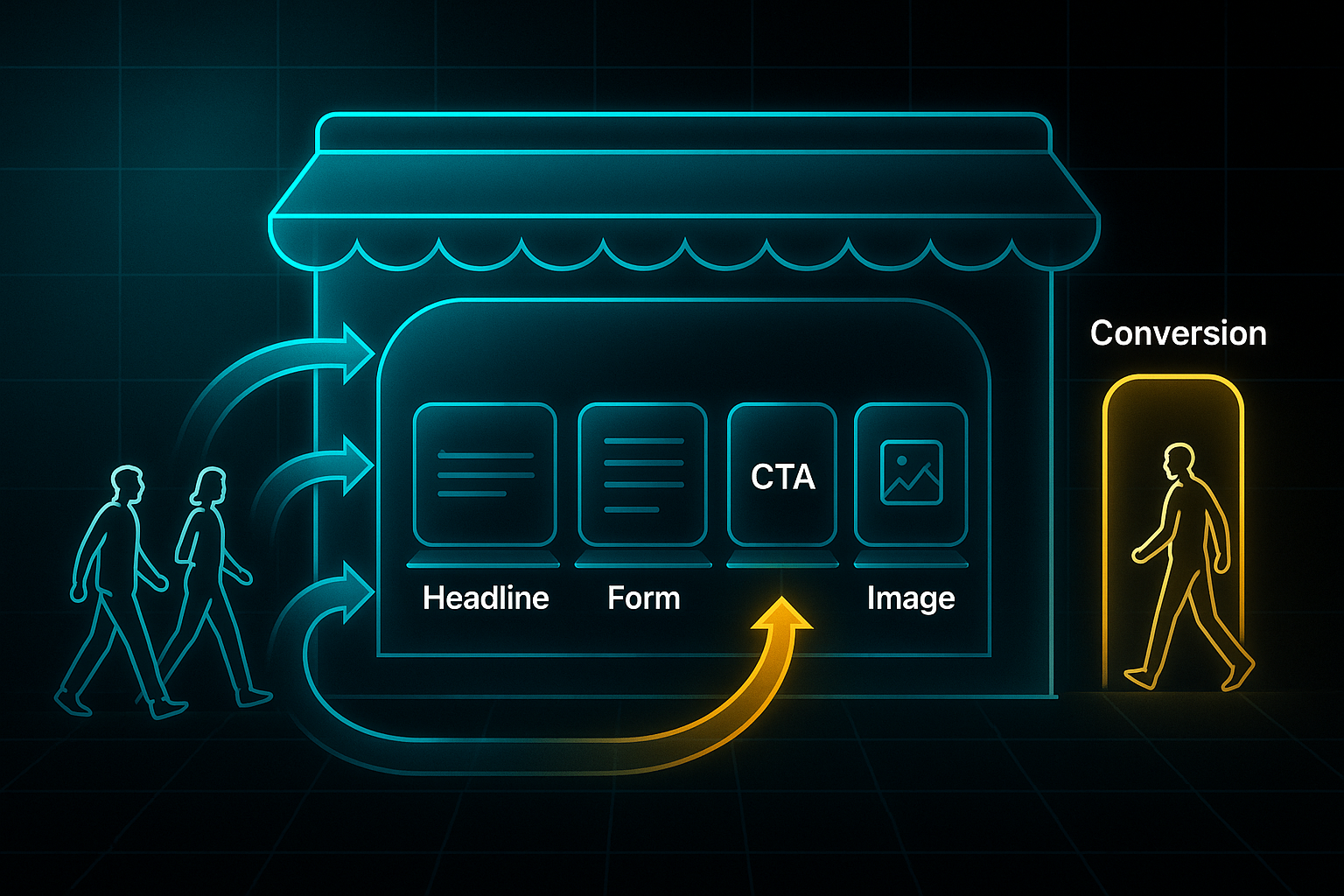
Think of it like adjusting a shop window to make sure everyone passing by wants to step inside.
Why Landing Page Optimisation Tools Matter
Here’s a stat that often surprises people. Most landing pages only convert about 4–7% of visitors.
You might wonder, why is that so low? Well, when companies switch to dedicated optimisation solutions, conversion rates can jump above 10%. In fact, credible research points to more than a 30% improvement with purpose-built tools.
So, why is this so crucial for those running digital campaigns? Even a small bump in conversion means better lead generation, more efficient ad spend, and bigger sales wins.
Honestly, it’s remarkable how much difference a single adjustment can make.
One of the core solutions for digital experience is to 'Boost A/B testing results,' a practice centered on making small, incremental changes to landing pages to measure and achieve significant gains in conversion.
Marketers face some persistent hurdles—low visitor engagement, abandoned forms, or not knowing which headline or image really does the trick.
Instead of relying on gut instinct, teams benefit from these tools because they deliver actionable data, helping you pinpoint exactly what moves the needle.
Core Categories of Landing Page Optimisation Tools
This space has a variety of unique tool types, each built for a distinct purpose.
Here are the key categories.
- Landing page builders
Fast creation, no coding—focuses on pages that drive action. - A/B/n testing platforms
Lets you test different page versions side-by-side, so decisions are driven by results, not guesswork. - Form optimisation solutions
Refines sign-up and contact forms to reduce friction and boost completion rates. - Behavioural analytics tools
Uses heatmaps and session replays to show how visitors move through the page. - Personalisation and AI platforms
Customises content and layouts in real time based on each visitor’s profile.
To see how these categories work as part of a unified approach, consider the typical optimisation workflow used by marketers.

How These Categories Fit the Optimisation Framework
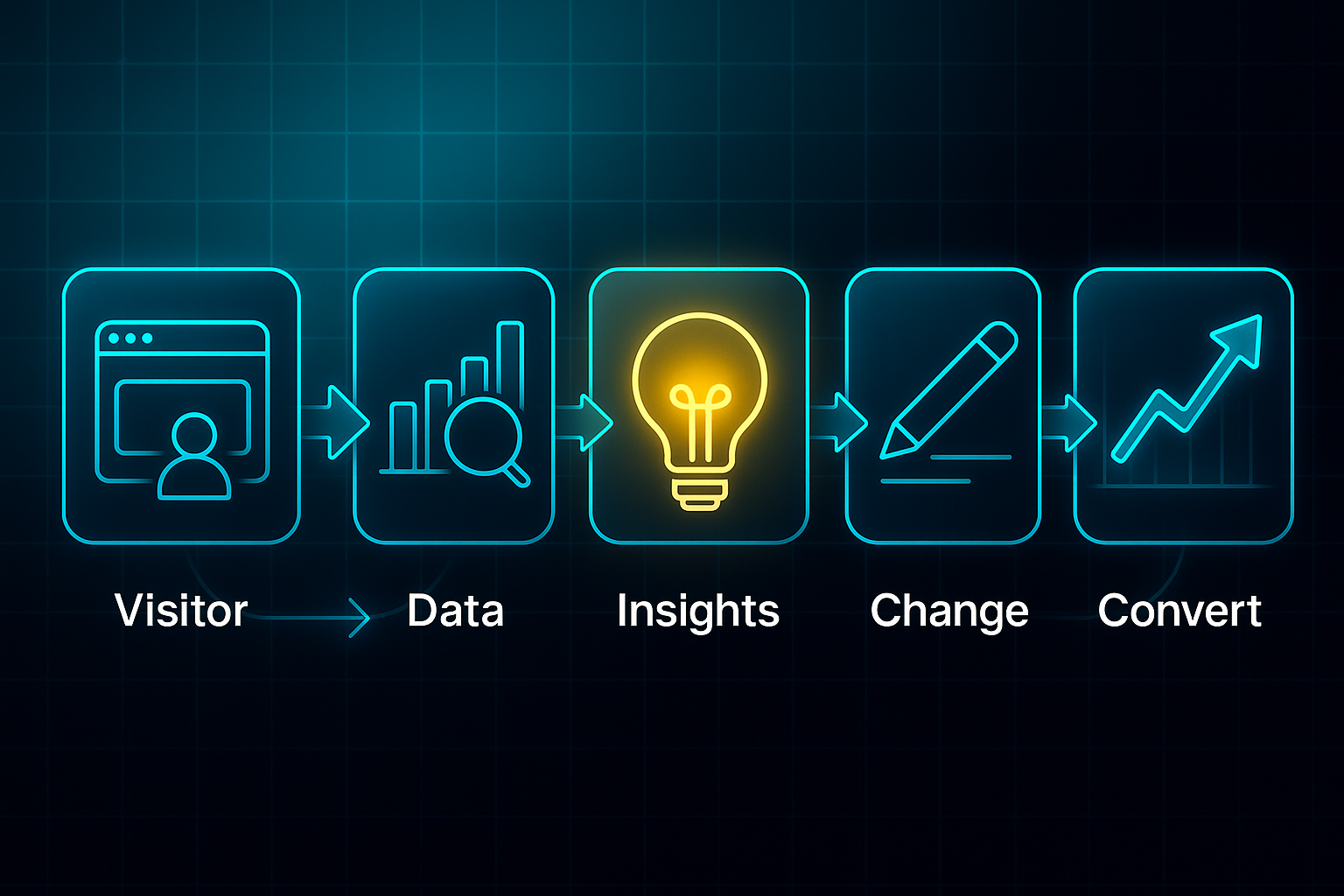
Most marketers use a tried-and-tested process: Plan, Build, Test, Analyse, Optimise.
Page builders are where you start.
A/B/n platforms let you experiment.
Behavioural analytics reveal user journeys—like watching how people weave through the shop aisles.
And AI-powered tools fine-tune the customer experience constantly.
It’s almost like tuning an engine for peak performance—there’s always one tweak that can make things run smoother and faster.
Boundaries and Challenges in the Field
It’s important to draw a clear line.
These are not general website CMS systems or broad analytics dashboards.
Landing page optimisation tools are focused tools for improving the chances that a visitor completes an intended action.
But there are challenges, too.
Marketers sometimes get lost in overlapping tool features, underuse valuable analytics, or feel that integrating new platforms into their tech stack is more complicated than it should be.
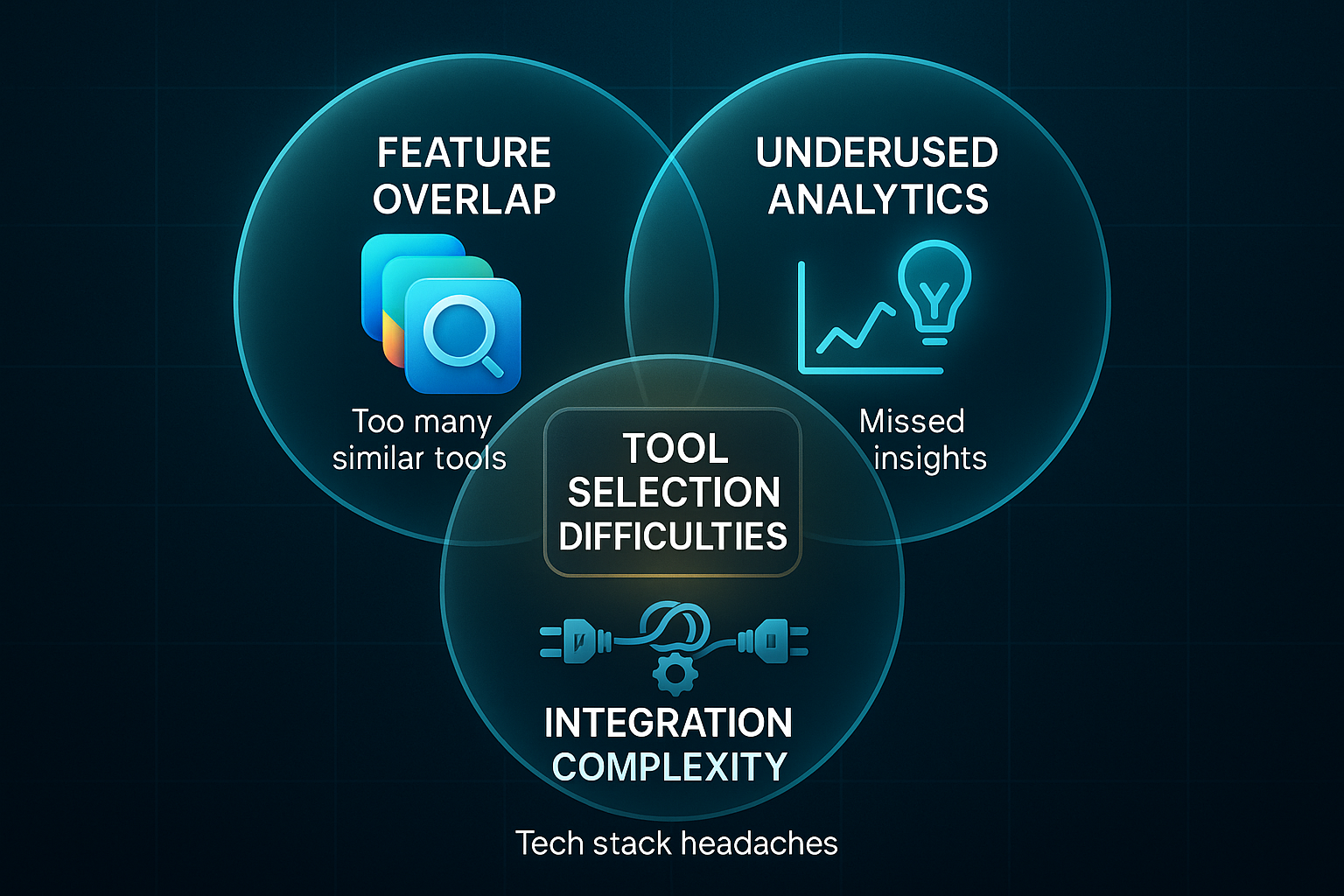
At the end of the day, choosing the right tools becomes easier when you understand the core categories, the underlying frameworks, and the real-world issues these solutions address.
Seeing the field clearly offers a sharper lens for deciding which landing page optimisation solutions genuinely match your goals—and which might take your results to a new level.
How to evaluate landing page optimisation tools for conversions
When trying to boost your landing page conversion rates, the right optimisation tool can make a genuine difference. These platforms help turn more visitors into customers, leads, or sign-ups—but not every solution is created equal.
So, what really matters in the selection process? You’ll want to compare categories, key conversion features, price, trial options, and any limitations that could hold your team back. It helps to see everything lined up clearly, side by side.
Below is a direct comparison of widely used landing page optimisation tools. Every technical feature is defined directly in the table for instant clarity, and descriptions remain parallel for easy reading.
| Tool Category | Platform (Notes) | Price/Month | Trial | Best For | Conversion Features (Definitions) | Key Limitations |
|---|---|---|---|---|---|---|
| Builder | Unbounce | $79+ | 14 days | SMBs, beginners | Templates, drag-and-drop, AI Smart Traffic (automatically sends traffic to best variant) | Basic analytics only |
| Builder | Leadpages | $49+ | 14 days | SMBs, beginners | Mobile templates, alert bars (on-page banners), drag-and-drop | No multivariate testing |
| A/B/n Testing Suite | VWO | $187+ | 14 days | Agencies, advanced | A/B/n testing (compare multiple page versions), multivariate testing (test element mixes) | Higher cost, steep learning curve |
| Analytics/Heatmaps | Hotjar | $39+ | 14 days | UX, all sectors | Heatmaps (shows where users click), session recordings (watch user journeys) | Analytics only, no page editing |
| Analytics/Heatmaps | Crazy Egg | $24+ | 30 days | UX, all sectors | Heatmaps, scroll maps (see scroll depth), A/B support (compare two versions) | Analytics only, no editing |
| Form Optimiser | Landingi (Free tier) | $49+ | 14 days | Lead-gen, SMBs | Form analytics (tracks completions/abandons), opt-in widgets (boost sign-ups) | Basic split testing only |
| Form Optimiser | HubSpot Forms (Free tier) | Free+ | N/A | Marketing integration | Abandonment tracking (find incomplete forms), analytics (tracks form results) | Limited customisation, basic analytics |
| Personalisation/AI | Pathmonk | Custom | Contact | Enterprise, advanced | Real-time AI personalisation (auto content tweaks per visitor) | Technical setup required |
Here’s what to focus on as you weigh your choices. Tools like Unbounce and Leadpages suit those seeking fast, visually appealing page creation without coding. If your team is data-driven and hungry for robust testing, VWO enables deeper experimentation with multiple versions and elements.
Trying to uncover why visitors drop off? Hotjar and Crazy Egg provide vivid visual data through heatmaps and session recordings, so you can spot bottlenecks or navigation issues easily.
If your biggest priority is nailing form conversions, Landingi and HubSpot Forms are tailored to track form performance and reduce abandoned leads.
Finally, for enterprise teams looking to personalise content in real time through AI, Pathmonk is designed to help automate page tweaks per visitor—but does require a more technical setup.
Whichever solution fits best for your team, remember to always check integration with your CRM and campaign stack, and make the most of free trials or entry-level tiers to see real conversion gains before committing financially.
Choose wisely, and you’ll enjoy quicker testing cycles and a steady climb in conversions. Now, let’s look at how content strategy solutions such as SEOSwarm work hand-in-hand with these tools to elevate landing page results further using AI and SEO.
To effectively boost conversions, marketers should leverage integrated platforms that refine messaging with AI-generated text, SEO enhancements, and image editing all within the landing page creation process.
SEOSwarm: AI-Powered Content and SEO Engine for Landing Page Conversions
How SEOSwarm Integrates into Landing Page Optimisation
Let’s talk about how SEOSwarm fits into the world of landing page improvement. This particular solution isn’t trying to replace your landing page builder or A/B test platform. Instead, it’s a content and SEO automation platform focused on boosting organic traffic and prepping your landing pages to convert visitors more effectively.
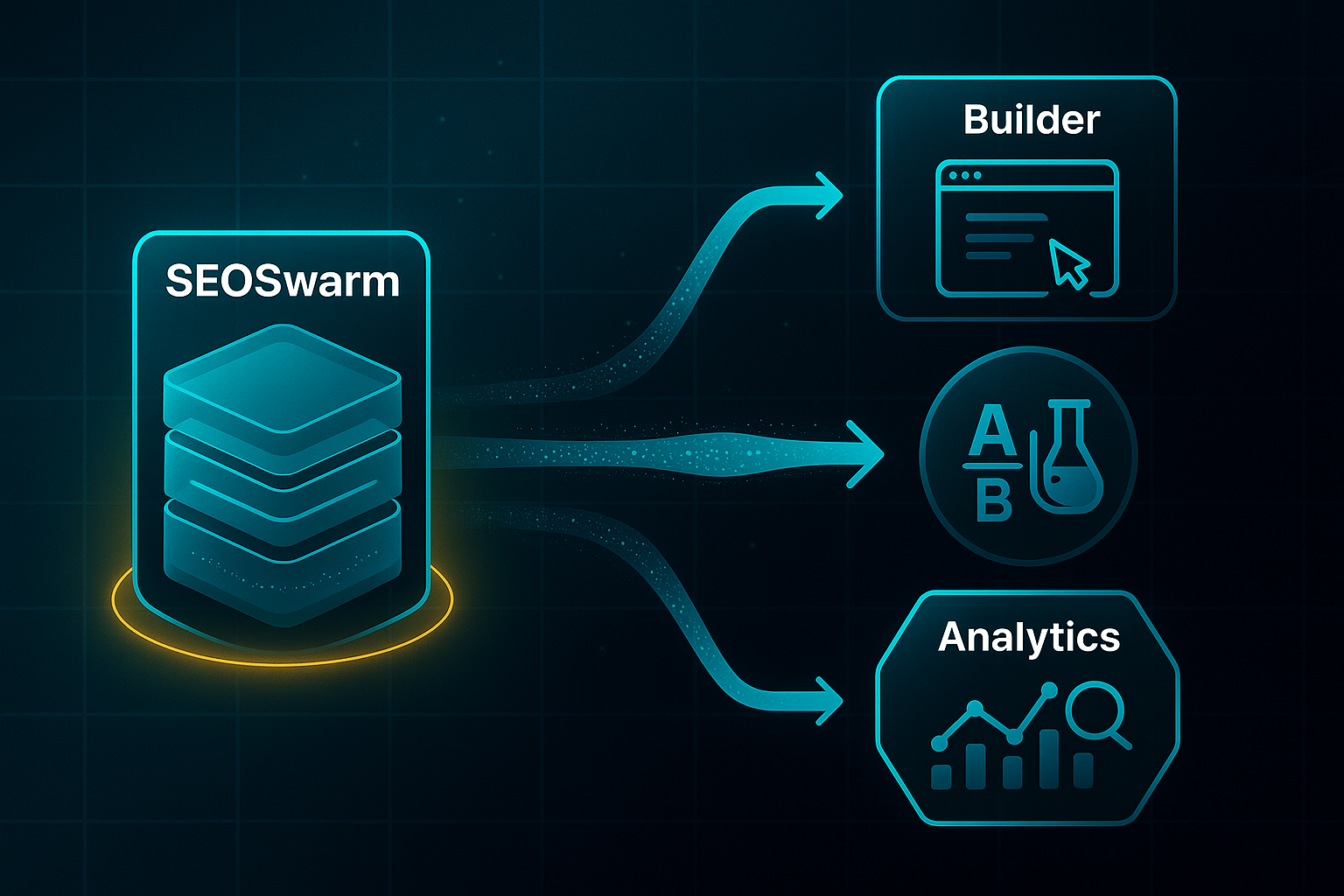
SEOSwarm works alongside those other tools—not competing, but complementing. The real magic? It seamlessly plugs high-performing blog and informational content into any site, attracting qualified, engaged visitors before they ever hit your sign-up form or offer.
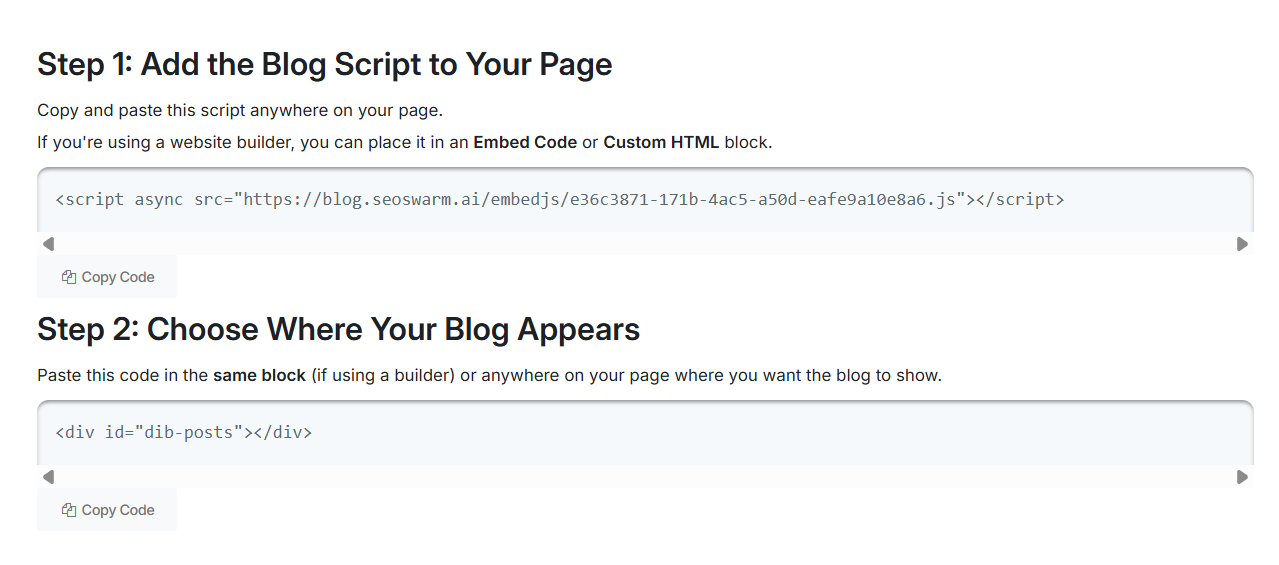
Step-by-Step Workflow: Instant Content Hub Deployment
Here’s how the SEOSwarm process actually works, broken into clear, actionable steps:
- Rapid Integration
Drop in a two-line code to launch a fully SEO-optimised blog hub—including author and post pages—in under a minute. - Automated Content Creation
AI plus human editors research topics, write, and publish conversion-focused articles that are ready for search engines and real readers. - Built-In SEO and Technical Checks
Every piece gets automatic schema markup, technical audits, and answer engine tweaks for top visibility and ranking. - Ongoing Maintenance and Analytics
Both AI and human teams continuously track and update content so it keeps driving conversions over the long term.
Pricing Models and Real-World Scenarios
SEOSwarm offers per-article pricing, batch discounts, and plenty of custom package flexibility. This works whether you’re an SMB wanting to test the waters with a handful of articles, or an agency rolling out content at scale.
Big, bespoke projects remain a favourite for enterprise and multi-client campaigns. You get the freedom to scale up or down instantly. There’s no long-term tie-in—just pick what you need, when you need it.
Conversion-Driven Features and Analytics
You might wonder, what features really help drive conversions? Here’s where SEOSwarm stands out:
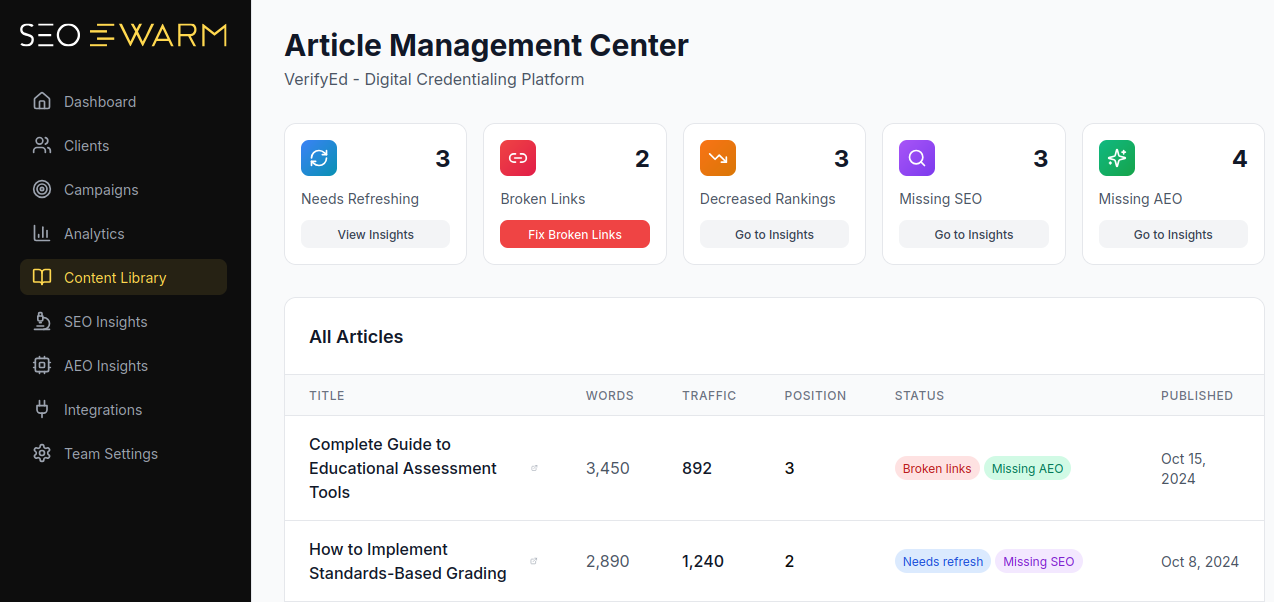
- Human+AI Content Creation
Combines creativity and automation to deliver high-ROI, well-optimised writing - One-Minute Blog Launch
Seamless setup and hosting; rapid indexing and technical SEO handled for you - Actionable Analytics Dashboard
Gives traffic, engagement, and conversion data per article, so you can track exactly what works - Continuous Optimisation Loop
Ongoing AI/human reviews yield regular improvements, keeping results strong
Who Should Use SEOSwarm—And When
SEOSwarm fits best for SMBs wanting instant organic search lift, agencies handling multiple client sites, or marketers chasing effortless conversion wins from search visitors.
You’ll find it clicks as an add-on to classic landing page optimisation tools—helping attract qualified traffic, then letting your A/B testing or form platforms take it from there.
Whether you’re launching a new product, growing traffic without extra development work, or need detailed, ongoing reporting, SEOSwarm’s blend of automation and analysis is designed for flexible, conversion-focused content.

AI-Powered
SEO Content Strategy
See the AI platform that's replacing entire content teams
(with better results).

Unbounce: Deep-Dive on Segments, Features, and Fit
Who Gains Most from Unbounce?
Unbounce stands out for agencies and ambitious SMBs looking for measurable improvements in landing page conversions. If you’re running frequent multi-client campaigns or constantly experimenting with new offers, the pay-off can be significant—especially if you make full use of its AI and A/B/n testing capabilities.
But it’s not for everyone. If your pages rarely change, your budget is limited, or you want an all-in-one website platform, Unbounce probably isn’t the best choice.
Core Builder and AI Conversion Features
The drag-and-drop editor with 100+ high-conversion templates removes technical hurdles, so non-developers can launch offers fast.
Popups and sticky bars (persistent CTAs) tackle abandoned forms and urgent promos, helping capture more leads.
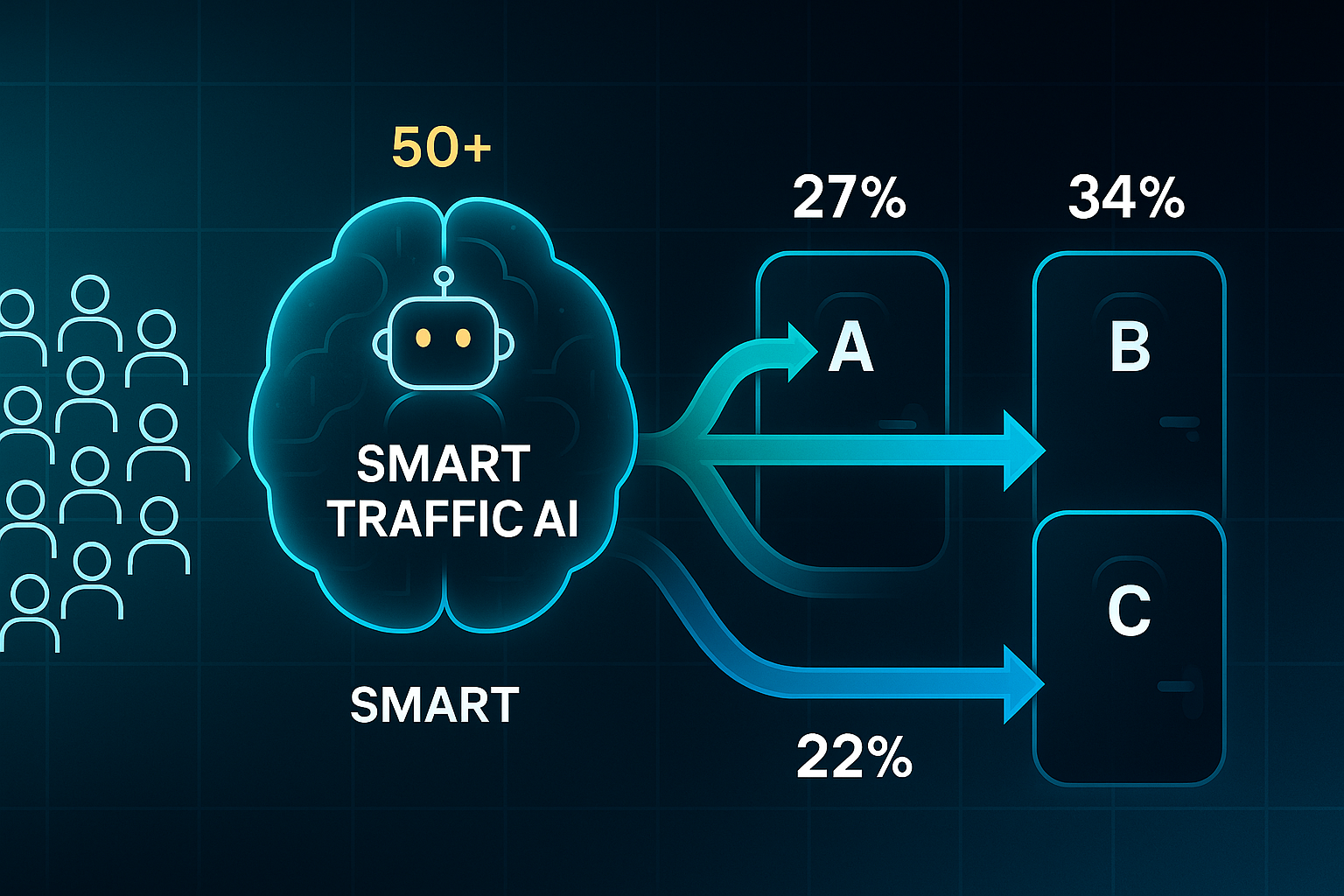
What really makes Unbounce unique is Smart Traffic AI. This feature uses machine learning to send visitors to the variant most likely to convert, often boosting conversion rates by 20–30%—but only after each variant gets at least 50 visits so the AI can learn.
Smart Copy, powered by AI, rapidly generates ideas for headlines and CTAs, perfect for teams short on copywriting resource.
A/B/n testing is included in all but the Build plan, letting you compare multiple variants, while real-time analytics drive data-backed decisions.
Pricing, Fit Summary, and Migration Notes
Unbounce has four main plans, each designed around different business needs and levels of technical flexibility. Pricing increases as you move toward greater automation, analytics, or support.
Here’s a quick snapshot of what each plan includes and who gets the most value:
- Build ($74/mo)
Builder, templates, popups. For solo marketers or SMBs on strict budgets. - Experiment ($112/mo)
A/B/n testing, analytics, manual splits. For collaborative SMBs and agencies needing statistical uplift. - Optimize ($187/mo)
Smart Traffic AI, segmentation. For sophisticated agencies running high-volume or complex campaigns. - Concierge ($649+)
Custom, bulk features and automation. Designed for large agencies and multi-brand teams.
Unbounce integrates with over 1,000 marketing tools, making it easy to slot into existing workflows.
Migrating simple pages is straightforward, but moving advanced setups may require a developer’s help.
Be aware of the 2024 price increase—if your traffic is very low or you’re watching the pennies, it might be worth comparing alternatives for better cost efficiency.
Instapage: Advanced Features and Real-World Value
Personalisation and AdMap
Instapage’s real breakthrough comes from its personalisation tools, especially for marketers running complex digital ad campaigns.
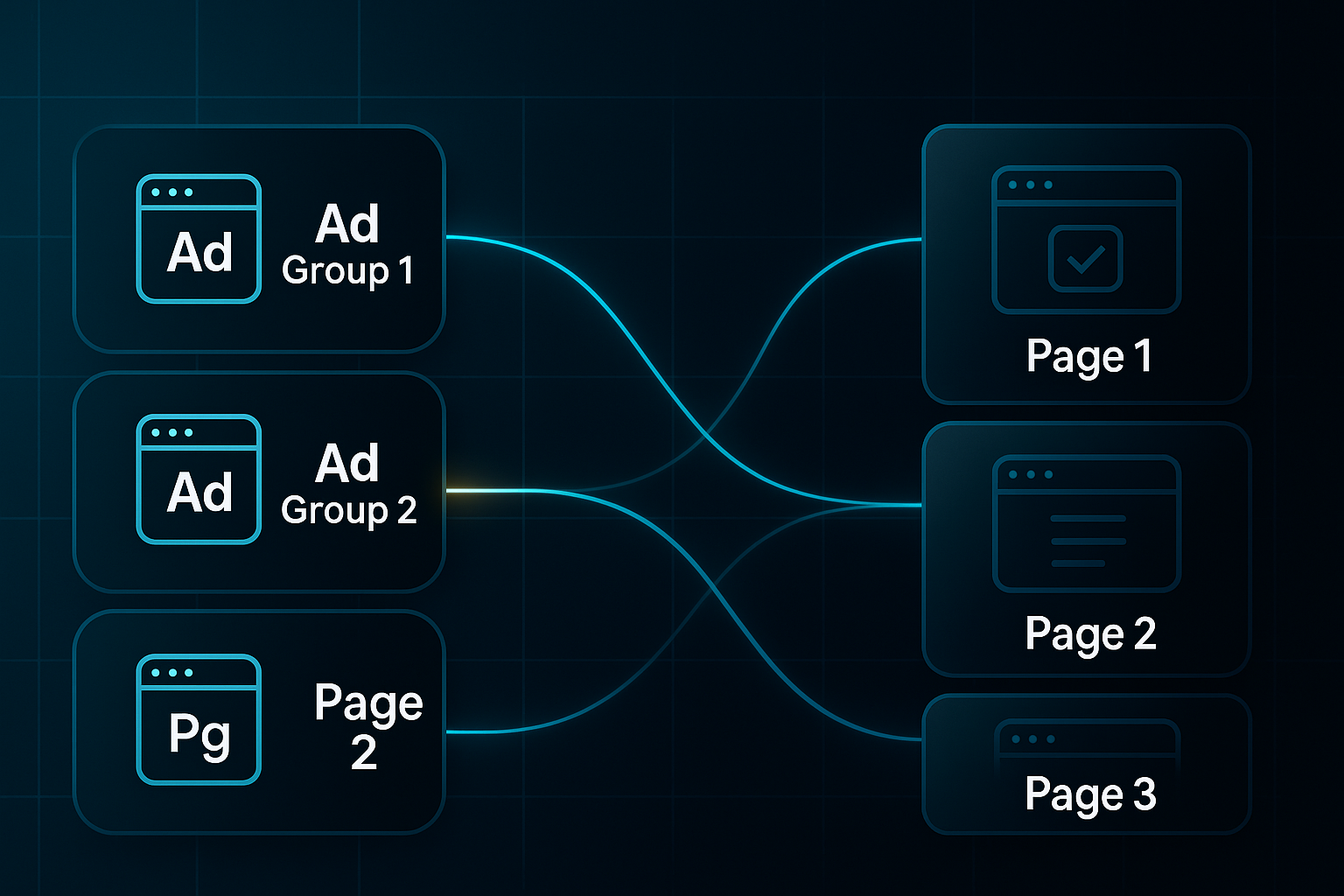
The AdMap system lets you visually link every PPC ad to a dedicated landing page in seconds. It’s almost like drawing lines between ads and pages on a whiteboard.
You see, if you’re juggling sixty Google Ads variants, AdMap helps guarantee each visitor lands in the right spot, avoiding wasted clicks and lifting conversion rates straight away.
Bulk editing makes managing hundreds of pages easy—picture updating every holiday offer with one click instead of plodding through edits page by page.
Once your ads and pages are aligned, understanding what visitors actually do on your landing pages becomes critical.
Analytics, AI Optimisation, and Collaboration
Instapage’s built-in heatmaps reveal exactly where visitors click, hover, and drop off. Want to know if those “free trial” buttons are grabbing attention? Heatmaps make it obvious.
Testing is more than basic A/B splits, with AI suggesting copy variations and automating traffic flows to the highest-performing variant.
Statistical significance tracking means teams aren’t guessing—they know when changes truly work.
For agencies and collaborative teams, real-time editing and feedback keep workflows moving. No more lost email chains—a client can comment directly on a page design, and designers tweak it instantly.
Integrations and Automation Ecosystem
Lead data isn’t just tracked; it’s automatically pushed to your connected CRMs and analytics platforms using webhooks and APIs.
SSO (Single Sign-On) and automation tools help sizeable teams manage users and permissions securely.
Pricing, Tiers, and ROI Fit
Instapage’s pricing starts with the “Build” plan for small teams and scales up, with each tier unlocking features like unlimited conversions, advanced analytics, or enterprise automation.
High ad spenders, agencies, or anyone tackling conversion for multiple client brands get the most bang for their buck here.
So, if pinpoint personalisation, rapid bulk updates, and deep analytics are what your conversion strategy is missing, it’s hard to find a sleeker fit than Instapage.
VWO (Visual Website Optimizer): Plan-by-Plan Conversion Tools
Tier Comparison, Core Features, and Pricing
VWO is a unified conversion rate optimisation (CRO) toolkit, designed for landing page testing, analytics, and AI-driven suggestions across four main plans. Each tier targets a specific traffic volume and degree of CRO complexity.
The entry-level Starter plan is free for up to 50,000 monthly visitors, including unlimited A/B and split URL tests, a visual editor, session playback (30-day retention), basic targeting, and email support (24x5, 12-hour reply).
If you’re comparing these plans, focus on the way testing types, analytics detail, and support increase as you move from Starter to Enterprise. Here’s a clear table showing how the technical features progress:
| Plan | Visitors | Testing | Analytics | AI Copilot | Support |
|---|---|---|---|---|---|
| Starter | 50K | A/B, split URL | Session playback (30d) | No | Email (24x5) |
| Growth | 250K | Multivariate, heatmaps | Surveys, extended data | Suggestions | Email/chat |
| Pro | 500K | Personalisation, feature flags | Unlimited metrics, CRM integration | Full AI/ML | Priority/phone |
| Enterprise | 1M+ | Advanced rollouts, ML insights | On-premise, custom compliance | Predictive/advanced | 24/7, customer success |
SmartStats, the VWO statistical engine, is always included and uses Bayesian significance for real-time reporting. This allows fast identification of which page variant is outperforming your control.

For advanced automation, AI Copilot (2025) generates test ideas, aids prioritisation, and handles reporting—delivering full machine learning capabilities for higher plans.
Which tier fits your needs? Starter suits small teams getting started; Growth helps brands scale multi-variate testing. Pro and Enterprise deliver deep analytics and integrations, ideal for regulated or larger organisations.
Pricing is straightforward, ranging from $0 up to $599/month for sites with 500,000 users.
Optimizely starts at about $1,000+/month for similar features, while Statsig is a viable free option for those with low traffic.
In summary, VWO supports CRO at any scale, giving marketing teams flexible, accessible options—whether you’re improving a single page or hundreds.
Optimizely: Enterprise-Scale Testing, Personalisation, and Workflow Automation
Who Should Consider Optimizely?
Optimizely doesn’t just step up the game—it’s really in a league of its own for organisations handling over 1 million monthly visitors or grappling with requirements like robust compliance and workflow management.
You typically find regulated sectors—think GDPR (General Data Protection Regulation), CCPA (California Consumer Privacy Act), or SOC2 (Service Organisation Controls)—leaning towards this platform, especially when enterprise marketing teams need rock-solid control.
Instead of sticking with mid-market tools like VWO or Instapage, these organisations appreciate that Optimizely can manage a huge number of concurrent tests, advanced audience segmentation, and comprehensive audit trails.
With AI-powered A/B and multivariate testing, plus server-side experimentation (so you can run tests directly from the backend), Optimizely helps deliver adaptive content to precise audience segments for a continual conversion lift.
It’s ideal for complex user journeys and experience refinement using machine learning personalisation.
Integration, Collaboration, and Automation
A standout for enterprise workflow, Optimizely offers direct integration with Salesforce, Adobe Analytics, Segment, HubSpot, and Figma.
API (Application Programming Interface) access makes automated syncing simple—across marketing, sales, and CX (customer experience) divisions.
Big teams benefit from granular, role-based permissions and approval chains, helping them launch projects smoothly across distributed departments.
When compared to VWO or Instapage, Optimizely’s audit logs, granular permission controls, and workflow automation set it apart, removing key bottlenecks for agencies or organisations split across multiple teams.
Pricing and Enterprise Fit
Costs usually start between $25,000 and $50,000 per year, scaling with your website volume and compliance requirements.
If you’re pushing up against the limits of VWO Pro or Instapage, this is often the next logical jump.
For high-traffic brands that demand both conversion power and strict data governance, Optimizely provides a truly future-ready ecosystem to keep you compliant and competitive—even when your digital environment is only getting more complex.
Landingi: Affordable Rapid-Launch Optimisation for SMBs and Agencies
Key Features Driving Conversion
Landingi gives SMBs and agencies a true edge, thanks to its drag-and-drop editor and more than 200 conversion-optimised templates.
Whatever your focus—lead generation, e-commerce, or webinars—there’s a template aimed squarely at boosting your results, and you can get a high-converting landing page live in less than an hour.
Landingi’s AI-powered optimisation engine actively suggests stronger headlines and calls-to-action, which can lead to up to a 25% increase in conversion rates. The platform also delivers a 17% greater uplift compared to manual builds. Now, if your team doesn’t have its own designer or CRO specialist, this feature really moves the needle.
Stacked against Unbounce (from $90/month) or Leadpages, Landingi’s pricing is much more accessible: the starter plan is only $29/month, with unlimited landing pages at $109/month. The simple, intuitive interface is perfect for newcomers and non-technical teams—especially compared to Unbounce’s steeper learning curve.
Here’s a quick look at the platform’s headline advantages:
- AI-powered suggestions
Provides headline and CTA recommendations; delivers up to 25% conversion improvement for typical campaigns. - Quick launch
Builds landing pages in under 60 minutes using drag-and-drop and industry templates. - Beginner-friendly
Works for SMBs without coding skills or CRO expertise. - Affordable growth
Starter plan at $29/month is considerably less than similar leading solutions. - Conversion-focused templates
Lead gen and e-commerce templates enhance sales or signups for small business use cases.
For any agency or SMB interested in measurable ROI and fast, effective conversion gains, Landingi makes landing page optimisation practical and accessible. Next, Swipe Pages takes centre stage with mobile-first, AMP-powered campaign delivery.
Blog-in-one-minute
Add a fully SEO-optimised blog to your website with just 2 lines of code.
Learn more
Swipe Pages: Mobile-First Landing Page Builder (Benchmarks, Use Cases, Selection Guidance)
Mobile Load Speed, Conversion Impact, and Ad Score Gains
Swipe Pages uses AMP (Accelerated Mobile Pages), which is Google’s mobile-first framework, to deliver load times under 2 seconds—often it’s even under one second straight from a Google search.
So what does that really mean for your campaigns?
Recent benchmarks found AMP templates earning GTmetrix A ratings and median mobile load speeds staying safely under a second. If your main focus is on PPC or B2C campaigns, the results are clear: Google Ad Quality Scores go up by 10–20%, mobile bounce rates fall by up to 123%, and conversion rates climb 20–40% after switching from standard HTML pages.
Case studies have demonstrated significant improvements in key metrics with AMP. For instance, Gizmodo saw a 50% increase in conversions, while The Washington Post experienced a 23% rise in mobile search users who return within 7 days.
Templates, A/B Testing, and Analytics Capabilities
Swipe Pages offers over 150 conversion-optimised templates, supporting campaigns that typically reach conversion rates between 15–30%.
Every paid plan includes full A/B testing support, and AMP page launches are quick and simple.
One thing worth knowing: native session replay or heatmap tools aren’t built in, unlike what you’d find with Unbounce or Instapage.
If you want detailed click or scroll analytics, you’ll need to connect Hotjar or Crazy Egg.
The built-in dashboard reports on page views and conversions, but won’t show you every step of a user’s journey.
Pricing, Plan Details, and Segment Fit
Plans start at $29/month for Basic, $79/month for Pro, and $149/month for Agency, each delivering AMP speed, A/B testing, and analytics.
Manual integration with third-party analytics tools lets you dig deeper into funnel details.
Swipe Pages is a solid pick for PPC and B2C lead generation teams chasing mobile results, fast page launches, and value.
If in-depth desktop funnel analysis or broader native analytics matter more to you, Unbounce or Instapage may be better alternatives.
Crazy Egg: Visual Analytics, A/B Testing, and Real-World Impact
UX Analytics and Visualisation: Heatmaps, Confetti, and Scroll Tracking
Crazy Egg hands marketers instant, actionable insight—no technical skill required.
Teams get powerful heatmaps, scrollmaps, and confetti overlays that quickly reveal where landing pages convert and where visitors drop off.
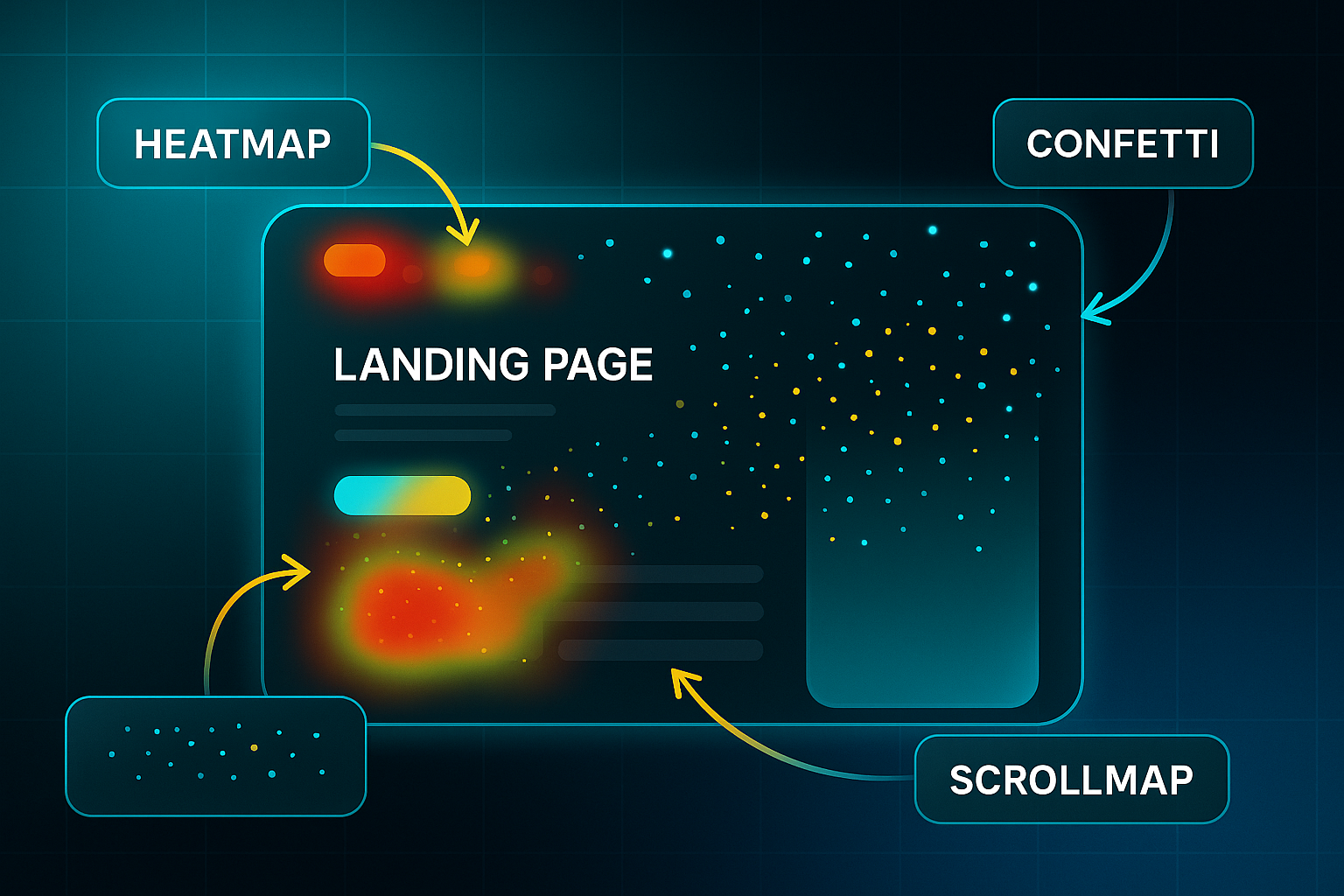
After a setup that takes just minutes—a JavaScript snippet or plugin for platforms like WordPress or Shopify—teams can jump straight into rapid analysis.
This is the core process for uncovering simple conversion wins:
- Heatmap Snapshots
Instantly see user clicks and scrolls—spotting what gets attention and what’s missed, usually within a day. - Confetti Filtering
Break out interactions by device or traffic source, so you see which audiences engage and spot exact drop-off points. - Export and Compare
Export clear CSV or PDF reports, comparing engagement between desktop and mobile for quick team reviews.
The impact is hard to argue with.
WallMonkeys boosted conversions by 550% after shifting a CTA based on Crazy Egg heatmaps.
Tim Ferriss fine-tuned ad spend by tracking click origins with confetti overlays—proving what really works.
Session Recordings, Form Analytics, and A/B Testing
Building on the visual insights described earlier, Crazy Egg offers dynamic analysis to further optimise landing page performance.
The platform records user sessions, allowing teams to replay journeys, spot rage clicks, and flag problem areas.
Recordings are saved for up to 60 days on higher plans.
Smart form analytics identify the fields where users abandon forms.
One retailer fixed a high-abandonment field and saw a $90,000 boost within months.
In addition to these analytics, A/B/n testing comes built-in to streamline campaign iteration.
Teams can launch page variants, overlay heatmap data, and run unlimited experiments with ease.
Pricing, Segment Fit, and Pairing
Moving beyond key features, Crazy Egg provides entry plans starting at $29/month for 5,000 pageviews and one user.
Higher tiers add extended retention, team access, and priority support to fit advanced needs.
For rapid, visual bottleneck detection, Crazy Egg excels.
If you need surveys or granular funnels, pair with Hotjar for maximum landing page feedback.
Next, discover how Hotjar builds on visual analytics with integrated survey tools for ongoing optimisation.
Hotjar: Behavioural Analytics and Actionable Insights for Different Marketing Teams
Pinpointing Friction and Fast Wins with Heatmaps and Funnels (Solo Marketers, SMBs)
Hotjar is known for its unlimited heatmaps and session replays—even their free plan gives you up to 20,000 sessions per month.
For SMBs and solo marketers, that’s enough to instantly see where users stall or drop off, guiding rapid CRO tweaks like changing a headline or moving that stubborn call-to-action button.
Getting started is simple: you just install the tracking script, watch your heatmaps and funnel reports light up, and export those friction points to fix what’s stopping conversions.
If you find yourself bumping against daily session caps, or need deeper filtering and funnel reporting, you’ll soon see the benefits of upgrading to Plus ($39/month) or a Business plan.
From User Paths to Conversion Tests: Leveraging Session Recordings and Qualitative AI (Agencies, Growth Teams)
Agencies and growth teams on paid tiers unlock advanced filtering, behavioural targeting, and retroactive event tracking. That means you can segment by device, campaign, or user group.
The usual workflow? Spot drop-off trends within session recordings, then add context from Hotjar’s surveys and instant feedback to fuel your next high-impact test.
Hotjar Ask and Engage (available on higher plans) make survey analysis and user interview recruitment a breeze—an efficiency win when analysing clients at scale.
Integrations, Privacy, and CRO Stack Pairing: Hotjar’s Unique Fit (All Segments, Privacy-Sensitive Teams)
What sets Hotjar apart is seamless integration with 100+ tools, including Google Analytics and HubSpot, funnelling behavioural data right into your conversion workflows.
Agencies and large brands on Enterprise plans get Data Connect, unlimited projects, and custom access controls.
Thanks to GDPR support, data encryption, and masking, privacy-sensitive firms can use Hotjar confidently—although for the most stringent requirements, some will still prefer privacy-first tools like Convert.
Unlike Crazy Egg, Hotjar’s blend of quantitative and qualitative insights helps you not just spot issues but stack-rank fixes for continuous testing.
Convert (Convert Experiences): Privacy-First Testing, Troubleshooting, and Developer-Focused Controls
Privacy and Compliance: Secure Setup
For organisations where privacy is critical—think fintech, healthcare, and government—Convert Experiences delivers GDPR defaults, DPA, DPIA, and ePrivacy compliance from day one. The Privacy Dashboard helps you anonymise IPs, set up consent banners for EU visitors, and confirm EU-only data residency quickly.
Before launching, export your compliance documents and run a Privacy Scan to catch any audit risks. SSO, SAML, OAuth, and 2FA are all available for secure user access.
Keep these essentials in mind:
- Consent banners
Mandatory for EU audits. - Compliance docs
DPA/DPIA paperwork speeds up approvals. - Data residency
Personal data stays inside legal borders.
Automation and Developer Controls
Convert stands out for API-first automation. Developers can set up experiments, server-side segmentation, and data integrations with ease. Connect reporting to GA4, Mixpanel, Segment or similar, all within one platform. Troubleshooting? Use webhooks that honour consent, REST API for segment targeting, and test Privacy Scan fixes on safe domains.
Table Analysis: Compliance, Developer Automation, and Audit Readiness
Looking at the table, three groups get clear takeaways. For compliance managers, audit-ready documentation, EU-only settings, and privacy-first features make Convert ideal for legal reviews.
Developer teams benefit from granular automation and API access that VWO’s basic tiers simply can’t match, especially if strict data residency is a must.
Audit teams will appreciate how Convert streamlines reporting and documentation for approval cycles—there’s no chasing support for paperwork or clarifying cross-border data handling.
By contrast, VWO offers built-in analytics for less regulated teams, while Optimizely suits massive enterprises aiming for advanced compliance and scalability at a steeper cost.
For any mid-market, privacy-driven brand, Convert is a strong choice—balancing regulatory assurance, developer agility, and efficiency. Now, let's see how FullStory reveals hidden conversion blockers with advanced analytics.
FullStory: ML Analytics and Rapid Friction Resolution for High-Impact CRO
AI Friction Detection, Dashboards, and Conversion Outcomes
FullStory brings a new level of clarity to CRO and UX teams by harnessing machine learning that automatically pinpoints conversion-blocking friction on landing pages.
For example, with StoryAI you’ll get instant alerts for rage clicks, dead clicks, thrashed cursors, error clicks, abandonment moments, network rage, and even an aggregated frustration score.
The Frustration Dashboard puts critical issues in red, ranking them by estimated lost conversions.
Meanwhile, the Conversion Opportunity panel gives a visual map of exactly where users are dropping off in your funnels.
Expect real, actionable insights within just 24–48 hours of installing the tracking script—a process that typically takes less than a day from setup to onboarding.
This means teams aren’t just guessing: they act on ML-driven fix lists, turning funnel overlays from red to green as urgent problems are resolved and conversion rates improve.
For instance, Finicity bumped up funnel conversions from 28% to 32% in under a month with StoryAI’s checkout fixes.
TBC rocketed conversions from 11% to 27% in less than two months—all validated with before-and-after metrics.
2025 Plans, Technical Specs, and Integrations
Plan tiers and technical details help teams select the best fit for their CRO needs.
FullStory’s 2025 plans include Free (3,000 sessions/month, 30-day retention), Business ($299/month, 25,000 sessions/month, 90-day retention), and Enterprise ($1,000+/month, 100,000+ sessions/month, up to 12 months).
All paid tiers come ready to integrate with Slack, Snowflake, Google Analytics 4, and Salesforce, alongside webhooks and API access for advanced automation.
The entry plan has more limited integration support and shorter data retention.
For data-driven CRO teams with 10,000+ sessions per month, FullStory offers a rapid, actionable route to 1–3%+ conversion uplifts and tangible funnel improvements.
Leadpages: User-Friendly Building, Pop-Ups, Integrations, and Segment Fit
Intuitive Page Creation and Real-Time Optimisation
Leadpages makes landing page creation straightforward—even if coding isn’t your thing. Its drag-and-drop editor and 250+ professional templates mean you can have an effective page up in no time.
Device previews let you fine-tune how your pages look on mobile, tablet, and desktop, so nothing gets lost in translation. Want to know how your page will perform? The Leadmeter assistant gives you a live conversion score, with instant hints for tweaking headlines, CTAs, or even social proof—using insights drawn from thousands of other pages.
Unlimited Pop-Ups, Flexible Integrations, and Workflow Scaling
Every Leadpages plan delivers unlimited pop-ups, alert bars, and widgets for hassle-free lead capture or promotions. Need to connect with the rest of your stack? There’s native integration with 90+ CRMs, email systems, and marketing tools, as well as direct Calendly embeds for appointment bookings.
If you want advanced automation, A/B testing, or multiple sites, you’ll need to go Pro (3 domains, $99/month, $74 on annual payment) or Advanced (50 domains, custom pricing).
Pricing and Core Audience
Before you decide, here’s the key detail:
- Standard plan: $49/month or $37/month (annual)
Up to 5 pages, 1 domain, unlimited leads; no A/B tests or payments. Leadmeter, pop-ups, and basic integrations included.
Leadpages really shines for solopreneurs, freelancers, startups, and smaller teams that want quick, unlimited lead capture but don’t have lots of technical expertise or budget. As brands grow, upgrading unlocks advanced analytics, payment options, and more robust workflow automation—letting your landing pages scale up as your business does.
HubSpot CMS: Conversion-Driven Landing Page Optimisation for B2B Teams
B2B Lead Capture, Split Testing, Automation, and 2025 Plan Comparison
Let’s take a close look at how HubSpot CMS powers landing page optimisation for B2B teams in 2025. The real win is CRM integration, so every visitor and form can be automatically nurtured—no manual handover required.
The Starter plan (£15–£20/seat/month) gives you branded landing pages and basic automation, but it’s missing A/B/n (multivariate) testing and advanced workflow personalisation, keeping growth options simple.
If you step up to Professional (£400–£500/month, three seats), you get robust split testing, dynamic content tailored to CRM data, and programmable nurture flows. This plan is the sweet spot for rising B2B teams ready to automate, personalise, and optimise conversions. Additionally, you’ll gain more sophisticated CRO and UX features—helping you scale without headaches.
For organisations that handle multiple brands, advanced permissions, or strict compliance, Enterprise (£1,500–£3,300/month, five seats) is built for complex setups. With custom CRM objects, predictive analytics, and multi-site controls, it’s designed for teams that need full oversight. However, keep in mind: migrating forms and automations often still needs technical help.
To break it down visually, here’s how each plan lines up:
| Plan | Price/month | CRM Integration | A/B/n Testing | Automation | CRO/UX Tools |
|---|---|---|---|---|---|
| Starter | £15–£20/seat | Basic | No | Limited | Fundamental |
| Professional | £400–£500 | Advanced, smart content | Yes | Full | Personalisation, SEO, dynamic |
| Enterprise | £1,500–£3,300 | Multi-site, custom objects | Yes (advanced) | Enterprise-grade | AI analytics, permissions |
Here’s the fit: Starter is best for pilots and small teams needing simple branded pages. Professional covers most B2B teams wanting scalable automation and split testing. Enterprise becomes critical for complex, regulated, or multi-site organisations. Before shifting plans, be sure to check your migration needs and IT resources—future-proofing means fewer headaches and more conversion wins.
Google PageSpeed Insights
Speed and Conversion-Focused UX Analysis
If conversions are your goal, Google PageSpeed Insights should be on your radar. Speed is critical: a one-second delay can cause a 7% drop in conversion, and for mobile visitors, it’s a dramatic 20% per second.
Our research shows that as page load time goes from one second to 10 seconds, the probability of a mobile site visitor bouncing increases 123 percent.
You get insight into the three Core Web Vitals (Google’s key performance metrics): Largest Contentful Paint (LCP) for load speed, Interaction to Next Paint (INP) for input lag, and Cumulative Layout Shift (CLS) for page stability.
Hit the recommended thresholds—LCP under 2.5s, INP below 200ms, and CLS under 0.1—and you’ll usually see a 20–33% conversion lift.

Each page gets a PageSpeed score out of 100: 90+ is good, 50–89 needs improvement, and below 50 means your users are probably bailing.
Actionable suggestions include compressing images, cleaning up JavaScript or CSS, and loading above-the-fold content first.
Those fixes can shave off 1–2 seconds from load time and bring in an extra 10%+ conversions.
PageSpeed Insights is all about helping you fix those invisible speed traps before they ruin a campaign.
Free Platform Accessibility and Workflow Integration
PageSpeed Insights is totally free, with no sign-up needed, and it fits right alongside your builders, tests, or analytics.
For any landing page, it's a must-have.
ConvertFlow: Multi-Step Forms, Personalisation, and Automated Funnel Optimisation
Conversion-Focused Features and Triggers
ConvertFlow is designed for marketers, SaaS, e-commerce, and agencies aiming to cut form abandonment and sharpen segmentation. Its drag-and-drop builder powers multi-step forms, popups, quizzes, and funnels without coding.
To reduce drop-off, keep forms under five steps for mobile and eight for desktop. Campaigns report up to a 40% boost in completion rates at these lengths.
Branching logic and conditional display lets you route users by answers, CRM data, or source, delivering a bespoke journey.
Triggers for exit-intent, scroll depth, geo-location, and CRM targeting let you rescue abandoning visitors or deliver offers precisely when someone is ready, which typical forms cannot match.
A/B/n Testing, Reporting, and Integrations
You can test and optimise effortlessly: baked-in A/B and multivariant testing automatically promotes your top-converting variant.
Real-time reporting highlights conversions, drop-offs, and lead quality by segment.
Export results as CSV or XLS, and connect directly with major CRMs, email, SMS, analytics, and automation tools—streamlining integration for fast deployment.
Here’s a quick overview of ConvertFlow’s pricing options:
- Essential
$99/month, 10,000 contacts and unlimited forms—ideal for growing teams. - Professional
$299/month, multisite, webhooks, advanced analytics—built for agencies. - Agency
Custom, adds enterprise analytics and multi-client management.
In summary, ConvertFlow stands out if you want real-time CRM personalisation and advanced automated triggers for adaptive campaigns. For simple surveys or single-use forms, Typeform or Jotform may suit you better.
Building and Integrating Your Landing Page Optimisation Tool Stack: A Segment-Actionable Blueprint
Condensed Tool Matrix and Integration Strategy
Here’s a quick way to match landing page tools with your business segment. The key is integrating strengths, so your workflow stays smooth and data clear.
- Unbounce + Salesforce
Agencies/SMBs; rapid A/B/n tests, Smart Traffic AI, CRM sync—best for running multiple campaigns and boosting conversions. - Instapage + Google Ads
Agencies/enterprises; AdMap linking, bulk page edits, ideal for advanced PPC workflows. - VWO + Hotjar
Growth teams; multivariate experiments plus heatmap analytics for deep user insight. - Landingi + Mailchimp
SMB/solo; affordable templates, email automation, a simple start for budget-focused, code-free marketing. - SEOSwarm (add-on)
All segments; instant blog add, blended AI/human SEO, analytics—great when organic search needs a conversion lift.
Now, as you build your stack, keep these guiding principles in mind.
- One tool, one function
Avoid stacking similar builders or analytics. - Real conversion need
Add only when you’ve found a genuine gap. - Integration first
Pick tools with native API or Zapier support for seamless data flow. Do this, and you transform your optimisation stack into a genuine conversion engine—not just another digital toolkit.
How to Build and Integrate Your Landing Page Optimisation Tool Stack
Scenario-Based Stack Blueprints: Beginner, Budget-SMB, and Advanced Agency
Choosing and connecting landing page optimisation tools should match your stage and resources. Well-integrated tools amplify conversion results with less effort.
Beginner-Friendly Stack: Landingi + Hotjar + Mailchimp
For first-timers, Landingi builds your page, and you can add a Form hooked up with your Mailchimp API key.
Just match the form fields to your Mailchimp Audience, then add the Hotjar script for behaviour tracking.
- Checklist
Landingi connects, API works, Hotjar logs sessions, data appears in Mailchimp. - Common Pitfall
Field mismatch or blocked scripts—test with a live lead. - Best-Practice Tip
Note API status and scripts; set reminders to recheck monthly.
Budget/SMB Stack: Leadpages + HubSpot Forms + Google Optimise + Hotjar
On a budget? Leadpages lets you build fast, HubSpot Forms capture data, while Google Optimise manages your tests.
Make sure Google Analytics is active so Optimise works.
Put Hotjar under Optimise for session recording on every variant.
- Checklist
HubSpot creates Contacts; Optimise switches variants; Hotjar tracks all sessions. - Common Pitfall
Privacy rules can block submissions—always check after updating. - Best-Practice Tip
Use DevTools to spot script errors before errors cost you leads.
Advanced/Agency Stack: Instapage + VWO + FullStory + SEOSwarm
Agencies benefit by mapping ads with Instapage AdMap, installing the VWO script (in the right order), and adding FullStory for deep analytics.
Run PII masking for privacy, then embed SEOSwarm’s code for fast SEO audits and content upgrades.
- Checklist
AdMap, tracking, and SEOSwarm connect, dashboards align. - Common Pitfall
Wrong script order or spaces break tracking—check with every campaign change. - Best-Practice Tip
Review the whole stack quarterly for consistent, actionable data.
Universal Integration and QA Guidelines
Always favour native integrations for smoother, fewer-error workflows.
Scripts go in the Head section—not the body. Run a full funnel test after changes.
- Success Checklist
APIs and scripts validate; leads and sessions log; SEOSwarm audits up to date. - Common Pitfall
Missed API updates or permissions quietly break tracking—log all changes. - Best-Practice Tip
Enable PII masking and consent banners from the start, and retest after every update.
With these universal best practices and checklists in place, you can get your stack tight and tested, and you set up reliable, growth-ready conversion insights that let your toolset work for you—not against you.
Making Landing Page Optimization Tools Work for You
Most landing pages never reach their true potential—not because of a lack of effort, but because the right tools and integrations are missing from the equation. The difference between a stagnant 4% conversion rate and a thriving 12% often comes down to how well you select, connect, and actually use your optimisation stack.
Here’s my advice: Don’t just pick a tool because it’s popular. Start by mapping your real conversion bottlenecks, then choose solutions that address those gaps—whether that’s rapid A/B testing, mobile-first speed, or deep behavioural analytics. Use free trials, test integrations, and revisit your stack quarterly to keep pace with changing campaigns and customer needs.
Landing page optimisation isn’t a one-time fix—it’s a continuous process of testing, learning, and refining. The teams that win are the ones who treat their toolset as a living system, always evolving to turn more visitors into customers. The right stack doesn’t just boost conversions; it builds momentum for your entire business.
- Wil