Creating a professional ebook used to mean weeks of writing, formatting, and design headaches. Now, AI ebook makers promise instant results with minimal effort.
I've seen marketers, educators, and business owners struggle to produce polished ebooks quickly. Manual tools are slow, and design skills aren't always in reach.
In this article, I'll break down how AI ebook makers work, what sets them apart from traditional methods, and which features matter most for different users. You'll get a clear comparison of the top ten platforms, including pricing, strengths, and ideal use cases.
Whether you need rapid publishing, interactive content, or seamless collaboration, you'll find actionable insights to help you choose the best AI ebook tool for your needs.
What is ebookmaker.ai and how do AI ebook makers work?
Defining ebookmaker.ai and AI ebook makers
Imagine creating a fully-formed, professionally formatted ebook in minutes rather than weeks. That’s exactly what ebookmaker.ai is designed for. This AI-powered platform automates almost everything—writing, chapter layout, image integration, and design—slashing the usual effort.
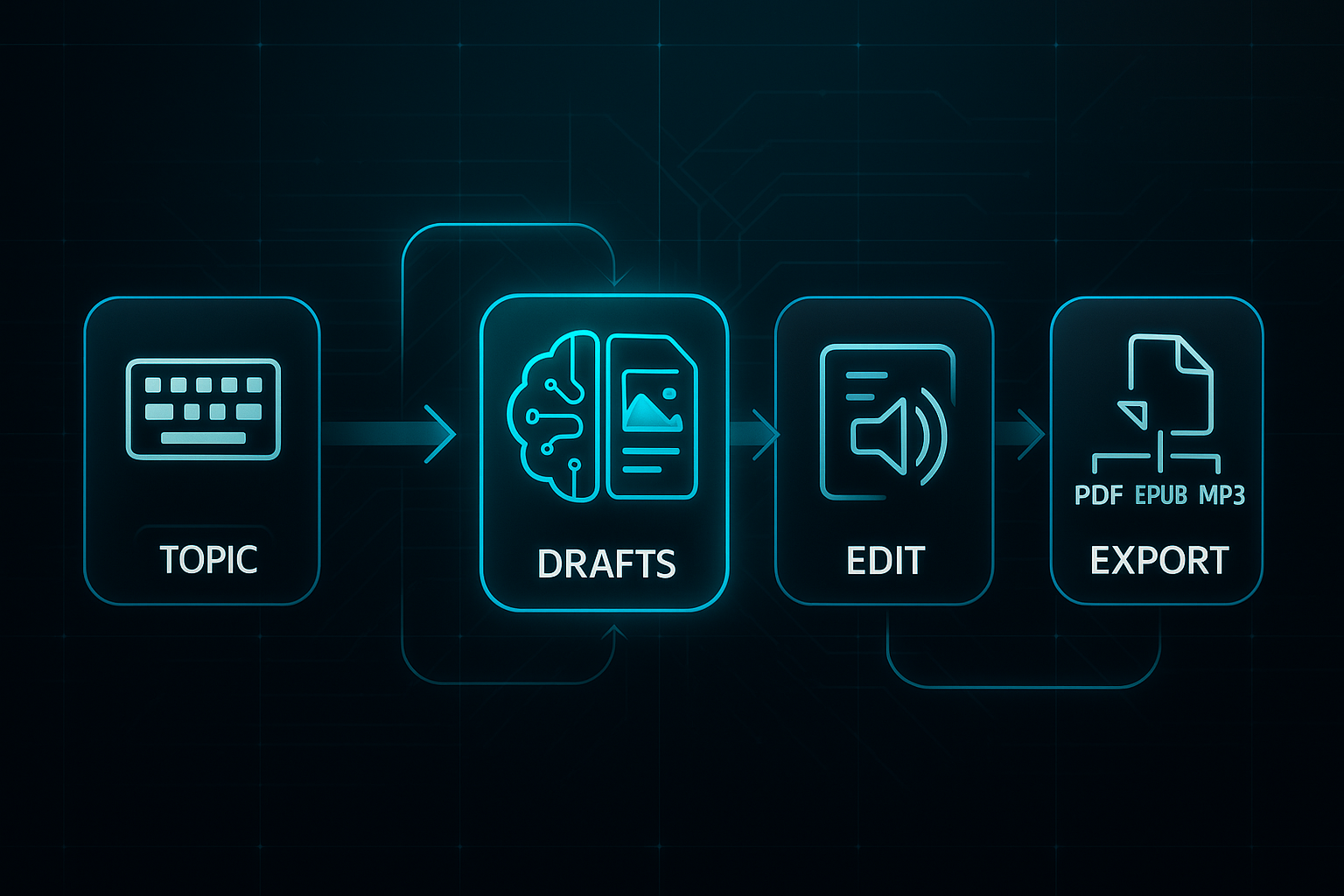
Getting started is simple. You select your ebook’s genre or topic, then enter a title or brief description. The AI gets to work, crafting a custom table of contents, chapter outlines, and original content to fit your idea. With ebookmaker.ai, AI-generated images can slot right into your chapters, lending that final polished touch.
You stay in charge, able to review and personalise content and images as you want. When you’re happy, just export the finished ebook as a PDF, ePub, or even audio. Most of the hard work is completed by AI, so you can focus on the bits you want to perfect.
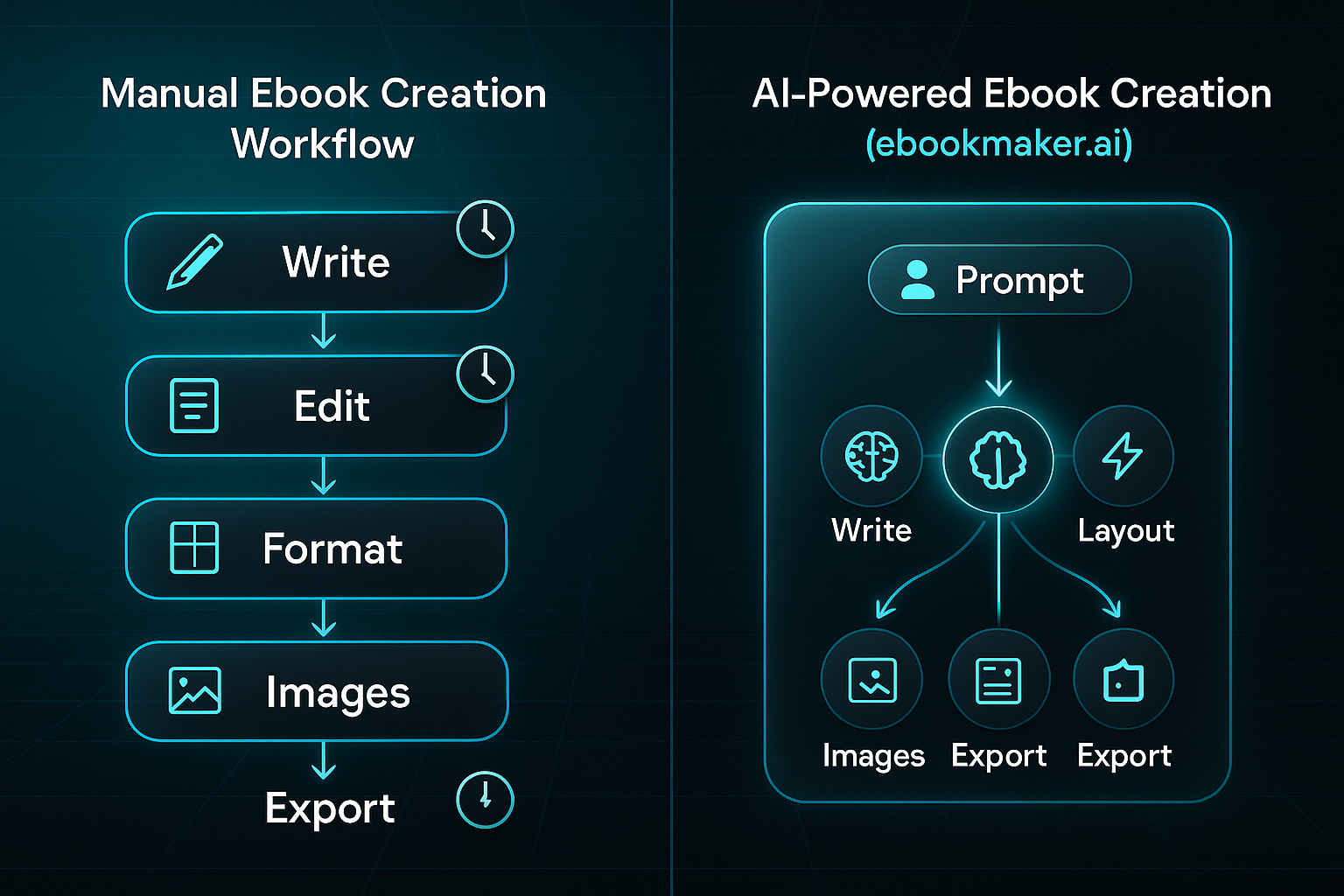
How AI ebook makers differ from manual or non-AI tools
Traditional ebook creation can be a slog, requiring strong writing, editing, and design skills. The process is slow and full of manual steps, easily dragging on for days—sometimes weeks.
AI ebook makers flip the process on its head. What’s different?
- Automated Writing and Structuring
Chapters and sections created instantly with just a prompt. - Integrated AI-Generated Images
AI adds visuals automatically, with no fiddly design work. - Instant Formatting and Export Options
Get professional results, ready to download straight away. - Minimal User Input
Just add basic details, and the AI fills in the rest.
This means rapid content creation, instant new chapters, and easy updates—everything moves faster.
AI writing tools can help save time and costs while improving the quality of content. By leveraging Natural Language Processing (NLP) and Natural Language Generation (NLG) algorithms, AI writing tools can generate informative and accurate content quickly, efficiently, and cost-effectively.
Core user benefits and common pain points solved
Who benefits most? Marketers, educators, coaches, businesses—anyone needing professional ebooks quickly and easily.
- Automated Content and Design
No specialist skills—AI handles details, so anyone can create. - Rapid Production
Ebooks are complete in less than an hour. - Consistent, Professional Output
Finished ebooks look polished and are ready to share.
If you want to stay ahead, launch new ideas, or simply save time, AI ebook makers are the smarter choice.
What to look for in an AI ebook maker tool
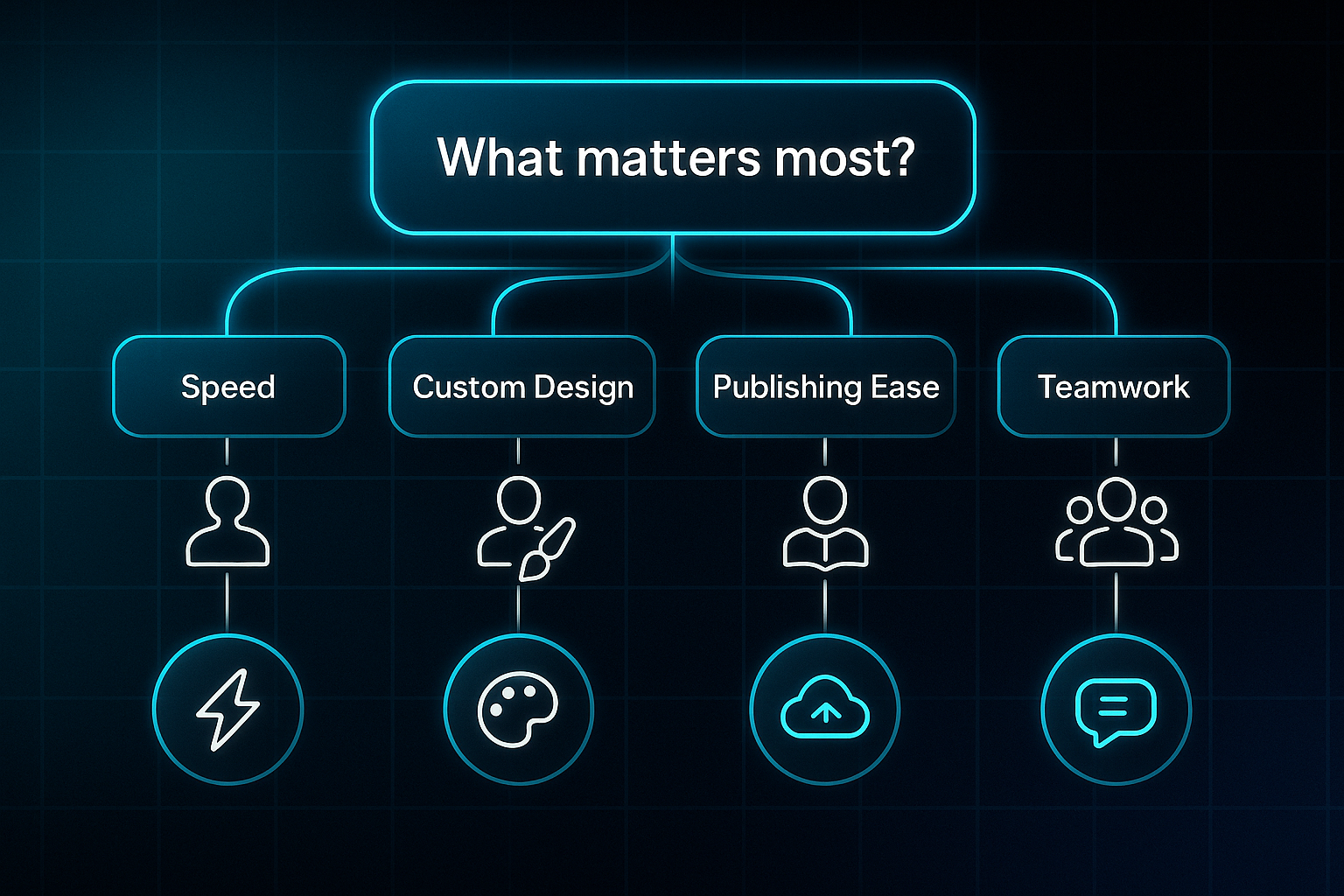
Ready to explore AI ebook creation? With so many tools out there, finding the right one hinges on what matters most to you—speed, custom design, hassle-free publishing, or teamwork.
Here’s how to pinpoint key features that actually make a difference, plus who benefits most from each.
Key features and user requirements
Choosing an AI ebook maker can seem daunting, but your needs come first.
Marketers often require customisable branding and templates to stay consistent. Educators favour pre-built layouts so they can repurpose lessons swiftly.
Coaches and business creators rely on interactive multimedia support for linking resources and making guides dynamic.
Writers and authors want powerful AI-generated content for natural chapters. If you're solo and need results fast, automated chapters and image suggestions will be essential.
The ability to embed multimedia such as videos, background music, GIFs, and clickable links is perfect for building dynamic product catalogs and training manuals.
Usability, export, and instant publishing
The right platform should feel intuitive. For beginners, a drag-and-drop interface and guided wizards smooth out the bumps.
Designers or teams may want robust layout controls and integrations for more creative freedom.
When it comes to exports, most tools handle PDF and EPUB. If you crave something extra—like interactive flipbooks or one-click publishing to Amazon or Apple Books—look out for premium features.
Collaboration, support, and value for money
Team projects? Some AI ebook makers now include real-time editing so everyone can jump in at once.
Enterprise or privacy-sensitive users should seek permissions, audit logs, and better privacy options. Entry-level or free plans give you basics, while pro upgrades unlock live chat support and extra extras.
Enterprise tiers bring integrations, advanced templates, and watertight compliance for bigger teams.
Advanced considerations and emerging trends for 2024–2025
Accessibility is surging, with more platforms offering screen-reader EPUBs. Automation now covers auto-formatting and voice-to-text editing.
Native integrations—think HubSpot CRM or Canva—are appearing everywhere. If regulations are your concern, AI transparency and audit logs will set the top tools apart.
As AI ebook creation evolves, focus on what you need today—but stay alert to what tomorrow might demand.

AI-Powered
SEO Content Strategy
See the AI platform that's replacing entire content teams
(with better results).

ebookmaker.ai
Source: EbookMaker.ai
Overview and standout features
Let’s dive into ebookmaker.ai—a powerful AI platform that transforms your ideas into ebooks or audiobooks remarkably fast. Just share your topic or a quick brief, and the AI instantly generates chapter drafts.
With over 100 built-in templates, achieving professional design is a breeze. Covers get the AI treatment too, and you can pop your own images in using the media editor.
But here’s the clever bit: with one click, your ebook turns into a voice-narrated audiobook, downloadable as an MP3. Exporting as PDF or ePub is just as effortless. Thanks to support for 63 languages, global publishing is easy.
AI Ebooks Generator: transform your ideas into ebooks instantly with ebookmaker.AI
- Automatic Content Drafting
AI structures chapters and sections from your chosen brief. - Extensive Template Selection
100+ professionally designed templates for instant style. - AI Cover Generation
Instantly create and customise covers. - Instant Audiobook Conversion
Transform text to narrated MP3 in seconds. - Multi-language Support
Publish in 63 languages for worldwide reach.
Strengths, best-fit scenarios, and limitations
ebookmaker.ai works brilliantly for marketers, coaches, educators, or entrepreneurs needing professional ebooks or audiobooks without design or writing skills. Multi-language support streamlines international publishing.
Need fully custom layouts? You might find the fixed template system a drawback. Entry plans display platform branding on finished ebooks.
For those who find writing an eBook overwhelming due to challenges with organization, formatting, or image selection, Ebookmaker is designed to solve these common headaches as a simple, beginner-friendly tool.
Pricing and plan structure
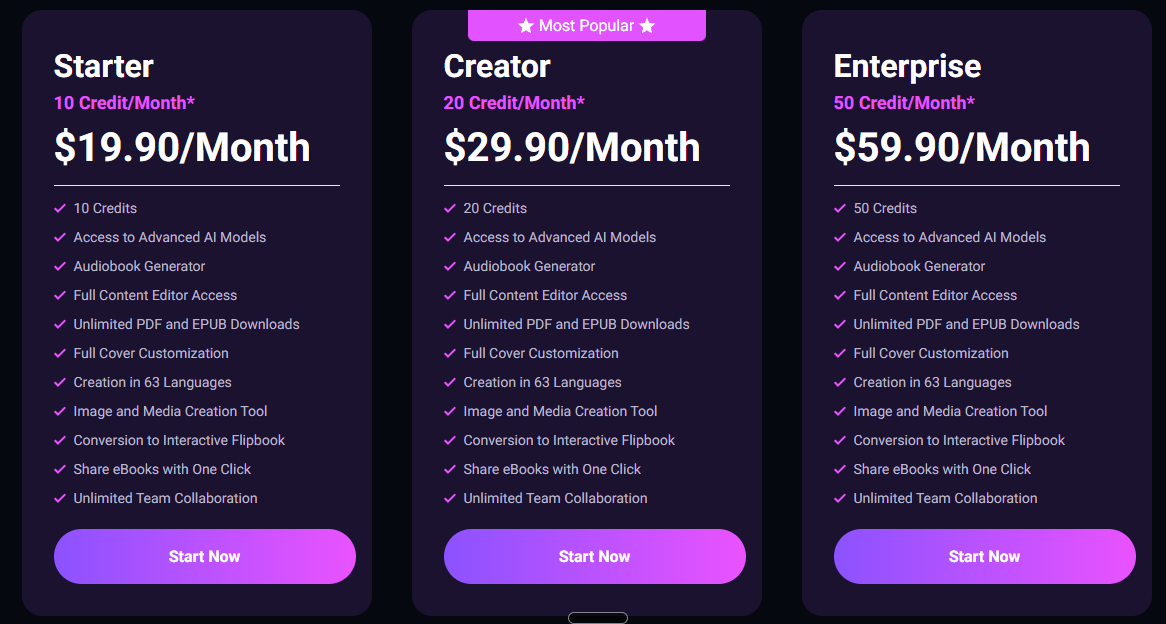
The Starter plan is $19.90/month (templates, AI writing, branding). For $29.90, you unlock audiobooks, custom covers, and remove branding. Enterprise, at $59.90/month, brings advanced editing and priority support.
Flexible subscriptions or pay-as-you-go mean you’re never locked in—making ebookmaker.ai a savvy choice for rapid, global ebook or audiobook creation.
Source: EbookMaker.ai
Designrr
Source: Designnr.io
Feature set and unique capabilities
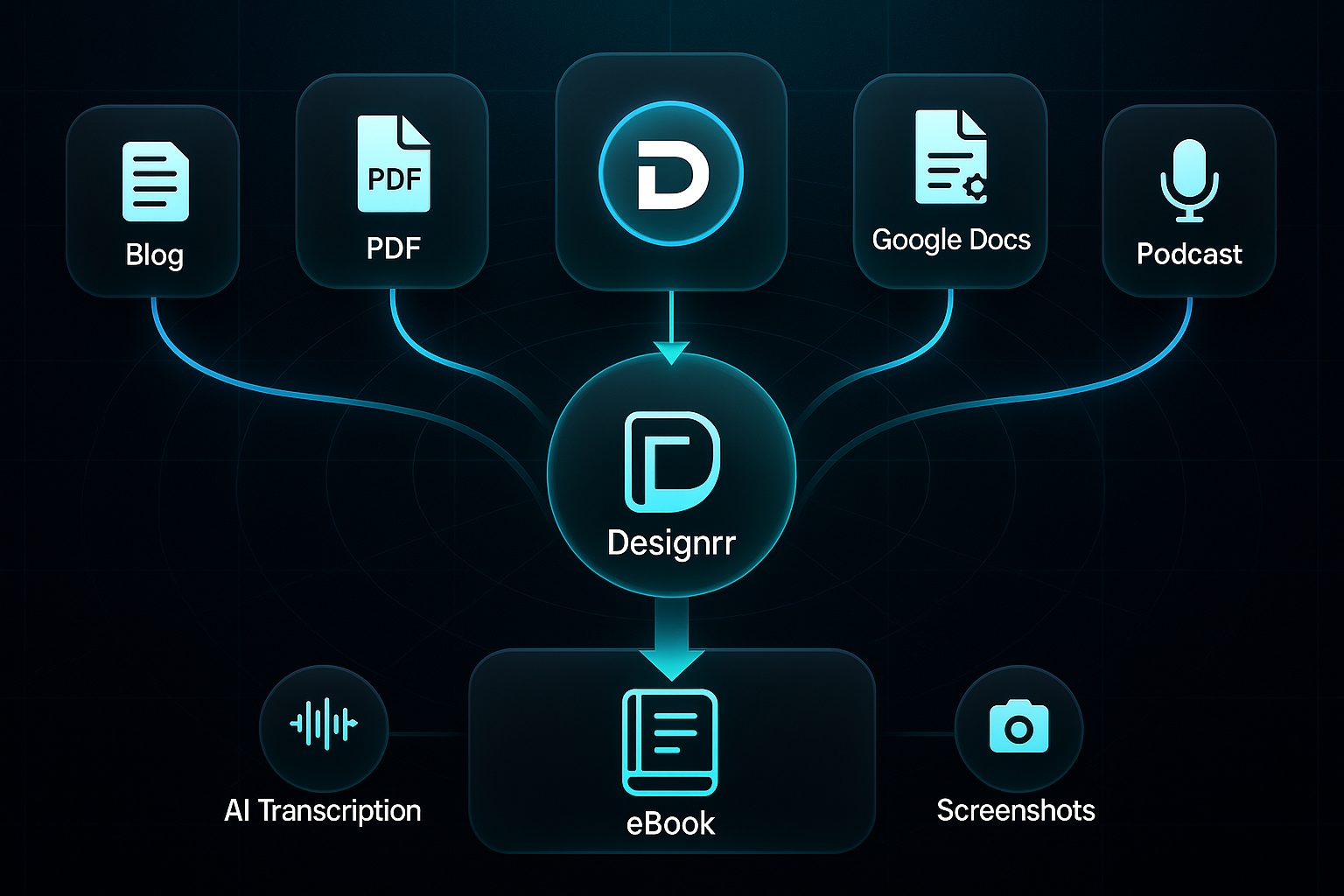
Designrr’s content import flexibility really sets it apart. You can pull from blogs, PDFs, Word, Google Docs, social posts, and even YouTube, Vimeo, or podcast links. That’s a huge leap over basic import tools.
The AI-powered transcription engine is a massive timesaver—automatically converting audio or video into timestamped, searchable ebook text and adding scene screenshots, so manual formatting headaches vanish.
For customising your ebook, you get fully editable templates, an intuitive drag-and-drop editor, access to a royalty-free image library, and convenient global formatting controls for a polished finish. Multiple export options—PDF, ePub, Kindle-ready formats, and interactive HTML5 flipbooks—mean you can publish however you like, reaching more readers than static-only platforms allow.
Designrr: Ebook, PDF, and Flipbook Creator: My review and demo
Ideal use cases and differentiators
Who really benefits? Designrr excels for creators repurposing large blogs, podcasts, or webinars, especially when volume or speed matters.
Podcasters and YouTubers enjoy precise AI transcript tools with clickable time codes, while educators can quickly convert lessons to multimedia ebooks. Agencies and teams value batch processing and efficient workflow management—things single-user platforms don’t match.
Stacked against ebookmaker.ai (mostly text, lighter on importing) and Canva Docs (beautiful design, less for multimedia or batch), Designrr’s multi-source flexibility, transcription, and automation lead the pack.
Pricing and subscription overview
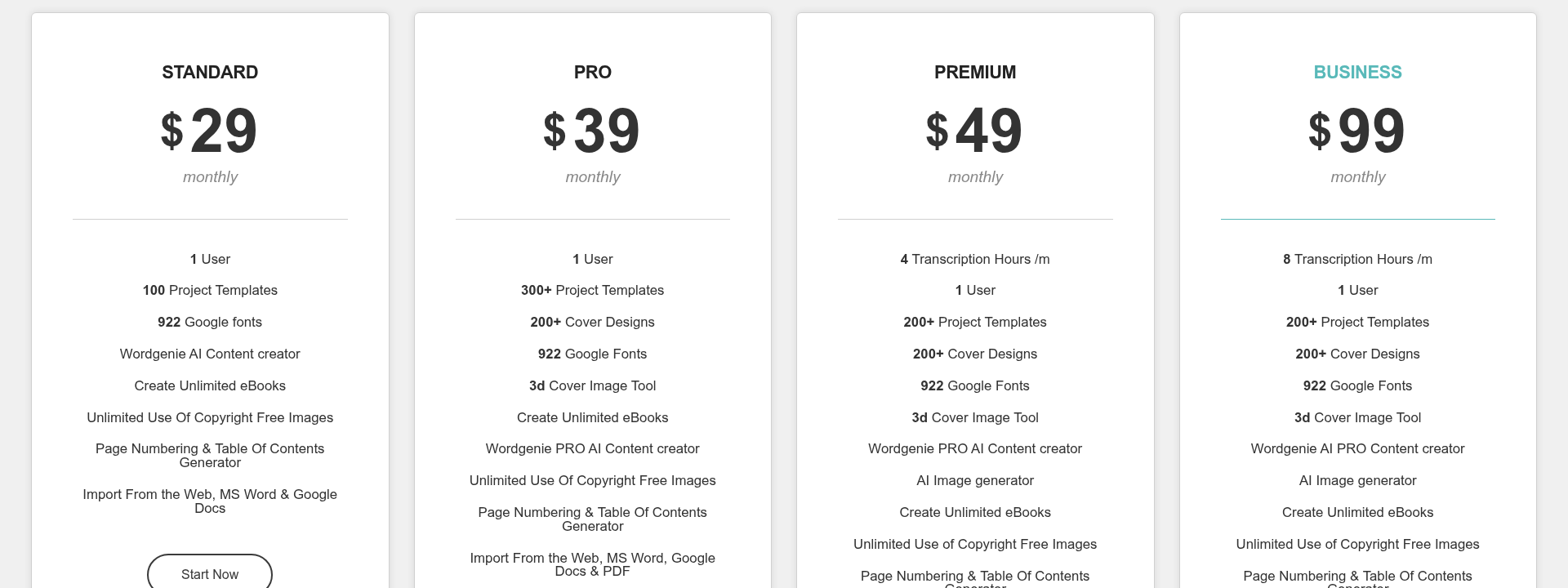
Choose Lifetime Basic for core features and a single payment. Pro adds advanced imports and analytics monthly. Premium unlocks batch tools, AI transcription, and priority support, while Business brings full collaboration and automation.
Solo creators often stick with Basic or Pro. If you’re producing lots of multimedia content, Premium and Business tiers offer the scalability and workflow efficiency you need.
Source: designrr.io
Sqribble

Source: Sqribble.com
AI-driven creation and design strengths
Sqribble turns ebook creation on its head with a real-time AI engine that pulls content from URLs, text files, or Word docs. You’ll go from idea to draft in minutes—not hours.
You don’t need to be technical, either. Its drag-and-drop editor lets you arrange chapters visually, with not a line of code in sight.
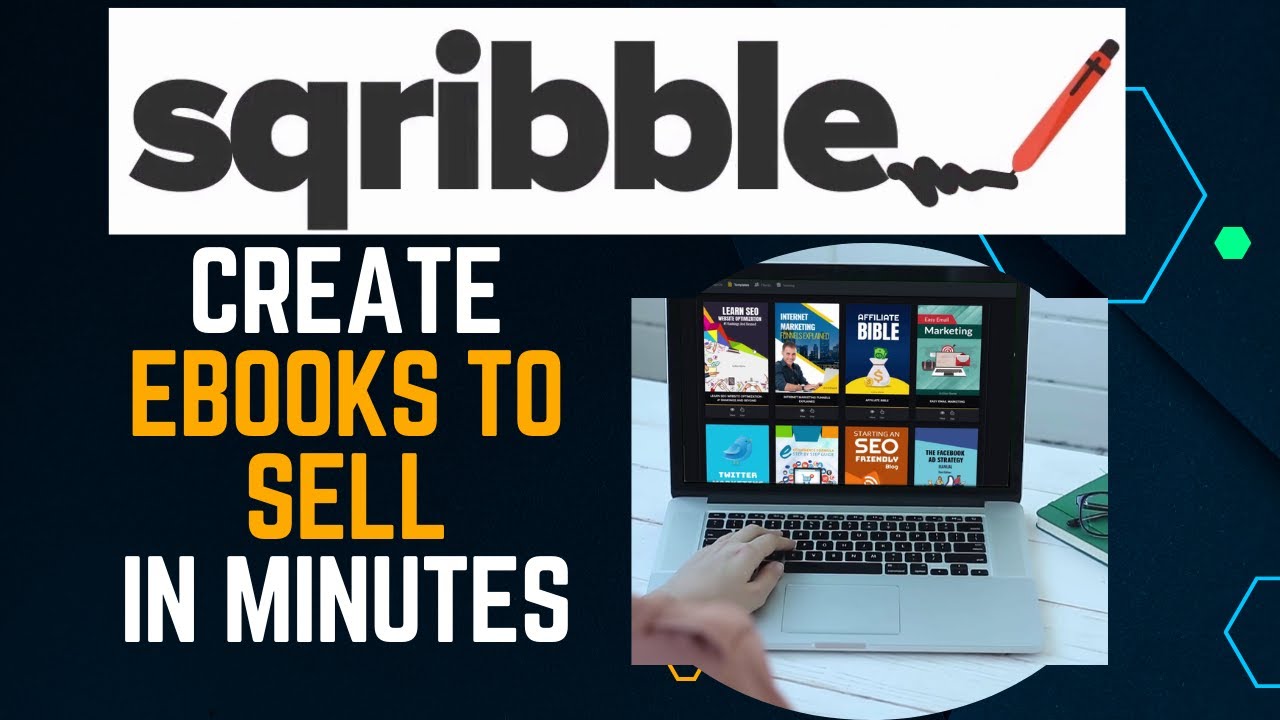
Sqribble Review and Tutorial 2023 | How To CREATE An eBook FAST with Sqribble !📖
- Dynamic TOC, Headers & Footers
Adds a table of contents, headers, footers, and page numbers automatically. - Template & Layout Options
Pick from 50+ templates and 300+ layouts for the style you want.
Want something more interactive? The Flipbook add-on transforms static books into lively, animated publications—brilliant for marketers seeking extra engagement.
Best for and pain points solved
Here’s where Sqribble shines: agencies and marketers can crank out unlimited ebooks and resell them thanks to a commercial licence. Batch tools and automatic formatting sweep away the usual workflow delays.
- Agency Website Resource
Show off work to clients with the built-in agency site. - Project Workflow Streamlining
Batch features deliver several ebooks at once, ideal for working at scale.
If you’re producing lead magnets, reports, or whitepapers, this setup really delivers. Downsides? There’s no real-time team editing—so collaboration requires working outside the app.
Pricing, plans and value
Forget monthly fees. Sqribble’s one-off lifetime payment delivers strong value for anyone making ebooks at volume. Paid add-ons like Flipbooks or 3D covers expand your options further.

Source: Sqribble.com
- Agency & Bulk Tools
Tailored for high-output ebook creation. - Optional Add-ons
Unlock extra templates, Flipbooks, or 3D covers whenever needed. - Limitations
Single-user editing; collaborative work must happen elsewhere.
If solo editing works for you but fast, cost-effective output matters most, Sqribble easily fits the bill.
Jasper (Jasper AI)
Source: Jasper.ai
Long-form and branded content with AI
If you’re after polished, branded long-form ebooks or whitepapers, Jasper AI truly shines. What sets it apart is its adaptable AI: you upload brand profiles or company knowledge and every chapter sticks to your official voice.
It’s not just about writing, though. Jasper builds collaboration into its core—real-time workspaces, shared drafts, and approval flows make teamwork easy. You’ll save hours, too, as Jasper generates covers and branded images directly in your ebook workflow. Surfer SEO is built right in, so you can optimise content as you go.

How To WRITE An EBOOK with JASPER AI | OPENAI CHATGPT Alternative
Strengths for professionals and teams
Jasper is purpose-made for organisations, agencies, or content teams who need to co-author lead magnets or whitepapers. Its asset and brand management keeps everyone on the same page, even when branding standards evolve.
With custom knowledge bases, content stays consistent and accurate. Collaboration speeds up editing and reviews—great for compliance and rapid, large-scale output.
AI tools are fundamentally transforming brand consistency by enabling teams to automate the enforcement of brand guidelines, ensuring a unified voice and visual identity across all content at scale.
Pricing, collaboration model, and tool comparison
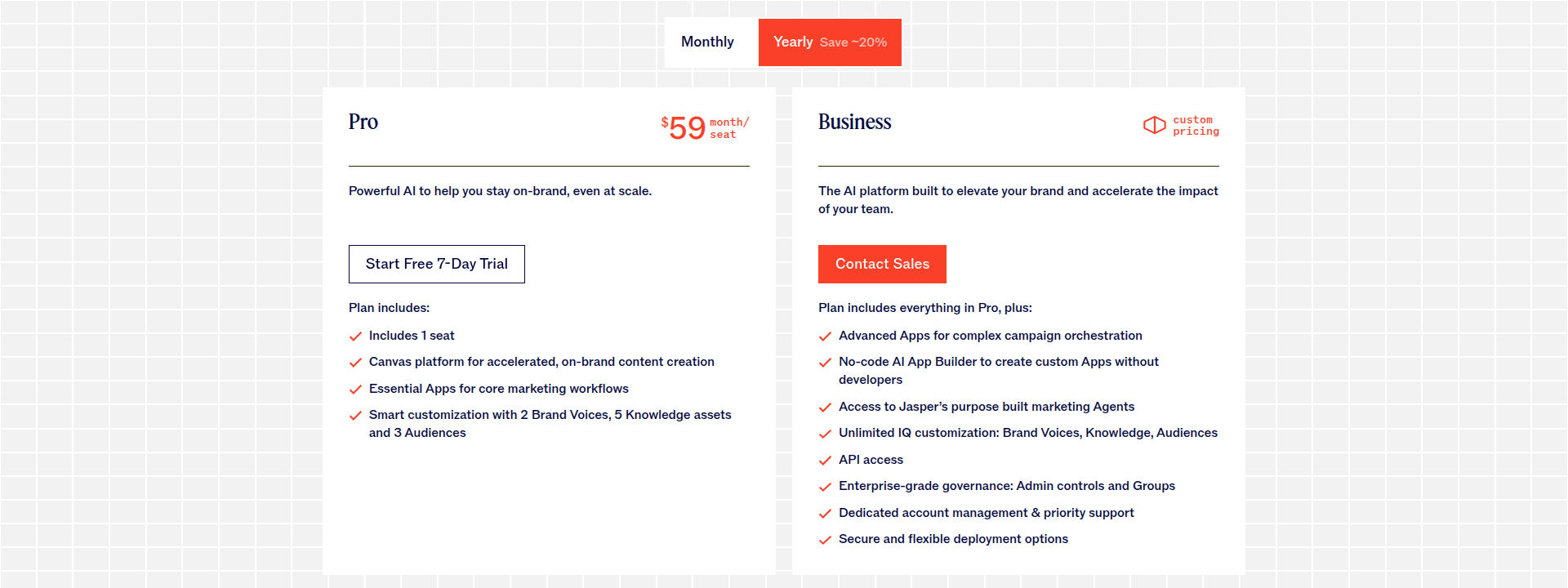
For solo creators, the Creator plan is £49/month. If you’re growing, Pro (£69/month) adds team collaboration and up to three Brand Voices. Business (from £125/month) brings workflow automation and enterprise integration.
Compared to simpler tools like ebookmaker.ai or Sqribble, Jasper excels at compliance and deep collaboration—crucial for business teams.
Source: jasper.ai
Limitations, onboarding, and edge cases
But here’s the catch: setting up brands and workflows takes some upfront time. If you prefer speed and simplicity, ebookmaker.ai or Sqribble might be more your style.
Jasper’s guides can help with onboarding, but fiction writers or educators may need to tweak AI prompts for flawless results.
Canva Magic Write
Source: canva.com
Design-first AI ebook creation: How Canva Magic Write works
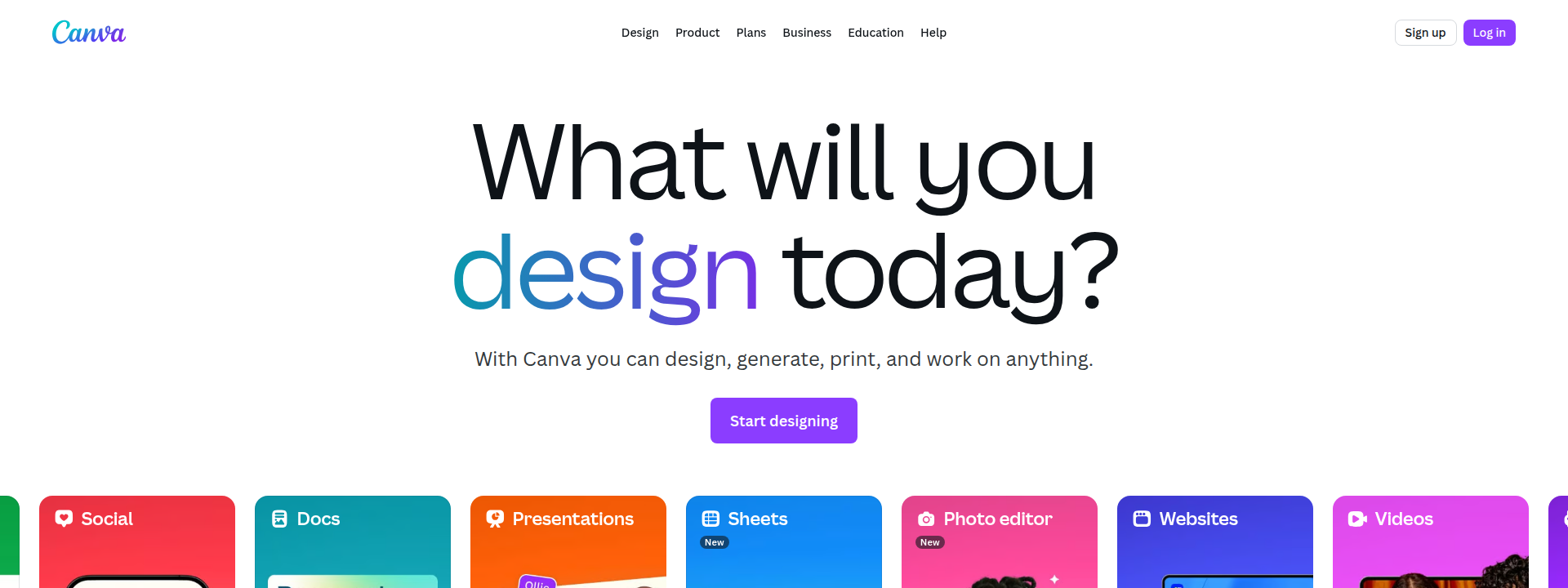
So, what actually makes Canva Magic Write stand out? It merges AI-generated content with Canva’s visual editor, letting you create stylish ebooks in record time. With simple prompts, AI produces chapters and summaries, instantly ready for editing within Canva’s workspace.
There’s a huge range of professionally designed templates at your fingertips. You simply drag in text, infographics, stock images, or branded visuals to build each page. Instead of just basic documents, you’re crafting visually rich ebooks on a real design platform.
This design-led approach appeals to creative teams and marketers who want more than just text—they’re after polished layouts from the start. Compared to platforms like ebookmaker.ai or Sqribble, Canva Magic Write’s signature is customisable page designs seamlessly integrated into your workflow.

Use Canva's AI feature Magic Write to Help Write Your Book!
Most effective use cases and ideal user profiles
Who benefits most? Creative agencies, brand marketers, educators, and teams producing lead magnets or teaching guides that demand strong visual impact.
Features like real-time editing, version control, and team commenting make collaboration easy. When high-quality branding and interactive elements matter, this is the tool that delivers.
Pricing breakdown and feature tiers
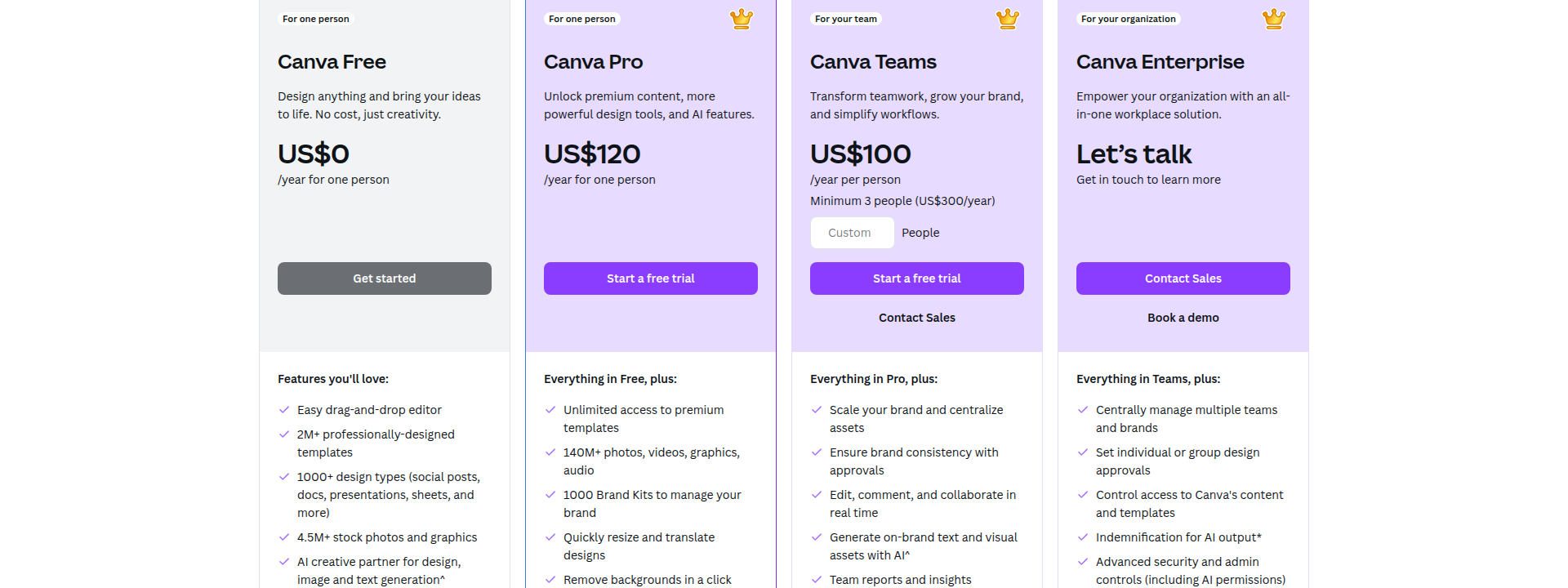
Magic Write gives you 25 free AI queries per user. Upgrading to Canva Pro (£10.99/month or £99.99/year) unlocks unlimited queries, premium templates, and automation tools. Enterprise and Teams tiers add workflow controls, with discounted rates for education or charities.
Source: canva.com
Strengths and potential limitations
Magic Write shines at brand-first, visually polished ebook creation. Limits include free tier query caps and some manual work for advanced structuring. For visually rich, standard-length projects, it’s the go-to solution.
Visme AI Ebook Maker
Source: visme.co
Feature highlights and innovation
Looking for a tool that blends interactive design with AI-powered content? Visme AI Ebook Maker does just that—using smart writing features alongside templates built for business, education, and marketing.
There are over 50 editable templates to get you started fast. But here’s where Visme kicks things up a gear...
Creating an eBook with Visme | Visme Tutorial
- Interactive Widgets
Drop in quizzes, pop-up tips, videos, click-to-reveal infographics—so readers actually participate, not just scroll past. - Branding Toolkit
Keep everything looking sharp with brand uploads, colour palettes, and full logo kits. - AI Suggestions
Let Visme draft your words and images, then tune the tone and detail so every chapter matches your voice. - Visual Resources
Premium-feel layouts are easy with royalty-free photos, icons, and creative elements ready to go.
Design and education-centric workflows
Visme’s sweet spot? Turning slides, proposals, and lessons into interactive ebooks in a snap. Analytics help you see who’s reading, while built-in calculators and tracking links make business proposals more effective.
Teachers can create quizzes or clickable content that keeps students engaged—interactive guides, timelines, syllabi, you name it. Enterprise extras like single sign-on and admin tools suit larger organisations.
Pricing tiers and access
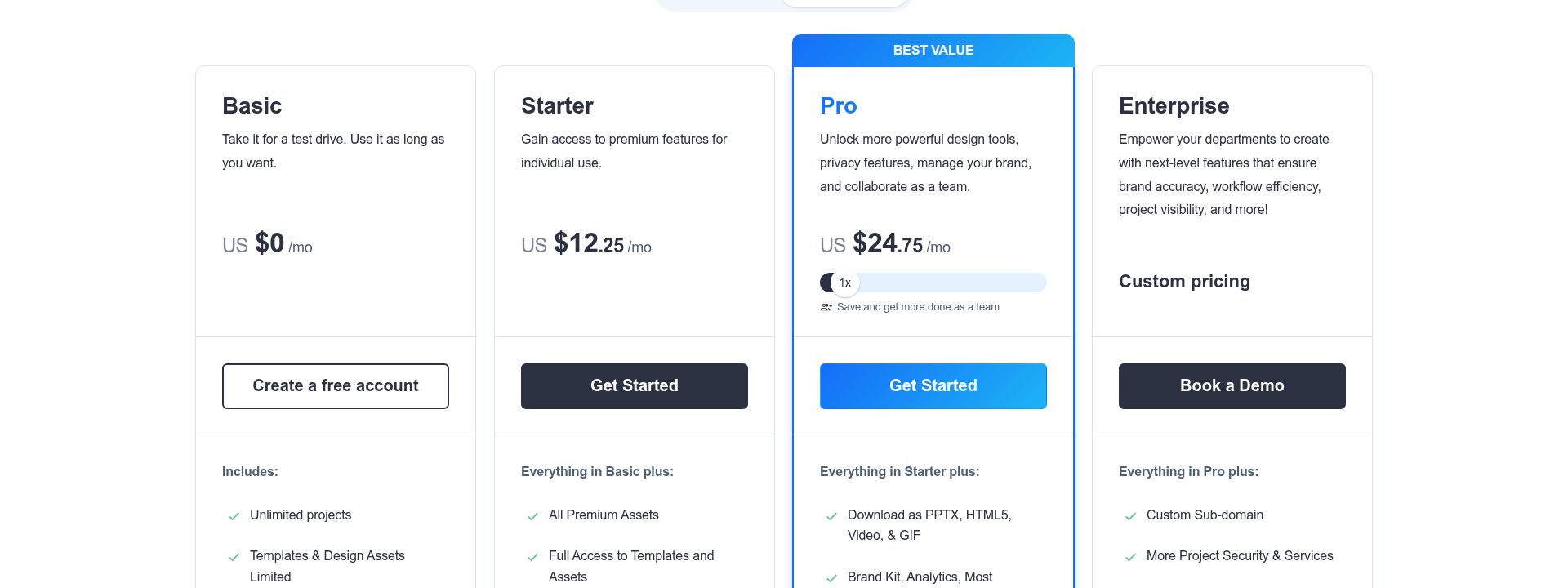
- Free Plan
Basic templates, watermarked exports, and a monthly AI cap. - Pro/Individual
Advanced branding, extra storage, analytics, and more monthly AI. - Business/Enterprise
Collaboration, admin features, group licensing, and support priority. - Education
Discounts and admin features for classrooms.
Everything is online—so offline editing isn’t an option. The simplicity of templates can limit very complex or long projects. Still, for interactive, on-brand ebooks with analytics, Visme delivers strong value for business and education.
Source: visme.co
Simplified AI Ebook Generator
Source: simplified.com
All-in-one rapid ebook production
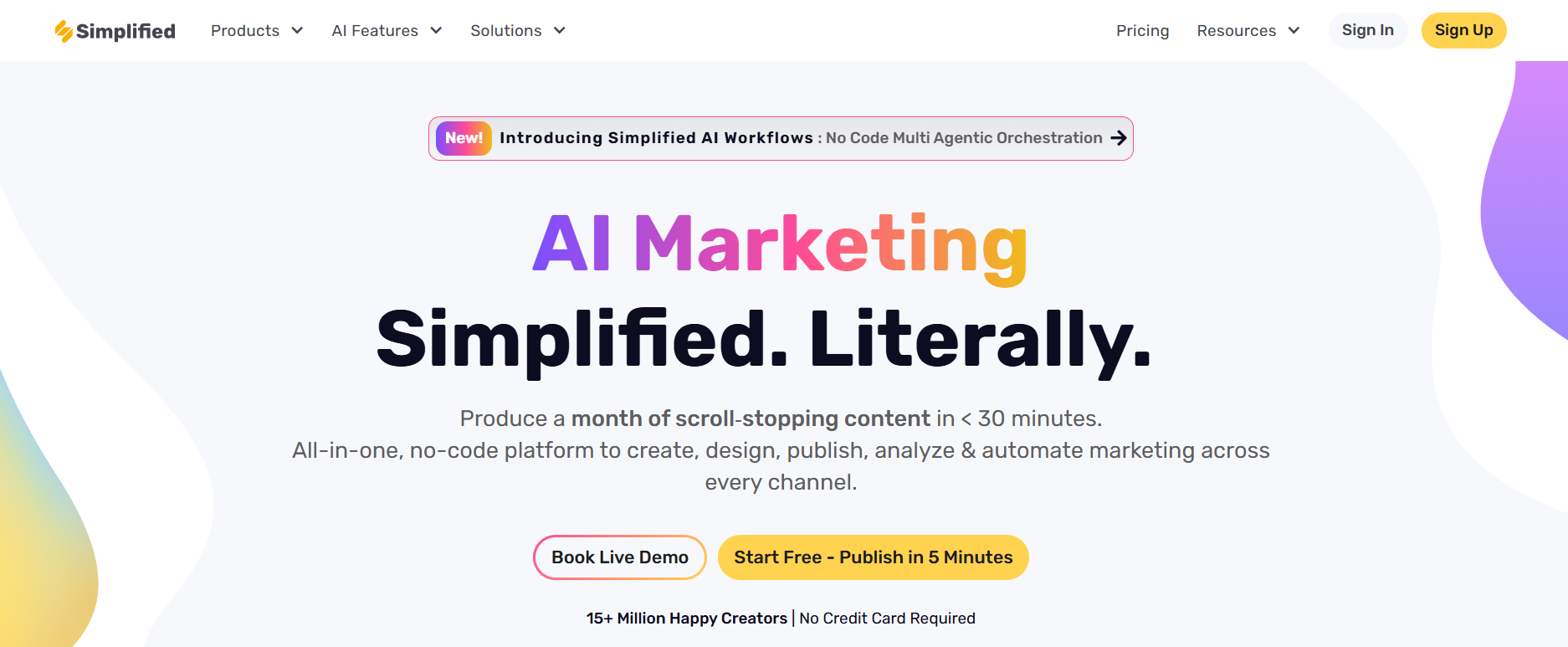
- Bulk generation and multi-language support
Create multiple ebooks in over 30 languages at once. Need resources for region-specific campaigns or classes in several languages? Simplified makes it seamless. - AI writing and template-driven design
Start with a topic, let the AI draft chapters in your style, then fine-tune layouts using customisable templates—zero design stress. - Instant publishing and export options
Export instantly as PDF, EPUB, or DOCX. Up against tough deadlines? Built-in sharing means your ebook is ready to send or publish straight away. - Real-time collaboration and rich media integration
Your team can edit live together. Want to add flair? Insert images, graphics, or videos for interactive, polished ebooks.
Scenarios and limitations
- Best use cases: speed and diversity
Why do agencies and educators choose Simplified? It’s ideal for lead magnets, multilingual campaigns, or quickly producing differentiated content—perfect if you need results now. - Functional limitations
Need advanced layouts, interactive quizzes, or detailed change tracking? Specialist design or publishing solutions cover what Simplified leaves out.
Pricing and plan comparison
- Free plan suitability
Try out core AI writing, a starter template set, and capped monthly exports—handy for solo creators, pilots, or onboarding. - Paid plan advantages for volume users
Pro and Business remove branding, unlock bulk tools, unlimited exports, analytics, and collaborative workspaces—ideal for growing brands. - Value for rapid, multilingual ebook needs
Publishing across markets or updating often? Simplified’s ease, pricing, and language support outpace most single-user tools. Why slow down if speed is everything?
Copy.ai Ebooks
Source: copy.ai
AI ebook workflows for marketing teams
Copy.ai makes ebook creation feel effortless for marketing teams. Instead of getting bogged down, you map out chapters, generate tailored drafts, and set everything in motion with AI-powered workflows that keep projects organised and moving forward.
Collaboration? It’s sorted. Team members can jump in with live editing, manage review cycles, and keep track with version control. The clever Infobase feature means your content always sticks to the right brand guidelines and approved messaging—so quality and consistency never slip.
Connecting the dots across your campaigns comes naturally. With integrations into HubSpot, Salesforce, Mailchimp, Trello, and Asana, you link ebook content to CRMs, marketing channels, and project boards in real time. This unified approach keeps assets in check, feedback flowing, and launches right on schedule.
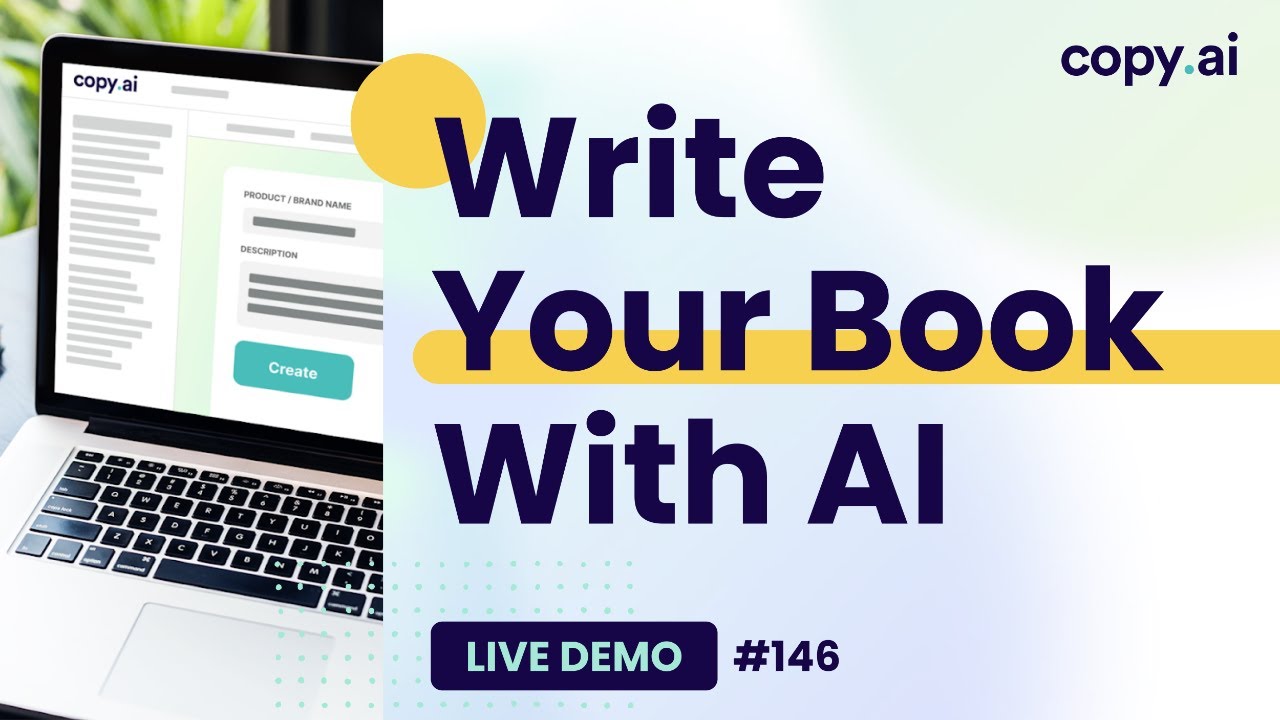
Copy.ai Live Demo #146: Write Your Book With AI
Strengths, limitations, and platform fit
So who gets the most out of Copy.ai? The tool’s collaborative workflow, support for multiple authors, and brand voice controls are big wins for busy teams. Automated integrations remove tedious manual steps, letting campaign launches and analytics run smoothly in the background.
But here’s the thing: advanced visual design and interactive layouts aren’t Copy.ai’s forte. You’ll typically export your finished draft to Canva, Designrr, or InDesign for that final polish.
Pricing and best use cases
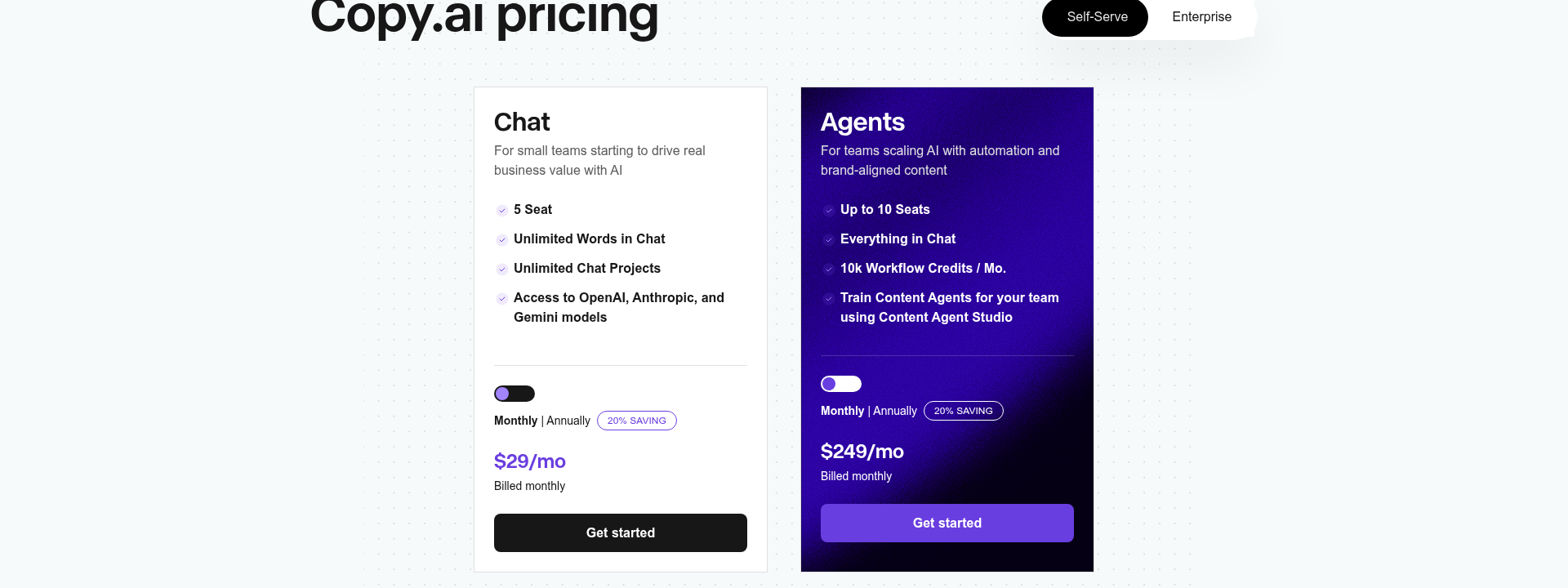
There’s a Free Plan for basics, but if you want unlimited projects and automation, the Pro Plan (about $36/month) is for you. Team ($186/month) and Enterprise add collaborative power and deep integrations—just check the latest details direct on their site.
If you need rapid lead magnets, campaign ebooks, or marketing guides without extra design fuss, Copy.ai delivers the structure, speed, and integration that marketing teams crave.
Source: copy.ai
Kotobee Author
Source: Kotobee.com
Advanced interactivity and media support
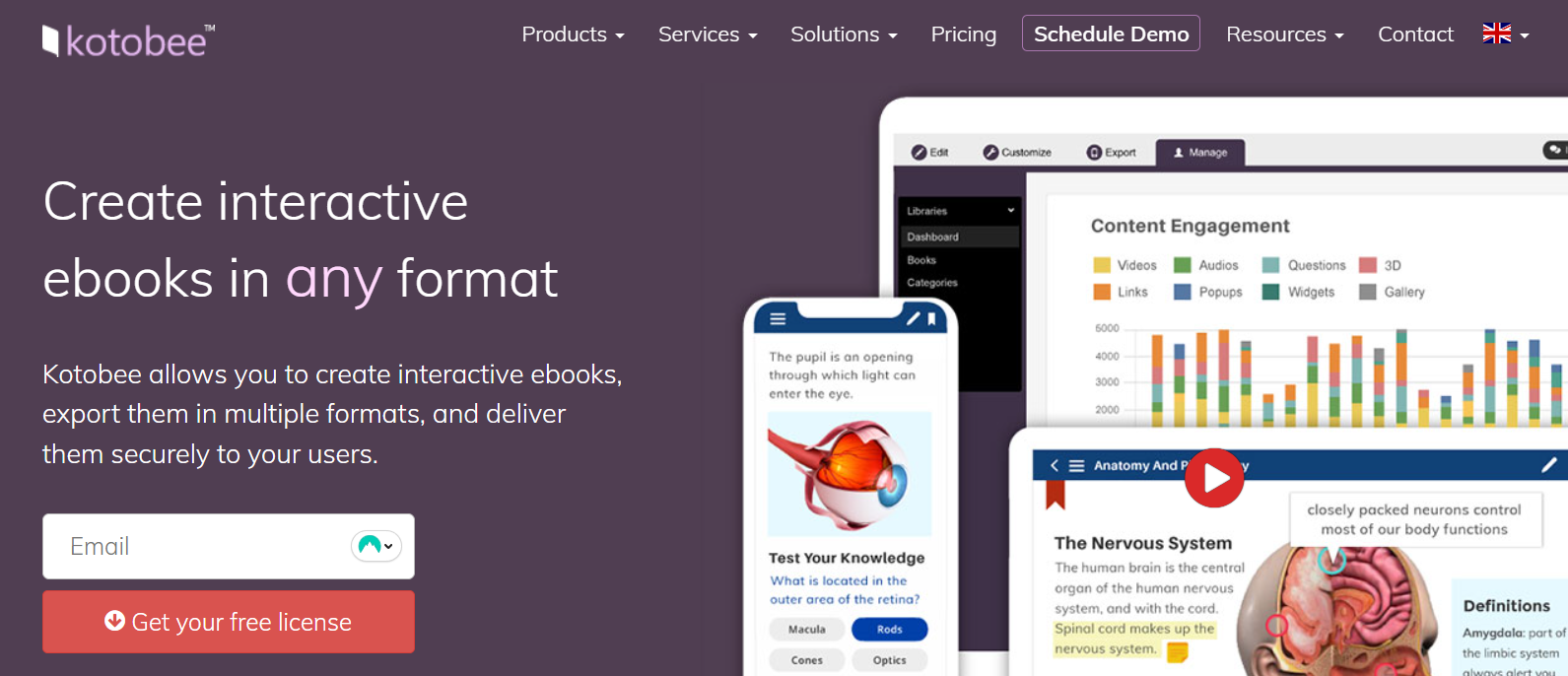
Kotobee Author is more than just an ebook creator—it's crafted for educators, trainers, and professional publishers who want truly interactive, media-rich ebooks. The platform simplifies complex steps: automated layouts, smart media suggestions, and one-click import from PDF, Word, HTML, or EPUB files.
With 50+ ready-made templates, you can jump right in—whether building from scratch or giving old content new life. That’s a real timesaver.
- Interactive Widgets
Add quizzes, mini-apps, pop-up tips, or assessments—so readers actively engage, not just skim. - Rich Media Integration
Insert narration, video, audio, or animated images—making your content accessible and engaging for all. - Export Versatility
Publish your work as EPUB3, MOBI, HTML5, SCORM, Tin Can (xAPI), LTI, desktop/mobile apps, Kindle, Nook, iBooks, or via Kotobee Cloud. - Device Preview Tools
See how your ebook looks on 40+ device types—no surprises for your audience.
Educational and enterprise applications
Schools and universities use Kotobee Author for interactive textbooks, digital libraries, and SCORM/LTI materials. Analytics let you track exactly who’s reading or nailing quizzes.
Enterprises deploy onboarding manuals and compliance guides, updating everywhere from a single dashboard. With advanced branding, collaboration, and access controls, secure and consistent publishing is built-in for large teams.
Pricing and plan options
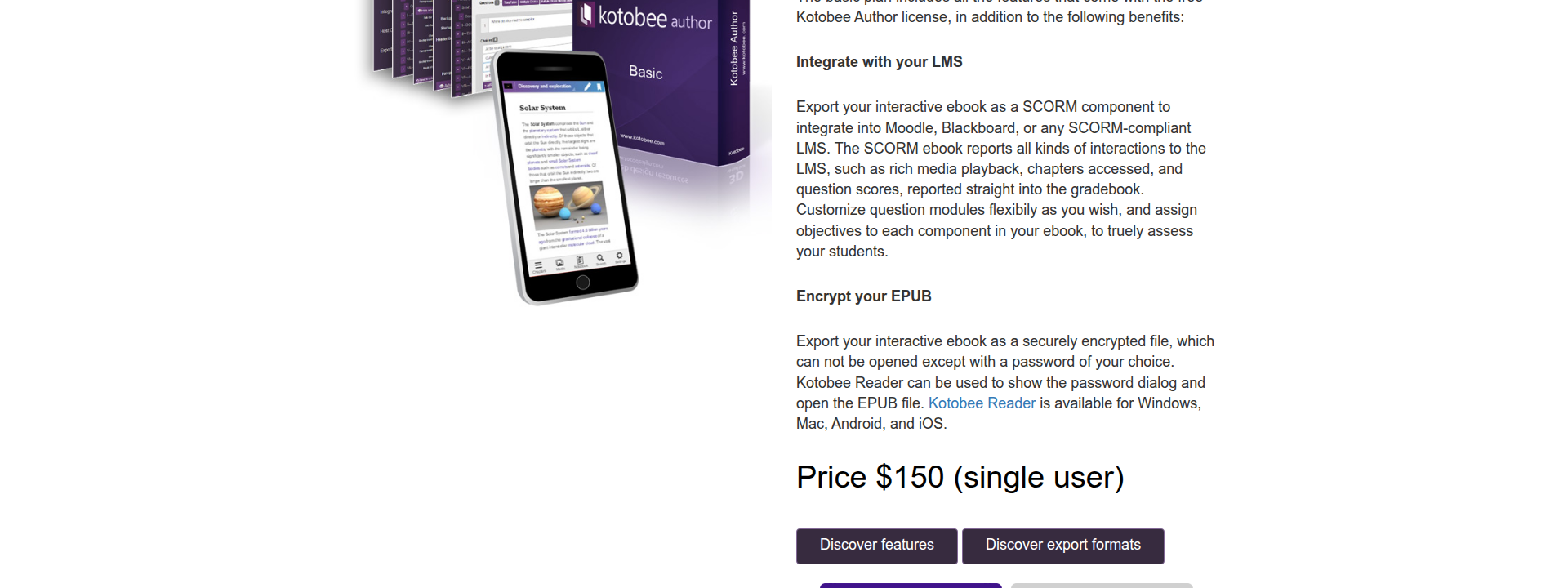
A lifetime licence is $150 per user, including core authoring. A free trial is available—great for testing the waters.
Need a bigger setup? Organisations can get bulk licensing, discounts, and tailored pricing for analytics, white-label features, or cloud options. Tiered plans cover solo educators all the way to full institutions.
Source: kotobee.com
Flipsnack
Source: flipsnack.com
From documents to interactive ebooks and flipbooks
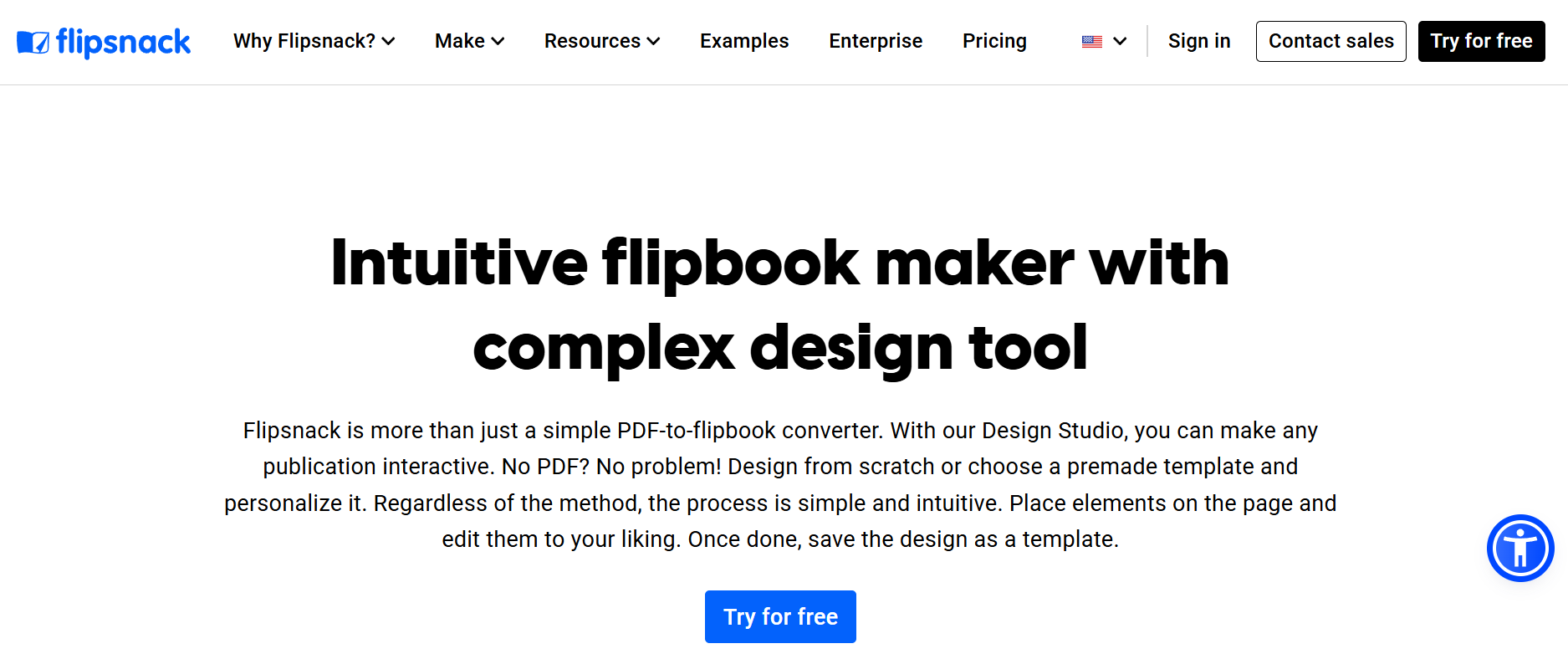
Ever wished your regular PDFs could be more exciting? Flipsnack makes that happen, converting plain documents into interactive flipbooks in a snap. You’re not limited to just the “flip effect”—you can drop in videos, audio, shopping links, quizzes, forms, and charts directly onto each page.
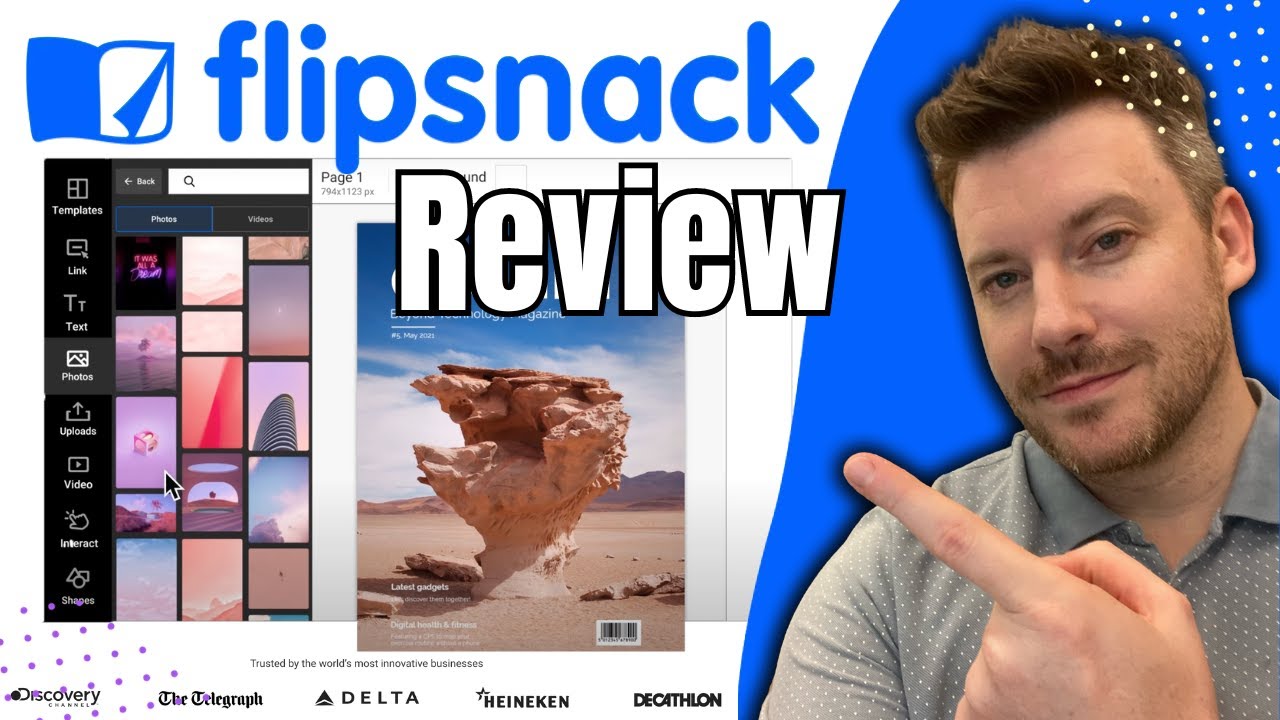
Transform PDFs into stunning Digital Flipbooks | Flipsnack Review & Demo
Teams can stick to their brand effortlessly with custom kits, pre-built templates, and unique fonts. Every flipbook stays visually spot-on and, with responsive layouts, they look brilliant across any device.
But here’s where things get interesting. Flipsnack’s analytics suite gives you a window into real reader behaviour. Think page-by-page heatmaps, engagement scores, and completion rates. You can see exactly what’s working and where tweaks could make a difference.
This gives you an edge that standard PDFs simply can’t touch.
Where Flipsnack fits best and key pros/cons
So, who really gets the most out of Flipsnack? Agencies, publishers, and marketers who need interactive brochures, catalogues, or proposals are right in its sweet spot.
Collaboration is a breeze, with approval workflows, live editing, and multi-user management baked in. Compared to basics like Sqribble, Flipsnack’s interactive feel and rich analytics push it ahead.
Drawbacks? There isn’t a truly free plan, Starter tops out at 36 pages, and for pristine print, Designrr might produce sharper text.
Pricing and value for teams
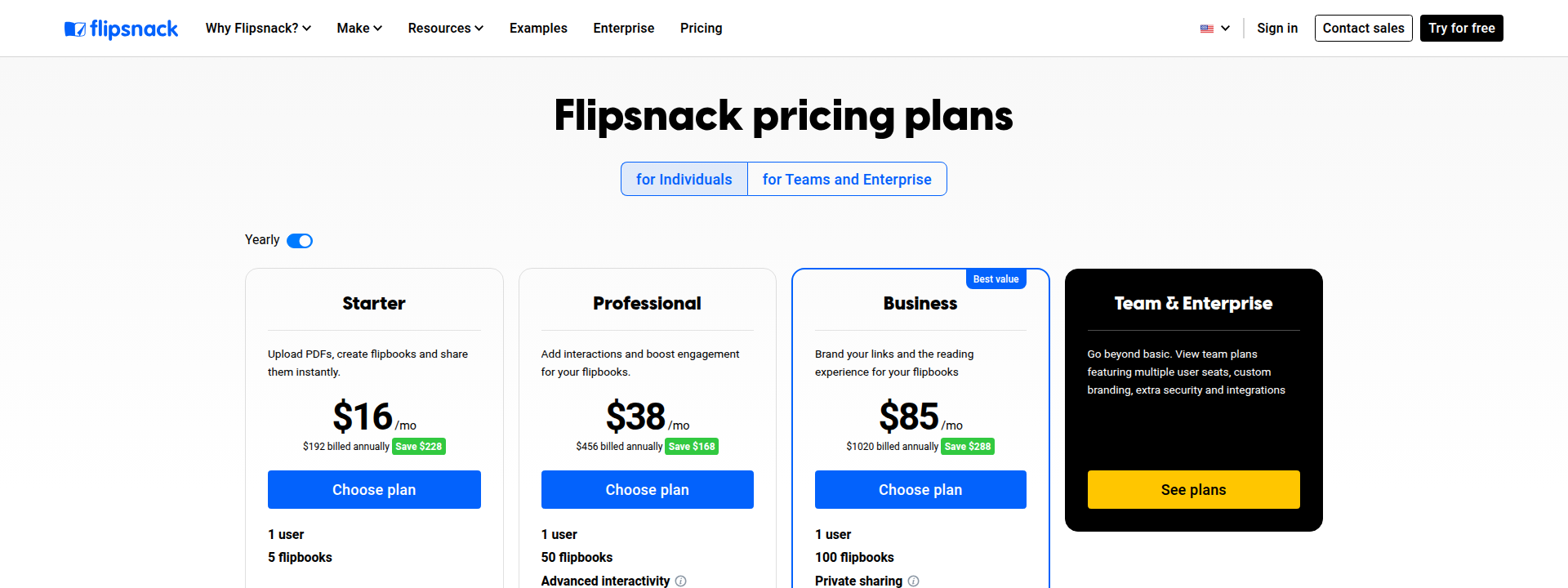
Flipsnack plans cover Starter ($14/month, 36 pages), Professional ($35/month, 180 pages, analytics), Business ($79/month, 3 users, automation), Team ($215/month, 10 users), and custom Enterprise.
Workflow features kick in from Business up, and there’s a 14-day free trial. Deeper interactivity and strong analytics offer impressive ROI for agencies, but unlimited exports or best-in-class print may steer you elsewhere.
Source: flipsnack.com
Comparing the best AI ebook makers: Choosing the right tool for your needs
Key takeaway comparison table (feature overview)
| Tool | Key Feature | Best Use/Users | Price Tier* |
|---|---|---|---|
| ebookmaker.ai | Instant chapters, audiobook export | Fast, no-fuss ebooks, global | $19.90/mo |
| Designrr | Audio/video import, AI transcription | Content repurposing, agencies | $27 one-off |
| Sqribble | Bulk ebook, resell rights | High-volume solo/agency output | $67 one-off |
| Jasper | Brand AI, collab, SEO tools | Teams, compliance, workflow | £49/mo |
| Canva Magic Write | Design templates, live editing | Visual, brand-led creators | Free/£10.99/mo |
| Visme | Interactivity, analytics | Education, branded guides | Free/$29/mo |
| Simplified | Bulk/multilingual output | Rapid, multi-language ebooks | Free/~$21/mo |
| Copy.ai | Workflow integration | Marketing teams, automation | Free/$36/mo |
| Kotobee Author | Quizzes, SCORM, app export | Interactive training/edu | Free trial/$150 |
| Flipsnack | Flipbooks, analytics, teams | Interactive agency/team docs | $14/mo |
*Prices: June 2025, check provider.
Best tool by needs and user group
After a speedy solo ebook? ebookmaker.ai or Sqribble are just right.
Want stylish visuals? Canva Magic Write will suit creative types perfectly.
Producing in bulk or for agencies? Sqribble and Flipsnack manage scale and teamwork easily.
Marketers chasing workflow or branding reliability should explore Jasper, Copy.ai, or Designrr.
Interactive content in mind? Kotobee Author and Visme bring quizzes and analytics to the table.
Need rapid, multilingual release? Simplified has your back.
When does an adjacent solution fit?
Ever dreamt of ongoing blogs or automated sites? SEOSwarm and Blog-in-one-minute make this possible.
But if you want one knockout ebook, specialist AI ebook makers are your best bet.

My Final Thoughts on Ebookmaker.ai
Speed is no longer a luxury—it's the new standard for ebook creation. AI ebook makers have shifted the balance, letting you produce polished, professional ebooks in hours, not weeks. The real challenge now is choosing the tool that matches your workflow, design needs, and publishing goals.
If you want rapid results, start with ebookmaker.ai or Sqribble for instant drafts. For visual impact, Canva Magic Write or Visme will help your brand stand out. Teams and marketers should lean into Jasper, Copy.ai, or Designrr for collaboration and workflow automation. I recommend you focus on your top priority—speed, design, interactivity, or scale—and test a free plan before you commit.
AI ebook tools will only get smarter and more flexible. The sooner you experiment, the faster you'll find the right fit for your projects. In a world where content moves fast, the best creators are those who adapt even faster.
- Wil