

SEO isn’t just a marketing concern—it’s a technical challenge that web developers face every day. If you’ve ever launched a site only to see it buried in search results, you know how frustrating that can be.
In my experience, even small technical missteps can block crawlability, slow down page speed, or leave rich results out of reach. This guide breaks down the essential strategies developers need to build sites that rank well and stay visible.
You’ll get actionable advice on technical SEO principles, automation workflows, image optimisation, and Core Web Vitals. I’ll also cover mobile-first routines, accessibility, schema markup, and the best tools for developer-driven SEO.
By the end, you’ll have a practical checklist and troubleshooting tips to avoid common pitfalls and deliver measurable improvements in search performance. Let’s get started on building sites that search engines—and users—love.
What is an SEO Web Developer?
Understanding the Foundations of SEO Web Development
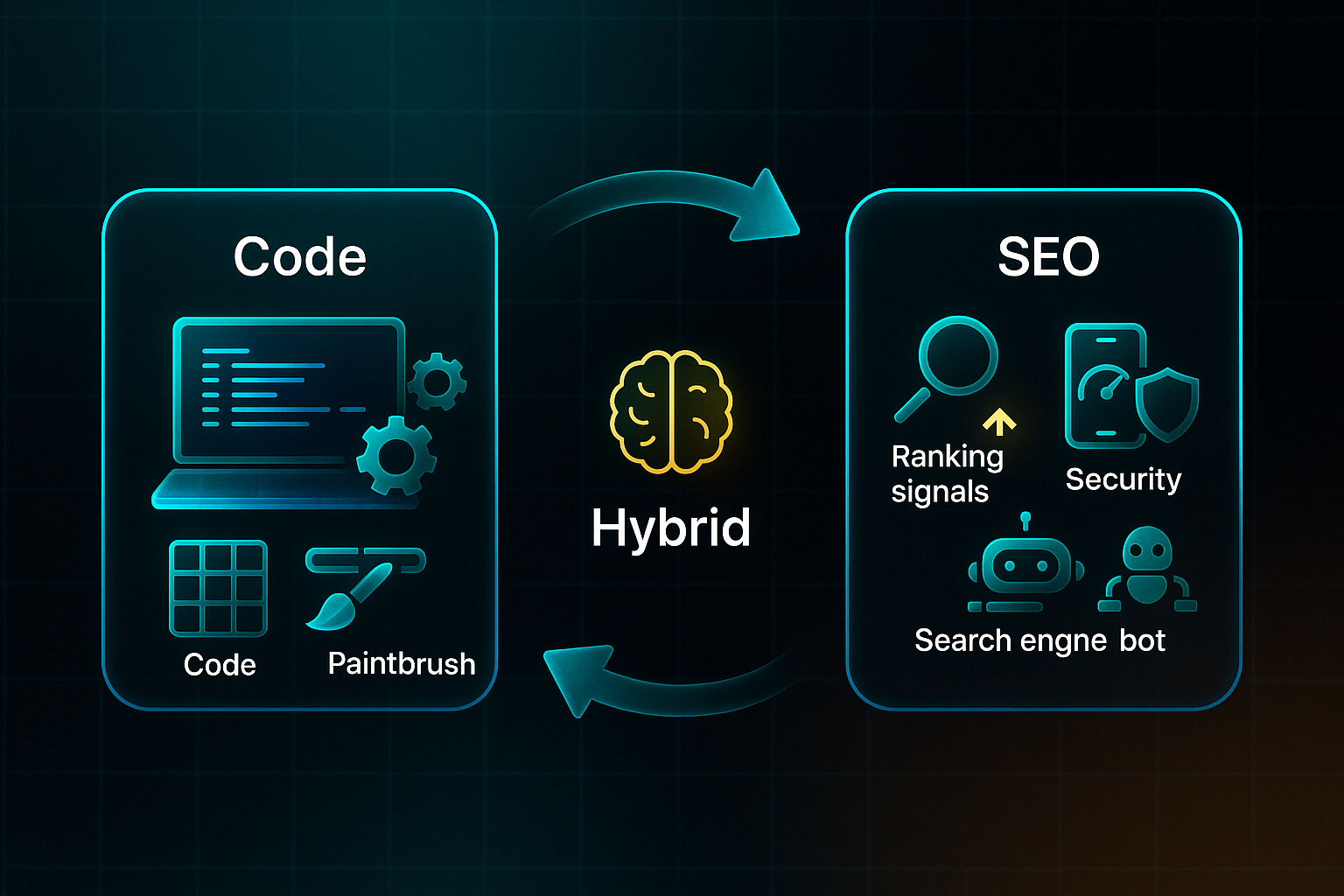
An SEO web developer brings together the worlds of web development and search engine optimisation in one intriguing package. What does this actually mean?
Rather than simply creating websites for function and aesthetics, these professionals are tasked with building sites that are both technically robust and optimised for visibility in search results.
The fascinating part is how this role has evolved. Today’s developers aren’t just coding—they’re tasked with meeting complex search engine requirements while sticking to industry best practices. Why does this matter? Because search engines still reign supreme when it comes to how people discover information online.
Without the right technical foundation, even the most compelling content can get lost in the digital shuffle. But with well-executed SEO development, websites can reach audiences organically and drive real engagement. Now, there’s pressure for every site to be fast, mobile-friendly, and easily understood—by both people and web crawlers. As search algorithms grow more sophisticated, the demand for nuanced SEO development only grows stronger.
Key SEO Concepts and Terminology for Developers
To really understand what this role entails, you need to know the language. These key terms form the backbone of SEO-focused development practice:
- Crawlability
Search bots easily accessing and navigating a website’s pages. - Indexability
How well pages are recognised and stored in search databases. - Site Architecture
Logical page organisation for better navigation and search visibility. - Core Web Vitals
Metrics measuring load speed, user interaction, and visual stability. - Semantic Markup
Descriptive HTML used to clarify meaning for bots and users. - Canonicalization
Setting preferred URLs to avoid duplicate content headaches. - Schema Markup & Structured Data
Added code that helps search engines interpret what’s on a page. - E-E-A-T
A framework for evaluating expertise, authority, trustworthiness, and real experience. - Mobile-First Indexing
The practice of ranking sites based mainly on their mobile versions.
The Role of a Web Developer in SEO: Conceptual Overview
What sets a developer’s perspective apart from a marketer’s? Marketers lead on strategy and outreach, but developers are the architects of the technical foundation. Clean code, a sensible structure, and strong performance are their priorities.
Picture the SEO Pyramid: technical infrastructure lays the base, supporting layers of content, user experience, and authority above. It’s not just a one-off task—every technical tweak, from site structure to code cleanliness, influences how search engines perceive and rank the site.
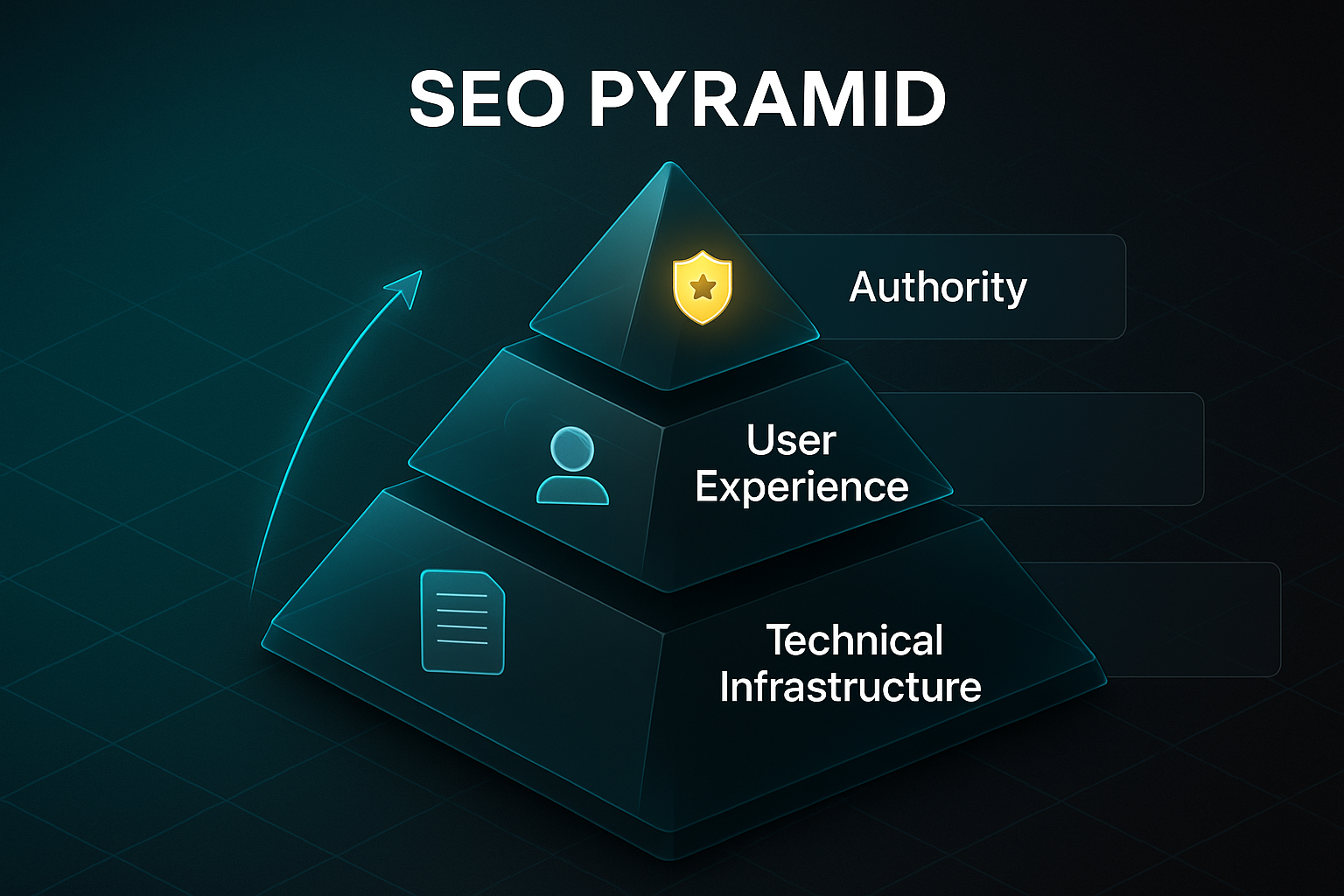
And this continuous integration of technical SEO shapes a website’s ongoing success. Setting up this groundwork is what makes the developer’s role central to boosting a site’s visibility and overall performance.
Core Technical SEO Principles for Web Developers
Framework Automation: Routing, SSR/SSG, and Accessibility
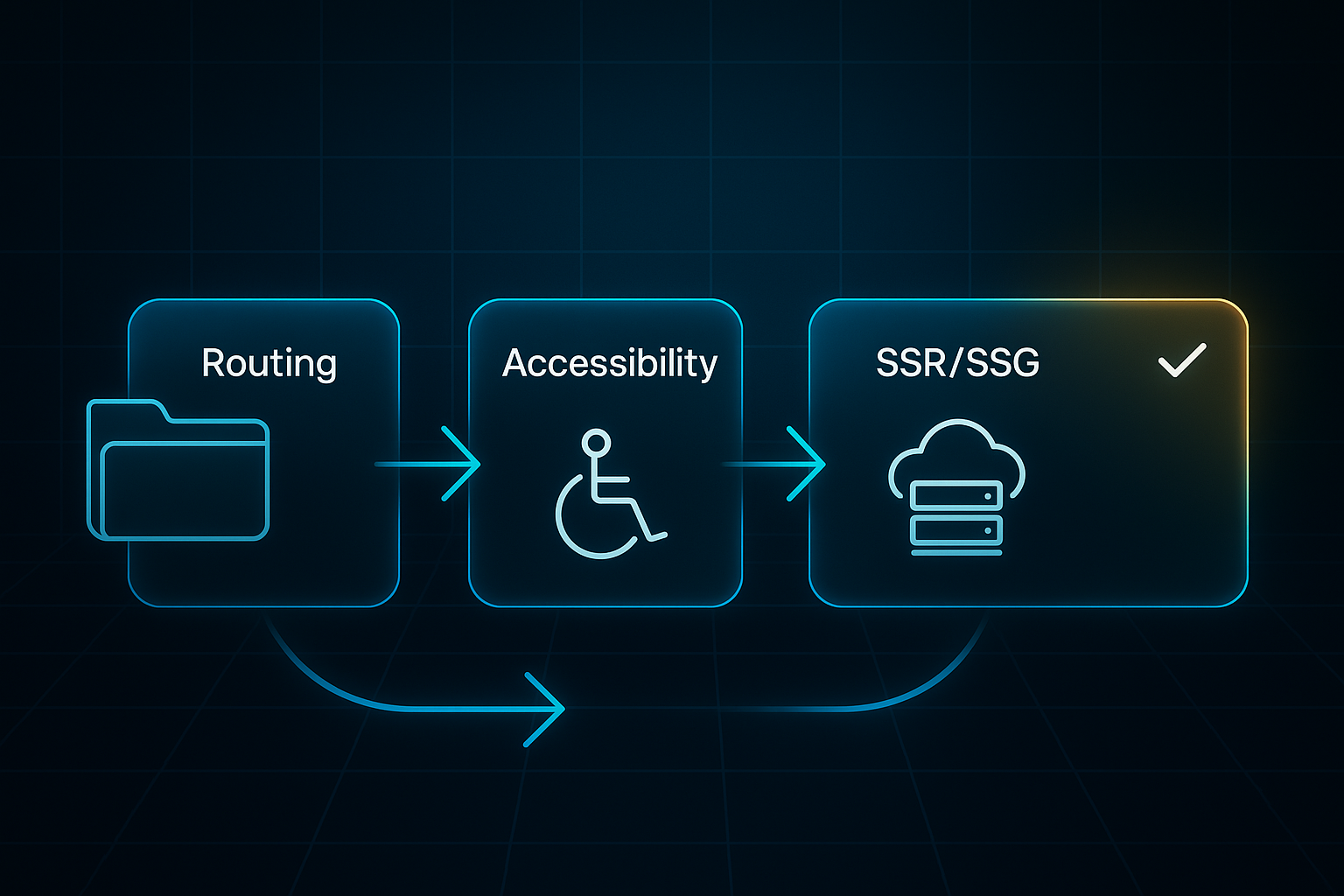
Let’s talk about where technical SEO stands for developers right now—it’s all about automation and building a solid site structure. Modern frameworks like Next.js and JAMstack make creating clean, semantic URLs almost effortless. For example, Next.js cleverly turns `pages/blog/[slug].js` into crawlable paths like `/blog/post-title`, so there’s less fuss over URLs.
Static generation (SSG) and server-side rendering (SSR) have become the norm because they churn out pre-rendered, indexable pages—that means lightning-fast load times and great crawlability.
Both SSR and SSG offer significant advantages over Client-Side Rendering (CSR) in terms of performance and SEO.
What’s impressive is how accessibility is woven into dev pipelines. Integrating aXe and Lighthouse CI means every release is checked for semantic tags and keyboard navigation, keeping usability and SEO best practices in sync.
Crawl Control: Robots.txt, Meta Robots, and DevOps Integration
Keeping bots in check is a lot easier these days thanks to automation in crawl management. Developers can dynamically whip up robots.txt and meta robots tags during CI/CD deployments. This helps block sensitive locations, like `/admin` and `/api`, while making sure actual content gets indexed.
Tools such as Next.js and Astro can automatically create these files based on your route map, so there’s far less manual tweaking. And here’s the clever bit—build scripts in DevOps pipelines keep everything up to date after each deployment. If there’s a wildcard block or a global no-index gone rogue, automated scans catch it and throw an alert before Google bots accidentally lock the whole site down.
Schema, Canonicals, Sitemaps: Automation and Health Monitoring
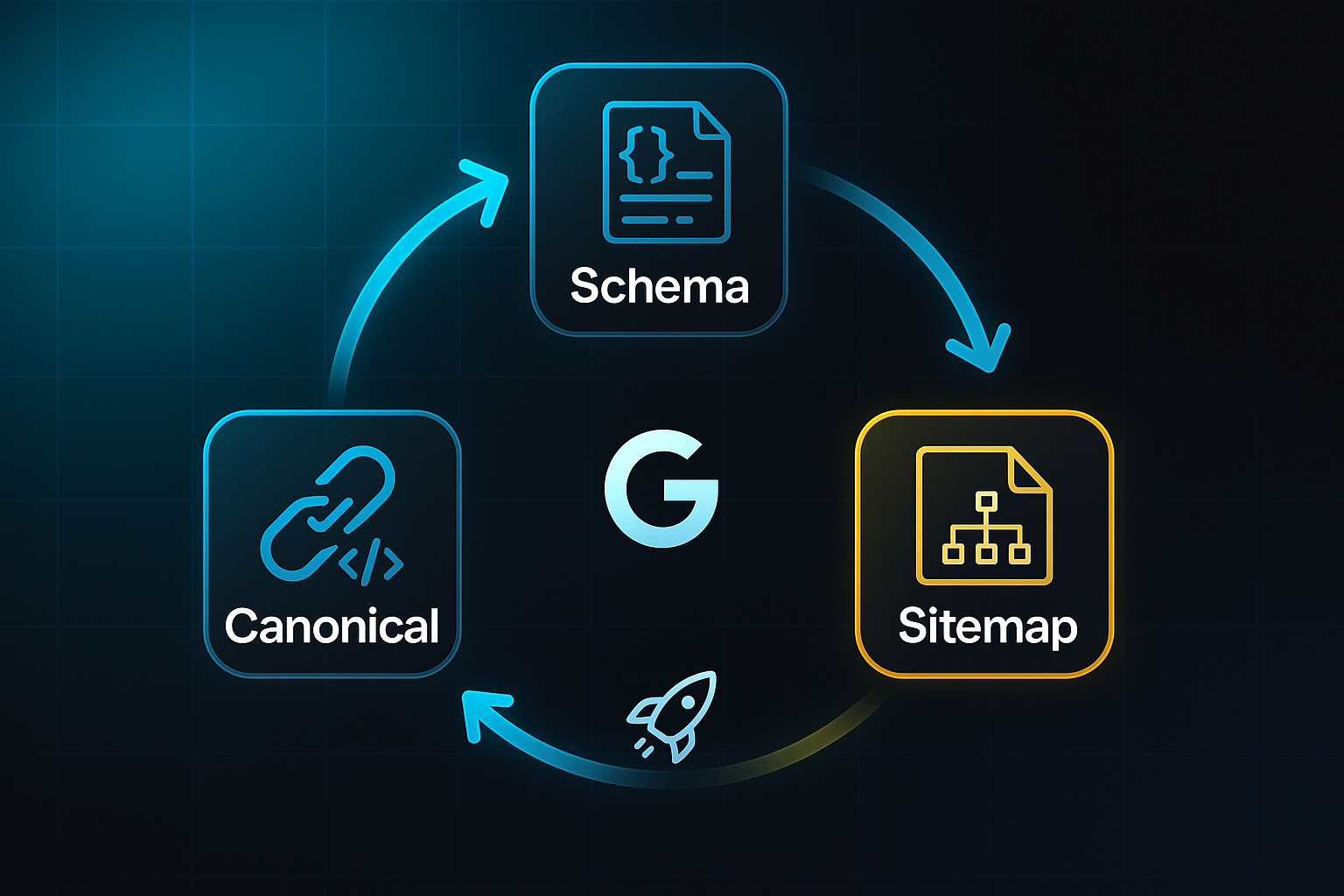
Automating structured data, canonical URLs, and sitemaps is key for technical SEO. JSON-LD schema gets injected at build using reusable page head components. Popular frameworks and CMS plugins keep structured markup fresh and accurate.
Programmatic canonical links at build-time fight off duplicate content headaches.
With XML sitemaps automatically regenerated on every deployment—then submitted direct to Google—new site updates are indexed with no delays and nothing missed.
Here’s a glance at the crucial automated practices:
- Routing & Structure
Automatic file-based routing and SSG/SSR with Next.js and JAMstack - Accessibility
Continuous audit via Lighthouse and aXe during CI/CD - Robots/Meta Robots
Dynamic file generation and alerting backed by Next.js scripts and node utilities - Schema/Sitemaps
CMS-powered schema and sitemap updates sent straight via pipeline scripts
These strategies ensure ongoing technical SEO health. If I was running an SEO developer team, automated audits would be baked into every deployment—especially checks on schema, crawl directives, and accessibility. These habits protect SEO hygiene, block accidental slip-ups, and regularly bring impressive organic traffic boosts after a technical spring clean. And that’s what sets modern web development teams apart.
A massive SEO audit was instrumental in achieving an 850% health score improvement for a major tourism website, highlighting the critical role of technical analysis in maintaining site performance.
Image and Media Optimization for SEO
Why Visual Asset Optimization Matters for SEO and Core Web Vitals
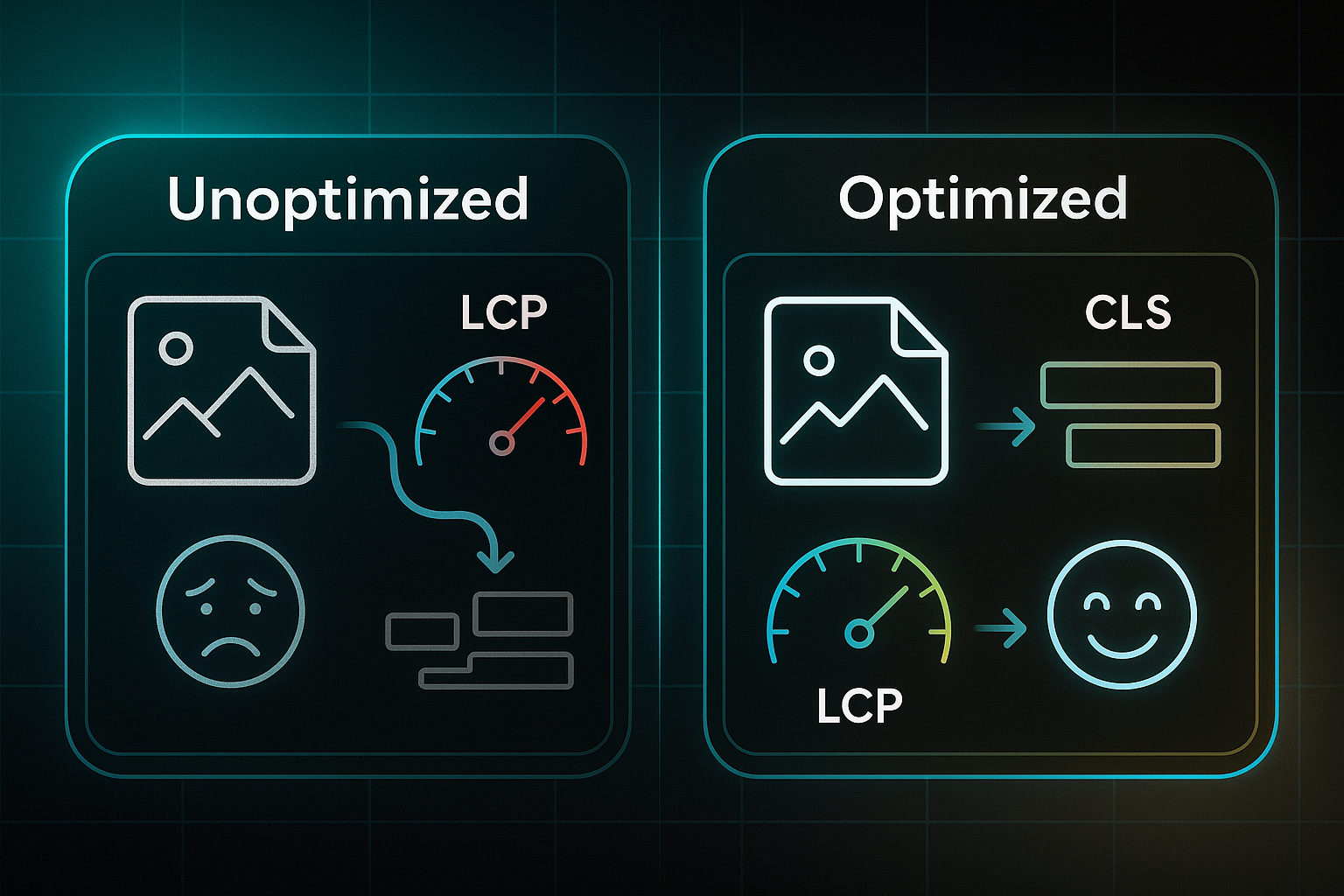
Image and media optimisation is now essential for SEO. By reducing file size, using modern formats, and delivering visuals efficiently, you boost Core Web Vitals—Google’s key performance metrics.
That’s important because unoptimised assets are a major cause of failing Largest Contentful Paint (LCP) and Cumulative Layout Shift (CLS). Slow loads and unexpected jumps frustrate users and hurt search rankings. CI/CD pipelines (automated build/deploy tools) now make it possible to enforce asset checks with each release, so sites stay fast and stable.
A case study demonstrated that optimizing for Core Web Vitals can boost organic search traffic by as much as 40%.
Tool Selection, Pricing, and Features
Every optimisation need has a dedicated tool. These leading platforms stand out for flexibility, automation, and format support:
Before you choose, consider team workflow and your delivery goals.
- Cloudinary
Basic free tier; paid from $89/month. Auto-format, CDN delivery, WebP/AVIF, API integration. - ImageKit
Free tier; paid from $19/month. Real-time CDN, smart resizing, WebP/AVIF. - Squoosh CLI
Unlimited, free. Batch conversion in CLI, JPEG/PNG to WebP/AVIF. - ImageOptim
Unlimited, free. Mac desktop app, compression, batch handling. - VanceAI
Limited free, paid from $9.99/month. AI enhancement, batch processing for product images.
Cloudinary and ImageKit work best for CDN automation. For quick local processing, Squoosh CLI or ImageOptim shine. Product visuals benefit from VanceAI’s AI pipeline.
Automated Optimisation and Validation Workflow
Here’s how most teams keep assets optimised:
- Compress & Convert
Batch JPEG/PNG images to WebP/AVIF for minimal size. - Deploy via CDN
Upload images to Cloudinary or ImageKit for responsive delivery. - Add Explicit Markup
Specify width, height, aspect-ratio; use srcset and sizes for devices. - Validate Post-Deploy
Run Lighthouse or PageSpeed audits and set up asset alerts.
Case Study: Measurable Impact
A retailer switched 500 KB JPEGs to 120 KB WebP and LCP dropped from 4.2s to 1.8s; conversions jumped 40% in a month. A publisher’s AVIF downsizing cut images to 150 KB, dropped CLS below 0.1, and bounce rates fell by 25%. These steps consistently deliver faster load times and more stable sites.
Improving Page Speed and Core Web Vitals
Integrating Page Speed Measurement in Developer Workflows
Core Web Vitals—think Largest Contentful Paint (LCP), Interaction to Next Paint (INP), and Cumulative Layout Shift (CLS)—are firmly in the spotlight as Google’s key ranking factors for 2025. If your scores slip, you’re looking at reduced visibility and conversions that never quite reach their potential.
To maintain a competitive edge, developers are turning to automation as a reliable solution. By embedding automated audits straight into their CI/CD (Continuous Integration/Continuous Deployment) pipelines, they keep performance front and centre for every new release.
Automation allows the performance checking process to scale and remain efficient. Tools like Lighthouse CLI (lighthouse https://example.com --output=json --output-path=report.json) are set up to kick off regular reports, collecting LCP, INP, and CLS numbers for every build.
Once those metrics are collected, scripts extract and share the numbers, giving teams immediate feedback on the most important performance signals. To get a comprehensive view, PageSpeed Insights API can be integrated into build scripts—combining both lab and real-world data.
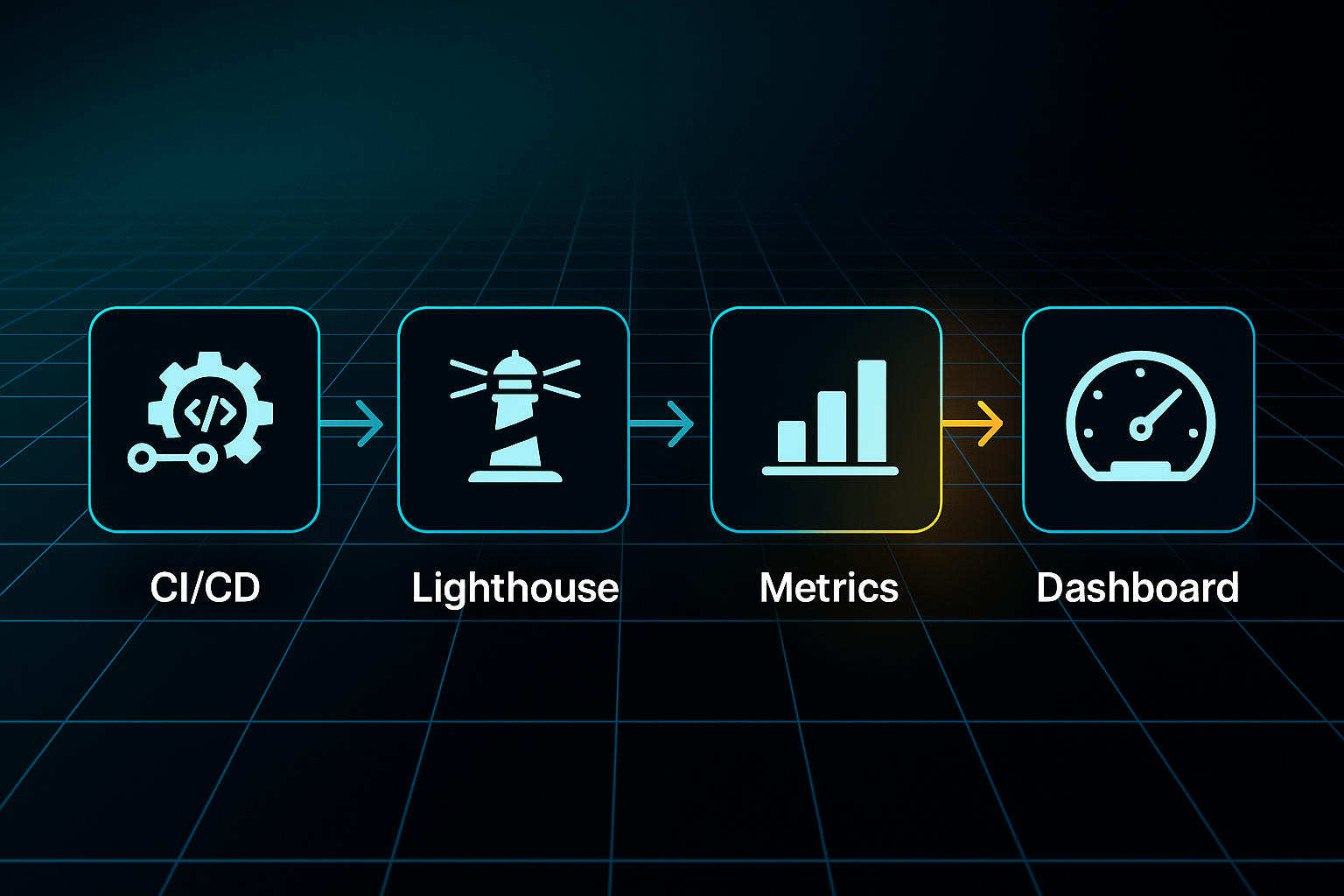
Thanks to these automated checks, developers can enforce performance standards with confidence. Assertive Lighthouse CI configuration files set strict pass/fail marks—like LCP under 2,500 ms, INP under 200 ms, and CLS under 0.1.
If any number creeps past these boundaries, the deployment gets blocked right away—stopping issues before they reach production.
Major teams like Shopify and Zapier use Jenkins or GitHub Actions alongside npx @lhci/cli autorun --config=./lighthouserc.json, making these checks an integral part of the developer workflow.
When an automated test fails, Slack or email alerts are triggered, so teams can immediately jump in to debug and resolve any performance concern.
But the process doesn't end with synthetic testing. To catch issues that might slip by lab audits, teams also monitor real user performance using RUM (Real User Monitoring) tools such as Google Analytics or SEOSwarm.
In advanced DevOps setups—Shopify’s pipeline in 2025 is a leading example—failing pull requests are tagged automatically, and persistent performance problems may even trigger rollbacks until standards return to expected levels.
A common pitfall for teams is relying on outdated metrics. Google has replaced First Input Delay (FID) with Interaction to Next Paint (INP) for all checks.
It’s important to update performance pipelines accordingly, ensuring your automated monitoring uses current metrics. This approach keeps your site competitive as search standards and ranking factors evolve.
Mobile-First, Accessibility, and Semantic HTML Best Practices
Actionable Routines for Mobile-First, Accessible SEO in 2025
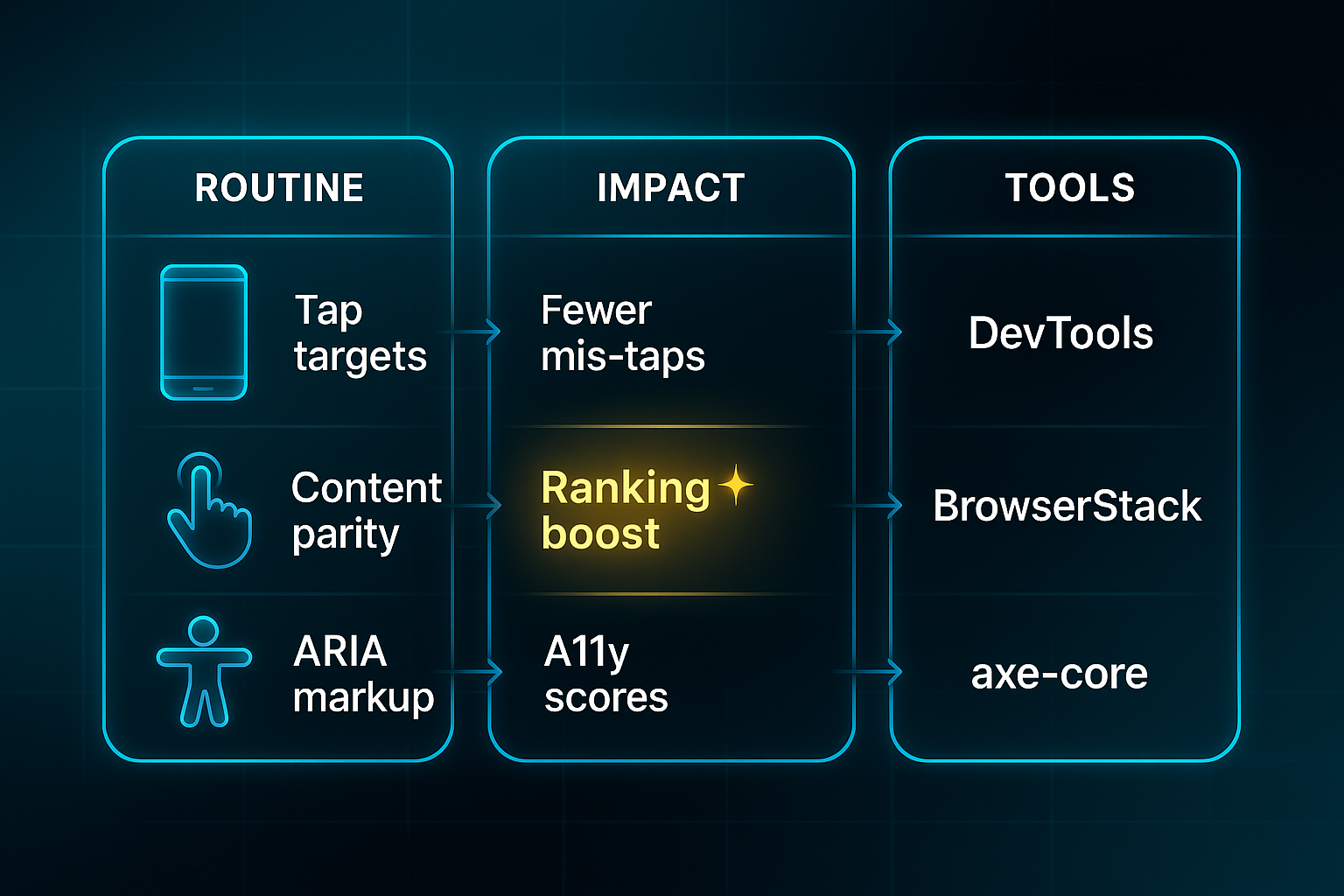
Let’s jump right in: if you’re not optimising for mobile-first indexing (Google ranking sites by mobile experience) in 2025, your visibility—and ranking—will suffer. Matching content and metadata between mobile and desktop versions is absolutely essential, while fluid layouts built with CSS grid and new viewport units like `dvh` and `svh` now set the standard for adaptability.
Testing’s never been easier either—BrowserStack (a live device cloud) and DevTools (built-in browser test tools) let you run audits in real time, across edge devices and the latest OS versions. Want a quick tip? Tap zones should always be at least 48x48px. When Google Search Console (your site health dashboard) flags issues such as “Clickable elements too close together” or LCP (Largest Contentful Paint) failures, it’s time for rapid fixes.
Accessible Markup and ARIA Patterns for Modern Sites
Accessibility—often called a11y (supporting all abilities)—relies on harnessing semantic HTML: structured, meaningful code. Stay orderly with one `h1` per page, use correct elements (`nav`, `main`), and always add descriptive image alt text. Throw in ARIA attributes like `role="navigation"`, `aria-label`, and `aria-live` for dynamic SPA content (Single Page Applications using JavaScript), and you’re set up for high accessibility scores.
Use Lighthouse and axe-core for automated audits, but don’t forget manual checks with screen readers—NVDA, VoiceOver. Every error flagged for missing roles or headings, or poor focus management in modals, deserves immediate attention.
Common Failure Types: Quick Reference
Routine accessibility and mobile issues can pop up on developer audits. Here’s what needs fixing right away:
- Tap Target Problems
Oversized or overlapping tap zones; adjust to 48x48px minimum. - Content Parity Gaps
Mobile/desktop navigation, metadata, and content must be identical. - ARIA/Semantic Gaps
Check for missing roles or headings; retest accessibility after markup fixes. - Viewport Tag Errors
Misconfigured or missing `viewport` tag; update it to prevent rendering headaches.
When these errors are addressed, teams in 2025 are seeing bounce rates drop 25–32% and LCP improve by 30%. The real bonus? 85% of audited sites boost their rankings and accessibility. Sticking to these actionable routines truly pays off in both user satisfaction and technical SEO health.
Ensuring Crawlability, Indexability, and Monitoring
Robots.txt and Sitemap Validation Best Practices
Let’s talk about crawlability and indexability—the cornerstones of technical SEO. Simply put, crawlability is when search engines can access your site, and indexability is when your pages actually make it into the search index. Miss the mark on either and your content could vanish without a trace.
Teams often fall into common traps. Accidentally blocking critical CSS or JavaScript files, or an entire section such as /products/, can seriously disrupt search rankings. Forget to swap out that Disallow: /blog/ leftover from your staging setup, and you might keep valuable pages hidden from the public. There’s also a major update for 2025: Google ignores deprecated directives like Noindex: and Crawl-delay:. And when it comes to sitemaps, outdated URLs or XML misformatting can quickly undermine your SEO groundwork.
The good news? Smart validation tools catch most misfires before they do lasting damage:
- Google Search Console robots.txt Tester
Quickly checks blocks and syntax, letting you debug mistakes before deployment. - Screaming Frog SEO Spider
Goes deep to spot crawl and block errors; Pro licence at £149/year. - Automation Scripts
node-sitemap-validator and bash scripts run checks every deployment.
As a rule, validate your robots.txt and sitemap before moving out of staging. Embedding these checks into your pipeline creates a strong safety net against accidental deindexing or missing files.
Blog-in-one-minute
Add a fully SEO-optimised blog to your website with just 2 lines of code.
Learn more
Monitoring Tools, Alerts, and Incident Response
Setup alone won’t keep your site visible—ongoing monitoring really is the secret to stable performance. Tools like ContentKing ($139/month) and Sitechecker (from $41/month) provide real-time alerts if crawl or indexability issues emerge. Plugging these notifications into Slack, Jira, or email ensures your team can react quickly.
When something does trip an alert, you want a well-rehearsed plan: investigate the issue, fix the source, and confirm the solution in Google Search Console and Screaming Frog. Don’t forget to record every resolution—each incident is a learning opportunity.
By combining regular audits, automation, and real-time alerts, you’ll protect your site’s visibility as search standards evolve. Staying vigilant means your hard-won search traffic stays front and centre.
Structured Data, EEAT, and Rich Results for Developers
Let’s get straight to the point: automated schema markup is now absolutely critical for technical SEO as a web developer in 2025. JSON-LD (JavaScript Object Notation for Linked Data) is still the industry standard, and most teams inject it using Server-Side Rendering frameworks like Next.js (with dangerouslySetInnerHTML), or plug it in at build-time with tools for Gatsby and Astro—think gatsby-plugin-schema-snapshot or Astro Schema.
And for those running more complex setups, headless CMSs such as Contentful (from £39/month) and Strapi (from $99/month) deliver API-driven schema mapping, keeping things scalable.
Schema generation is scheduled nightly or each time you deploy—usually every 24 hours—shooting for over 95% template coverage while keeping JSON-LD light at under 50KB per page.
What about making sure it all works? Developers turn to tools like Schema.org Validator and @google/rich-results-test-cli (both free), plus dashboards such as ContentKing (£139/month) for error tracking.
These tools form an integrated pipeline: validators catch issues early, CI/CD blocks faulty deploys, and dashboards ensure prompt fixes.
With smart CI/CD pipelines, deploys get blocked if validation fails or schema errors pass 1%. Thanks to dashboard alerts, you can squash most errors in 18 hours—way faster than the old 3–5 day manual grind.
The workflow boils down to this: audit what schema types you need (1–3 days), map your CMS, inject and validate JSON-LD every build, set up monitoring, and automate nightly refresh with error alerting.
Common headaches—missing datePublished, unknown types, mismatched locale—are now fixed in 10–60 minutes with dashboard guidance.
So, what’s the payoff for all this automation? Automated EEAT markup (Experience, Expertise, Authority, Trustworthiness) for Person and Organisation schema brings game-changing results: one SaaS portfolio slashed errors by 93% in just seven days (from 820 to 54), and doubled their snippet visibility in three weeks.
Benchmarks show these best practices can grow rich snippet eligibility by 25% and kick citation rates up by 188% over a year.
In a controlled SEO split-test, adding Article schema markup to pages on a large publication website resulted in a statistically significant +5% uplift in organic traffic.
Next, we’ll take a closer look at how internal linking strategies and crawl depth impact SEO for modern sites.
Front-end and JavaScript SEO Strategies: Hands-On Fixes, Debugging, and Automation for 2025 Developer Challenges
In 2025, getting JavaScript SEO right means deploying smart server-side rendering (SSR) in Next.js and Nuxt 3. SSR produces search-ready HTML, with tools like `getServerSideProps` and `useSeoMeta` setting crucial meta and canonical tags automatically. Leading teams—Shopify and Zapier—hit LCP under 1.8 seconds by streaming SSR output and using automated CI/CD checks.
Verification is central to every build. Audit output with curl, Screaming Frog SEO Spider (Pro, £149/year), and Lighthouse CI to ensure bots and users get complete content. Hydration, the step that makes SSR HTML interactive, is prone to errors—React developers use `useEffect` or SSR options, Nuxt pros rely on `onMounted` and `
With automation via GitHub Actions or Jenkins, builds with slow LCP, missing tags, or hydration bugs are blocked immediately.
Rapid alerts in Slack or Jira reduce bug-fix times by 80%, keeping LCP/INP optimised across all routes.
These four SEO issues disrupt JavaScript sites most often. Every problem here links directly to search traffic and rankings, and each is best solved with the proactive, automated audits discussed above:
- Hydration mismatch
React/Nuxt. Push browser code into `useEffect` or ``, and maintain strict SSR for consistently indexable output. - Missing meta/canonical tags
Next.js/Nuxt/SPAs. Configure all tags server-side for each route, and validate with Lighthouse or Cheerio before deployment. - Slow LCP or bloated JS
Any framework. Separate JavaScript bundles, stream SSR for heavy pages, and reduce bundle size before going live. - Blocked assets/crawl fail
With each release, verify robots.txt allows key pages, check CORS settings for JS/CSS/images, and use Screaming Frog JS mode to audit every critical resource for crawlability.
Here’s my experience: neglecting these fixes, even briefly, always leads to losses in organic search and invisible pages. Building automated audits right into the CI/CD pipeline is the true safeguard. Catching and correcting these errors before launch preserves site reliability, keeps KPIs strong, and guarantees robust SEO for modern, JavaScript-heavy projects.
Choosing SEO Tools and Platforms for Developers: Scenario-Driven Selection and Automation Guidance (2025 Edition)
2025 SEO Tools: Pricing, Setup, and Key Upgrade Triggers
Picking the right SEO tools as a developer isn’t just about what’s trendy—it’s about finding that sweet spot between pricing, ease of use, and the one brilliant feature your workflow can’t live without.
Let’s break it down: you want setup to be quick, features centred around your actual needs, and a clear threshold that tells you when it’s time to go pro or automate. While the original table referred to in this text is not present, the following summary provides the basics for comparison at a glance.
Looking at these leading choices, each tool fits a specific scenario—whether you’re crawling big sites, automating technical checks, or streamlining image optimisation.
- Screaming Frog
Start for free if expecting high crawl volumes (500 URLs or more). Upgrade only when scaling or API hooks become essential to unlock unlimited crawl power and advanced technical checks. - Lighthouse
Use for live CI/CD audits on SPAs or Next.js builds and Core Web Vitals monitoring at no cost. Paid API is only needed if reporting volume explodes or automation across multiple build pipelines is necessary. - Ahrefs API
Best for running multi-domain or competitive campaigns and automating link and rank audits at scale. Do not commit until recurring audits or heavy data flows are required. - TinyPNG
Utilise free tier for up to 500 assets a month. Upgrade only if batch optimisation becomes a regular feature of your workflow. - Rank Math Pro (WordPress SEO)
Makes sense for agencies or anyone managing advanced schema. The free version easily handles most single-site needs. - SEOSwarm
If offered with limited public details, insist on trial access and clear support. When in doubt, choose trusted platforms.
The moral here? Upgrade only when your workflow demands it—that way, you’ll keep costs in check, maintain focus, and automate SEO with minimal fuss.
Developer SEO Workflows, Audit Templates, and Outcome-Driven Validation Checklists
Automated CI/CD SEO Audit Safeguards
Developer teams now build automated SEO audits directly into their CI/CD pipelines to catch mistakes early.
Lighthouse CI, used with GitHub Actions or GitLab CI, blocks releases if the SEO score falls under 0.9 or crucial tags—canonical, meta, schema—are missing.
SEOSwarm CLI flags "status: fail" audits and creates error tickets, while Node Sitemap Validator prevents launches with invalid sitemaps.
The result? Manual review hours drop by 50% and teams see 80% fewer SEO errors after going live.
Playwright scripts check title, meta, canonical, and JSON-LD accuracy before merges.
It’s straightforward: run `node audit.js https://site.com`, log issues, and block pull requests until they’re resolved.
Jira and Slack integration means problems get to the right team fast, boosting accountability.
Pre-Launch, Post-Launch, and Continuous QA
Comprehensive checklists are essential for catching problems before rollout and maintaining long-term search visibility.
Skipping checks can lead to lost traffic or stubborn ranking drops. Even missing one step might exclude pages from search or leave technical errors unfixed for months.
A solid launch checklist covers:
- SSL Enforcement
Ensures secure connections throughout. - Robots.txt & Sitemap
Validated with Screaming Frog (£149/year) and Google robots.txt Tester. - Lighthouse CLI Checks
Alerts for LCP above 2.5s, INP above 200ms, or CLS over 0.1. - Schema Audit
Playwright and SEOSwarm scripts verify markup. - Google Search Console Monitoring
Tracks site health in real time.
Weekly audits and RACI handovers help teams fix issues quickly and log fixes for future launches.
SEO Audit Failure Postmortem Templates
If a launch hits a snag, postmortem templates record the failure time, tool involved, missed checklist step, error cause, responsible team, fixes made, workflow tweaks, and results.
A Next.js deployment blocked by a missing canonical tag calls for immediate fix, updated scripts, and new manual checks.
Headless and multi-site teams especially depend on this system to stamp out repeat errors and keep launches on target.
Common Developer SEO Pitfalls and Troubleshooting
Production SEO Errors: Fast Detection and Real-World Fixes
Production SEO headaches are more common than you might think—and they can cause real damage if left unchecked. The most disruptive issues? Blocked assets, broken links, and layout instability leading to poor user experience.
It’s surprisingly easy for crawlability to fail due to a misconfigured robots.txt file or a rogue meta “noindex” slapped on CSS, JavaScript, or images. Hydration mismatches (think JavaScript-heavy sites) and slow or unstable page elements can trip up search engines and tank your rankings.
Here’s how developer teams get proactive today. They set specific, performance-focused KPIs: keep crawl errors below 1%, maintain CLS under 0.1, LCP under 2.5 seconds, and make sure no live page hits a 404 or shows duplicate content.
Screaming Frog (Pro licence, £149/year) runs weekly crawls to spot blocked resources and broken links.
SEOSwarm steps up with daily automated audits, blocking any deployment if duplicate or indexability issues pop up.

AI-Powered
SEO Content Strategy
See the AI platform that's replacing entire content teams
(with better results).

Centralised logs in Notion help teams track fixes, and most report cutting crawl errors by 80%, duplicates by 90% in two months.
For Core Web Vitals, Lighthouse CI flags failures. Deployments get blocked until scores improve, leading to a 40% jump in LCP and 60% cut in CLS over eight weeks.
Tool like DebugBear (£49/month) monitor live server performance and can even help reverse a 30% organic traffic drop if problems are spotted fast.
What’s new for 2025 is the rise of automated anomaly alerts, live KPI dashboards, and AI-powered regressors that predict trouble before it hits.
Teams like Xponent21 have already prevented a 20% traffic slide thanks to these systems.
All in, this relentless, data-driven troubleshooting means faster recoveries and solid growth—even as competition heats up.
Mini-Case Studies: Real-World Technical SEO Outcomes—Developer Workflows and Actionable Insights
Let’s look at how developer-driven SEO workflows are powering significant results in 2025.
Shopify’s teams tackled Hydrogen SSR (Server-Side Rendering) migrations using Hydrogen CLI and Oxygen edge hosting, included in Shopify plans from $32/month. Their process spanned about six weeks and covered mapping 301 redirects and structuring URLs, while streaming SSR through the Cloudflare CDN.
The impact? LCP improved from 3.8s to 1.9s, deployment cycles sped up, and instant rollbacks became possible during global launches.
Over at Zapier, the SaaS platform’s team automated CI/CD (Continuous Integration/Continuous Deployment) SEO audits using Screaming Frog (Pro licence, £149/year) and in-house scripts. Releases were blocked if Core Web Vitals drifted past set limits—such as LCP above 2.5s, INP over 200ms, or CLS above 0.1—or post-launch error rates climbed over 2%.
Their bug-fix cycle shortened dramatically, from 24 hours to just 2, with error tickets sent via Jira, paid from £4.35/user/month. Automated dashboard validation each week nearly eliminated manual QA tasks.
Coursera’s EdTech team paired Squoosh (free) and Cloudinary (from $89/month) to automate responsive srcset markup and compress image assets from 400KB to 160KB.
This led to a bounce rate reduction of 18% and a 15% boost in mobile conversion. Daily asset QA and LCP checks ensured reliable technical SEO wins.
What do these examples show? SSR migrations, CI/CD audit automation, and robust asset workflows can deliver measurable gains in speed, reliability, and conversion for modern technical SEO.
Choosing SEO Tools and Platforms for Developers: Advanced Feature, Workflow, and Risk Assessment
Picking the right SEO tool in 2025? It really does come down to how your team works and the tech stack you’re plugged into. To help you weigh up your options, here’s a table that breaks down the key developer tools for technical audits, automation, and running multi-site SEO projects.
| Tool Name | Pricing | Integration | Best Fit | Limitation | Risk/Compliance |
|---|---|---|---|---|---|
| Screaming Frog | £149/year | CLI/manual | Technical audits | Desktop only | No built-in security |
| Lighthouse | Free | CLI/CI/CD | CI audits | Lab data only | Test env. only |
| Ahrefs API | $99+/month | REST API | Link/rank tracking | No tech SEO | API key sensitivity |
| TinyPNG | Free/paid | API/CI | Image optimisation | Asset only | Minimal risk |
| Rank Math Pro | ~$69/year | WP plugin | WordPress SEO | WP only | Plugin security |
| SEOSwarm | £63–£140/month | API/SDK | JAMstack automation | Limited custom | Needs compliance |
Looking at those choices, Screaming Frog and Lighthouse are the ones to grab for detailed technical auditing or seamless CI/CD integration. If you’re running an agency or dealing with lots of static sites, SEOSwarm—our solution—makes automated SEO across multiple sites simple, especially in JAMstack environments.
For sensitive projects, though, always double-check your compliance requirements before plugging in any new platform.
My Final Thoughts as an SEO Web Developer
Technical SEO isn’t just a checklist—it’s a living system that demands constant attention and smart automation. I’ve seen firsthand how even small oversights in crawlability, image optimisation, or Core Web Vitals can quietly erode a site’s visibility and user trust.
Here’s my advice: bake automated audits into your CI/CD pipeline, validate robots.txt and sitemaps before every launch, and use real-time alerts to catch issues before they hit production. Prioritise mobile-first layouts, semantic markup, and structured data, then monitor performance with tools that fit your workflow and budget.
SEO for developers is never "set and forget"—it’s about building habits that evolve with every deployment. The best technical SEO isn’t invisible; it’s the foundation that keeps your site discoverable, fast, and ready for whatever search throws at you next.
- Wil