


SEO can feel overwhelming, especially when you’re not sure which tasks actually move the needle for your website’s performance.
From my experience, most site owners waste time on activities that don’t impact organic search visibility or rankings. It’s easy to get sidetracked by cosmetic tweaks or paid campaigns that don’t deliver lasting results.
In this article, I’ll break down the essential SEO tasks that truly matter—covering technical, on-page, and off-page actions. You’ll get step-by-step guidance, tool recommendations, and benchmarks so you can prioritise what works and measure real progress.
Whether you’re managing a small blog or a large business site, you’ll learn how to schedule, execute, and automate SEO tasks for compounding gains. By focusing on proven strategies, you’ll build a stronger foundation for long-term search growth.
What are SEO Tasks?
Defining SEO Tasks
Let’s get clear on what SEO tasks actually are. At their heart, these tasks are intentional actions aimed at improving a website’s organic search results.
This means every SEO task is focused on enhancing technical health, content relevance, or site authority—all crucial for search engines like Google and Bing to crawl, index, and rank site pages.
Some digital activities can look like SEO, but only the work that directly impacts organic search visibility or ranking really counts.
If it doesn’t influence organic search—like paid ads, cosmetic visual tweaks, or unrelated social campaigns—it isn’t an SEO task.
Why SEO Tasks Matter
But does this distinction actually matter? Absolutely. Organic search brings in around 53% of website visits globally as of 2024.
A strategic content and SEO implementation can lead to significant growth, as demonstrated by a case study where a 75% increase in organic traffic to a blog also resulted in a 10% increase in revenue from that same channel.
Prioritising the right SEO tasks doesn’t just bump up rankings—they also improve the user’s experience, build trust, and offer real value over time.
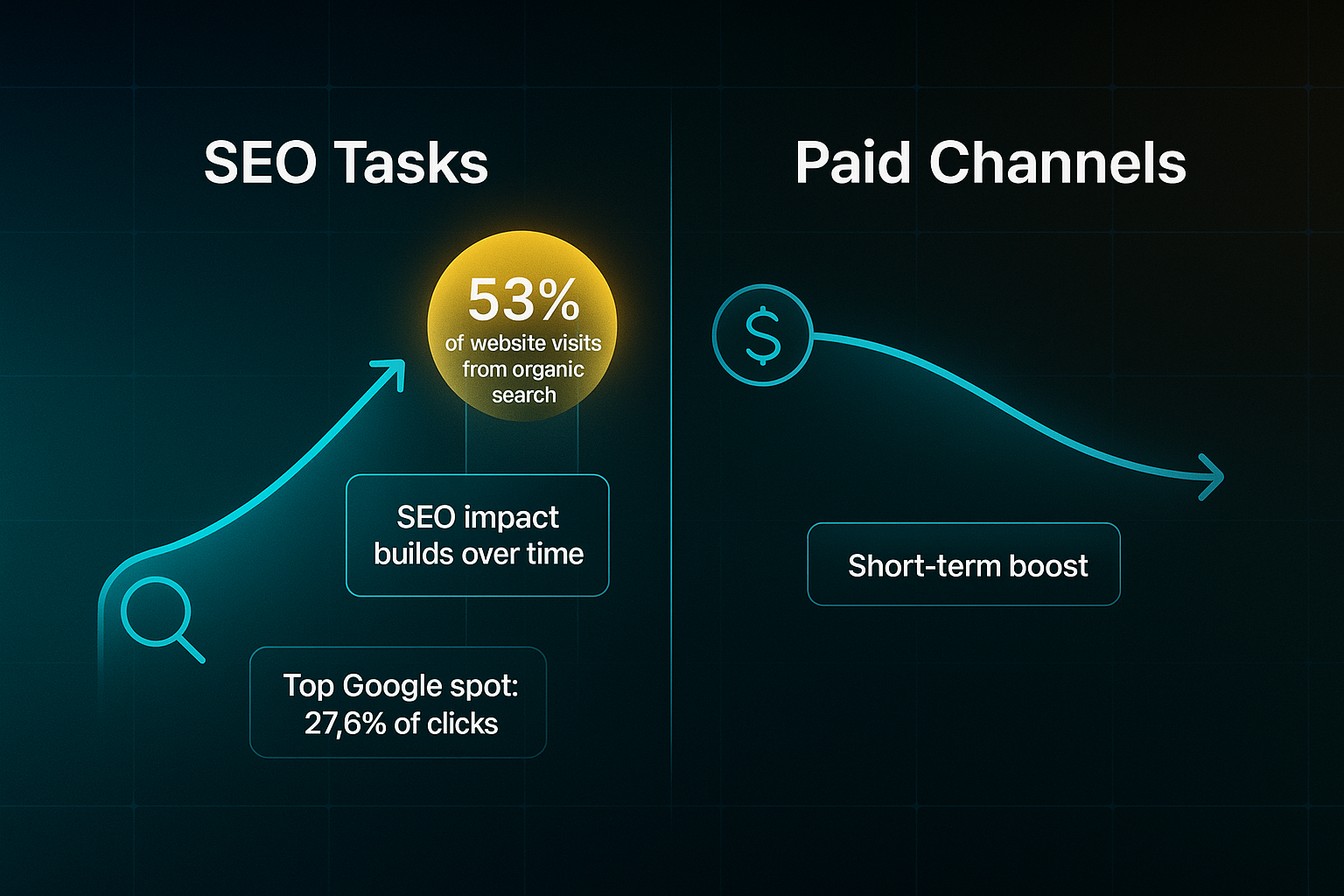
Here’s something striking: landing the top Google spot means up to 27.6% of clicks right out of the gate. That’s a huge advantage.
Unlike paid channels, the impact of SEO stacks up, building long-lasting momentum rather than just quick wins.
Core Components: The Three Pillars of SEO Tasks
To make things easier, SEO tasks usually fall into three core categories. Here’s a snapshot of each:
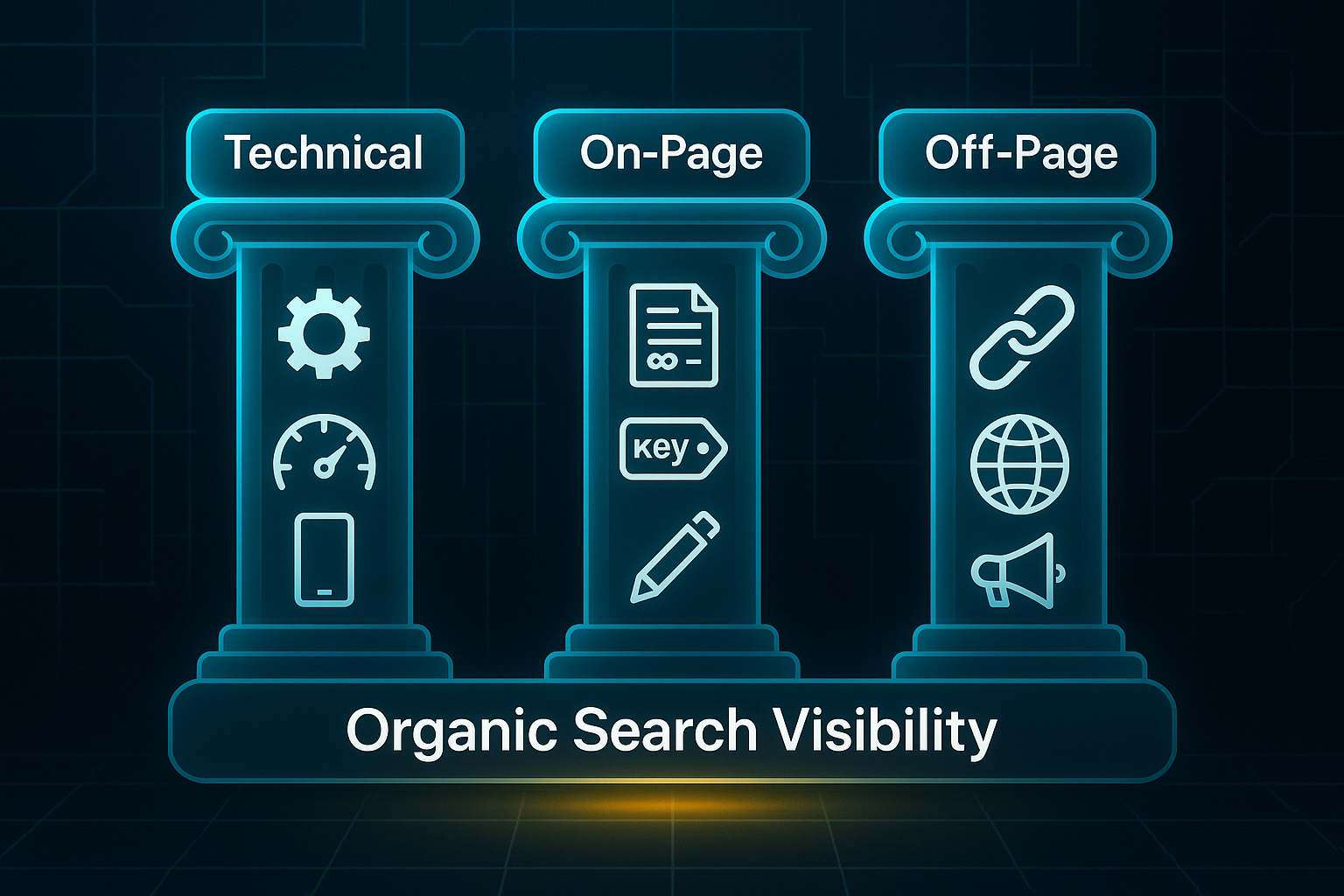
- Technical SEO
Optimises infrastructure like speed, mobile experience, and structured data so pages are crawlable and indexed properly. - On-Page SEO
Refines content and HTML—keywords, headers, meta tags—to signal the page’s relevance for each target query. - Off-Page SEO
Boosts authority through backlinks and mentions, showing that your site is trusted by others.
Who Handles SEO Tasks?
Who actually takes on these tasks? Sometimes it’s the website owner, sometimes a team, an agency, or a platform.
Platforms like SEOSwarm automate many technical and high-volume SEO tasks, letting skilled professionals focus on strategy and creativity.
Understanding who tackles these tasks is important because the boundaries of effective SEO work impact who is responsible and how resources are allocated. Knowing this sets context for what is or isn't covered under SEO best practices.
What’s Not Included: Examples of Non-SEO Tasks
So, which activities are not considered SEO? Things like PPC advertising, changes to site visuals with no SEO value, or running social contests unrelated to search simply don’t make the cut.
Being clear on what doesn’t count allows you to focus your optimisation efforts where they matter most.
Understanding the Performance-First Approach
Only tasks creating a measurable, search-based impact really count here. That’s the foundation for understanding the structured, results-driven nature of real SEO work.
The upcoming sections will build on these core pillars and distinctions, guiding you through the journey of focused optimisation.
Breaking Down SEO Tasks: Technical, On-Page, and Off-Page—How to Take Clear, Prioritised Action
If you want real SEO results in 2025, it’s all about focusing on the highest-impact tasks—and knowing exactly what to do.
These next steps break down each pillar (technical, on-page, off-page), explain the main tools you’ll need, and show you how to measure actual, evidence-backed progress.
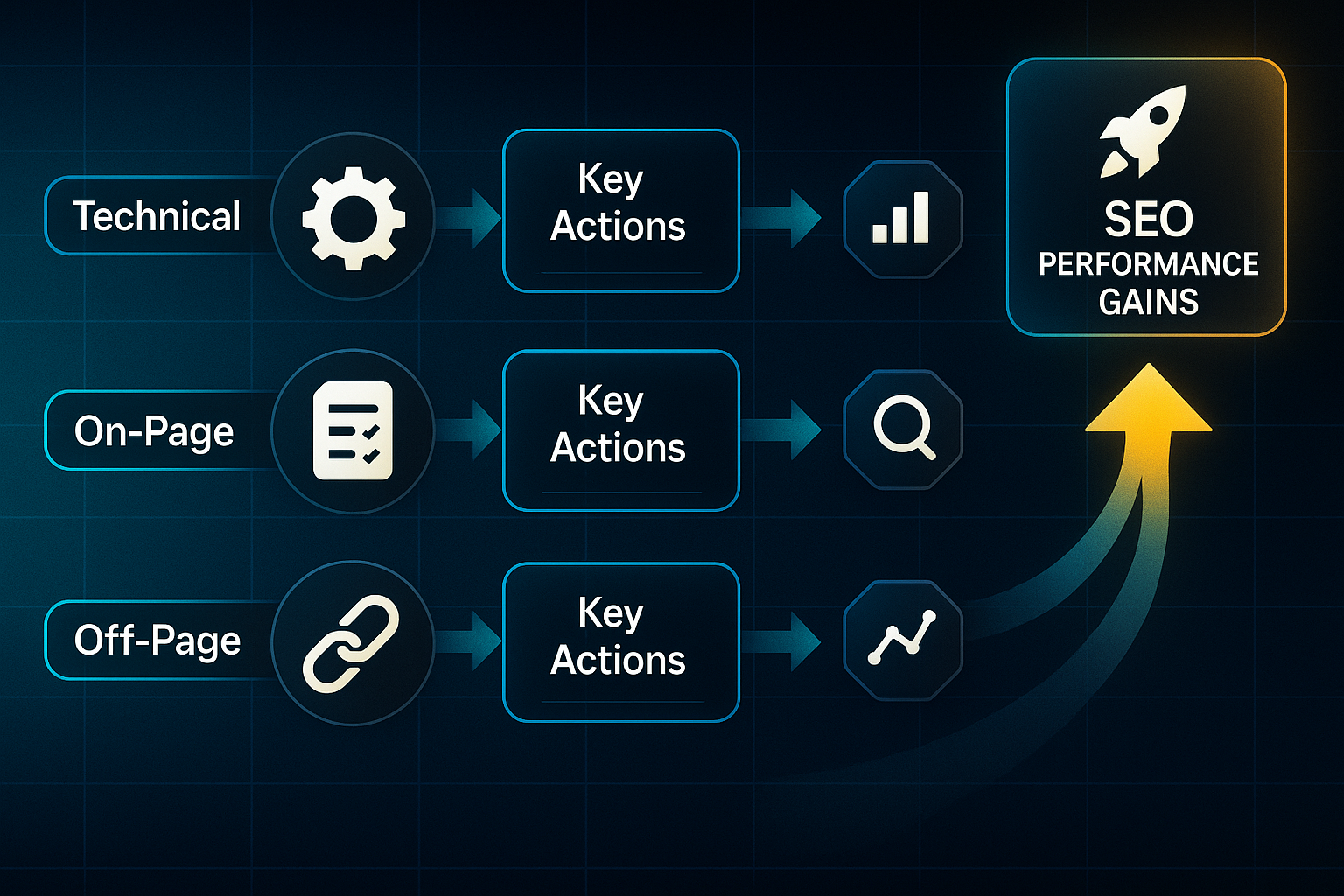
Technical SEO: Site Health, Speed, and Indexing
A fast, crawlable site sets the stage for everything else.
Before you begin, make sure you have CMS/admin access, a Google Search Console (GSC) account, and Screaming Frog (free for up to 500 URLs, £149/year for more).
Each step below includes what to check, how to fix it, and the exact benchmarks you should aim for.
To improve site speed and user signals, key steps include:
- Test your priority URLs in Google PageSpeed Insights
Record LCP (Largest Contentful Paint), CLS (Cumulative Layout Shift), and INP (Interaction to Next Paint). - Optimise images
Try TinyPNG or WebP, enable CMS caching, and remove slow scripts or plugins. - Re-test
You want LCP below 2.5s and CLS under 0.1. Example: After compressing images and enabling caching, it’s common to drop LCP from 3.8s to 1.5s and see a PageSpeed score jump from 46 to 87. - If you’re still slow
Turn off any unused plugins or ask your host about server limitations.
To make sure Google can see every key page and nothing is left behind, take the following actions:
- Run a crawl in GSC and Screaming Frog
Spot non-indexed or error pages. - Fix robots.txt and noindex tag issues
Then resubmit your sitemap after any major change. - Check the GSC Coverage report
It should show less than 1% errors, and your most important URLs should appear with a site:yourdomain.com search. - If you can’t resolve errors
Check for conflicting directives or call in a technical SEO expert.
Plan for 10–30 minutes per core URL when starting out.
A complete audit can take 1–3 hours. A 30-minute monthly check keeps your site healthy.
A comprehensive audit is advised annually, with more frequent audits, including quarterly, monthly, or weekly SEO audits, for dynamic or competitive industries.
On-Page SEO: Keyword Alignment, Metadata, and Content
Sharpening on-page SEO means matching every URL to the right keyword, writing custom meta-data, and pushing for a bigger slice of relevant clicks.
Use SEMrush, Ahrefs, or Google Keyword Planner and keep a tracking spreadsheet to organise everything.
To optimise your pages for search, follow these actions:
- Assign each main page a single, unique keyword
Minimum 500 searches per month, recording everything in your spreadsheet to avoid doubles. - Use Screaming Frog to audit titles (up to 60 characters), meta descriptions (up to 160), and H1 tags
Customise or fix anything that repeats or is missing. - Validation
Aim for no overlap in keywords or tags. Look for a 3% or greater GSC click-through rate (CTR) boost in four weeks—clear proof you’re doing it right. - If results stall
Refresh meta copy or check for keyword cannibalisation (when pages compete for the same term).
With tools and a bit of CMS skill, a 50-URL check should take under two hours.
Expect up to £150 per month in tool costs.
Some common mistakes are easy to fix but can be devastating when missed:
- Device tunnel-vision
Always review on desktop and mobile to spot layout or UX issues. - Default metadata
Customise every tag for accurate targeting and higher clicks.
Off-Page SEO: Building Authority
Off-page SEO is how you prove your site deserves visibility—through links and verified listings.
Using Ahrefs, SEMrush, or Hunter.io (£99–£300 per month), a proper outreach tracker, and a solid email template, you can build trust and authority in a way Google rewards.
If you want focused, evidence-based outreach, key steps include:
- Disavow spammy links in GSC and use Hunter.io to find high-value (DA40+) targets
Send 10–20 personalised outreach emails. - Track progress
Aim for a 4% or greater link win rate and a 10+ spot ranking jump for core terms in two months. Re-crawl to verify new links are indexed. - Struggling to get replies?
Test new subject lines, personalise intros, or approach a slightly different sector. - Listings not updating?
Keep following up, or find a new directory.
Set up takes 2–3 days, with 3–5 hours a month for maintenance.
If you follow these three pillars, you’ll build a solid, compounding SEO foundation. Up next: how often to repeat these tasks for long-term gains.
Scheduling and Prioritising SEO Tasks: Your Frequency-Based Workflow
Choose the Right Frequency for Your Website
Nailing your SEO workflow starts with picking the right cadence for your site’s needs.
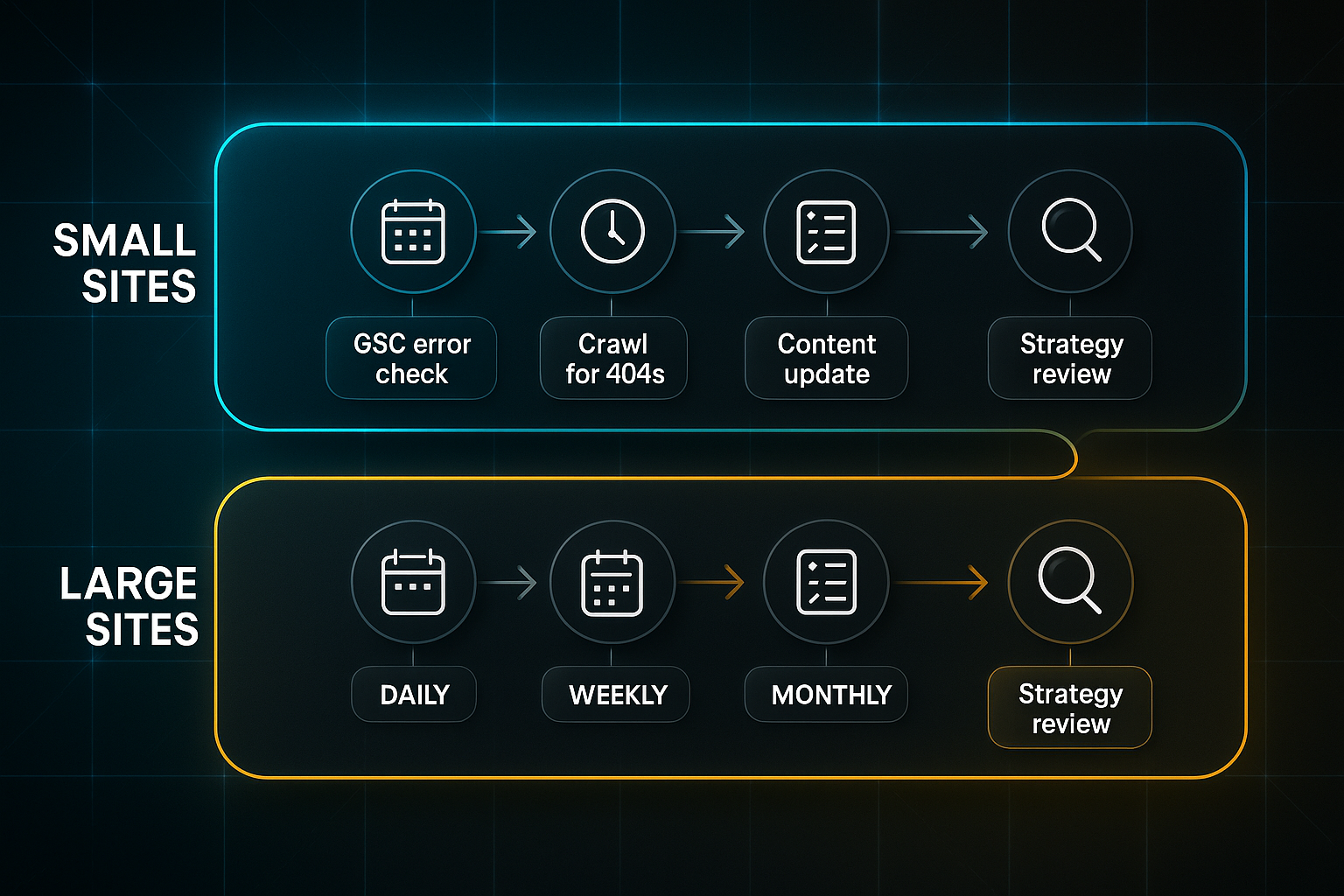
Smaller sites (under 1,000 pages) do well on a lighter, consistent routine: daily and weekly error checks, plus a monthly technical review.
Bigger sites—more than 1,000 pages or 20,000+ visits a month—need a faster pace, with weekly technical crawls and a quarterly strategy review.
There are a few things you must have in place before getting started.
Check that Google Search Console (GSC, free) is verified, you have admin access for your CMS and hosting, plugin installation rights, and at least basic spreadsheet or reporting ability.
If you’re missing any, sort these first—especially GSC verification and admin permissions.
Daily Tasks (15–25 minutes)
Each day, log into GSC to catch crawl errors and urgent issues.
Add UptimeRobot (free or paid) for downtime alerts, and handle comment moderation using Disqus or WPDiscuz.
By day’s end, there should be no unresolved errors or spam.
Weekly Tasks (80–120 minutes)
Once a week, fire up Screaming Frog (free for up to 500 URLs; £149/year unlimited) or SEMrush/Ahrefs to scan for 404s, redirects, and similar issues.
Set up position tracking for your core keywords.
Aim to resolve at least 90% of problems identified each week.
Monthly Tasks (2–3 hours)
Schedule monthly reviews to test Core Web Vitals (LCP, CLS, INP) and site speed with Lighthouse or PageSpeed Insights.
Audit your XML sitemap and schema markup, and update errors in GSC.
Your metrics should land squarely in the green zone; error rates under 1%.
Quarterly Tasks (8–12 hours)
Quarterly, do a deeper audit—this is where our solution, SEOSwarm, steps up with AI-powered technical audits, custom analysis, and integrated dashboards.
Combine this with Screaming Frog and SEMrush/Ahrefs for comprehensive review.
Refresh top pages with updated content, meta tags, and internal linking.
The goal here: zero critical issues and visible ranking or traffic growth.
For very large sites (50k+ visits/month), consider monthly deep audits.
Resource Allocation and Troubleshooting
You’ll want to match tools and skills for each schedule.
Here’s what to expect at each cadence:
- Daily
GSC login, comment moderation, 15–25 min. Basic digital skills. - Weekly
Site crawler, CMS access, keyword tracking, 80–120 min. - Monthly
DevTools, schema plugin, 2–3 hr. Data validation. - Quarterly
SEOSwarm/automation tool, 8–12 hr. Multi-tool review, analytics, planning.
If missing access or repeated persistent errors block your progress, stop and fix permissions before continuing.
If direct fixes aren’t enough, escalate to platform support or a web developer.
For those operating on a lean budget, solo site owners should maximise free tools and bring in specialist help for more complex, recurring problems.
Sticking to this rhythm keeps your SEO efforts rigorous but not overwhelming.
Now you’re prepped for the next step: the technical playbook—speed, mobile, indexing, schema, and the art of knowing when to automate.
Executing Technical SEO Tasks: Actionable Steps for Site Speed, Mobile Usability, Crawlability, and Schema (For Sites 100–1,000 Pages)
Getting the basics of technical SEO right is essential for transforming a website from simply existing online to actively climbing the rankings.
If you manage a site with 100–1,000 pages, it’s important to have a process that is both thorough and manageable.
Let’s break down speed, mobile usability, crawlability, and schema into clear steps, with precise validation and common stumbling blocks explained.
Step 1: Site Speed Audit and Optimisation
Testing your site's speed is the first step. Use Google PageSpeed Insights and GTmetrix to measure baseline performance.
- Record vital statistics for top URLs
Target Largest Contentful Paint (LCP) under 2.5 seconds, First Contentful Paint (FCP) under 1.8 seconds, and Time to First Byte (TTFB) below 0.8 seconds. - Compress main images
Reduce file sizes to under 100KB using TinyPNG or Squoosh depending on your platform access. - Enable lazy loading for images
Add loading="lazy" in your CMS or activate a plugin to stop slow galleries or large sliders from hurting speed. - Set up a content delivery network (CDN)
If hosting and DNS allow, use a CDN like Cloudflare to reduce load times for distant visitors. - Retest after improvements
Run PageSpeed Insights and GTmetrix again to measure your progress after optimisations.
Some platforms like Wix, Squarespace, or Shopify limit server-side optimisation, and your ability to use CDNs or compress images could be restricted. External widgets can also slow down performance.
Always consider platform restrictions before trying advanced speed optimisations.
Step 2: Validate and Troubleshoot Speed
Once initial optimisations are complete, retest the main URLs to see if speed targets have been reached.
- Deactivate unused plugins
Remove any unnecessary features that add load time. - Defer unessential scripts
Prioritise script loading so main content appears quickly. - Minify CSS and JavaScript
Reduce file size for faster performance.
Sites heavy on JavaScript may need server side rendering (SSR). Not all CMS platforms allow SSR, especially older static HTML or restricted systems.
Larger or high-traffic sites could benefit from advanced monitoring with tools like GTmetrix Pro or Cloudflare analytics.
For most sites, regular retesting is enough to spot speed issues.
Step 3: Mobile Usability Validation
Mobile usability is critical for both rankings and the user experience. Start with Google's Mobile-Friendly Test for priority pages.
- Check website layouts on multiple devices
BrowserStack allows you to preview your site across dozens of device types and operating systems. - Adjust tap targets and font sizes as needed
Make sure all design elements meet mobile usability standards. - Test with real devices and emulators
Catching layout and font issues missed by automated tools helps ensure better performance.
Aim for a pass rate of 95% or more in mobile usability checks.
Beware: Certain CMS plugins sometimes conflict with custom JavaScript, which can lead to unpredictable layout problems.
Step 4: Crawlability and Indexation
Ensuring search engines can crawl and index your entire site is vital for SEO visibility.
- Run Screaming Frog and Google Search Console Coverage reports
Identify pages that aren’t indexed or show errors. - Check the XML sitemap and robots.txt file
The indexed page count in Search Console should match your sitemap with less than 1% discrepancy. - Enable pre-rendering or server side rendering for single page applications
This lets search engine bots access content hidden behind scripts. - Inspect with Google Search Console tools
Verify exactly what the search crawler sees on your site.
Troubleshoot any areas where pages, content, or resources are missing in search engine results.
Remember, Screaming Frog will not crawl login-only sections, and some web hosts may block advanced crawling functionality.
Step 5: Implement and Validate Structured Data (Schema Markup)
Schema helps search engines better understand the context and details of your pages.
- Generate JSON-LD structured data snippets
Use technicalseo.com’s schema generator or a suitable schema plugin. - Add schema markup to pages
Apply schema using a plugin, a tag manager, or by injecting code directly into HTML. - Validate schema implementation
Google’s Rich Results Test will flag warnings or errors and ensure markup is effective. - Monitor changes in click-through rates
A successful schema rollout may bring a 3–7% boost in search CTR.
Some website platforms make it difficult to edit page heads for schema, especially bespoke CMS systems.
If schema implementation is blocked, explore third-party integrations or consult your developer.
Step 6: Automate Technical SEO Audits
Automation makes it easier for larger sites and busy teams to catch issues early and keep technical health in check.
- Schedule comprehensive technical audits
Sites with over 10,000 pages should plan for 6–12 hours per full review. - Set up regular automation checks
Monthly automation for all core URLs allows early identification and correction of common issues. - Gain admin, CMS, or API access
Most automation platforms need elevated permissions; older, hard-coded sites may not be compatible. - Supplement automated findings with human review
Tools provide data, but decisions and fixes still depend on expert judgement.
Once technical foundations such as speed, mobile usability, crawlability, and schema are optimised, your site will be more robust and scalable.

AI-Powered
SEO Content Strategy
See the AI platform that's replacing entire content teams
(with better results).

With these elements in place, the next step is to address on-page SEO: keyword targeting, metadata, headings, and making every piece of content drive progress toward your goals.
Mastering On-Page SEO Tasks: Keywords, Content, and Optimisation
If your site has between 50 and 100 URLs, and you’re a novice or intermediate user looking for better indexation and higher click-through rates, on-page SEO is where you’ll see the biggest leap. This is your springboard—once your technical foundations like speed, mobile usability, crawlability, and basic schema are dialled in, the real ranking improvements flow from smart on-page moves.
You'll want to approach this step-by-step.
There’s a clear rhythm to getting it right: focus on core actions, know the numbers you’re aiming for, have the right tools to hand, and keep a watch for common hiccups.
Let’s get specific, so you can see exactly what to do and how to measure it.
Stepwise On-Page SEO: Actions, Benchmarks, and Validation
On-page SEO isn’t just a box-ticking exercise. Each core task below, when done right, pushes your site closer to measurable growth—be that more indexed pages, higher rankings, or visible CTR gains.
- Keyword Research & Mapping
SEMrush ($139.95/mo), Ahrefs ($129/mo), Google Keyword Planner (free). Spreadsheet skills needed; spend 2–4 hours/month. Choose pillar keywords (>500/mo) plus 2–4 secondary per page. Benchmark in Google Search Console. New keywords should index in 2–4 weeks; long-term, target a 20–30% jump in top-20 rankings. On a shoestring? Google Keyword Planner plus Screaming Frog’s free version will get you started. - Meta Tag Optimisation
Screaming Frog (free up to 500 URLs, $279/year unlimited), CoSchedule Headline Analyzer (free or $29). Edit titles (50–60 characters, front-load the keyword), meta descriptions (125–155 characters, EMV >30). Initial audit: 3–5 hours; maintenance: 1 hour/month. Look for a 10–25% boost in CTR within 2–4 weeks—like a landing page CTR going from 2.2% to 3.6%. No bulk edit option? Plugins or a developer can help. - Heading & Layout Review
You’ll need access to your site’s editor or templates, plus free tools like WebFX Readability and Hemingway. For best results: one H1, at least 6 H2/H3s per 1,000 words, short paragraphs, frequent lists, Flesch score above 60. Plan for 2–4 hours per audit. For engagement, GA4 or Hotjar can reveal bounce rates (aim for a 10–20% drop) and average session depth (1.4→2.1 is realistic). Layout tweaks limited by your CMS? Look for plugin solutions. - Internal Linking
Screaming Frog and SEMrush quickly track orphan pages; you’ll want 2–4 contextual links per page (at least three per page). Full site audit: 2–4 hours. Results to aim for: less than 5% orphan pages, session depth up by 15–30%. If your platform is fussy about menus or links, automated linking apps can bridge the gap. - Schema & EEAT
Use technicalseo.com/schema-generator or plugins, or set up as a manual project if you have developer access (2–8 hours for 100 pages, or under 10 minutes with SEOSwarm in bulk). Completion should mean zero Rich Results Test errors, an 8–20% CTR lift, and 5–15 new top-20 keywords. Schema blocked by your builder? Try plugin workarounds or call on a developer.
Resource and Cost Requirements
Here’s what to budget for: Screaming Frog ($279/year), SEMrush ($139.95/mo), Ahrefs ($129/mo), Hotjar (£39+/mo), and potentially another £0–£300 for plugins.
You don’t need to be a coder—just comfortable with a CMS, basic editors, and following guides.
Expect 6–12 hours up front and another 3–6 hours/month for maintenance.
Troubleshooting, Maintenance, and Edge Cases
What if you’re locked out of admin or cannot add plugins? Start with free audits and keyword tools, escalating technical problems to a developer if needed.
Shopify and Wix users should take full advantage of built-in SEO apps for meta tags, schema, and linking—they make up for restricted backends.
It’s vital to back up all site templates and settings before making wide-ranging edits.
Keep a close eye on progress. Every 2–4 weeks, review Google Search Console and Hotjar/GA4 for fresh indexation, CTR shifts, bounce and session depth improvements, and orphan page reduction. That’s how you turn on-page SEO from a monthly chore into a compounding engine for organic growth.
With all this bedded in, your website is primed to leverage structured off-page and backlink workflows—exactly what’s up next.
Blog-in-one-minute
Add a fully SEO-optimised blog to your website with just 2 lines of code.
Learn more
Executing Off-Page SEO Tasks: Backlinks, Citations, and Outreach
Strategic Overview: Off-Page SEO Results in 2025
Let’s dive into off-page SEO—the arena where authority, outreach, and visibility come to life. Focused campaigns in backlink prospecting, citation management, and link reclamation are driving real growth for small and mid-sized businesses.
Here’s the kind of progress you can expect: Domain Authority (DA) up by 8–12 points, a 25–40% boost in referring domains, and organic plus local traffic climbing by 15–25% (all usually within three to six months).
What’s the kicker?
Even small DA gains create outsized results—every technical fix and content win gets amplified.
Backlink Prospecting: Steps, Validation, Troubleshooting, Tool Choices
Winning quality links starts with the right tools. If you handle competitor gap analysis or have over 500 URLs, look to Ahrefs or SEMrush (roughly £99/month). Focused on domain stats and spam? Moz suits you (also about £99/month). Tight budget? Majestic fits at £39.99/month.
Allocate 5–8 hours for setup; after that, two hours monthly should do. Target links with DR≥40 or DA≥30, vet their relevance, and export prospects weekly. Use Hunter.io (£49/month) to validate addresses.
As for metrics, landing 2–3 links per month signals healthy progress—a DA gain of two points per quarter reinforces direction. If results stall (win rate under 3%), refresh templates and search new sources. Hit repeated email bounces? Check contacts via LinkedIn. Lost links not restored after eight weeks? Shift focus to new targets.
Citation Management: Audit, Validation, Troubleshooting
Citations keep your business consistent across directories. For bulk and multi-location updates, BrightLocal (£29/month) excels. Solo or single location? Try Moz Local (£99/month). Industry-specific? Whitespark’s tools (£20–£40/month) cover niche needs.
Plan for eight hours on the first audit, then just an hour monthly. Review at least 50 listings, lock down correct NAP, and chase a 95%+ “Active & Verified” rate. If support delays stretch past five days, switch directories and cross-audit quarterly.
- Overlooking directories beyond Google
Check both sector-specific and major portals. - Skipping regular audits
Consistent review prevents errors from compounding.
Outreach & Link Reclamation: Validation, Troubleshooting
Successful outreach means personalising messages and tracking results. For campaigns under 3,000 emails/month, GMass (£10–£30/month) works well; agencies may benefit from Pitchbox. For validation, Hunter.io remains reliable. Set aside ten hours for initial setup, then two weekly for maintenance.
Personalise batches of 100–200 emails weekly, with two follow-ups each. A reply rate above 15% and five or more new links per hundred sent show good momentum—track results in GMass, Ahrefs, or Moz. If nothing lands after six weeks, rotate target lists and subjects. Use Screaming Frog (£149/year) for chasing lost links fortnightly, escalated after eight weeks if unresolved.
- Neglecting log updates
Track all outreach in a CRM or spreadsheet. - Missing follow-ups
Schedule reminders to maximise every opportunity.
Resource/Results Guidance & Timeline Validation
SMEs typically spend 12–18 hours a month, with costs of £200–£350 in tools. Spreadsheet knowledge is all that’s needed.
You should see citation accuracy shifting from 78% to 98% in just four weeks, DA improving from 22 to 31 across three months, 25 new links per quarter, and map pack positions jumping from #14 to #6.
Taken together, these off-page efforts, when combined with technical and content strengths, build a proactive and resilient SEO strategy.
Next, we’ll connect all these pillars for a fully integrated workflow.
Automating and Scaling SEO Tasks: Where, When, and How
Automating SEO in 2025 changes the game for anyone running more than a handful of URLs or regularly rolling out new content.
With the sheer volume of tasks, automation helps you keep performance high—without burning out your best people.
Here’s the thing: smart tools now handle tedious tasks like technical audits, error flagging, launching blogs, schema markup, and reporting.
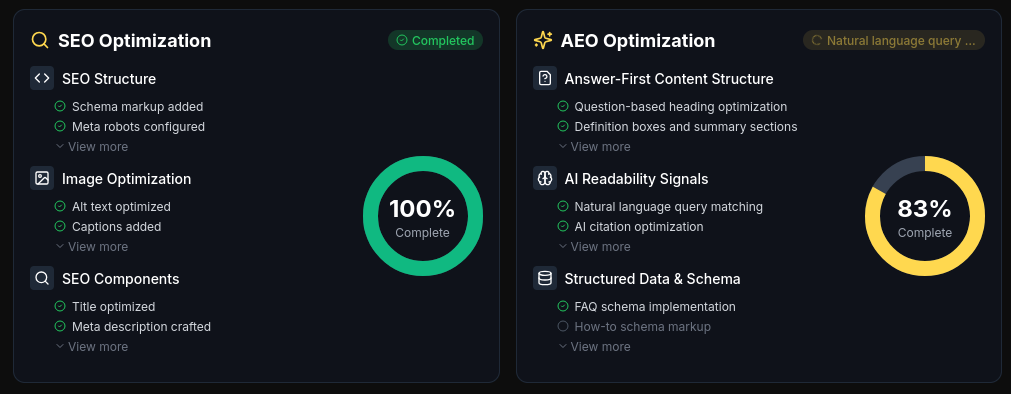
That frees teams up for clever, strategic work—where computers can’t compete.
But, which automation tasks actually deliver results you can trust?
Automation-Ready SEO Tasks and Validation
Not all tasks are equally suited to automation. Below are key tasks you can reliably automate for real-world results, as long as you keep up with regular validation for true quality control.
- Technical Audits
SEOSwarm, SEMrush, or SurferSEO scan 30+ page sites for errors. Setup: 1–3 hours; routine: 2–3 hours/month. - Error Monitoring
Automated alerts from SEOSwarm or SEMrush mark recurring problems. Setup: 30–60 minutes; just check and clear each week. - Blog Deployment
With SEOSwarm’s blog-in-one-minute (embed code), posting 4+ articles monthly gets simpler. Setup: 1–2 hours. - Schema Markup
Yoast Premium (WordPress) or SEOSwarm automate schema for templates or frequent posts. Setup: 15–30 minutes. - Automated Reporting
SEOSwarm or SEMrush schedule exports and analytics. Initial setup: 30–60 minutes; spot-check each week.
For bulletproof results, always validate fixes in Google Search Console and double-check schema with Rich Results Test.
If your dashboard shows less than 1% unresolved errors after automation, that’s a green light.
Platform Comparison: Costs, Setup, and Key Automation
It’s easy to feel overwhelmed by choice, so how do you decide? The table below breaks down costs, time commitment, and strengths—so you can compare what matters most for your workflow.
| Platform | Cost (2025) | Setup Time | Automation Focus | Best Use |
|---|---|---|---|---|
| SEOSwarm | Custom/per-article | 1–3 hr | Audits, blogs, schema, reporting | Multi-site, teams |
| SurferSEO | $79+/mo | 1 hr | Content audits, optimisation | Content agencies |
| Yoast Premium | $99/yr (WP) | 15–30 min | Schema/meta tags, links | Solo/SMB, WordPress |
| SEMrush | $120+/mo | 1–2 hr | Audits, error monitoring, reports | Agencies |
Most platforms need CMS or admin access and dashboard skills.
SEOSwarm stands out for multi-platform schema, rapid blog launches, and integrated dashboards—a strong pick for scaling teams or anyone handling multiple brands.
Choose based on your site volume, publishing speed, and what kind of technical demands you expect.
Essential Troubleshooting and Quality Safeguards
Automation does not mean you stop checking quality.
After every big change—especially schema-related—run validations in Google Search Console and Rich Results Test.
If you hit stubborn issues (errors that linger past two weeks), it’s time for manual inspection with tools like Screaming Frog or technicalseo.com’s schema generator.
To further safeguard quality before deployment, back up your site and use a staging environment for major automated changes before going live.
Mixing automation with scheduled human audits gives you the confidence and safety net for lasting SEO results—the kind that keep your rankings climbing over time.
Making SEO Tasks Work for Your Website
Most websites never reach their full potential because they treat SEO as a checklist, not a living system. The truth is, real gains come from prioritising the right tasks, tracking progress, and adjusting your workflow as your site grows.
Here’s my advice: Start with technical health—speed, crawlability, and mobile usability—then sharpen your on-page content and build authority through targeted outreach. Use automation for routine audits and reporting, but always validate results with hands-on checks. If something stalls, don’t just wait—troubleshoot, escalate, or bring in expert help.
SEO isn’t about doing everything at once; it’s about doing the right things, at the right time, with relentless consistency. Every improvement you make compounds over time, turning small wins into lasting performance. Treat your SEO tasks as a cycle, not a sprint, and your website will keep climbing long after the quick fixes fade.
- Wil