
Choosing the right SEO platform can feel overwhelming, especially when every minute counts for agencies and marketers. I’ve seen teams struggle with slow data updates, confusing onboarding, and plan limits that stall campaigns at the worst possible moment.
In this guide, I’ll break down exactly how Ahrefs and Moz stack up—feature by feature, from backlink analysis speed to onboarding, reporting, and automation. You’ll get real-world data on update frequency, error rates, and pricing, plus practical advice for matching each tool to your agency’s workflow and growth plans.
Whether you’re managing dozens of client sites or just want fast, reliable SEO insights, you’ll find clear comparisons and actionable tips here. I’ll also share expert strategies for maximising ROI, avoiding workflow bottlenecks, and choosing the best plan for your needs.
By the end, you’ll know which platform fits your goals—and how to sidestep the common pitfalls that cost agencies time and money.
Ahrefs vs Moz: How to Decide
Context and Importance of All-in-One SEO Platforms
Let’s start with the basics: what does an all-in-one SEO platform actually do? In the simplest terms, it’s a toolkit that brings together everything needed for effective search engine optimisation—think keyword research, site analysis, backlink monitoring, and performance reporting, all under one digital roof.
The big reason these platforms matter is the way they streamline a whole world of complex SEO tasks, which used to involve juggling a handful of separate tools. Now, agencies, marketers, and business owners can get a comprehensive view of their online presence from a single dashboard.
That sort of integration empowers users to stabilise their site’s search visibility, respond quickly to search algorithm shifts, and continuously optimise their web content. In today’s fast-moving digital environment, that isn’t just convenient—it’s essential for sustained growth.

Defining Ahrefs and Moz in the SEO Ecosystem
When people talk about leading SEO tools, Ahrefs and Moz nearly always come up. These two platforms are recognised benchmarks in the field, trusted not just by agencies or marketing teams but by webmasters and business owners everywhere.
Their main job? To give users the power to track, analyse, and improve their organic search performance. That means providing a suite of tools for tasks like keyword discovery, backlink analysis, technical website audits, and rank tracking.
What’s striking is just how widely these platforms are used—whether it’s a digital agency managing dozens of client campaigns, an in-house team fine-tuning strategy, or a solo entrepreneur keeping tabs on their website.
Key SEO Terminology and Core Concepts
There’s some lingo you’ll see crop up again and again when using Ahrefs or Moz. To make sense of their features, it helps to have a few definitions close at hand:
- Domain Authority (DA)
Moz’s 1-100 rating that estimates how likely a site is to rank, based on links and trust factors. - Page Authority (PA)
Moz’s prediction of an individual page’s strength in search rankings. - Site Explorer/Link Explorer
In-depth backlink and content analysis modules inside both platforms. - SERP Tracking (Rank Tracking)
Following keyword positions across Google and others to see how visibility shifts over time. - Technical SEO
Tweaking site speed, structure, and schema for better search engine access and higher rankings. - Batch Analysis
Comparing multiple domains or keywords at once, a lifesaver for agencies needing bulk insights.
You’ll find these concepts are the building blocks for most SEO strategies, as they inform analysis and reporting at every step.
Who Uses Ahrefs and Moz, and for What Purposes?
So, who relies on these platforms, and what are their main goals? The answer is surprisingly broad. Agencies handle multi-client management and crave robust reporting and bulk data analysis. Marketers look to these tools for campaign planning, competitor insight, and ongoing performance tracking. And business owners or site managers use them to assess site health, spot technical issues, and find opportunities for growth.
The range of use cases is enormous—from developing content strategies and detailed SEO plans to running spiders over code for optimisation and tracking the fruits of your efforts over time.
These core concepts and user perspectives set the stage nicely. Next, it’s worth seeing how the unique features packed into Ahrefs and Moz serve the needs of these different groups. That’s where things start to get interesting.
Ahrefs vs Moz: Feature-by-Feature Comparison—What Actually Matters for Real-World SEO Teams
Backlink Analysis & Bulk Audits: Are Your Agency Reports Faster or Deeper?
When you’re handling high-volume SEO management for agencies in 2025, it’s often the nuances of backlink analysis (that is, looking at every external link pointing to a site) and bulk audit capacity (checking multiple sites or pages at once) that make or break your day.
The numbers themselves set the stage:
- Ahrefs—Vast Backlink Data
Ahrefs boasts 35 trillion external backlinks and another 24 trillion internal, giving it tremendous reach and scale for link discovery. - Moz—Comprehensive Coverage
Moz’s dataset has expanded to 44.8 trillion total links and covers 1 billion domains, supporting broad analysis capabilities.
But size is only part of the picture.
What really changes your workflow is how quickly those links appear—and how that pace lets you adapt and respond faster than competitors.
- Ahrefs—Rapid Data Refresh
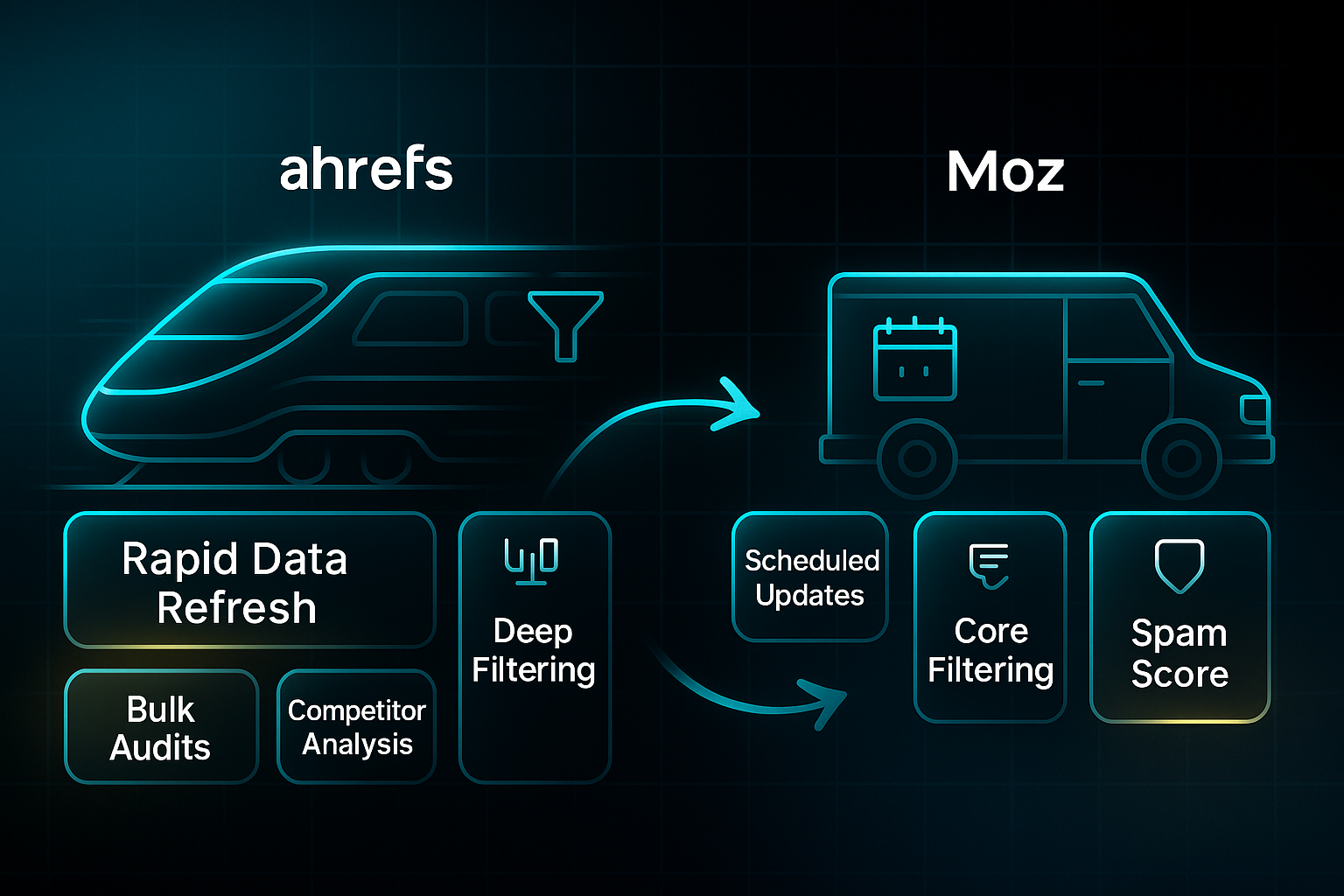
Ahrefs refreshes its backlink data every 15 minutes—a blistering pace—while also updating crawl metrics for 300 million pages within 24 hours, ensuring agencies can act on new insights almost immediately. - Moz—Scheduled Updates
Moz is slower, updating its database every 3 days on average, which can mean waiting longer to spot emerging opportunities or shifts.
So, agencies needing to spot new links quickly find Ahrefs gives them the edge.
Let’s talk scale for a moment.
- Ahrefs—Competitor Analysis Power
Ahrefs crawls around 8 billion pages daily. That kind of firepower enables quick, broad competitor analysis and exposes backlink patterns across several sites in a single sweep. - Site Explorer—Deep Filtering
Ahrefs’ Site Explorer gives you a deep set of filtering options—by link type, source, and quality—perfect for breaking down results into client-friendly chunks and saving hours of tedious sorting. - Moz—Core Filtering Simplicity
Moz’s Link Explorer offers two core filters: link type (dofollow/nofollow) and status (active/lost). For big agency audits, this means more manual work wrangling data to match client needs, and slower triage for complex link profiles—potentially impeding agency workflow.
For users who need to triage complex link profiles quickly—think busy agencies—Ahrefs’ broader filtering saves hours of tedious sorting.
Accuracy comes into play as well, impacting trust in reporting and link-building decisions.
- Dead Link Error Rate—Accuracy Matters
Independent tests found Ahrefs had the lowest 'dead link' error rate, with just 829 mistaken links in a 10,000-link batch—giving agency teams confidence when moving fast. Moz clocked in at 1,761 errors. - Spam Score—Moz’s Strength
Moz excels with its Spam Score metric, focusing more on the quality and trustworthiness of inbound links over sheer quantity, which is crucial for agencies prioritising reputation and risk management.
With near real-time updates and high accuracy, agencies relying on quick moves get to spot and capitalise on new link-building chances almost as soon as they arise.
A case study on the link-building agency, The Links Guy, revealed they achieved a 100% increase in their own organic traffic in just six months by applying their strategic SEO and link-building services to their own domain.
Automation is another important thread.
API support exists on both sides, letting you automate data grabs or reporting workflows to boost efficiency and scale.
Detailed limits and timing for those batch exports? Those specifics haven’t been revealed in public documentation.
White-label reporting—branding reports for clients—is possible, but neither platform lays out a full feature set for this in their latest tech docs.
Summing up the impact: here are the most significant comparative features and recommendations for agency workflows, distilled from the detailed comparisons above.
- Best: Agencies needing rapid, large-scale backlink auditing, granular competitive analysis, and high accuracy—Ahrefs.
Choose Ahrefs for blisteringly fast updates, powerful filtering, and error-tested data that supports deep audits and quick reporting across many clients. - Risk: Teams focused on smaller client sets or requiring frequent trust score assessment—Moz’s limited filtering and slower update pace can impede workflow.
Moz is best for those prioritising its trusted Spam Score, but the slower data refresh and limited filtering may slow agencies managing larger, multifaceted portfolios.
For teams balancing audit speed, large client portfolios, and report depth, these differences carry real-world weight.
Of course, that’s just one side of the coin. Next, let’s move on to how keyword research and intent mapping influence campaign launches and strategy for growing SEO teams.
Ahrefs vs Moz: Strengths and Weaknesses
Onboarding, Training, and Ease of Use
Wondering which platform actually saves your agency the most time at the start? Moz really takes the pain out of onboarding for small teams.
Moz Academy and Whiteboard Friday help new users typically get up to speed in less than a day. That’s more than a minor perk—supervisors see 40–50% less onboarding friction and lower labour for small groups.
Ahrefs brings a deeper toolbox, but that means a steeper learning curve.
For advanced features and bulk management, experienced SEO teams should expect 3–5 hours of setup and hands-on practice.
Agencies find Moz’s training saves 2–4 staff hours per new hire compared to Ahrefs. This means time and energy is directed into billable campaigns instead of dashboard setup.
For agencies looking to scale, leveraging external training resources like Moz Academy for new hire onboarding is a significant efficiency gain. It frees up senior team members from repetitive foundational training and ensures a consistent, high-quality knowledge base across the entire team, directly impacting the speed and quality of client work.
Reporting, Export, and API Workflows
Reporting is a major battleground for agency efficiency. Ahrefs is popular with bigger agencies for its robust exports and API options.
These features let agencies automate and build custom dashboards to support multi-client operations.
Setting up reports in Ahrefs is manual. Teams often spend up to 45 minutes designing CSV formats per client when starting out.
Moz bets on speed. Out-of-the-box reports and templates allow branded exports to be ready in 10–15 minutes per client.
This approach is a big deal for agencies with under 20 clients or those needing fast results.
Below is a detailed comparison of how Moz and Ahrefs stack up on the key operational issues that matter most to agencies:
| Pain Point | Moz Position | Ahrefs Position |
|---|---|---|
| Onboarding Time | Fast (less than 1 day) | Longer (3–5 hours, advanced setup) |
| White-label Reporting | Built-in, quick setup | Manual CSV, advanced API required |
| Bulk Export & API | Basic API for small-scale | Advanced bulk export/API for agencies |
| Support Quality | Personalised, responsive | Solid, best for technical users |
| Data Update Frequency | Weekly | Every 15 min (live); daily (site-wide) |
If your priority is immediate onboarding and straightforward, fast reports for local or mid-market clients, Moz’s export tools and templates provide an advantage.
On the other hand, agencies automating at scale and pivoting strategies in real-time benefit from Ahrefs. After learning the ropes, teams get broad workflow possibilities and near-live data updates.
Agency Use Cases: Quantified Outcomes
To illustrate specific measurable outcomes, here’s how both platforms have delivered for different agency types:
- Ahrefs: Enterprise Campaigns
Delivers measurable 2–3x traffic growth on large accounts through advanced backlink tools and rapid data updates. - Moz: SMB/Local SEO
Improves local SERP (Search Engine Results Page) visibility by 20% or more and halves onboarding time due to step-by-step staff training.
That said, agencies managing multi-client campaigns find that Ahrefs’ scalability and automation justify the steeper learning curve and higher starting price (£129 per month).
Meanwhile, solo consultants or small agencies focused on usability and quick training may prefer Moz’s low monthly cost (£49 and up) and responsive support for reliable value.
Both suites can help your agency deliver results. The important consideration is matching your platform choice to your team’s unique workflow and goals.
Up next, we’ll look at how pricing and support may influence your decision when you reach the final fork in the road.
Pricing and Value: Ahrefs vs Moz
Plan Structure and Tier-by-Tier Feature Comparison
Let’s get straight to where agencies feel the pinch: plan limits, upgrade triggers, and budget impact.
In 2025, Ahrefs raised its rates—$249/month for Standard, $449/month for Advanced, and $1,499/month for Enterprise. Moz’s plans remain more accessible, from $49/month for Starter to $299/month for Large.
What do you actually get for these prices? Every plan sets clear caps—sites, user seats, keyword tracking, crawl credits, API (Application Programming Interface) access—dictating how far your workflow can stretch.
The catch: no granular resource add-ons.
If you reach a cap, it’s always a full plan upgrade. Moz offers limited keyword add-ons, but most upgrades mean jumping a tier.
Here’s an at-a-glance comparison of the major plans:
| Resource/Feature | Ahrefs Lite ($129/mo) | Ahrefs Standard ($249/mo) | Ahrefs Advanced ($449/mo) | Ahrefs Enterprise ($1,499/mo+) | Moz Starter ($49/mo) | Moz Standard ($99/mo) | Moz Medium ($179/mo) | Moz Large ($299/mo) |
|---|---|---|---|---|---|---|---|---|
| Projects/Sites | 5 | 20 | 50 | Custom | 1 | 3 | 10 | 25 |
| User Seats | 1 | 1–3 | Multiple | Multiple | 1 | 1 | 2 | 3 |
| Keyword Tracking | 750 | 2,000 | 5,000 | Custom | 50 | 300 | 1,500 | 3,000 |
| Crawl/Page Limits | 100,000 | 500,000 | 1,500,000 | Custom | 20,000 | 400,000 | 2,000,000 | 5,000,000 |
| API Access | No | No | Yes | Yes | No | No | Yes | Yes |
| AI Features | Included | Advanced | Advanced | Advanced | Basic | Basic | AI reporting | AI reporting |
| Upgrade Mechanism | Full plan | Full plan | Full plan | Custom | Full plan | Full plan | Full plan | Full plan |
| Overage Handling | Locked features | Locked features | Custom/Locked | Negotiable | Add-on charges | Add-on charges | Add-on charges | Add-on charges |
Agency buyers need to keep one eye on usage and the other on future growth.
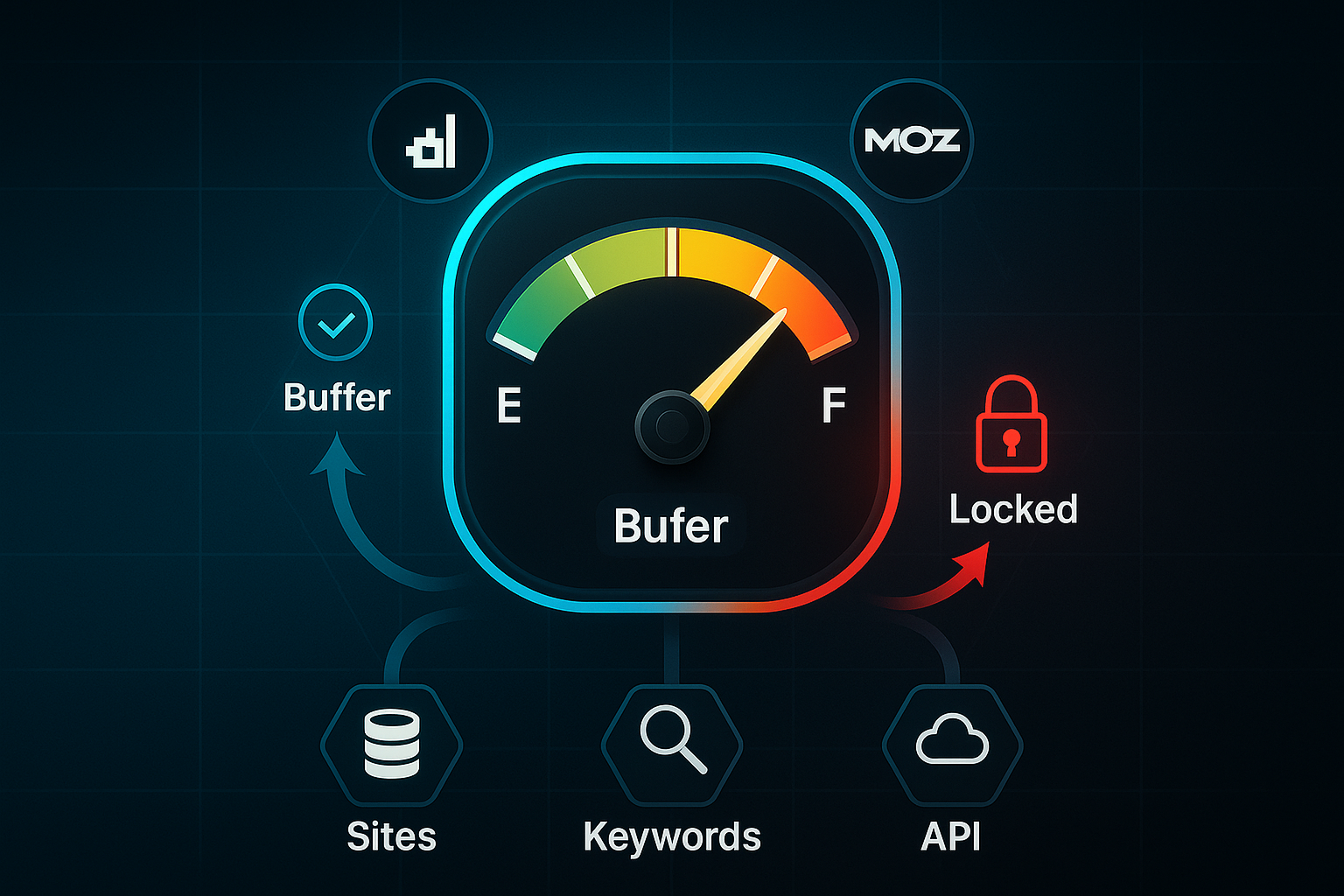
Hit 80–90% of any limit, and you get an alert—go past it, and the platform locks those features without delay.
There’s no grace period, so mid-campaign interruptions can easily happen if you’re not proactive.
My advice? Build in 20–30% extra capacity above what you expect to use.
That buffer helps you dodge “upgrade shock” when your client roster or campaigns suddenly expand.
So, which tier fits your needs best?
Think about how your agency works most days: is scale your priority, or do you want straightforward costs and fast onboarding?
Team size, campaign load, and growth rate all play a part.
Here’s a focused breakdown connecting the right plan to the right use case, so you don’t get caught out by hidden limits or forced upgrades:
- Ahrefs Standard ($249/mo)
Designed for medium agencies managing up to 20 sites. Great for deep reporting, but single-user cap can slow down collaboration. - Ahrefs Advanced ($449/mo)
Suits larger teams that need more seats and serious crawl capacity—just be mindful of the big cost jump if you outgrow it. - Moz Medium ($179/mo)
A favourite for SMBs; brings two seats and high crawl limits. If you scale quickly, anticipate another full upgrade when your site count rises.
Keep these mechanics front of mind: a well-planned buffer saves frantic upgrades and downtime during peak periods.
At the end of the day, pricing isn’t just about the sticker—it shapes how reliable, scalable, and stress-free your campaigns are.
Up next, we’ll explore how agency models and business needs shape which platform delivers genuine SEO value.
Decision Frameworks for Workflow-Fit: Pinpointing the Best Platform for Your Agency, Campaign, or Scaling Challenge
Segment-Specific Actions, Plan Limits, and Automation Triggers
Choosing between Ahrefs and Moz depends on workflow mechanics, segment focus, and each platform's approach to automation and plan limitations. Agencies managing enterprise-scale campaigns benefit from Ahrefs’ advanced backlink exploration, bulk keyword tracking—up to 5,000 keywords—and flexible scheduling via its API for rank and competitor alerts.
Teams receive resource limit warnings at 80%. If data or API caps are hit, exports pause until the account is upgraded; jobs then resume automatically. The main challenge is managing API rate limits and slow exports with large data volumes, so many agencies stagger exports or plan calls to avoid workflow bottlenecks.
Moz is ideal for SMBs and teams new to SEO. Onboarding is quick, and site audits are straightforward. Plans have strict limits—up to 3,000 tracked keywords and fewer bulk reporting features. Users see alerts at 75%, and hitting the cap means features pause until upgraded, which is critical for agencies with many clients.
API-based exports run through the Moz dashboard. For deeper technical analysis (such as Screaming Frog), manual CSV uploads are often required. Moz emphasises automation for on-page audits, Domain Authority, and rank tracking, serving smaller teams who value fast technical fixes and guidance.
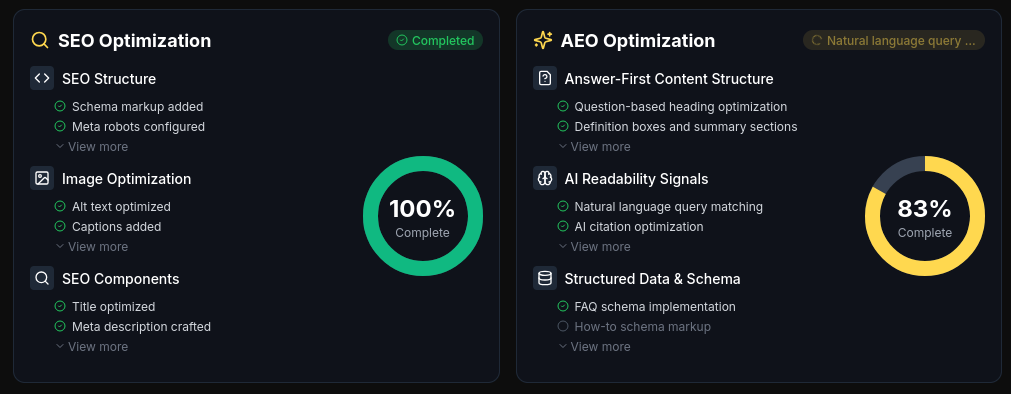
Some agencies and enterprises leverage both Ahrefs and Moz, then streamline workflow using SEOSwarm. They export datasets in CSV or JSON format, upload projects, and let agentic strategy execution and instant blog publishing take the lead.
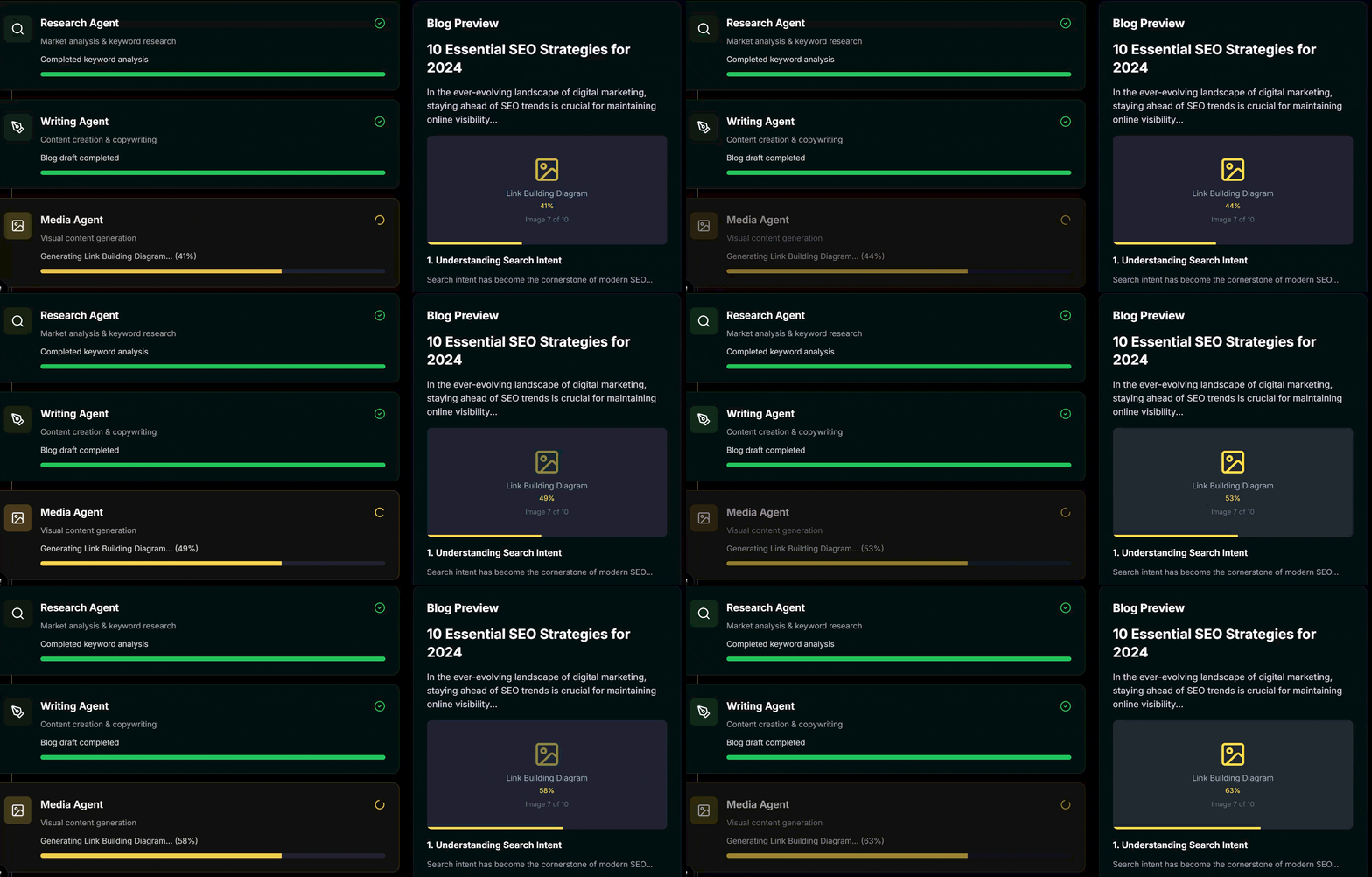
The result is improved client growth potential, resource savings through automation, and flexible article pricing.

AI-Powered
SEO Content Strategy
See the AI platform that's replacing entire content teams
(with better results).

Across these scenarios—whether you’re nearing plan limits or seeking automation—the table below summarises the most important triggers and recommended actions by user type.
| Segment | Trigger | Action | Required Tool |
|---|---|---|---|
| Beginners / SMBs | Moz keyword/audit cap hit | Upgrade plan or export to Screaming Frog | Moz API, Screaming Frog |
| Agencies | Export/API rate limit reached (Ahrefs/Moz) | Stagger exports, schedule API automation; upgrade if necessary | Ahrefs API, Sheets, Zapier |
| Enterprises | Manual workflow bottlenecks | Move to SEOSwarm for managed execution and scaling | CSV/JSON export, SEOSwarm account, 2-line install code |
With these triggers in mind, agencies needing advanced data and automation generally prefer Ahrefs. Teams seeking guided audits and rapid reports at a modest scale benefit from Moz. SEOSwarm transforms analytics into managed, rapid campaign delivery.
Next up, let’s see how integration strategies can truly optimise agency and enterprise SEO tech stacks—and which combinations deliver the highest ROI.
Optimising Platform Usage for Maximum ROI
Key Expert Tips: Maximising Ahrefs and Moz Efficiency
Making every penny count with SEO platforms means aligning features to your workflow and business size. Agencies and marketers looking for real results need practical strategies—so let’s walk through the most effective ones.
- Dual-platform strategy
Use Ahrefs for rapid backlink data (15-min refreshes, 35 trillion links); turn to Moz for fast onboarding, branded reports, and reliable local audits. - API and reporting automation
Rely on the Ahrefs API with 10,000 rows/session (Standard+) for bulk analytics; Moz API delivers up to 250 queries/hour, making it a go-to for quick SMB reporting. - Troubleshoot workflow bottlenecks
Regularly check for API resets (OAuth every 30 days), confirm CSV files are encoded in UTF-8, and monitor row limits before scaling up analytics. - Best practices for reports
Stick to 30-day ranking averages; overlay algorithm updates for clear insights. Upgrade as soon as Lite or Starter row caps get close—waiting can disrupt reports when it matters most.
These platform and tier limits have a direct impact on your workflow options and overall reporting efficiency. Take a look at how export and automation caps define your best-fit choices:
| Platform/Tier | API Row Cap | Reporting Tool Compatibility | Best Use Case |
|---|---|---|---|
| Ahrefs Lite | 2,000 | CSV/Sheets | Solo/small teams |
| Ahrefs Standard | 10,000 | Looker Studio, BigQuery | Agencies/automation |
| Moz Starter | 1,000 | Sheets, API | SMBs, onboarding |
| Moz Medium+ | 5,000 | API, reporting integrations | Scaling agencies |
You know what can catch teams off guard? Bulk export interruptions right at crunch time. So, if I were running an agency in 2025, I’d combine Ahrefs Standard for advanced analytics with Moz Medium for onboarding and branded exports, always keeping an eye on upgrade thresholds. For larger agencies, routine API credential checks and well-documented workflows help sidestep unexpected downtime—making sure those campaigns roll out smoothly.
Blog-in-one-minute
Add a fully SEO-optimised blog to your website with just 2 lines of code.
Learn more
Choosing Between Ahrefs vs Moz for Your Needs
No single SEO platform fits every agency or marketer. The real difference comes down to how well each tool matches your workflow and growth plans. I’ve seen teams thrive by choosing platforms that align with their reporting needs, automation goals, and client scale.
If you manage fast-moving campaigns or large client portfolios, Ahrefs’ rapid data refresh and deep filtering can save hours and unlock new opportunities. For smaller teams or those prioritising onboarding speed and branded reports, Moz’s streamlined training and export tools offer a clear advantage. My advice: map your current pain points, anticipate future growth, and build in a resource buffer to avoid sudden plan lockouts.
The smartest agencies don’t just pick a tool—they combine strengths, automate wherever possible, and keep a close eye on usage limits. In SEO, the best results come from adapting your tech stack as your business evolves. Your platform choice should make scaling easier, not harder.
- Wil